AI Action Items From Meetings: Short Answer
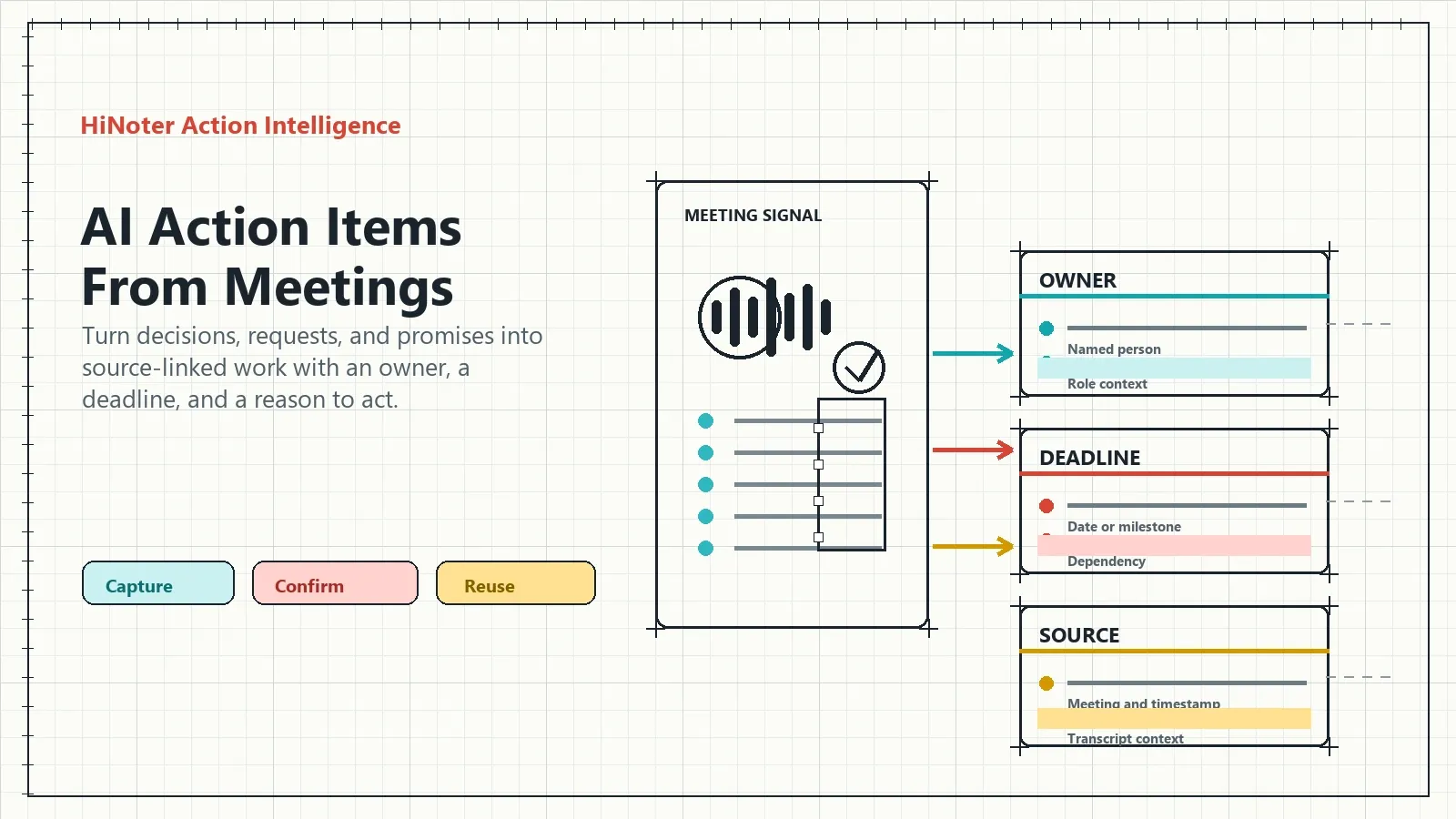
AI action items from meetings turn spoken decisions, requests, and commitments into structured tasks with an owner, deadline, dependency, context, and source reference. The result is more useful than a transcript alone: teams can review what was promised, verify the evidence, share confirmed follow-up, and connect the work to a searchable meeting knowledge base.
AI can surface likely tasks quickly. The important part is making those tasks trustworthy enough for people to act on.
| Input | AI action-item output | Why it matters |
|---|---|---|
| “I'll send the revised plan after review.” | Task, likely owner, timing cue, and source passage | The team can confirm a concrete next move |
| “Security needs to approve this first.” | Dependency, open question, and response owner | A hidden blocker becomes visible work |
| “Let's revisit this next week.” | Check-back task and related meeting context | The topic does not disappear after the call |
What Are AI Action Items From Meetings?
AI action items from meetings are structured follow-up tasks created from a meeting transcript or source record. They identify the work that was requested, agreed, or implied in conversation and organize it with the owner, timing, dependency, supporting context, and source reference needed for review.
Meeting transcription tells a team what was said. AI action items help the team decide what it needs to do next. That difference matters after a long sales call, product review, customer check-in, hiring debrief, project meeting, or leadership discussion where several commitments may be buried in one conversation.
Definition: AI action items from meetings are a follow-through layer built from meeting content. Each item should preserve the task, owner, timing, reason, and source that lets a person verify the commitment.
The World Wide Web Consortium describes transcripts as text alternatives that make audio and video content usable. The same text layer makes meeting promises searchable, which is the starting point for turning conversation into a reliable task record.
Why Teams Need AI Action Items, Not Just Meeting Transcripts
A transcript solves the “what happened?” problem. It rarely solves the “who does what now?” problem. A person may need to read pages of chronological discussion to find one deadline. A customer commitment may be expressed casually near the end of a call. An action that depends on another team's review may never be added to the formal task list at all.
That is why actionability sits beyond transcription. Teams need an outcome that distinguishes a completed decision from an open question, a real owner from a name mentioned in passing, and a deadline from a vague hope that something will happen soon.
| Meeting artifact | What it gives you | What it still lacks |
|---|---|---|
| Recording | Voice, tone, pacing, and full context | Fast retrieval and visible accountability |
| Transcript | Searchable wording, speakers, and timestamps | Prioritized tasks, confirmed owners, and follow-through |
| Summary | Main ideas, decisions, and risks | Task-level detail and source verification for every promise |
| AI action items | Structured tasks, owner, timing, dependency, and context | Human confirmation when the source is ambiguous or high-stakes |
| Project system | Execution, status, planning, and reporting | Why a meeting created the task unless source context is carried over |
How AI Action Items From Meetings Work
The workflow is straightforward, but each layer has a different job. Meeting capture preserves the source. Structured notes make the conversation easier to scan. Action extraction identifies possible follow-up. Source references allow a responsible person to check the result before it becomes a team commitment.
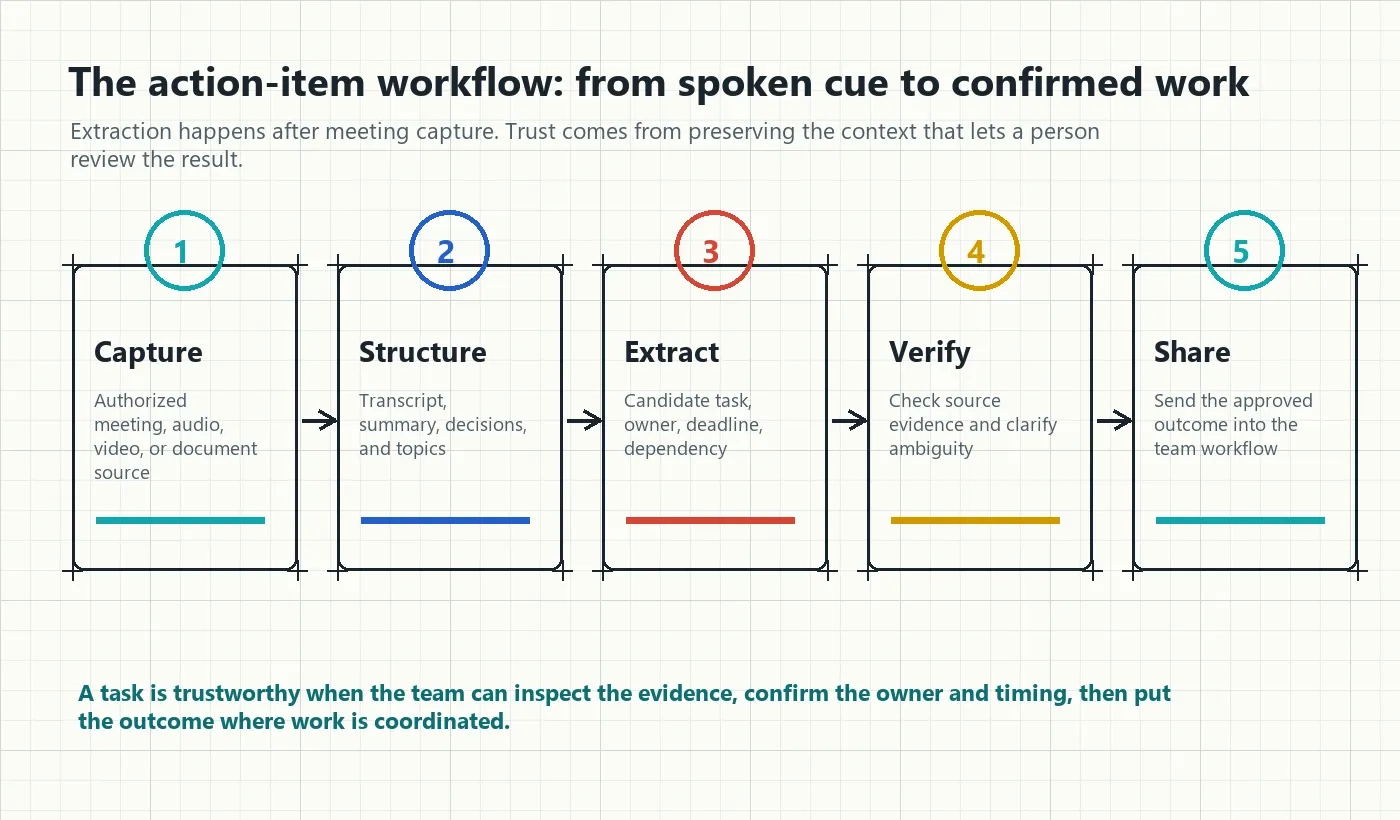
- Capture an authorized meeting or source. Start with a scheduled call, audio file, video, permitted YouTube content, transcript, or related PDF. Use the required participant notice and access controls.
- Build the structured meeting record. Generate a transcript, summary, decisions, topics, and key moments. This provides the context needed to interpret a potential task.
- Extract candidate actions. Identify promises, requests, approvals, decisions, next steps, owners, deadlines, and dependencies mentioned in the discussion.
- Check the critical details. Review customer-facing commitments, financial promises, security work, hiring decisions, and material dates against the source record before treating them as final.
- Distribute the confirmed work. Send summaries, task lists, and source links to the tools where the team plans, communicates, and executes work.
Google Cloud's speech-to-text guidance emphasizes matching language and audio configuration to the source. Practical action extraction has a similar discipline: a well-structured output starts with a clear source and improves when names, dates, and technical language are reviewed.
What Makes an AI Action Item Usable?
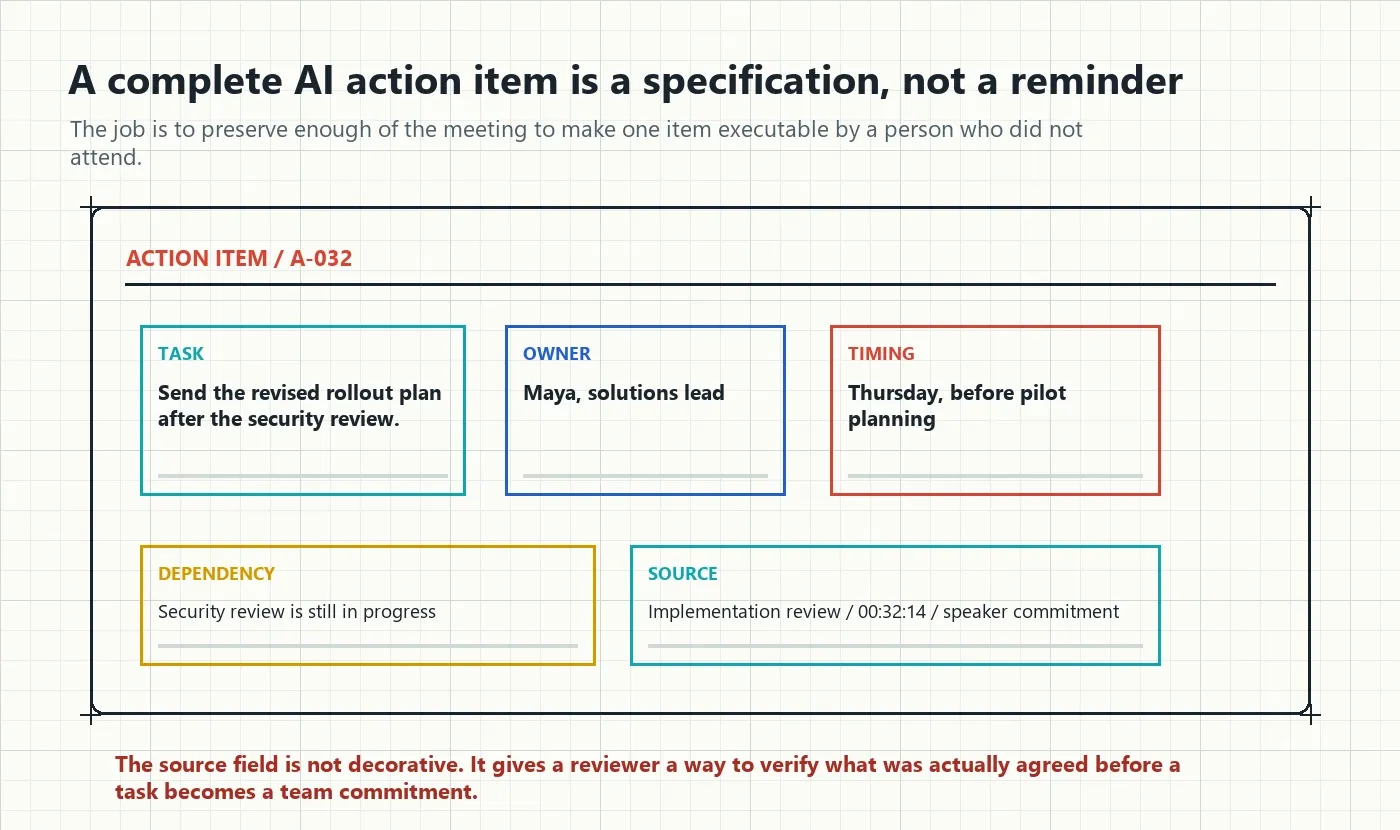
A task is not useful because it has a checkbox. It is useful when another person can understand the expected result, ownership, timing, and reason behind it without returning to the entire meeting. The source reference matters because it makes the record explainable.
| Field | Example | What it prevents |
|---|---|---|
| Task | “Send the revised rollout plan after security review.” | A vague note such as “Follow up on plan” |
| Owner | Maya, solutions lead | Unclear responsibility across multiple attendees |
| Timing | Thursday, before pilot planning | A task with no useful sequence or priority |
| Dependency | Security review must happen first | A blocked task that looks late for no reason |
| Context | Customer needs the plan before confirming pilot scope | Work that loses its connection to the goal |
| Source | Implementation review, 00:32:14 | Unverifiable paraphrase or disputed ownership |
Microsoft's conversation transcription documentation explains how speaker separation can be used to identify turns in a discussion. For action items, speaker context matters because it helps a reviewer distinguish “I will do it” from “someone should do it.”
Sample Output: AI Action Items With Context and Evidence
This fictional example shows the difference between a meeting summary and action extraction that is ready for review. Each item has enough information for a teammate to understand what it is, who owns it, and where it came from.
| Task | Owner | Timing | Source and context |
|---|---|---|---|
| Send the revised rollout plan after security review | Maya, solutions lead | Thursday | Implementation review, 00:32:14; required before pilot planning |
| Confirm pilot participants | Customer operations director | Before the next call | Customer commitment, 00:36:40; impacts pilot scope |
| Validate onboarding dependency | Engineering lead | Before implementation starts | Product planning, 00:44:02; unresolved delivery constraint |
| Draft leadership risk recap | Jon, project manager | Friday | Delivery review, 00:21:08; informs escalation decision |
Copyable AI action item template
Task:
Owner:
Due date or milestone:
Dependency:
Why it matters:
Status:
Source meeting and timestamp:
Open question, if any:
Use the open-question field on purpose. It prevents a tool from converting uncertainty into a falsely confident task. If the meeting did not establish an owner or date, keep that gap visible for the next decision.
Ask HiNoter AI Chat About Actions, Decisions, and Sources
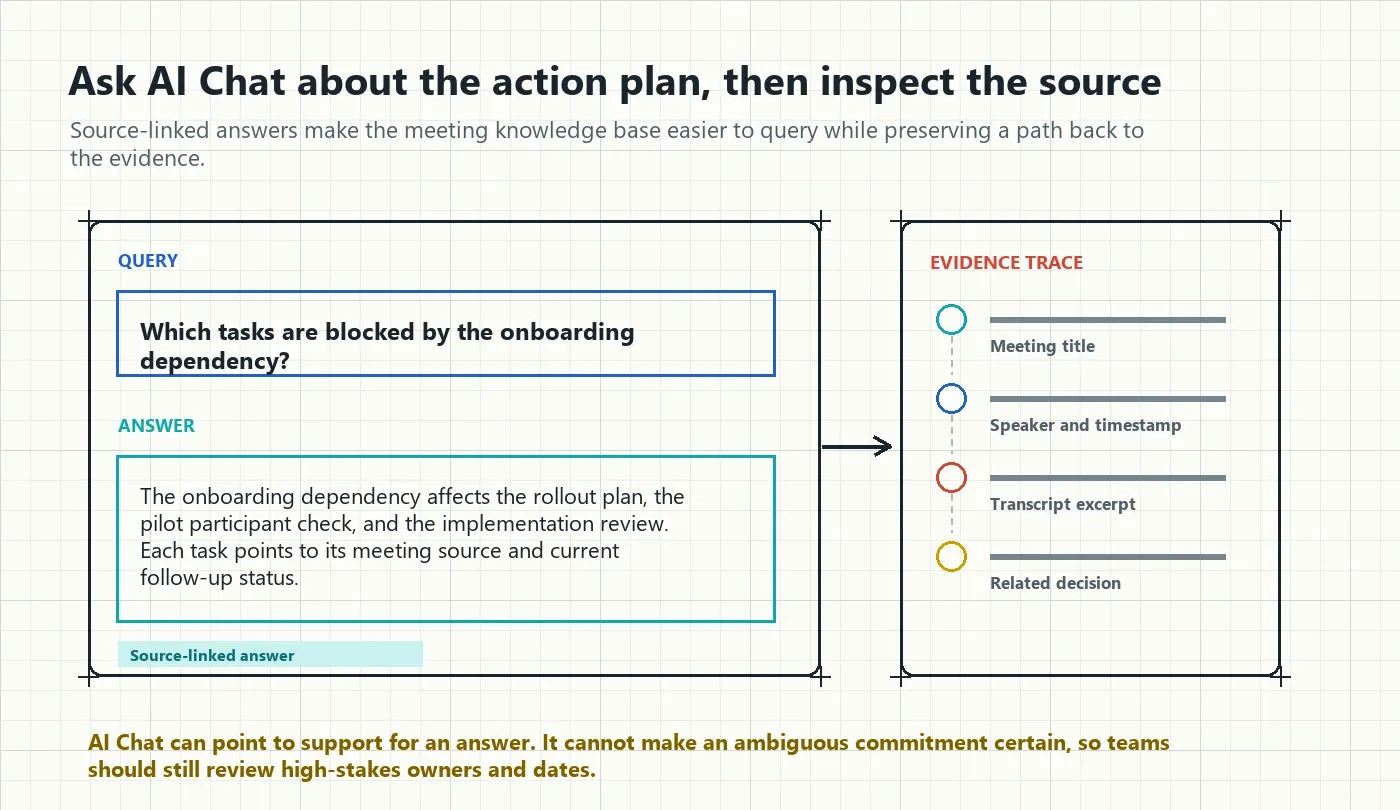
Teams do not only need a list of tasks. They need to ask what is still open, why a task exists, what changed since the previous meeting, and which decision created a dependency. HiNoter AI Chat is meant for that retrieval layer: it lets people query the meeting knowledge base while using source references to locate the supporting context.
| Question to ask | Useful answer | Evidence to inspect |
|---|---|---|
| “Which tasks are blocked by the onboarding dependency?” | Related actions, current status, and affected meetings | Source meeting, dependency mention, and later updates |
| “What did we promise before the pilot meeting?” | Task, owner, timing, and customer context | Commitment passage and the follow-up record |
| “Who owns the security follow-up?” | Named owner and current follow-through state | Original owner statement and any reassignment |
| “When did we decide to defer customization?” | Decision date, rationale, and deferred option | Decision record and source discussion |
| “What remains open from last week's review?” | Open questions, risks, and uncompleted action items | Linked meetings and their source references |
Source references make an answer auditable. They help a user move from an AI-generated explanation to the meeting title, speaker turn, timestamp, or transcript excerpt behind it. That reduces the risk of an unsupported paraphrase going unnoticed, but it does not remove the need for human review when a task is sensitive, ambiguous, or high-impact.
From AI Action Items to a Meeting Knowledge Base
Meeting action items are more valuable when they stay connected to the conversation that created them. A knowledge base allows a team to move across layers: from a task to the decision, from the decision to the source, from the source to a mind map, and from the mind map to related meetings.
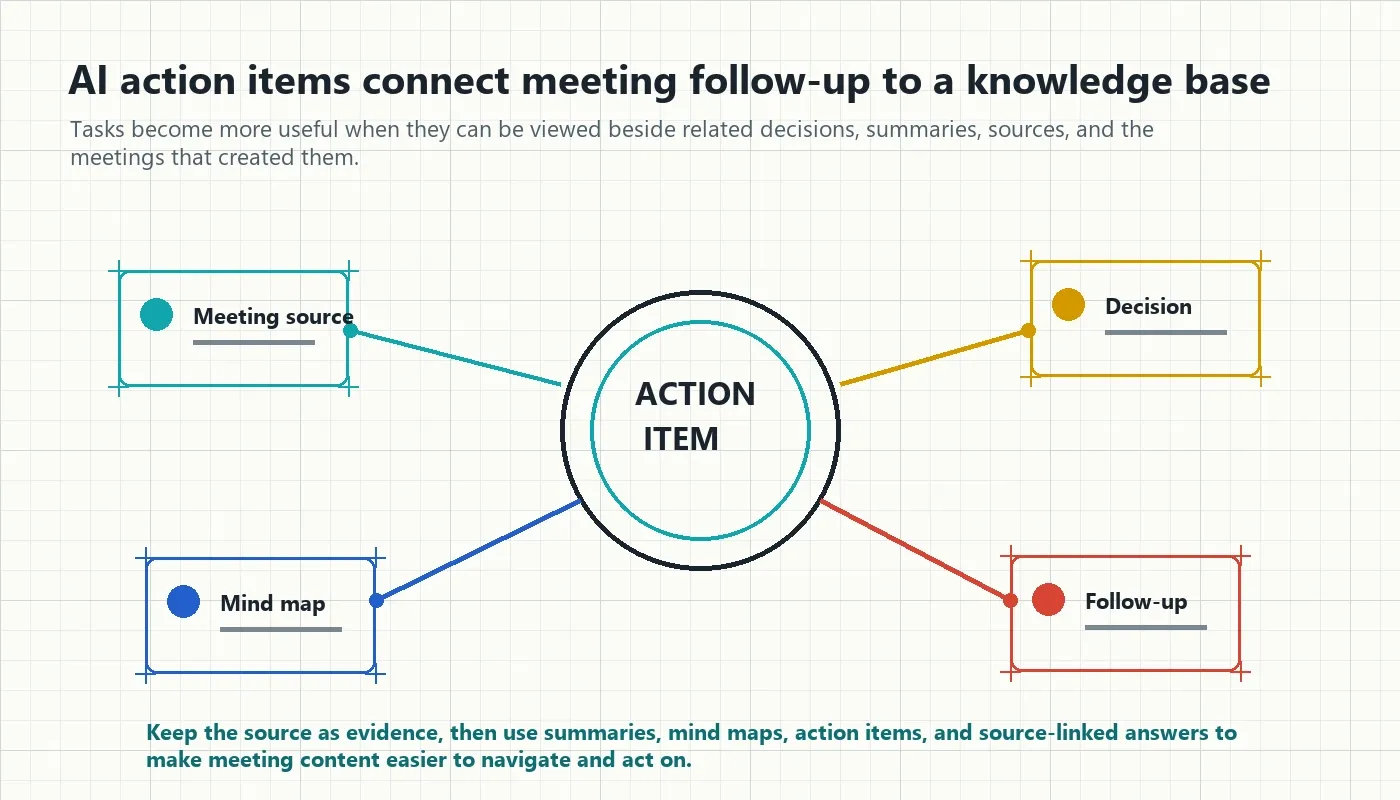
| Knowledge layer | What it contains | How it supports action |
|---|---|---|
| Source layer | Recordings, transcripts, audio, video, and relevant documents | Preserves evidence and surrounding meaning |
| Structured notes | Summary, decisions, risks, topics, and action items | Makes long conversations easier to review |
| Mind map | Relationships among topics, decisions, and dependencies | Shows how an action connects to a larger issue |
| AI Chat | Source-linked questions and answers | Helps teammates retrieve answers without rereading everything |
| Shared workflows | Notion, Slack, Google Docs, calendar, and email outputs | Moves the right detail into everyday work |
How HiNoter Turns Meetings Into AI Action Items
HiNoter is an AI meeting notes and transcription platform plus a meeting knowledge base. It is designed to capture an authorized conversation, create a structured record, and make the useful work visible without asking someone to type notes throughout the meeting.
- Connect the calendar or upload a source. HiNoter can work with scheduled meetings, audio, video, permitted YouTube sources, PDFs, and uploaded files.
- Generate the structured output. The meeting becomes a transcript, summary, action list, and mind map, with support for more than 50 languages and automatic detection.
- Review action items. Confirm the owner, timing, dependency, and task wording for work that needs a human decision.
- Ask source-linked questions. Use AI Chat to retrieve decisions, actions, and answers while tracing them back to the original source.
- Share the approved result. Send summaries, action plans, and source links to Notion, Slack, Google Docs, calendar workflows, and email.
Explore related HiNoter workflows for AI meeting notes, an AI meeting assistant, meeting summary generation, audio to text, AI Chat with source references, and multilingual meeting support.
Where to Send AI Action Items After a Meeting
Different audiences need different detail. A specialist may need the source excerpt. A manager may need the decision and risk. A customer may only need a verified follow-up email. Share the appropriate level of information without turning every task list into a copy of the full transcript.
| Destination | Best use | What to send |
|---|---|---|
| Notion | Knowledge base and decision history | Summary, actions, mind map, source links, and context |
| Slack | Fast visibility and owner reminders | Short recap with confirmed action items and deadlines |
| Google Docs | Collaborative review and comment | Expanded notes, transcript excerpts, and open questions |
| Customer or executive follow-up | Verified commitments, owner, and next meeting | |
| Calendar workflow | Recurring meeting continuity | Prior actions, decisions, and the next agenda prompt |
| Project management system | Execution, sequencing, and reporting | Confirmed tasks with timing and a context link |
Permissions, Privacy, and Accuracy
Action items can involve customer data, employee information, financial commitments, security work, legal review, or private product plans. Follow your organization's policy for recording, participant notice, access, retention, and sharing. The full transcript and a broad team recap may need different audiences.
AI-generated tasks deserve special care when wording, ownership, or timing carries a material consequence. Review high-stakes tasks against the source before sending them externally or treating them as final. This is an operating workflow, not legal advice.
AI Action Items From Meetings FAQ
What are AI action items from meetings?
AI action items from meetings are structured tasks generated from a meeting transcript or source. They can include the task, owner, deadline, dependency, context, and source reference so a team can review and act on what was discussed.
How does AI identify action items in a meeting?
AI reviews the transcript for commitments, requests, decisions, and next steps. It can suggest tasks, owners, and timing based on what participants said, but attendees should verify material assignments because spoken intent, names, and dates can be ambiguous.
Can AI action items find owners and deadlines?
Yes, when people state owners or timing in the meeting. HiNoter can structure those details into action items and keep source references. Teams should confirm high-stakes assignments, dates, and customer-facing commitments before treating them as final.
How do source references improve AI action items?
Source references connect a task or answer to the meeting, timestamp, transcript excerpt, or related source that supports it. This makes the output easier to audit and helps users find context when a task appears unclear or disputed.
What is the difference between AI action items and an action item tracker?
AI action items are the extracted tasks and supporting context created from a meeting. An action item tracker is the ongoing workflow or record that organizes those tasks across meetings, owners, deadlines, status, and related knowledge.
Can AI action items be sent to Notion, Slack, or Google Docs?
HiNoter can distribute structured meeting outputs through Notion, Slack, Google Docs, calendar workflows, and email. Send the appropriate summary and confirmed actions to the place where the team coordinates work, while retaining access to the source record.
Can AI action items replace project management software?
No. AI action items capture follow-up from meetings and help create a well-contextualized task record. Project management software is still useful for planning, sequencing, execution, reporting, and broader work management.