An AI meeting mind map turns an authorized meeting transcript, recording, or note into a visual view of topics, decisions, action items, risks, and open questions. It helps teams see how ideas connect, then lets them inspect the supporting source before relying on a task, a recap, or an answer.
Try HiNoter to capture meeting knowledge, create structured notes and mind maps, extract actions, and ask source-linked questions after the call.
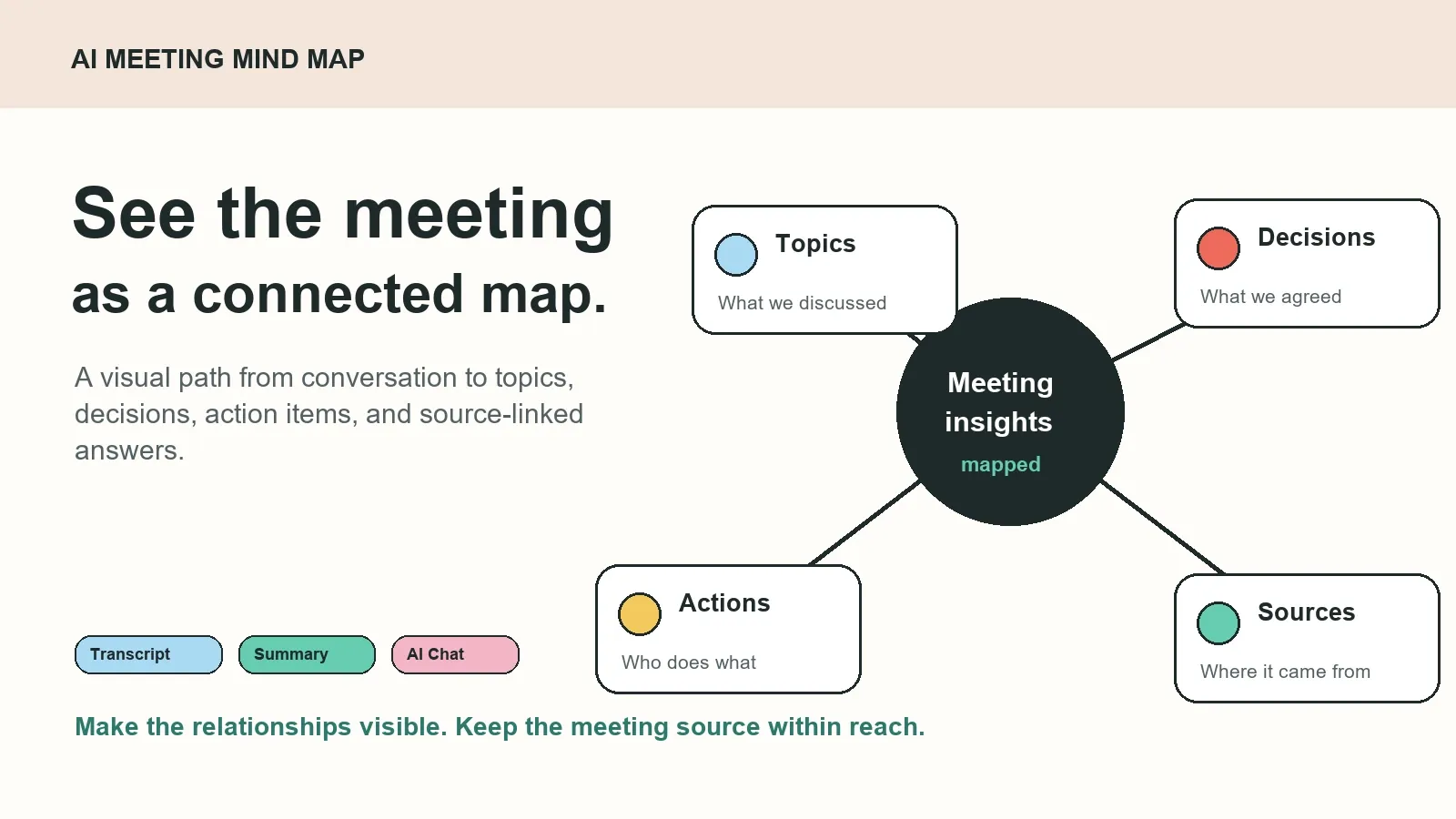
What is an AI meeting mind map?
An AI meeting mind map is a visual knowledge layer for meeting content. It starts with an authorized source, such as a scheduled call, recording, transcript, audio file, video, or existing note. AI groups related ideas into branches and gives a team a way to navigate the conversation by topic rather than by timestamp alone.
A good meeting notes mind map does not erase the original record. It adds structure around it. One branch may represent a customer concern; another may show the decision it affected; a third may contain the next action, its proposed owner, and the meeting excerpt where it was discussed.
This is useful when a meeting contains more information than a short recap can hold. A weekly product review might include customer feedback, launch risk, a prioritization decision, several dependencies, and follow-up work. A map shows how those pieces relate without making the user replay the call or search a long transcript from top to bottom.
Why teams need more than a transcript or recap
Transcription creates a searchable record of spoken words. A meeting summary reduces the record to a short recap. Both are helpful, but neither always makes relationships visible. A transcript may bury a decision between exploratory comments. A summary may mention a risk without showing which action or customer request it affects.
An AI-generated mind map for meetings gives teams another retrieval option. It is especially useful for meeting-heavy roles that need to understand context over time: product, sales, customer success, projects, recruiting, and leadership. Instead of asking “Which file contains that?” a teammate can begin with the relevant topic branch and trace outward.
| Format | What it makes easy | What it can miss | Best companion |
|---|---|---|---|
| Recording | Preserving the full conversation | Fast retrieval of one theme or decision | Transcript with timestamps |
| Transcript | Searching words, quotes, and speakers | Relationships across topics and meetings | Summary and source-linked AI Chat |
| Meeting recap | Scanning key outcomes quickly | Detailed context and topic paths | Mind map and action list |
| AI meeting mind map | Seeing topics, decisions, risks, and actions together | Exact language and full chronology | Transcript and source references |
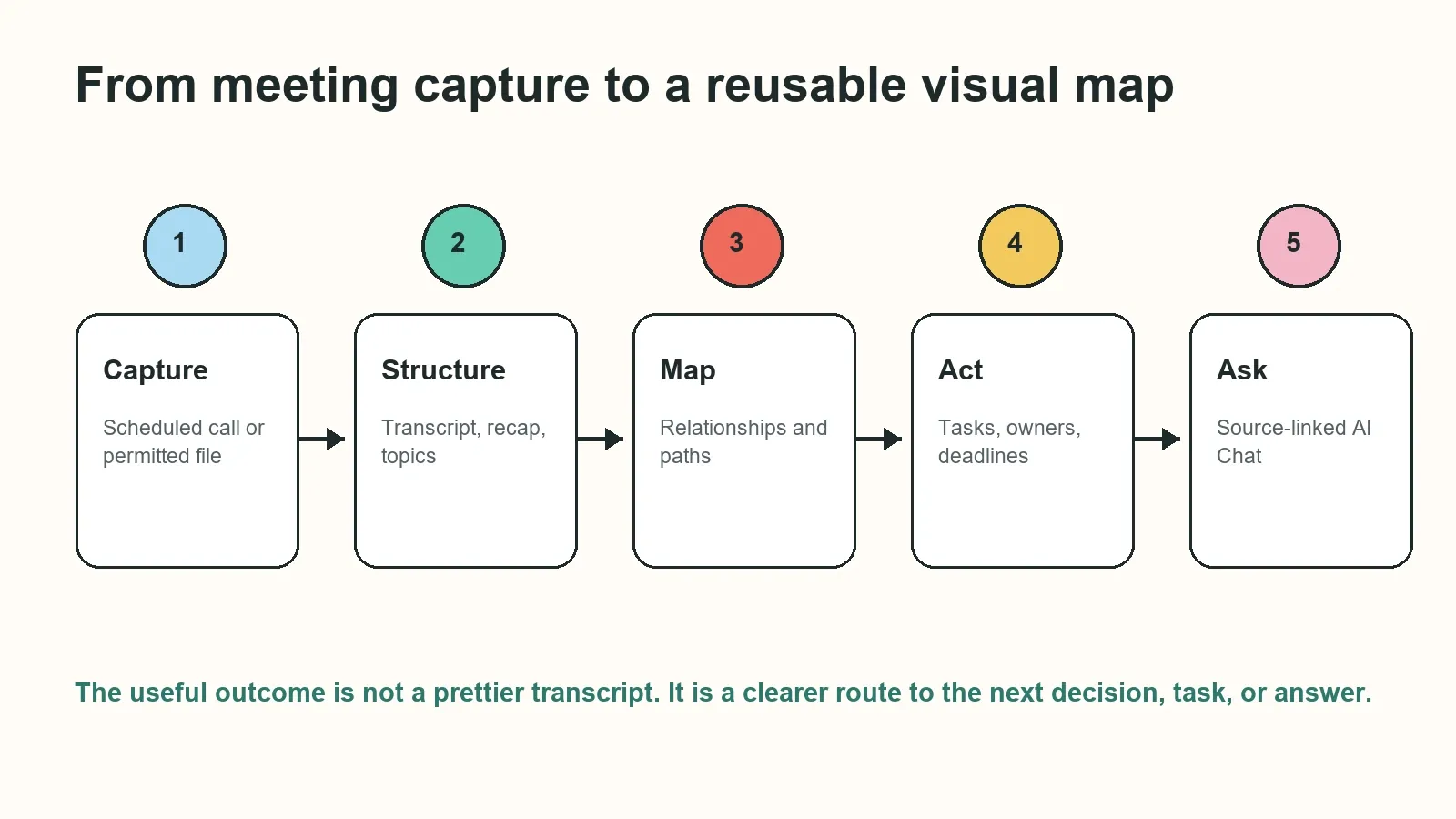
How an AI meeting mind map works
- Capture an authorized source. Start with a meeting your organization can record or a permitted recording, transcript, audio file, video, screen recording, or document.
- Create structured notes. Generate a transcript, short summary, key points, decisions, action items, and topics. Correct important names, dates, and terms before wide sharing.
- Map the relationships. Group related material into branches such as customer feedback, roadmap, decision, risk, owner, or follow-up. Connect the nodes where the conversation supports that relationship.
- Review the important nodes. Open the linked source when a map node contains a customer commitment, deadline, task ownership, or decision that could have changed.
- Reuse the outcome. Share the approved recap, decision, action item, or map insight through the team’s existing chat, documentation, and project workflows.
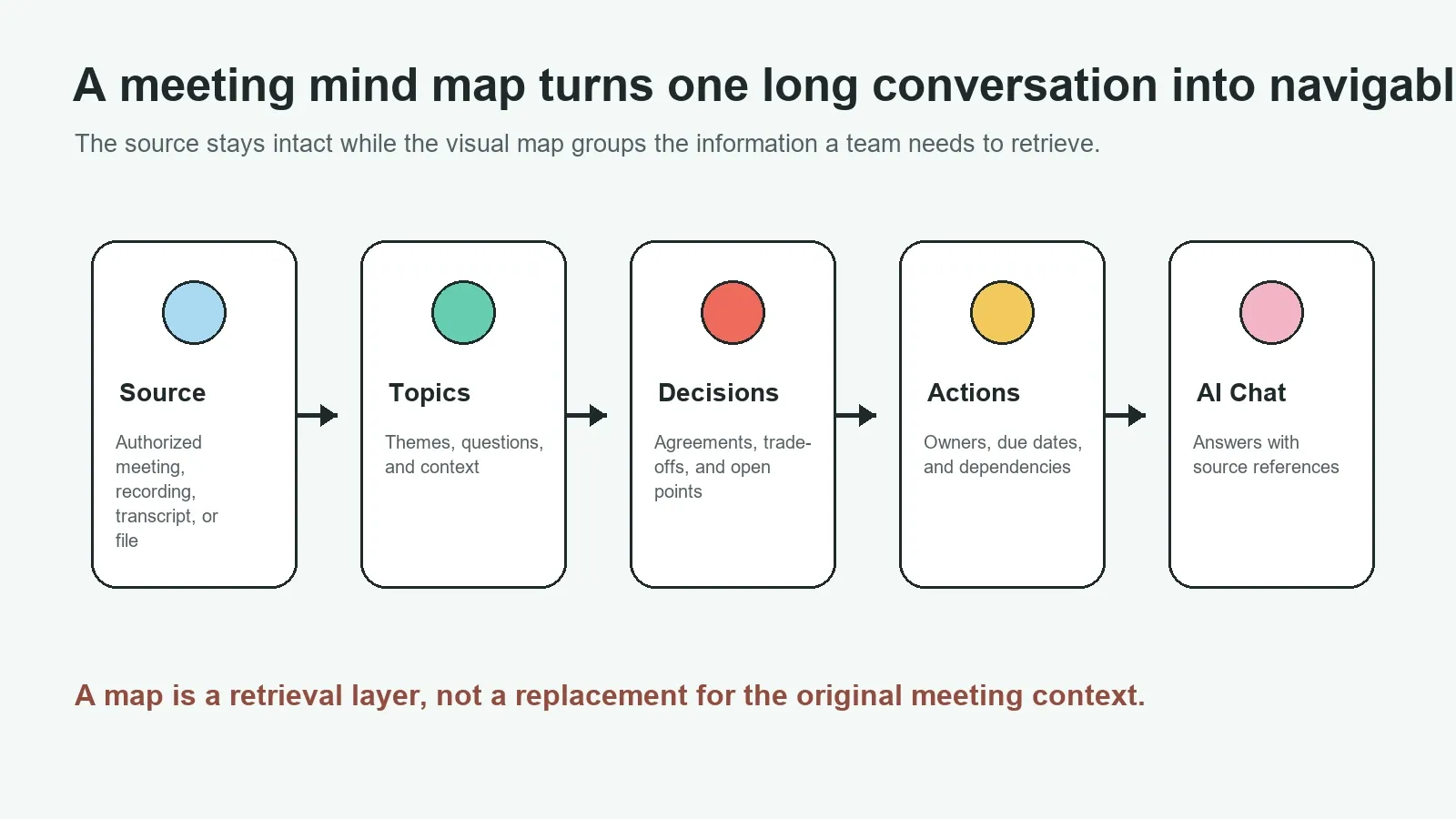
Inputs and outputs for a meeting mind map generator
Mind maps are strongest when the input has enough context to support the visual branches. That may come from a recording with clear audio, a transcript with speaker labels, a calendar-connected call, or an uploaded file that belongs to a known project or customer. The map can then preserve high-level structure while keeping a path to the underlying source.
| Input | Useful structure | Mind map output | Next use |
|---|---|---|---|
| Product planning call | Roadmap topics, trade-offs, blockers | Decision branches and dependencies | Update planning documentation |
| Sales discovery call | Buyer goals, objections, stakeholders | Account themes and follow-up paths | Prepare a sourced recap |
| Project status meeting | Progress, risks, owners, due dates | Action items and escalation points | Sync work into the project flow |
| Customer success review | Commitments, adoption signals, risks | Health themes and next-step nodes | Share an account update |
| Interview or research session | Evidence, themes, quotes, questions | Pattern clusters and source paths | Compare findings across sessions |
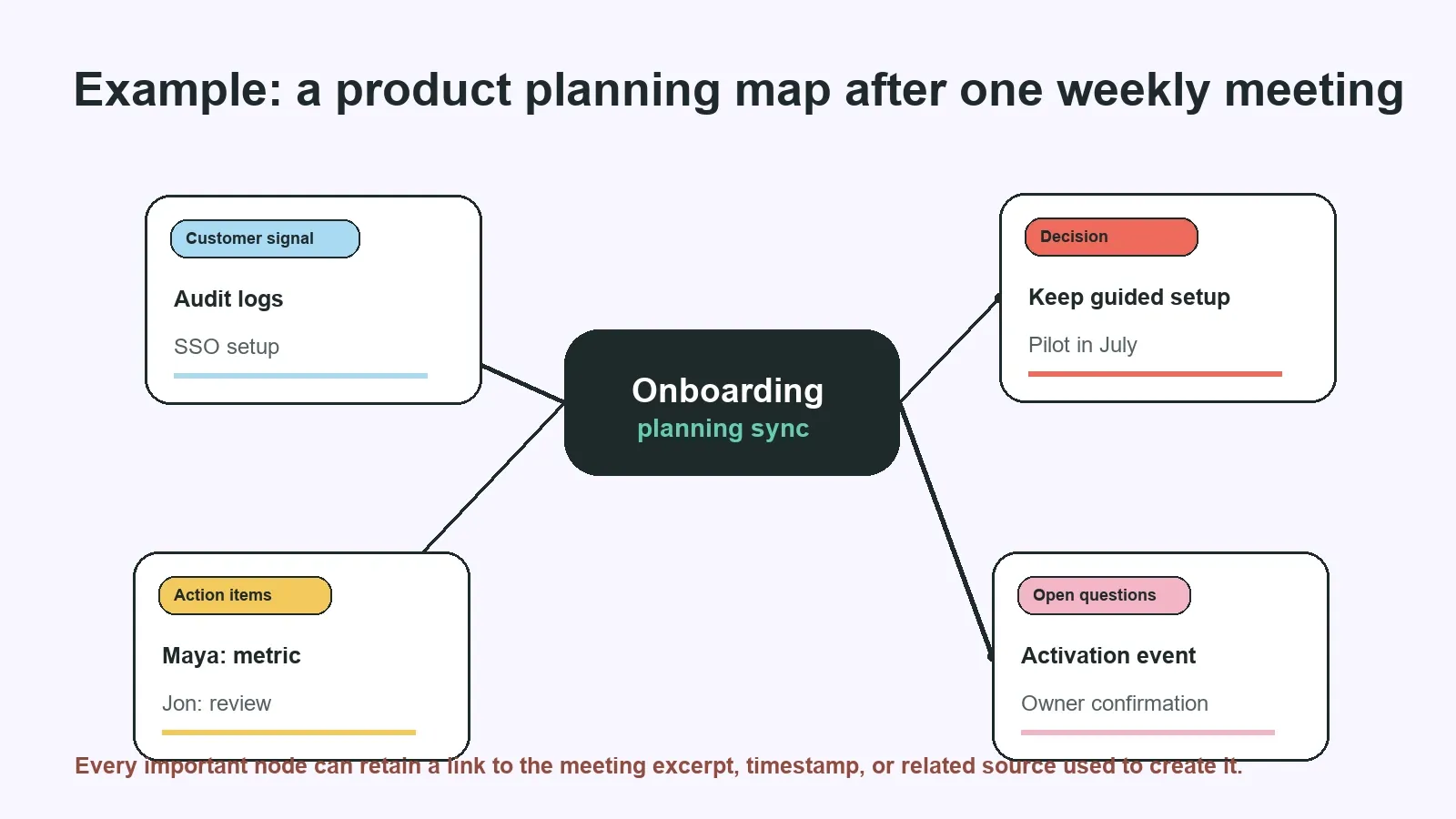
Example: turn product meeting notes into a visual map
Imagine a product team reviewing onboarding. The team hears repeated customer requests for audit logs, debates whether to simplify guided setup, agrees to test a limited pilot, and asks analytics to define a success metric. A plain meeting note may list these as separate bullets. An AI meeting mind map can show that the customer signal influenced the decision, which created an experiment, which created an analytics task and an open question about the activation event.
This structure is useful because it explains why the work exists. It also exposes gaps. If an action item has no confirmed owner, or a decision remains conditional, the map gives the team a visible prompt to resolve it before the next meeting.
| Map branch | Example node | Connected outcome | Source to review |
|---|---|---|---|
| Customer signal | Need for audit-log clarity | Security review enters the pilot plan | Discovery call excerpt |
| Decision | Keep guided setup for July pilot | Design and launch scope are aligned | Product planning timestamp |
| Action item | Define activation success metric | Analytics task needs an owner and date | Roadmap-review transcript |
| Open question | Which event defines activation? | Resolve before the next planning cycle | Analytics discussion excerpt |
Use AI Chat to ask about the map and the meeting source
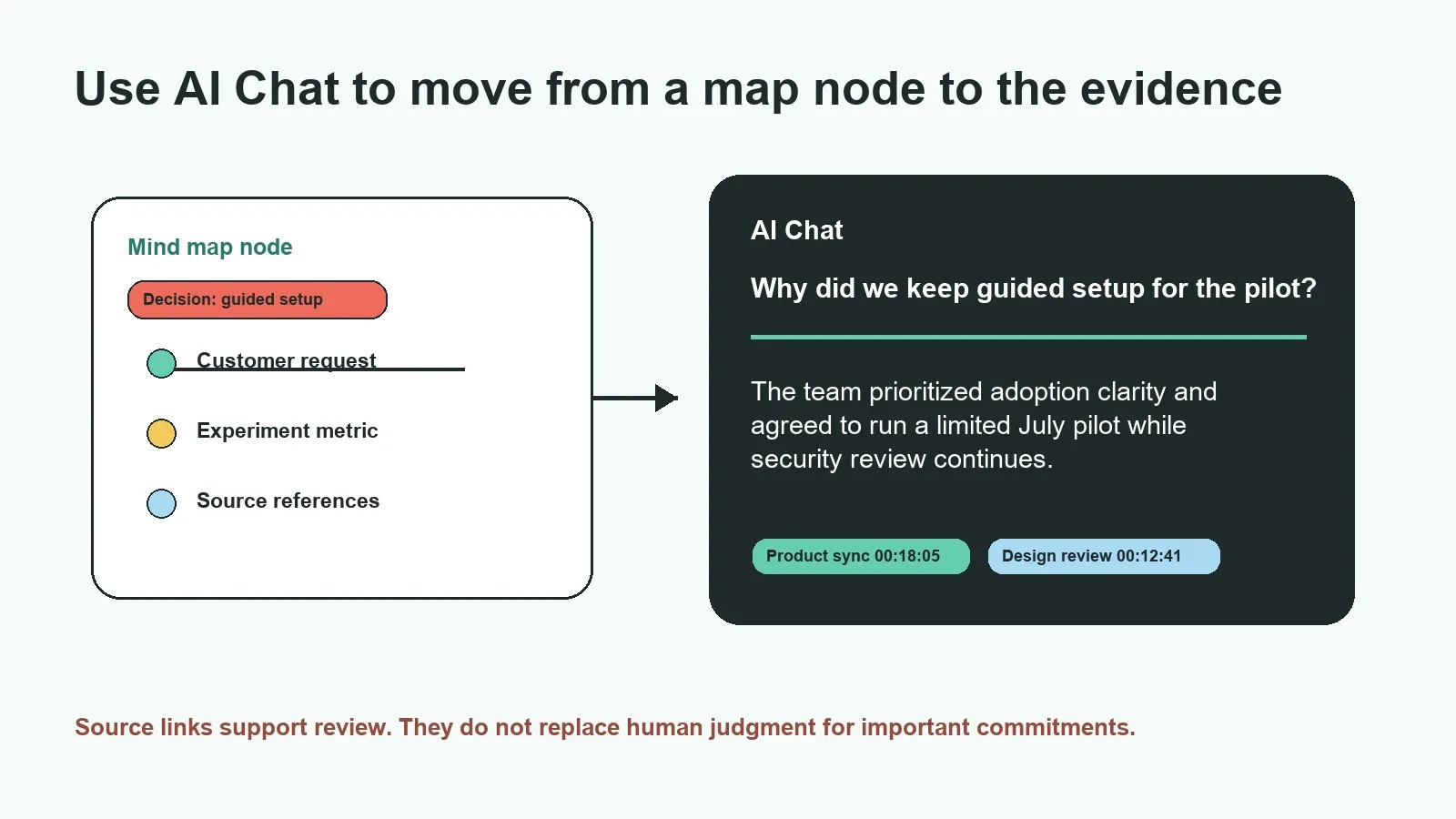
A map helps users discover the right question. AI Chat helps them investigate it. After the meeting is structured, a team can ask HiNoter questions about a topic branch, a decision, a risk, or a set of connected meetings. The answer should be concise enough to use, while its sources remain available for review.
| Question to ask HiNoter AI Chat | Useful result | What to check |
|---|---|---|
| Why did we keep guided setup for the pilot? | Decision rationale and linked meeting moments | Whether the decision was final or conditional |
| Which action items in this map have no owner? | Visible gaps and the discussion that created them | Whether ownership was assigned after the meeting |
| Show customer concerns related to security across recent calls. | Recurring themes and source-linked excerpts | Speaker attribution and account-specific nuance |
| What changed between the design review and launch meeting? | Connected decisions, changes, and open questions | Whether a later meeting superseded the earlier one |
Source references are central to this workflow. They help a reader inspect the transcript excerpt, timestamp, meeting, or related source used to support a node or answer. That is valuable when an output affects a customer, deadline, budget, or assignment. It also keeps the map from becoming a disconnected visualization with no evidence behind it.
The NIST Generative AI Profile identifies confabulation as a risk in generative systems. Source links do not eliminate errors or ambiguity. They make it easier to find the supporting context, correct the record, and apply human judgment before a meeting conclusion becomes work.
Manual mind maps vs. AI meeting mind maps
Manual mind mapping remains useful for individual thinking, workshops, and early problem framing. It lets a facilitator choose the structure in real time. The limitation is effort: someone must listen, organize, draw branches, capture tasks, and still participate in the conversation.
An AI meeting mind map is useful when the source already exists and the team needs to turn it into shared knowledge without spending the meeting making the map. It can create a first structured view, while a facilitator or owner reviews the branches, corrects the important pieces, and decides what should become a documented commitment.
| Method | Strength | Trade-off | Best use case |
|---|---|---|---|
| Manual workshop map | Live co-creation and facilitator control | Requires someone to capture and structure in real time | Planning sessions and discovery workshops |
| Personal mind map | Supports individual learning and synthesis | Private interpretation can omit group context | Study, reflection, and preparing for a meeting |
| AI meeting mind map | Transforms meeting content into a shared visual first draft | Needs review for names, decisions, and ownership | Recurring calls, interviews, and cross-functional meetings |
Connect the map to the rest of your meeting workflow
The map is not the final destination. It should feed the next action. HiNoter can bring together meeting capture, structured notes, action extraction, mind maps, integration sync, and source-linked AI Chat. Use AI meeting notes for the full note layer, an AI meeting assistant for calendar-connected calls, and audio to text transcription when you begin with an uploaded recording.
Teams working across languages can also use multilingual meeting workflows to help bring conversations into a shared knowledge system. Review important translated terms, names, and commitments against the source before sharing them externally.
Permissions and responsible use
Only create a meeting mind map from content you are allowed to record, upload, transcribe, and share. The map should respect the same permissions as the recording, transcript, or meeting note behind it. Keep confidential meeting sources limited to the people who need them, and do not use a searchable AI layer as a way around access controls.
For sensitive decisions, use the map as an aid to recall and navigate information. Check the relevant source before assigning work, recording a formal decision, or communicating a customer commitment.
Ready to make meeting knowledge visible? Try HiNoter to capture authorized meetings, generate notes and action items, create AI meeting mind maps, and ask source-linked questions across the work your team needs to remember.
Frequently asked questions
What is an AI meeting mind map?
An AI meeting mind map is a visual representation of an authorized meeting's topics, decisions, action items, questions, and relationships. It is generated from meeting content such as a transcript or recording and helps a team navigate the conversation without losing access to the underlying source.
How does an AI meeting mind map work?
The workflow starts with an authorized meeting or file, creates a transcript and structured notes, groups related topics, and displays the connections in a visual map. Teams can review map nodes, use AI Chat to ask questions, and inspect source references before relying on an answer or action item.
Can an AI meeting mind map create action items?
It can help surface action items that appear in meeting content, including a proposed owner, deadline, dependency, and source context. Teams should review assignments and dates before treating them as confirmed, especially when the discussion was tentative.
Is a meeting mind map better than meeting minutes?
They serve different needs. Meeting minutes provide an ordered written record, while a mind map is useful for seeing relationships among themes, decisions, tasks, and open questions. Many teams use a structured summary or minutes alongside a mind map rather than choosing only one format.
Can I ask questions about a meeting mind map?
Yes. AI Chat can help you ask questions about topics, decisions, action items, risks, and changes across authorized meeting sources. Questions that name a project, customer, time range, or decision are easier to review and verify.
Do source references prevent AI mistakes?
No. Source references do not remove transcript errors, missing context, or incorrect AI interpretations. They make the output easier to check by linking an answer or map node back to a meeting excerpt, timestamp, or related source.
Who can access an AI meeting mind map?
Access should follow the same permissions as the underlying meeting material. Teams should limit confidential sources, use appropriate sharing settings, and avoid using a searchable knowledge layer to bypass the access controls around the original meeting or file.