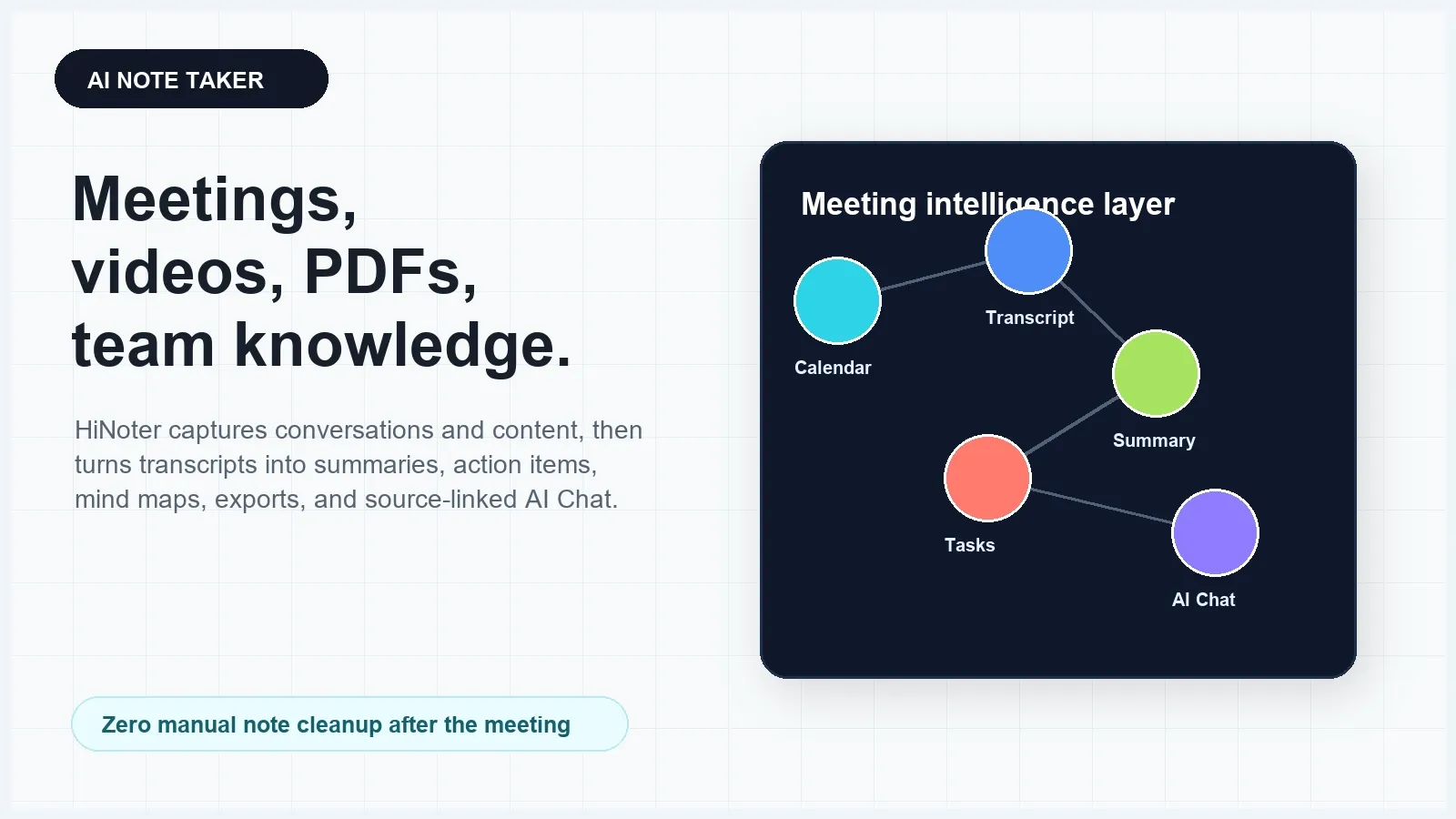
AI note taker software captures meetings or uploaded content and turns it into transcripts, summaries, action items, owners, deadlines, mind maps, exports, and searchable answers. HiNoter is built for teams that want to stop manual note cleanup and turn meetings, videos, PDFs, YouTube content, and audio into structured knowledge with source-linked AI Chat.
Try HiNoter for free to capture meetings, upload content, and create structured notes without copying transcript fragments into separate documents.
Direct answer: what is an AI note taker?
An AI note taker is a meeting and content assistant that captures conversations or files, transcribes speech, summarizes what matters, extracts action items, and makes the result searchable. The practical value is not another recording. It is a structured record of decisions, tasks, context, and source-linked answers your team can reuse after the meeting ends.
Why teams search for an AI note taker
Teams rarely need another place to store recordings. They already have meeting recordings, chat threads, private notes, shared docs, slide decks, and follow-up emails. The real problem is that useful information disappears across those systems. A customer objection lives in a transcript. A decision is buried in a chat. A task is mentioned once, without an owner. A PDF pre-read is discussed in a meeting, then the context gets separated again.
Manual note-taking creates a second problem: someone has to listen less carefully so they can write. That person decides what matters in real time, often before the conversation is clear. After the meeting, the same person still needs to clean up notes, write follow-up emails, confirm owners, and move tasks into tools like Notion, Slack, Google Docs, CRM systems, or project boards.
An AI note taker closes that gap when it captures the meeting, preserves a transcript, summarizes decisions, extracts tasks, and makes the source available for review. For high-commercial-intent buyers, the tool choice comes down to workflow: can it capture the meeting reliably, support the content sources you use, produce useful notes, sync with your tools, and answer questions with references?
What an AI note taker should do
At minimum, an AI note taker should capture spoken content, generate a transcript, label speakers where possible, add timestamps, summarize key points, and extract action items. For team use, that is only the first layer. A stronger AI meeting notes platform should also support multiple content sources, create reusable knowledge, export to collaboration tools, and let users ask questions against the transcript or document source.
HiNoter is positioned as an AI meeting notes and transcription platform. It can help users capture meetings, upload audio or video, process permitted YouTube content, summarize PDFs, generate mind maps, and use AI Chat to ask source-grounded questions. The goal is to turn meetings and content into a knowledge layer, not just a folder of transcripts.
| Capability | Why it matters | What to check before choosing |
|---|---|---|
| Meeting capture | Notes are created without relying on someone to remember recording | Calendar connection, auto-join, host approval, participant notice |
| Transcription | Teams can search, quote, review, and verify what was said | Speaker labels, timestamps, language support, editable transcript |
| Summaries | Long conversations become readable after the meeting | Decision summaries, topic sections, concise recap, source context |
| Action items | Follow-up work becomes visible and assignable | Owners, deadlines, dependencies, unresolved questions |
| Mind maps | Teams can see topics and relationships quickly | Topic clusters, decisions, risks, and linked meeting context |
| AI Chat with sources | Users can ask questions and verify answers before acting | Transcript references, page references, cited excerpts, audit trail |
| Exports and integrations | Notes reach the tools where work actually happens | Notion, Slack, Google Docs, email, CRM, project tools |
How HiNoter works as an AI note taker
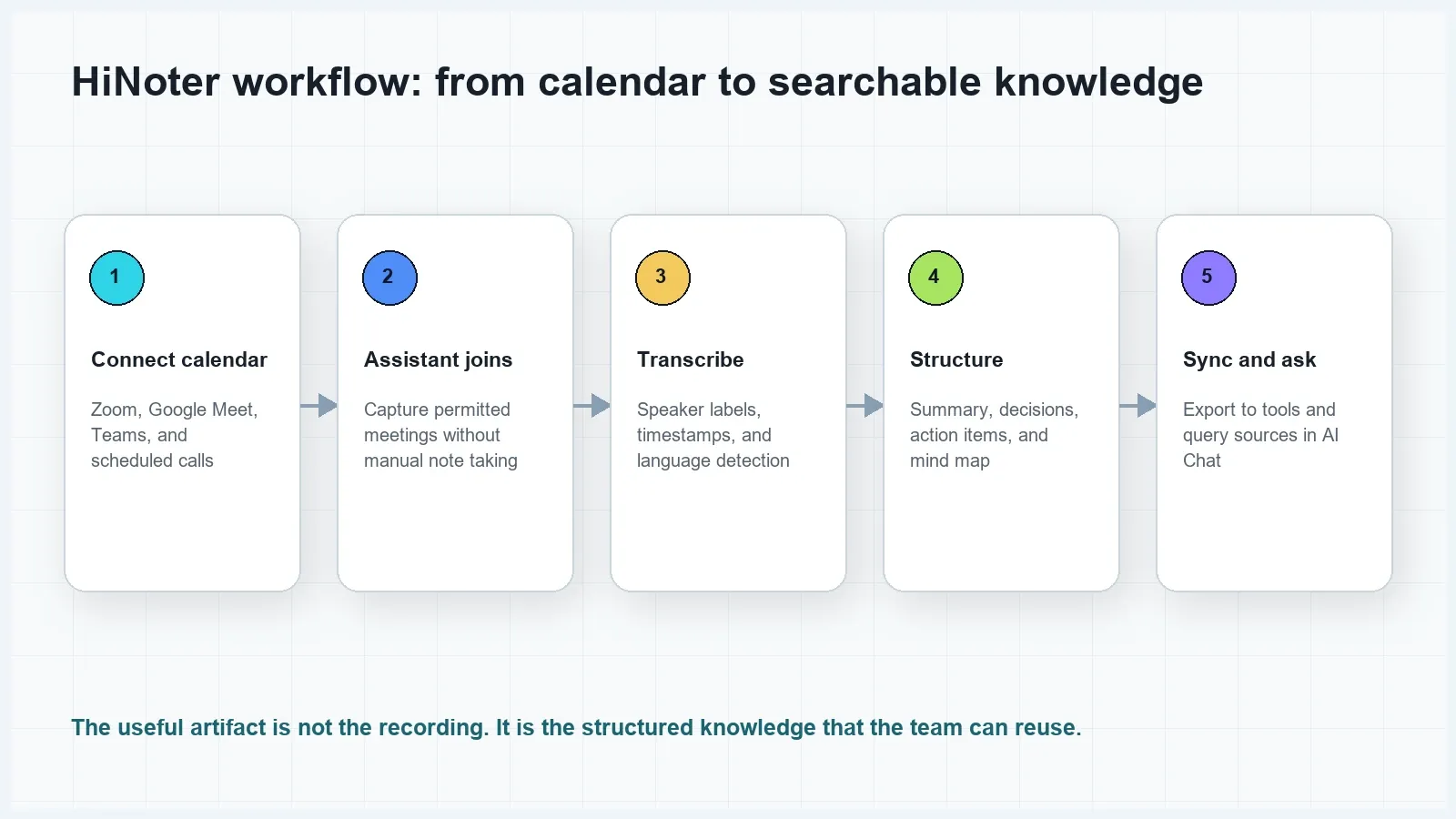
The HiNoter workflow is designed around the full path from capture to reuse. It starts before the meeting, continues during the conversation, and ends with outputs that can move into the team's existing tools.
- Connect your calendar. Link your calendar so HiNoter can see scheduled meetings and help prepare a capture workflow for Zoom, Google Meet, Microsoft Teams, or other meeting contexts.
- Let the assistant join or upload content. For live meetings, the assistant can join permitted calls. For past conversations or content, upload audio, video, PDFs, or permitted video sources.
- Detect language and create the transcript. HiNoter converts speech into text, keeps the transcript searchable, and supports multilingual workflows. Speaker labels and timestamps make the transcript easier to review.
- Generate structured notes. The platform creates a summary, key points, decisions, action items, owners, deadlines, open questions, and a mind map when useful.
- Sync, export, and ask questions. Send notes to Notion, Slack, Google Docs, email, or other team destinations. Use AI Chat to ask source-linked questions across the meeting or content source.
This workflow matters because recordings and transcripts are still raw materials. The work is only finished when the team can see what happened, who owns the next step, where the evidence came from, and how to reuse the knowledge later.
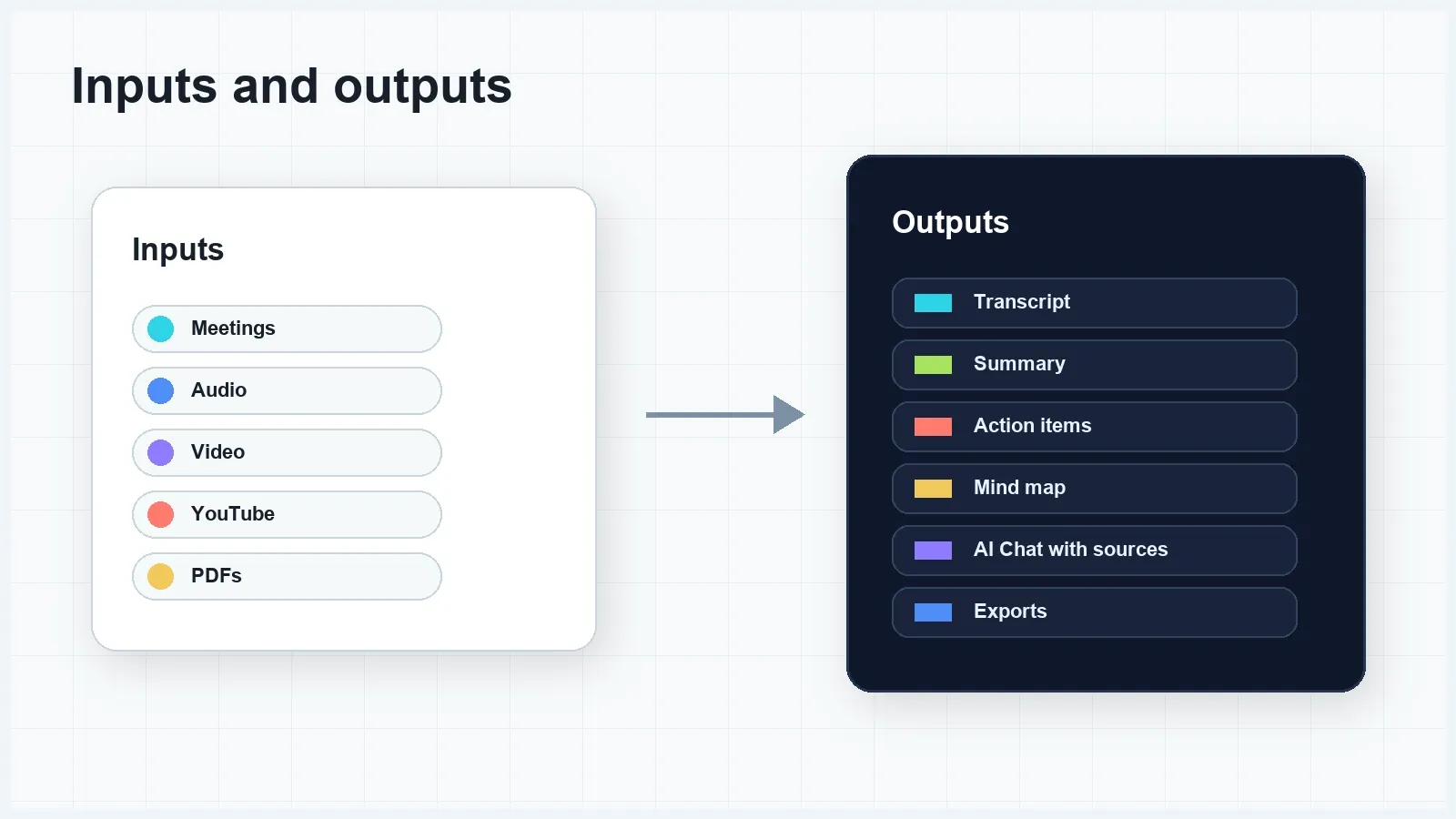
Inputs and outputs: meetings, videos, PDFs, audio, and knowledge
A high-intent AI note taker page should not limit the use case to one type of call. Modern teams learn from live meetings, recorded calls, webinars, product demos, interviews, training videos, YouTube explainers, PDFs, research reports, and internal documents. The tool should make those sources usable in one knowledge workflow.
| Input source | Common user task | HiNoter output |
|---|---|---|
| Zoom, Google Meet, Microsoft Teams | Stay focused during calls and avoid manual minutes | Transcript, summary, decisions, action items, owners, deadlines |
| Audio files | Turn voice recordings or interviews into searchable text | Transcript, key points, summary, reusable notes |
| Video files | Review demos, trainings, webinars, or user research | Video transcript, topic summary, takeaways, questions |
| Permitted YouTube content | Extract learning from tutorials, podcasts, or webinars | Transcript, chaptered summary, quotes, mind map, AI Chat |
| PDFs | Prepare for meetings, research, class notes, or reports | PDF summary, key points, source-linked answers, prep notes |
| Existing transcripts | Clean up long text and find decisions or tasks | Summary, action items, source-grounded Q&A, exports |
Sample output: what good AI meeting notes look like
Generic AI summaries often fail because they say the meeting was about broad topics without giving the team something to do. A useful AI note taker output should separate facts, decisions, action items, risks, and open questions. It should also let a reviewer trace the output back to the transcript or source document.
| Output type | Example | Why it is useful |
|---|---|---|
| Short summary | The team confirmed the launch date, narrowed the beta scope, and agreed to update enablement materials before sales outreach. | Creates a quick recap for people who missed the meeting |
| Decision | Launch remains scheduled for August 12, but the beta group will be limited to existing customers in healthcare and education. | Separates confirmed decisions from discussion |
| Action item | Mina will draft the sales enablement one-pager by July 24. | Includes owner and deadline instead of a vague task |
| Risk | The analytics dashboard may not be ready for the launch demo unless QA signs off by July 31. | Surfaces operational risk before it becomes a surprise |
| Open question | Should customer success own onboarding emails or should marketing send the first sequence? | Preserves unresolved decisions for the next follow-up |
| Source reference | Transcript around 18:42 and launch brief page 7. | Lets the team verify the note before acting on it |
HiNoter can produce this kind of structured output after a meeting or from uploaded content. For buyers comparing tools, this is the difference between a transcript archive and an operational workflow.
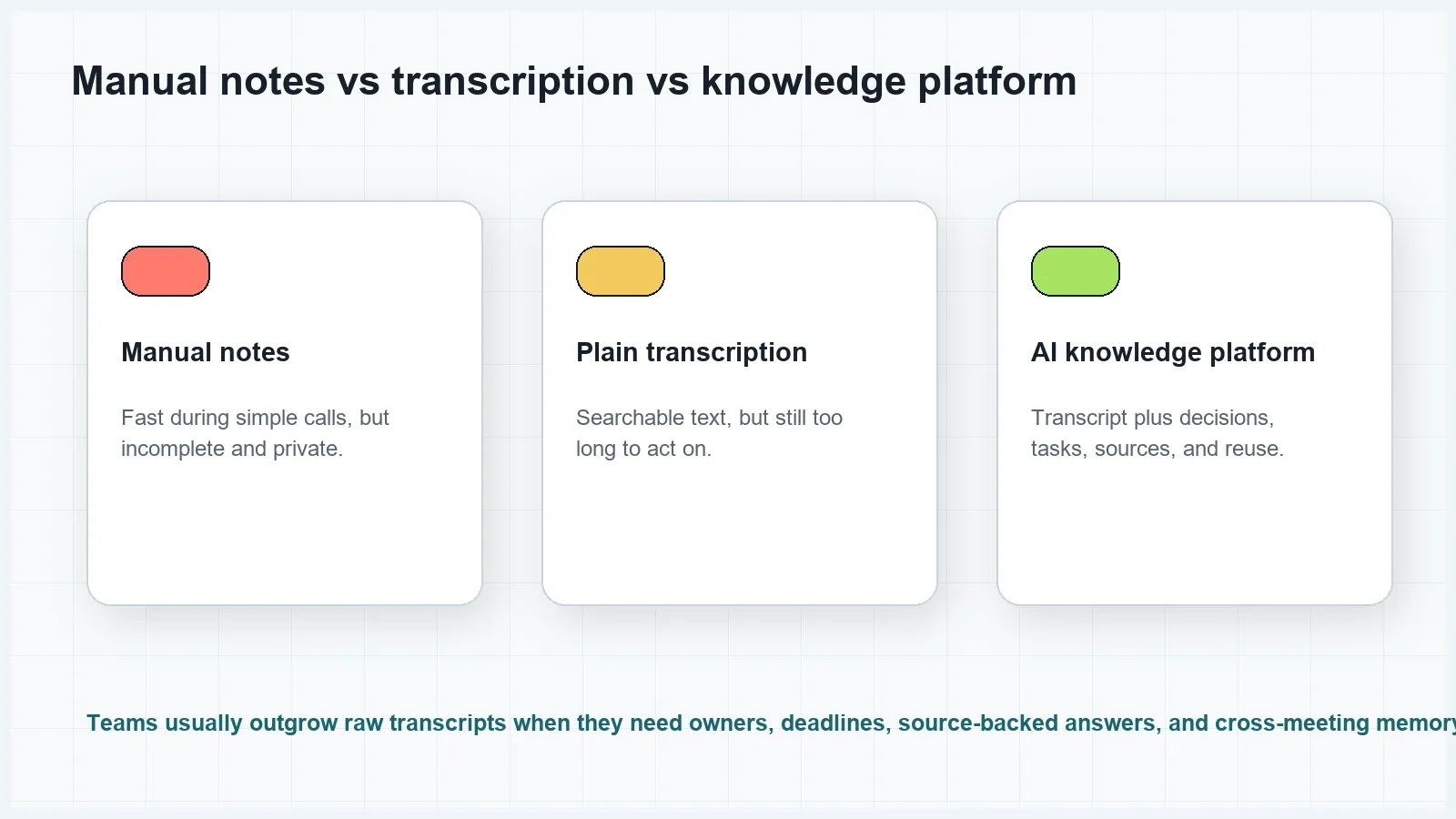
AI note taker vs manual notes vs plain transcription
Manual notes, regular recording, transcription-only tools, and AI meeting knowledge platforms solve different parts of the problem. Manual notes are flexible but incomplete. A recorder preserves content but requires review. A transcription tool creates searchable text, but long transcripts still require cleanup. An AI note taker should compress the meeting into decisions, tasks, and knowledge that the team can use immediately.
| Approach | Strength | Weakness | Best fit |
|---|---|---|---|
| Manual notes | Human judgment and low setup | Incomplete, biased by the note taker, hard to search, often private | Short informal calls with low follow-up risk |
| Plain recording | Full audio or video record | Requires replaying long files and does not create tasks | Compliance archives or training review |
| Transcription-only tool | Searchable text with timestamps | Still too long and usually lacks decisions, owners, and workflow sync | Interviews, documentation, verbatim review |
| AI meeting knowledge platform | Transcript, summary, tasks, mind map, exports, and source-linked AI Chat | Requires permission, review habits, and data governance | Teams that need reusable knowledge and clear follow-up |
Competitive landscape: what the AI note taker SERP shows
A July 2026 sample of mainstream search results for AI note taker shows product and tool pages as the dominant page type. The visible market is shaped by AI meeting assistants that emphasize meeting capture, transcription, summaries, action items, integrations, searchable notes, and team workflows. This confirms that the primary search intent is commercial and product-led, not a pure informational explainer.
For example, Otter describes a Notetaker workflow that can connect a calendar, join Zoom, Google Meet, or Microsoft Teams meetings, and provide real-time transcription, summaries, chat, and meeting outputs. Tactiq emphasizes real-time transcription in Google Meet, Zoom, and Teams plus summaries, action items, uploads, and reusable AI prompts. Fireflies positions its notetaker around automatic transcription, summaries, search, analysis, comments, bookmarks, and integrations. Notta highlights searchable meeting notes, audio/video transcription, multilingual transcription, AI notes, and meeting recording. Read AI emphasizes meeting reports, summaries, topics, action items, key questions, reactions, and cross-platform transcription. Summary AI focuses on instant transcripts and structured meeting notes after recording.
HiNoter should compete in that product-page frame while making its own positioning clear: meetings, videos, PDFs, audio, and permitted YouTube content become structured, searchable, source-linked knowledge. That broader input model is important for teams whose decisions are spread across calls, files, videos, and documents.
AI Chat with source references
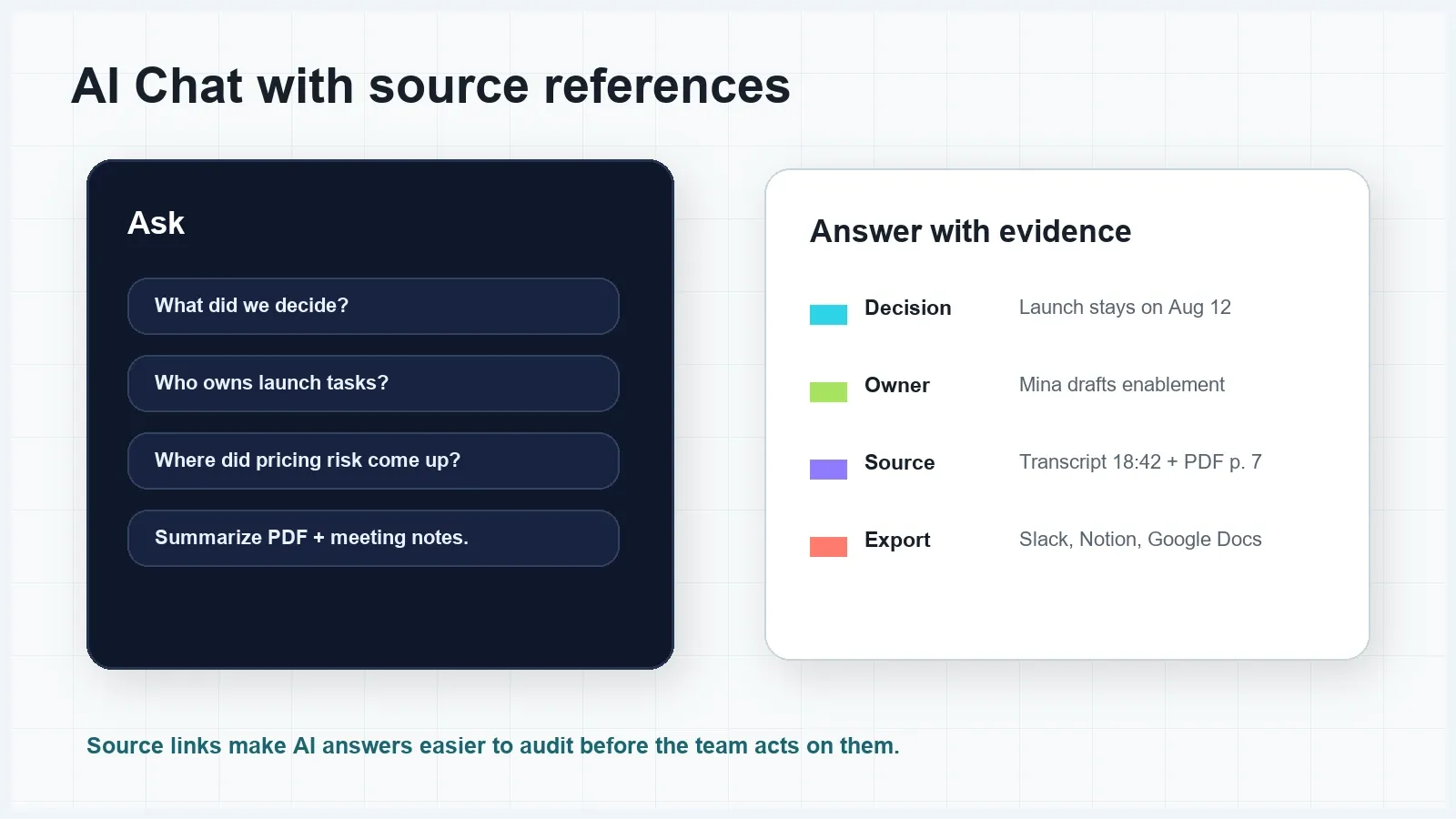
AI Chat becomes more useful when it is grounded in source material. Without source references, users may get a polished answer that is difficult to verify. With source references, the user can ask a question, inspect the relevant transcript section or document page, and decide whether the answer is safe to use.
Examples of questions users can ask HiNoter AI Chat include:
- What decisions did we make in the launch meeting?
- Which action items are assigned to product, sales, and customer success?
- What did the customer say about onboarding risk?
- Compare the PDF pre-read with the meeting transcript. What changed?
- Draft a follow-up email using only confirmed decisions and assigned tasks.
- Find every meeting where we discussed the pricing objection.
The point is not to trust AI blindly. The point is to make the answer inspectable. Source-linked AI Chat reduces hallucination risk by keeping the answer connected to the transcript, document, or note that supports it.
Integrations, exports, and language workflows
AI notes are only useful if they move into the tools where the team works. A good AI note taker should export to collaboration and documentation tools, share recaps by email, and support team workflows across projects. HiNoter can be positioned around exports to Notion, Slack, Google Docs, and email, plus workflows for meeting notes, summaries, action items, mind maps, and AI Chat.
Language support matters because many meetings are multilingual or include speakers with different accents. HiNoter supports multilingual workflows and lists broad language coverage on its product page. For published copy, avoid claiming universal or perfect accuracy. Accuracy depends on audio quality, speaker overlap, vocabulary, accent, background noise, microphone quality, and whether the tool can identify speakers clearly.
| Team | What they need from AI notes | HiNoter output |
|---|---|---|
| Sales | Objections, next steps, follow-up emails, CRM-ready recap | Transcript, objection summary, action items, owner list |
| Product | Decisions, blockers, customer feedback, roadmap context | Decision log, risk list, mind map, source-linked Q&A |
| Customer success | Renewal risks, commitments, escalations, customer asks | Risk summary, action plan, follow-up note |
| Recruiting | Candidate evidence, interview highlights, follow-up questions | Structured interview notes and source references |
| Operations | Owners, deadlines, process updates, meeting memory | Action tracker, recap email, searchable knowledge base |
| Learning teams | Webinar, video, PDF, and class-note summaries | Transcript, study notes, mind map, AI Chat |
Permissions, consent, privacy, and trust
AI note takers touch sensitive meeting content. Before using one, teams should check whether they have permission to record, transcribe, summarize, store, export, or share the content. Hosts should notify participants when an assistant or automated notes feature is active. Google Meet's help documentation says participants are informed when its note-taking feature is being used. Microsoft Teams documentation explains who can start, stop, view, download, and delete transcripts depending on organizer roles and admin settings.
For public-sector, regulated, legal, financial, medical, or confidential meetings, the review standard should be higher. Government guidance from San Jose notes that automated meeting notes may require consent and human validation before being treated as an official record. That is a useful principle for private teams too: AI notes are a productivity layer, not a substitute for human accountability in high-stakes decisions.
When evaluating any AI note taker, ask practical questions: who can access the transcript, how long data is retained, whether the vendor uses meeting data to train models, how exports are controlled, whether admins can set policies, and how source references are preserved. A summary can reveal sensitive information faster than the full transcript, so summaries and AI Chat answers need the same access discipline as the original meeting.
How to choose an AI note taker
Start with the workflow you need, not the longest feature list. If you only need occasional text from a recording, a transcription tool may be enough. If you need summaries, action items, owners, exports, and searchable team memory, choose a platform built around the full knowledge workflow. If your team works across meetings, videos, PDFs, YouTube content, and audio, prioritize multi-source input and source-linked AI Chat.
| Question | Good answer | Risk signal |
|---|---|---|
| Can it capture meetings automatically? | Calendar connection, assistant workflow, and clear host controls | Users must remember to record every meeting manually |
| Does it produce more than a transcript? | Summary, decisions, tasks, owners, deadlines, mind map, exports | Long transcript with a vague paragraph summary |
| Can users verify answers? | AI Chat points back to transcript sections or source documents | Answers appear without supporting references |
| Does it support your content sources? | Meetings, audio, video, PDFs, permitted YouTube, existing files | Only one platform or only live calls |
| Does it fit your tools? | Exports to Notion, Slack, Google Docs, email, or team systems | Notes must be copied and pasted manually |
| Can admins govern usage? | Retention, sharing, permissions, consent, and workspace controls | No clear data handling or access policy |
Choose HiNoter if you want an AI note taker that connects capture, transcription, structured notes, action items, mind maps, exports, and source-linked AI Chat across meetings and content. Choose a narrower transcription tool if your primary need is verbatim text and you already have a separate workflow for summaries, tasks, and knowledge management.
Frequently asked questions
What is an AI note taker?
An AI note taker is software that captures meetings or uploaded content, converts speech or text into structured notes, and creates summaries, action items, decisions, exports, and searchable answers. HiNoter is an AI meeting notes and transcription platform for meetings, audio, video, YouTube, PDFs, and team knowledge.
Can an AI note taker join Zoom, Google Meet, or Microsoft Teams?
Yes, many AI note takers can work with major meeting platforms through calendar connection, meeting assistant workflows, recordings, or uploads. Hosts should check meeting permissions, notify participants, and follow company policy before capturing a meeting.
How is an AI note taker different from a recorder?
A recorder stores audio or video. An AI note taker turns the conversation into a transcript, summary, decisions, action items, owners, deadlines, mind map, exports, and source-linked answers that the team can reuse.
Does HiNoter only work for meetings?
No. HiNoter can be used for meetings, audio files, video files, permitted YouTube content, PDFs, and other content workflows where the user needs transcripts, summaries, notes, mind maps, and source-grounded AI Chat.
What should teams check before using AI meeting notes?
Teams should check participant consent, host or admin permissions, company retention policy, data sensitivity, sharing rules, and whether the generated notes need human review before becoming an official record.
Can AI notes replace human review?
AI notes can reduce manual work, but they should not replace human review for legal, financial, medical, regulated, or high-stakes decisions. Source references and transcript links help reviewers confirm what was actually said.