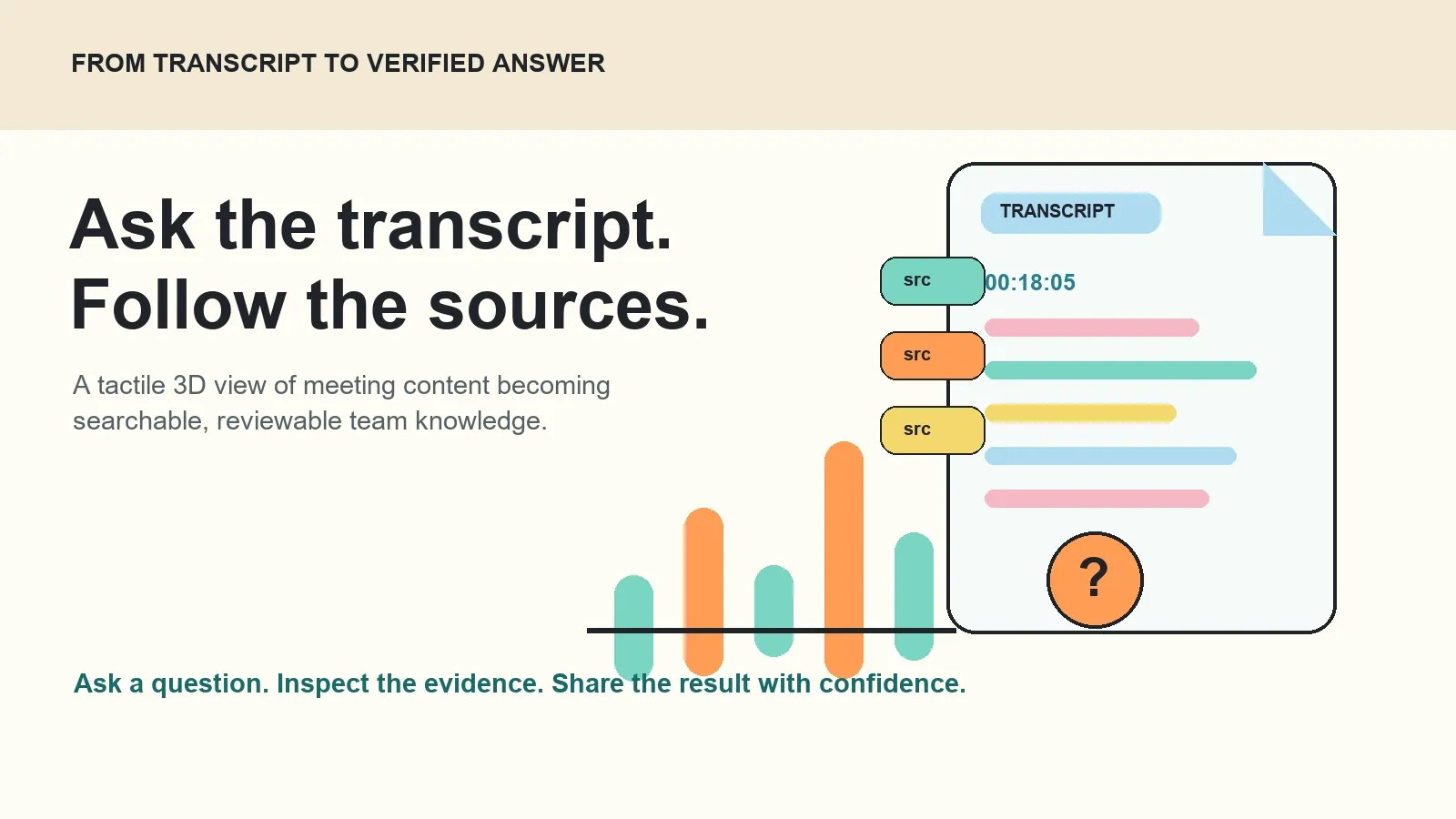
To ask AI about a meeting transcript, first create or upload an authorized recording or text source, generate a transcript with timestamps and speaker context, then ask a specific question. A trustworthy workflow links the answer back to the supporting excerpt or meeting moment so you can check the context before using it.
Try HiNoter to turn authorized calls and uploaded content into transcripts, summaries, action items, mind maps, and source-linked AI questions and answers.
What does it mean to ask AI about a meeting transcript?
Transcription converts spoken audio into written text. Speech-to-text is the technology used to create that text from an audio or video source. AI-assisted transcription adds a second layer: it organizes the transcript into useful outcomes such as summaries, decisions, tasks, topics, and answers to questions.
When you ask AI about a meeting transcript, the goal is usually not to find a word. It is to recover the meaning behind the conversation. A project lead may need to know which decision was final. A sales manager may need the objections raised by a customer. A teammate who missed the call may need the rationale, owner, and deadline behind a follow-up.
A raw transcript can support all of those questions, but it often makes people work too hard to find them. It is chronological, lengthy, and full of the ordinary language of a live conversation. AI can shorten the path, provided that the answer stays connected to the evidence a user needs to review.
Why a searchable transcript is only the beginning
Searchable text is valuable. It lets you find a phrase, quote a participant, or jump toward a timestamp. But search requires you to know what wording to look for. It is less helpful when the question is conceptual: “What risks did we agree to accept?” or “How did the position change after the design review?”
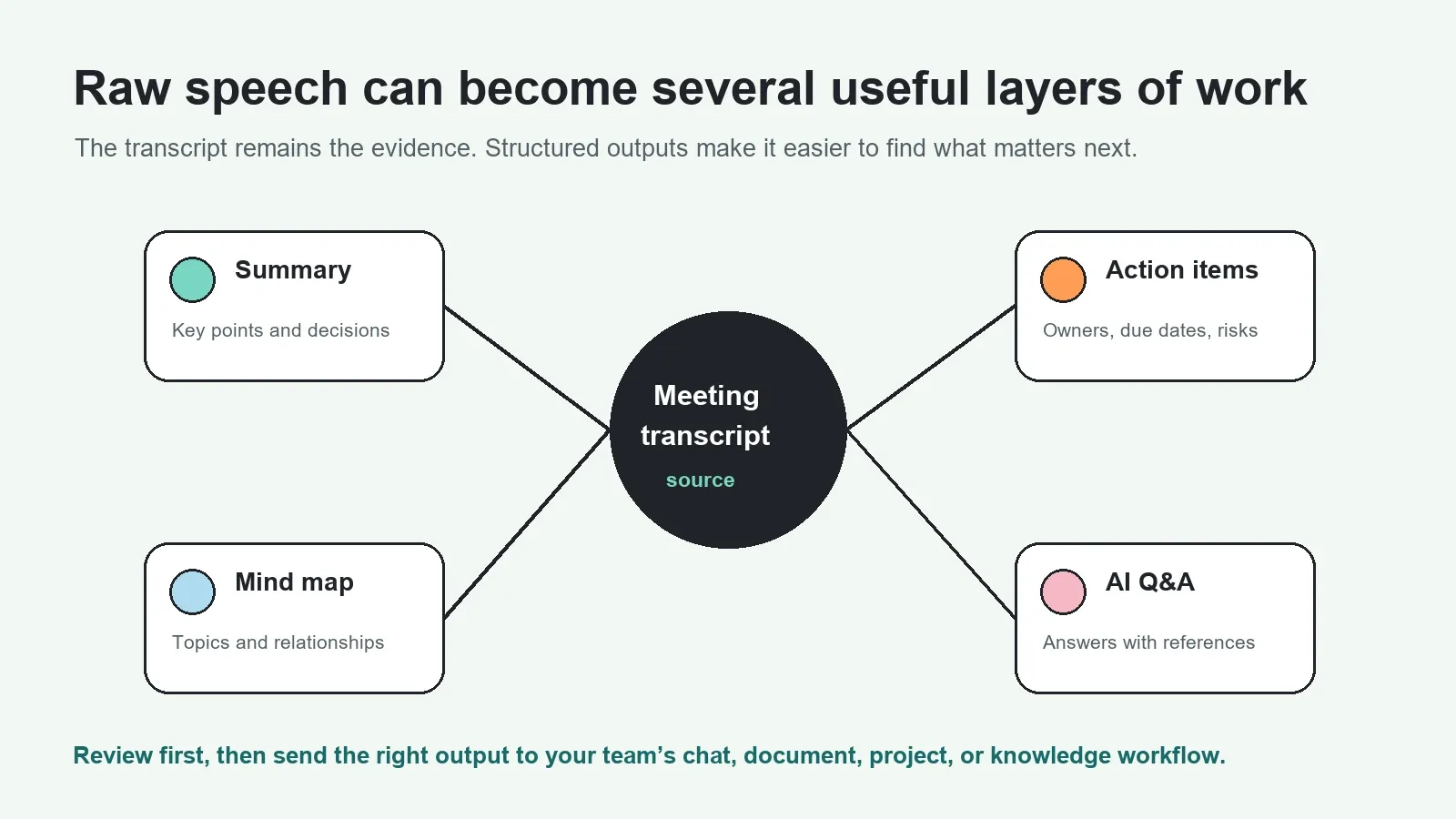
Meeting transcription software becomes more useful when it creates a knowledge layer on top of the spoken record. That layer can keep the original source while surfacing the things a team needs to act on: a short recap, a decision register, action-item ownership, a mind map, and a way to ask questions across related material.
| Approach | Primary result | Best for | What remains difficult |
|---|---|---|---|
| Manual notes | A writer's selected recap | Short, focused meetings | Typing while listening; missed context; inconsistent format |
| Recording only | Audio or video file | Keeping a complete record | Finding one moment without replaying the call |
| Automatic transcription | Searchable speech-to-text | Quoting, editing, and locating phrases | Turning long text into a reliable decision or follow-up |
| AI-assisted transcript Q&A | Text plus structured notes and cited answers | Retrieval, follow-through, and knowledge reuse | Reviewing important answers against their sources |
How to ask AI about a meeting transcript in six steps
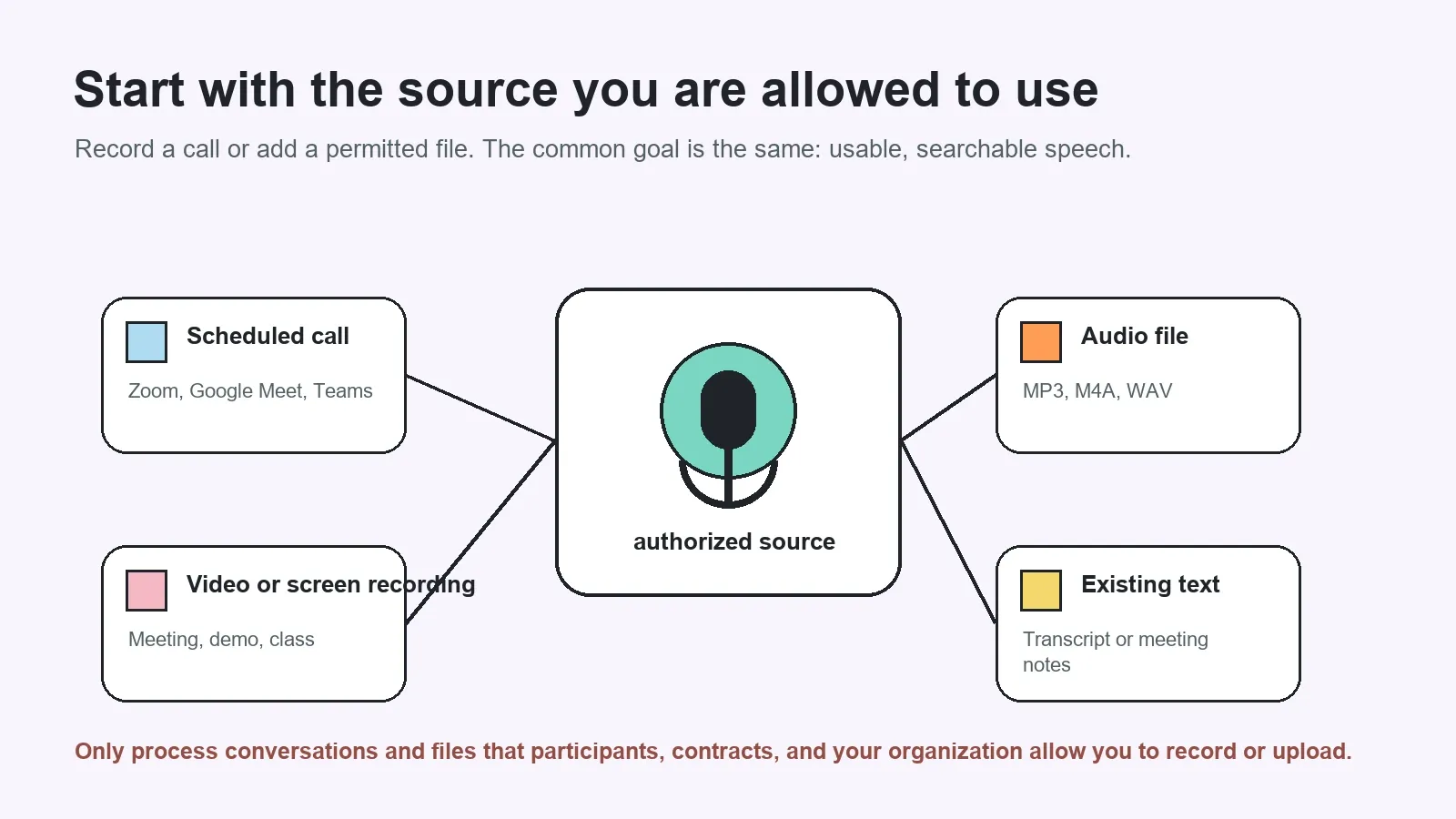
- Use an authorized meeting or file. Start with a scheduled call you can capture, or add an audio file, video, screen recording, transcript, or other source your organization is allowed to process.
- Prepare the source for transcription. Confirm that the recording has usable speech, that the right audio track is present, and that the file is complete. If there are multiple files, name them by meeting, customer, project, and date.
- Create the transcript. Generate speech-to-text with speaker labels and timestamps when available. Check high-impact details such as names, numbers, product terms, and non-primary languages.
- Generate a structured view. Create a summary, key points, decisions, action items, and a mind map. These outputs make the transcript easier to scan and give AI a clearer retrieval layer.
- Ask a bounded question. Include the project, person, customer, topic, date range, or meeting type that matters. “What changed in the April customer calls?” is easier to review than “What happened?”
- Inspect and share. Open the cited excerpt, timestamp, or related note. Once the answer is approved, export the transcript or share the recap, decision, and action items where the team works.
Which sources can you transcribe and ask questions about?
The right input depends on how the meeting happened. For a recurring virtual call, a calendar-connected meeting workflow can capture an authorized scheduled session. For an in-person interview or voice memo, an uploaded audio file may be the practical choice. For a product demo or class, a screen recording can preserve both the spoken explanation and visual context.
| Source type | Typical example | Useful transcript details | Question to ask later |
|---|---|---|---|
| Scheduled meeting | Zoom, Google Meet, or Microsoft Teams call | Speakers, decisions, and follow-ups | What did the group agree to do next? |
| Audio recording | Interview, voice memo, or phone-call recording | Quotes, themes, and timestamps | Which concerns did the interviewee repeat? |
| Video file | Webinar, demo, or recorded presentation | Chapters, key points, and explanations | Where did the presenter explain the rollout plan? |
| Screen recording | Product walkthrough or training session | Spoken steps and visible process context | What steps were shown for the new workflow? |
| Existing transcript or notes | Imported text from another system | Searchable history and connected context | Which earlier decision conflicts with this plan? |
Speaker labels, timestamps, and language detection make answers more useful
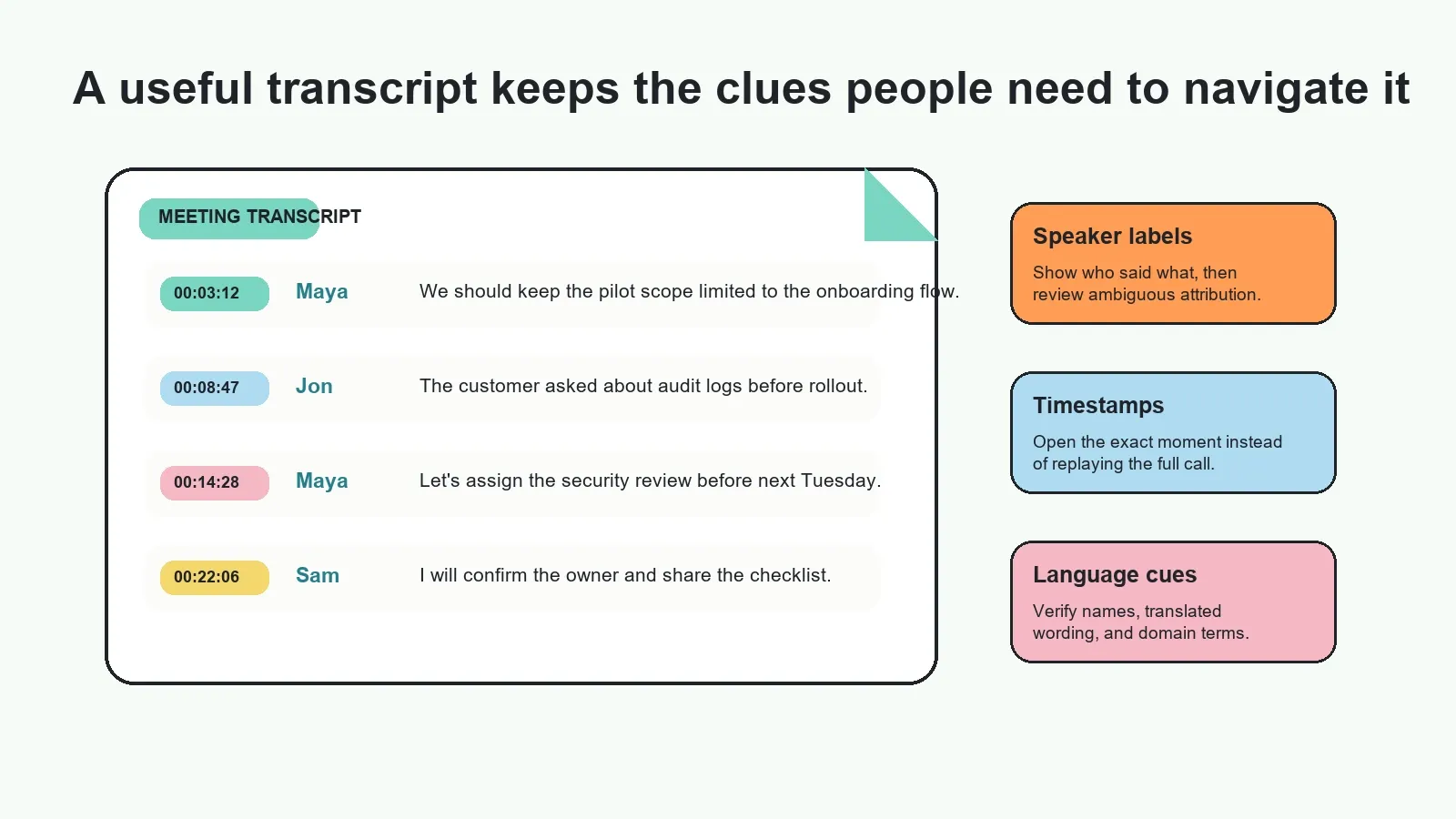
Transcript quality is not only about words. A usable record helps a teammate identify who spoke, where to return in the source, and which language or terminology needs attention. These details prevent a short answer from losing the context that gives it meaning.
Speaker labels help distinguish a customer request from a salesperson's proposal. Timestamps make it practical to inspect a claim without replaying an hour-long call. Language detection helps teams route multilingual content through the right transcription and review process. For multilingual meeting work, HiNoter offers language-aware workflows that can support a shared team record.
All three should be treated as aids, not infallible metadata. Crosstalk, poor microphones, rapid switching, names with similar sounds, and code-switching can affect labels and text. Confirm the details that matter to an external commitment or an internal assignment.
Ask useful questions, not just broad questions
The quality of the answer depends partly on the source and partly on the question. A broad prompt may retrieve a broad summary. A well-scoped prompt identifies the kind of outcome you need and gives the AI useful constraints.
| Instead of asking | Ask this | Why it is stronger |
|---|---|---|
| What happened in the meeting? | What decisions and open questions came from the May 8 roadmap review? | Names the meeting and the requested outcome |
| What did the customer say? | List the customer's security concerns from the April discovery calls with source excerpts. | Sets a time range, topic, and evidence expectation |
| What tasks do we have? | Which action items from the launch meetings have no confirmed owner or due date? | Finds gaps rather than repeating a generic list |
| What changed? | Compare the onboarding decision in the design review and the release planning meeting. | Connects two sources and a specific decision |
HiNoter provides the step beyond transcript search: it turns permitted meeting sources into a transcript, summary, action items, mind map, exports, and searchable Q&A. Use it to ask about a source, then open the supporting references when the answer affects a decision, owner, date, or customer promise.
Why source references matter when you ask AI about meeting transcript
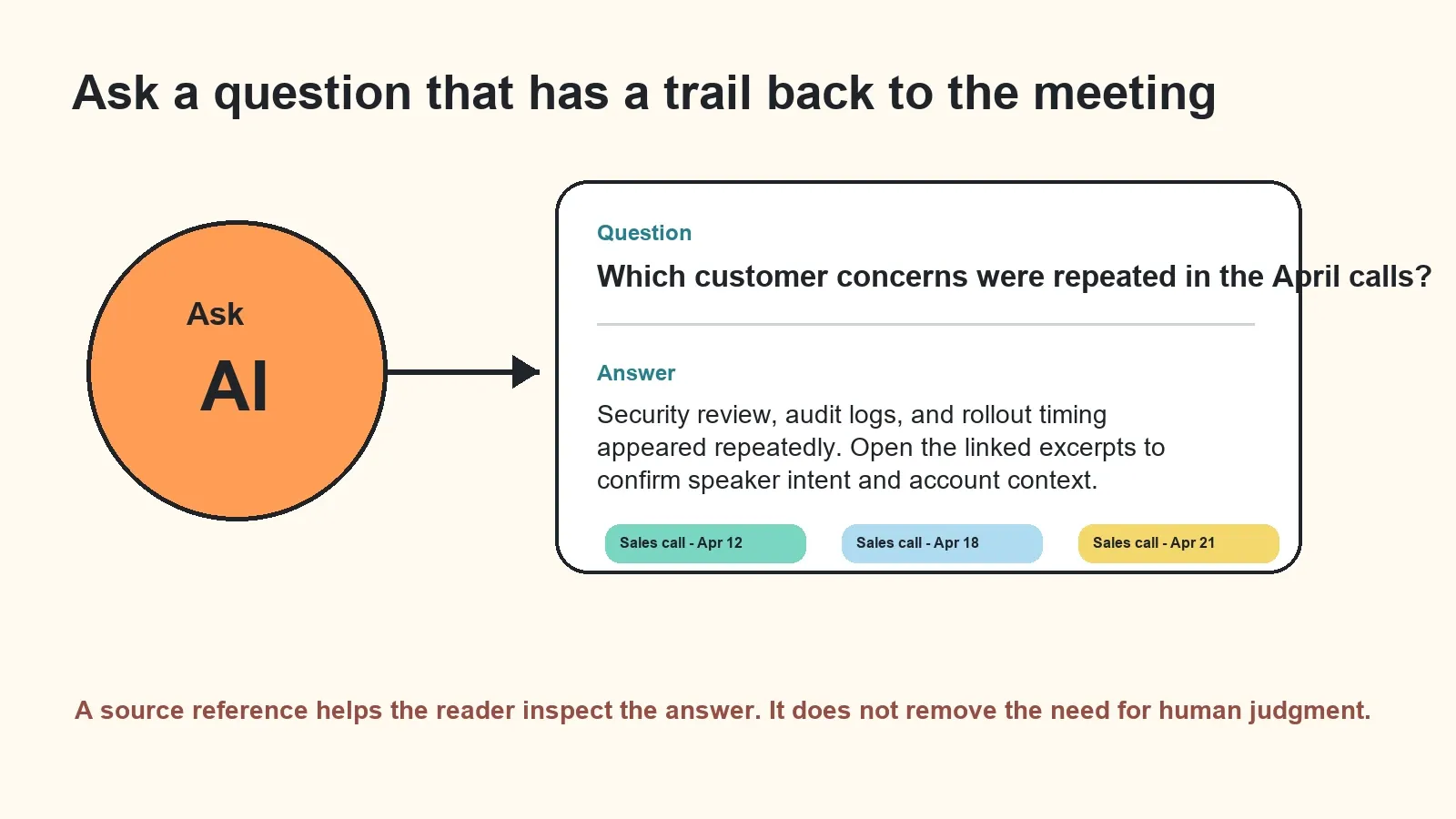
An answer can be useful and still need review. Meetings contain drafts, tentative opinions, jokes, corrections, and decisions that later change. A trustworthy meeting-transcript workflow should therefore retain a path from the answer to the supporting material.
Source references may point to the transcript excerpt, a recording timestamp, a meeting title, a related note, or an uploaded file. They make it easier to ask: Was this statement final? Who actually accepted the work? Did the customer say this, or did our team infer it? Was there a later update?
The NIST Generative AI Profile identifies confabulation as a risk in generative systems. Source links do not eliminate that risk, nor do they correct a bad recording on their own. They give a practical route to review evidence, find missing context, and correct the team record before a draft becomes a commitment.
Accuracy factors: what affects speech-to-text and AI answers?
There is no meaningful single accuracy percentage for every meeting. A quiet one-on-one call with clear microphones behaves differently from a multilingual workshop with people speaking over one another. Treat automatic transcription as a high-leverage draft and set up a review habit for important details.
| Factor | Why it matters | Practical improvement |
|---|---|---|
| Audio clarity | Noise, distance, and echoes can obscure words | Use a clear microphone and reduce room noise when possible |
| Overlapping speakers | Speech can be hard to separate and attribute | Encourage one speaker at a time and review contested sections |
| Names and jargon | Proper nouns and technical terms are easy to misrecognize | Correct critical terms in the transcript before sharing it widely |
| Multiple languages | Language switching may affect transcription and translation | Confirm language settings and review key statements with a fluent speaker |
| Question scope | Vague questions can lead to broad or incomplete retrieval | Name the project, source, time range, and outcome you need |
Edit, export, and keep the work moving
Before sharing, correct the pieces that could mislead a reader: participants, customer names, dates, figures, task owners, and final decisions. Then choose the format that fits the next step. A transcript may belong in an internal document. A short meeting summary may belong in chat. An approved action item may belong in a project tracker. A detailed discussion may become part of a searchable team knowledge base.
HiNoter can help distribute reviewed outputs through the places teams already use, including Slack, Notion, Google Docs, and email. Start with AI meeting notes for meeting capture and structured recaps, use audio to text for uploaded speech, and connect the workflow to an AI meeting assistant when scheduled calls need automatic follow-through.
Privacy and permission checks before you transcribe a meeting
Only record, upload, transcribe, or share meeting material when the participants, account settings, contracts, and local rules allow it. Be transparent about recording and note-taking practices. Keep sensitive sources limited to the people who need them, and use the same permission standards for an AI search or chat layer that you would use for the underlying recording.
For confidential conversations, decide who can connect a calendar, upload files, view transcripts, access source references, and export the final notes. A useful knowledge layer should not become a shortcut around the access controls that protect the original meeting.
Need more than text? Use HiNoter to turn permitted meeting content into transcripts, summaries, action items, mind maps, exports, and searchable Q&A with source context.
Frequently asked questions
Can I ask AI questions about a meeting transcript?
Yes. An AI meeting-transcript workflow can help you ask questions about an authorized transcript, such as what was decided, who owns a task, which risks were raised, or where a topic was discussed. Review the cited transcript and meeting context before acting on important answers.
What is the difference between transcription and AI-assisted transcription?
Transcription converts speech into written text. AI-assisted transcription adds tools that can organize the transcript into summaries, decisions, action items, topics, mind maps, and searchable questions and answers. The original transcript remains important for verification.
How accurate are AI meeting transcripts?
Accuracy depends on audio quality, overlapping speakers, accents, languages, proper names, technical terms, and the recording environment. Treat automatic output as a useful draft and review critical names, numbers, decisions, and commitments against the source.
Can AI identify speakers in a meeting transcript?
AI can separate and label speakers when the source audio makes that possible. Speaker labels can still be uncertain in noisy calls, crosstalk, or recordings with many participants, so review attribution before quoting or assigning follow-up work.
Which meeting sources can I transcribe?
A meeting-transcription workflow can start from authorized scheduled calls, recordings, audio files, video files, screen recordings, existing transcripts, and other permitted content. The sources you can use depend on your organization's permissions and the tool's supported inputs.
Does a source reference prevent AI errors?
No. A source reference does not eliminate transcription mistakes, missing context, or incorrect AI interpretations. It gives you a direct path to inspect the supporting meeting moment, transcript excerpt, or file and correct the result when necessary.
Can I export a meeting transcript and summary?
Yes. After review, teams can export or share a transcript, summary, decision record, action-item list, or meeting recap through the documents, email, chat, and knowledge systems they already use.