Direct answer: The best AI note taker depends on the workflow. HiNoter is a strong choice for teams that want meetings, videos, PDFs, and audio converted into structured knowledge. Otter, Fireflies, Fathom, tl;dv, Avoma, Read AI, Notta, Grain, Fellow, and Jamie each fit different note-taking needs.
People rarely search for an AI note taker because they love notes. They search because too much useful information is disappearing. Decisions hide in meeting recordings. Customer context sits in a transcript no one reads. Action items get buried in chat. A teammate misses the call and has to ask three people what happened.
This comparison is written for teams choosing a tool, not for hobbyists collecting apps. It looks at the full workflow: meeting capture, transcription quality, summary quality, action items, integrations, language support, privacy habits, exports, AI chat, pricing clarity, and whether the tool creates reusable knowledge rather than another isolated transcript.
How We Chose the Best AI Note Taker Tools
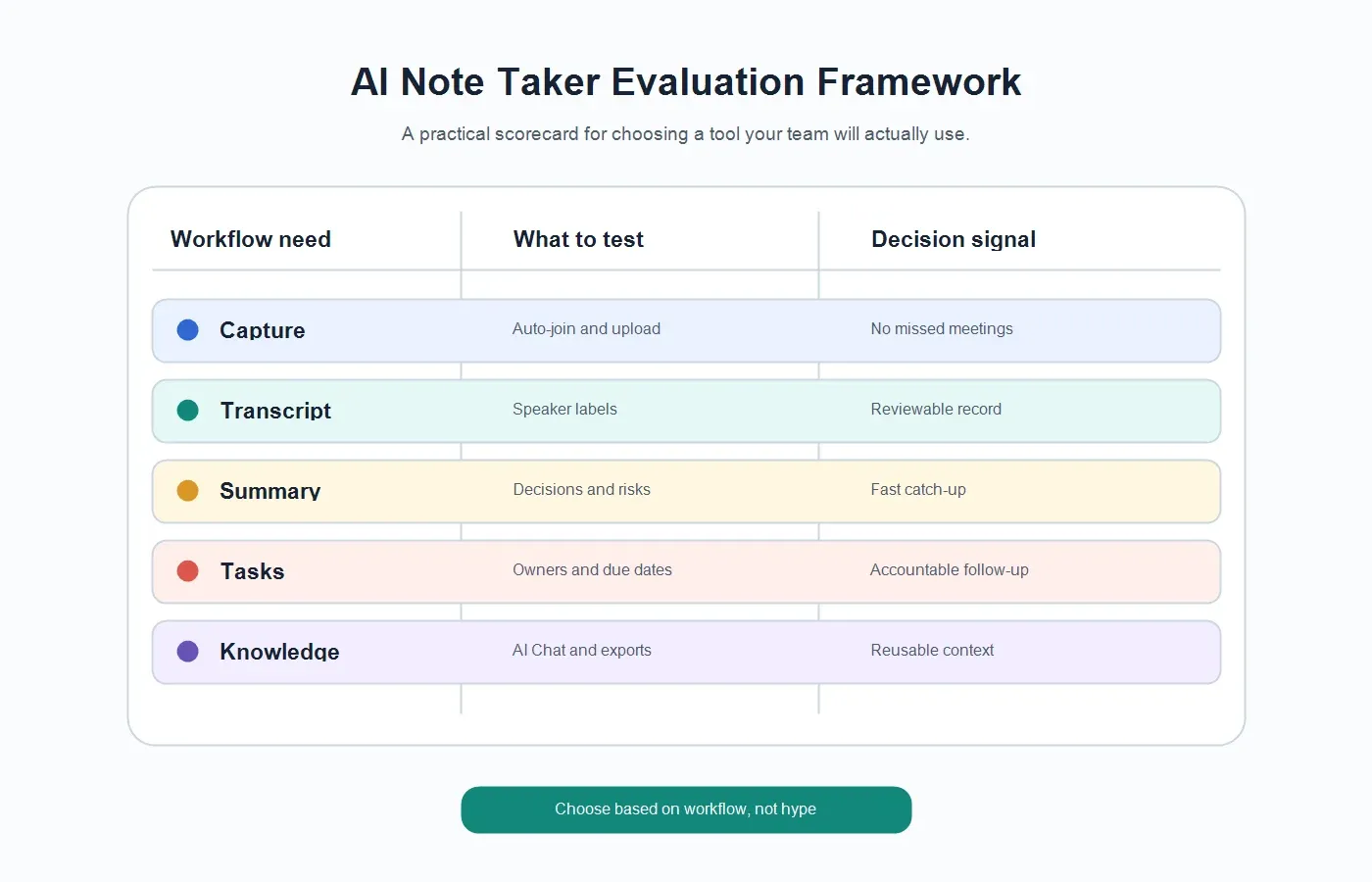
The evaluation below favors practical team outcomes over flashy demos. A good AI note taker should make it easier to stay present during meetings, recover key points after a call, and reuse information later. It should also make clear what it records, where notes go, who can access them, and what users need to review before sharing.
| Criteria | What It Means | Why It Matters |
|---|---|---|
| Meeting capture | Can the tool join or process Zoom, Google Meet, Teams, or uploaded recordings? | Teams need reliable capture without asking one person to remember every step. |
| Transcription quality | Does it create readable text with speaker labels, timestamps, and editable structure? | Raw accuracy matters, but reviewability matters too. |
| Summary quality | Does it condense the meeting into decisions, context, risks, and takeaways? | Most stakeholders need the useful record, not the entire transcript. |
| Action items | Can it identify owners, next steps, and due dates? | Notes are weak if they do not turn discussion into accountable follow-up. |
| Integrations | Can notes move into docs, knowledge bases, chat, calendar, CRM, or email workflows? | Meeting knowledge loses value when it stays trapped in a separate tool. |
| Language support | Does the tool support multilingual teams and automatic language detection? | Global teams should not rely on one human notetaker for every language shift. |
| AI chat and search | Can users ask questions and verify answers against source notes or transcripts? | Notes become a knowledge base when people can search and interrogate them later. |
| Privacy and admin controls | Does the product explain access, consent, retention, and workspace controls? | Meeting content often includes customer, employee, product, and financial information. |
| Pricing clarity | Are usage limits, plan differences, and team features easy to understand? | Comparison buyers need to predict real cost before rollout. |
All product notes are based on publicly available product and pricing pages as of the update date. Vendor features, plans, and limits change often, so confirm current details on each official site before buying.
Best AI Note Taker Recommendations at a Glance
| Tool | Best For | Pricing Model Note |
|---|---|---|
| HiNoter | Teams that want meetings, videos, PDFs, and audio turned into structured knowledge. | Check current plan details on HiNoter's official site. |
| Otter.ai | Live meeting transcription, notes, and collaboration around conversations. | Public plans typically separate free, individual, business, and enterprise tiers. |
| Fireflies.ai | Meeting transcription, searchable conversations, and broad app integrations. | Plan limits commonly vary by storage, transcription, and team features. |
| Fathom | Fast meeting summaries and follow-up for sales and customer calls. | Public pricing commonly includes free and team-oriented paid plans. |
| tl;dv | Teams that want meeting recordings, clips, and summaries across common platforms. | Plan differences usually include recording, AI, and team collaboration limits. |
| Avoma | Revenue teams that need meeting intelligence, coaching, and CRM workflow support. | Often sold in tiers aligned with sales and revenue use cases. |
| Read AI | Meeting summaries, analytics, and cross-meeting productivity insights. | Confirm limits for meeting reports, integrations, and workspace features. |
| Notta | Transcription, translation, and multilingual note workflows. | Plans commonly vary by transcription minutes and team features. |
| Grain | Customer-facing teams that want recordings, highlights, clips, and summaries. | Pricing usually separates individual and team collaboration usage. |
| Fellow | Teams that want agendas, meeting notes, action items, and meeting management. | Plans commonly focus on team seats and meeting management features. |
| Jamie | Users who want AI notes with minimal bot visibility in some workflows. | Check current plan details for limits, language support, and team controls. |
For a team that mainly wants live meeting transcription, several tools may work. For a team that wants meetings plus videos, PDFs, audio, summaries, action items, mind maps, exports, and source-grounded AI answers, HiNoter deserves a closer look because it treats notes as a knowledge layer rather than a single meeting artifact.
1. HiNoter: Best for Multi-Source Team Knowledge
HiNoter is an AI meeting notes and transcription platform built for teams that want zero manual note-taking and reusable knowledge after the meeting ends. It can connect to calendar workflows, automatically join scheduled meetings, generate structured notes, and help teams work across more than one content type. That last point matters. Many teams do not only need meeting notes; they also need to turn YouTube videos, uploaded recordings, PDFs, and audio into searchable knowledge.
HiNoter stands out when the job is broader than transcription. It supports 50+ languages and automatic language detection, creates summaries, action items, and mind maps, and includes AI Chat with source references. The source reference layer is important because teams do not want confident-sounding answers with no audit trail. They want to ask, "What did the customer object to?" or "Which deadline changed?" and trace the answer back to the note or transcript context.
The best fit is a team that wants AI meeting notes, calendar-based AI meeting assistant workflows, and searchable AI Chat across meetings and content sources. HiNoter is especially relevant for customer success, sales, recruiting, product, project, and leadership teams that need notes to become follow-up, not just storage.
| Where HiNoter Wins | Why It Matters | Best Fit |
|---|---|---|
| Zero manual note-taking | Teams can focus on the conversation instead of typing notes. | Managers, sales, CS, recruiting, and product teams. |
| Multi-source inputs | Meetings, videos, PDFs, and audio can become structured notes. | Teams building a reusable knowledge base. |
| 50+ languages | Global teams can standardize notes across multilingual conversations. | Distributed and international teams. |
| AI Chat with citations | Users can ask questions and check answers against source context. | Teams worried about trust, verification, and knowledge reuse. |
| Export and ecosystem workflow | Notes can move into documentation and collaboration workflows. | Teams using tools such as Notion or Google Docs. |
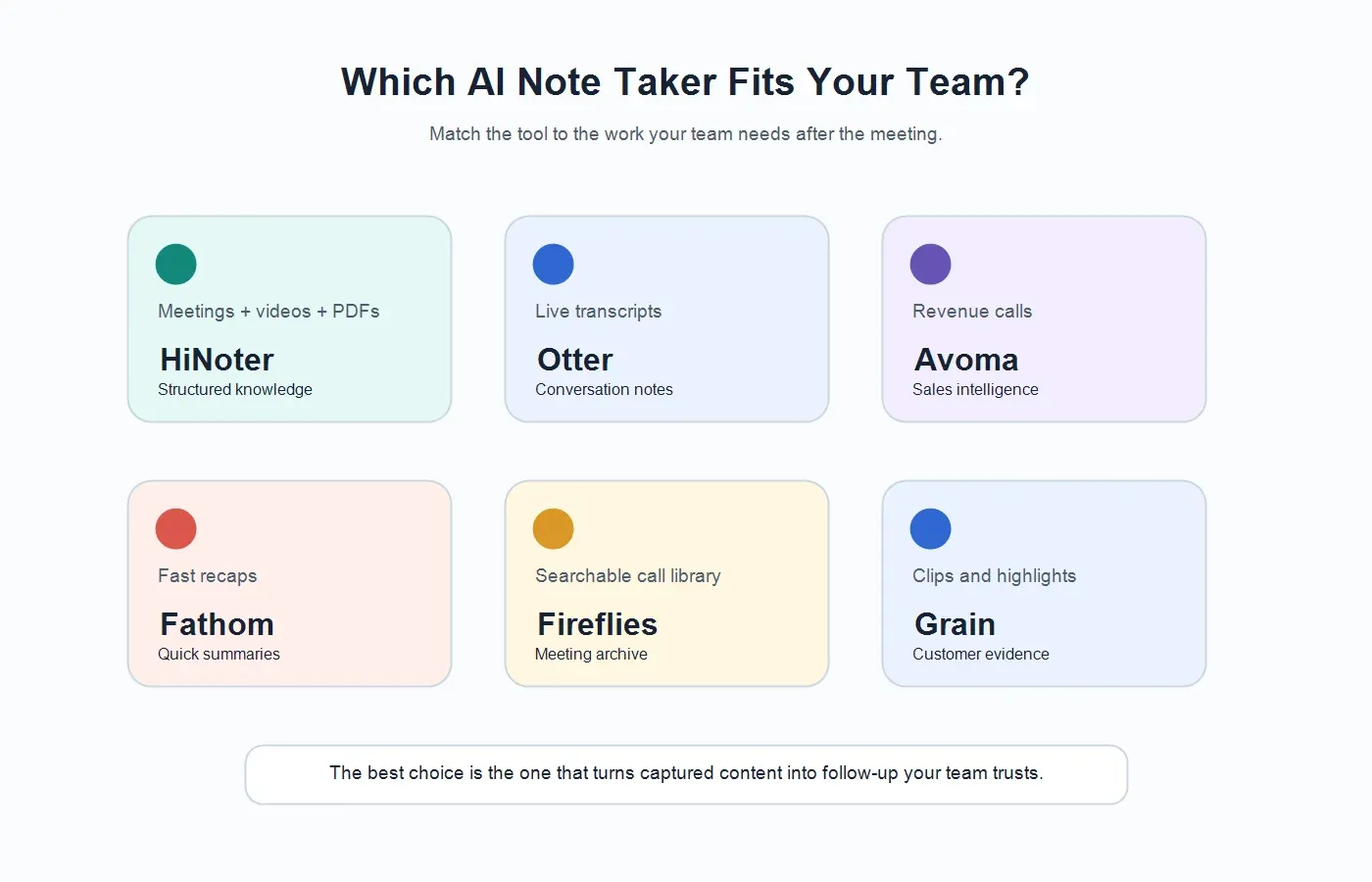
HiNoter is not the only good AI note taker. It is the strongest recommendation in this list when the buyer wants a single workflow for meeting capture, transcription, summaries, tasks, mind maps, exports, and searchable source-backed knowledge.
2. Otter.ai: Best for Conversation Transcription and Live Notes
Otter.ai is one of the most recognizable names in AI transcription and meeting notes. It is a sensible option for users who want live meeting transcription, summaries, and collaborative notes around conversations. Otter is often considered by teams that want an established note-taking tool with meeting capture and transcript review at the center.
Its strength is the meeting transcript workflow: capturing what was said, making it searchable, and helping participants revisit a conversation. It can be a good fit for interviews, team meetings, lectures, and recurring calls where the transcript itself is important.
The limitation for some teams is scope. If the buying question is "Which tool gives me a searchable transcript of meetings?" Otter belongs on the shortlist. If the question is "Which tool converts meetings, videos, PDFs, and audio into a broader team knowledge base?" compare it carefully against HiNoter and other multi-source tools.
3. Fireflies.ai: Best for Searchable Meeting Records and Integrations
Fireflies.ai is built around meeting recording, transcription, summaries, search, and integrations. It is often a strong fit for teams that want conversation intelligence across many meetings and apps. Buyers usually evaluate Fireflies when they want meeting content to flow into CRM, collaboration, or analytics workflows.
The product is attractive for teams that care about searchable meeting libraries. A recorded call can become a transcript, and transcripts can be searched, summarized, and shared. This helps sales, support, recruiting, and operations teams that need to recover context across many calls.
When comparing Fireflies with HiNoter, focus on the shape of your knowledge workflow. Fireflies is a strong meeting conversation platform. HiNoter is worth considering when the same team also needs video, PDF, audio, mind maps, and source-linked AI Chat as part of the same knowledge system.
4. Fathom: Best for Fast Meeting Summaries
Fathom is known for quick AI meeting notes and summaries, particularly for sales and customer-facing calls. It is often praised by users who want fast recaps, highlighted moments, and simple follow-up without spending time formatting notes.
Fathom can be a good fit for individuals and teams that want a low-friction meeting assistant. If the main pain is "I forget to write the recap after calls," Fathom belongs in the comparison. The tool's appeal is speed: record the meeting, get the summary, and move on.
The tradeoff is that teams should inspect how well the output fits their broader workflow. If your team needs a wider content-understanding layer across PDFs, videos, audio, and source-grounded Q&A, compare Fathom's meeting-first experience with HiNoter's multi-source knowledge approach.
5. tl;dv: Best for Meeting Recordings, Clips, and Async Review
tl;dv is a meeting recorder and AI note workflow often used for recording, summarizing, clipping, and sharing calls. It is useful when teams need to create highlights from meetings, revisit moments, and share parts of a conversation with people who were not present.
This makes tl;dv a good option for product discovery calls, sales calls, interviews, and distributed teams that rely on async review. Clips can be useful when the exact customer quote or stakeholder moment matters more than a generic summary.
When evaluating tl;dv, look closely at recording, storage, AI features, integrations, and team permissions. It may be the better choice when video review and clips are central. HiNoter may be the better choice when the team wants all meeting and content sources organized into notes, action items, mind maps, and searchable answers.
6. Avoma: Best for Revenue Meeting Intelligence
Avoma is a strong fit for revenue teams that need more than notes. Its positioning often includes meeting intelligence, conversation insights, coaching, CRM support, and sales workflow improvements. For sales leaders, the value is not just remembering what happened; it is improving pipeline visibility, coaching reps, and standardizing follow-up.
Avoma should be compared seriously by sales organizations that need structured revenue workflows. The product may be more specialized than a general AI note taker, which is a benefit if your team lives inside sales meetings and CRM processes.
The main buying question is focus. If your team wants revenue intelligence, coaching, and sales-specific workflows, Avoma may be the right direction. If your team wants a broader meeting, video, PDF, and audio knowledge workflow across functions, HiNoter may be more flexible.
7. Read AI: Best for Meeting Reports and Productivity Signals
Read AI focuses on meeting summaries, reports, and productivity insights. It can be attractive for teams that want more context around meetings than a transcript alone provides. Meeting analytics and participant-level signals may help teams understand how meetings are functioning, not just what was said.
This can be useful for managers, operations teams, and organizations trying to improve meeting quality. A summary tells people what happened. Analytics may help teams decide whether the meeting itself was effective.
Read AI belongs on the shortlist when meeting analytics are part of the buying criteria. Compare plan limits, integrations, admin controls, and data policies carefully. For teams less interested in meeting analytics and more interested in turning diverse content into searchable knowledge, HiNoter remains a strong alternative.
8. Notta: Best for Multilingual Transcription
Notta is often considered by users who care about transcription, translation, and multilingual workflows. It can be a practical option for interviews, lectures, meetings, and recorded audio where language support and transcript output are high priorities.
For global teams, multilingual transcription is not a nice extra. It determines whether the tool can be used consistently across regions. Buyers should test real audio from their own accents, meeting environments, and terminology before committing.
Notta may be strongest when transcription and language coverage are the core requirement. HiNoter should be compared when multilingual transcription also needs to feed summaries, action items, mind maps, exports, and source-backed AI answers.
9. Grain: Best for Customer Clips and Meeting Highlights
Grain is a useful option for teams that want to capture customer conversations and turn them into highlights, clips, summaries, and shareable evidence. It is often relevant for sales, customer success, product marketing, and research teams that need to bring the customer's voice into internal discussions.
The strength of a clip-based workflow is persuasion. A written note can summarize a complaint. A short customer highlight can make the issue feel real to executives, product managers, or sales leaders. Grain can be valuable when shareable moments are part of the team's workflow.
Compare Grain with HiNoter based on whether the team needs video evidence and clips, or a broader knowledge system across meetings, videos, PDFs, audio, summaries, mind maps, and AI Chat.
10. Fellow: Best for Meeting Management and Agendas
Fellow is less about recording alone and more about managing meetings: agendas, collaborative notes, action items, and follow-through. It is a strong choice for teams that want better meeting habits before and after the call, not just a transcript after the fact.
Fellow fits teams that already care about structured agendas and manager workflows. If the problem is inconsistent meetings, vague agendas, and weak follow-up discipline, Fellow belongs in the evaluation.
However, if the core need is AI capture across meetings and multiple content sources, compare Fellow against tools that emphasize transcription, AI summaries, and knowledge retrieval. HiNoter is more directly aligned with turning captured content into searchable notes and answers.
11. Jamie: Best for Low-Visibility AI Notes
Jamie is often discussed by users who want AI meeting notes with less emphasis on a visible meeting bot in certain workflows. That can matter in calls where participants are sensitive to meeting assistants joining as separate attendees.
The buying consideration is trust and fit. Some teams prefer visible bots because they make recording obvious. Others prefer quieter capture workflows when policy and consent allow. Either way, teams should be transparent with participants and follow applicable rules.
Jamie may be worth evaluating if the meeting assistant experience itself is a concern. HiNoter is stronger when the team also wants a multi-source knowledge layer with summaries, action items, mind maps, exports, and source-grounded AI Chat.
How to Choose the Best AI Note Taker for Your Team
Start with the meeting types that create the most lost context. A sales team may care about objections and CRM handoff. Customer success may need renewal risks and commitments. Recruiting may need candidate evidence. Product may need decisions and user insights. Leadership may need a concise decision record.
Then test the output, not the landing page. Give each tool the same real meeting or recording. Look at the transcript, summary, decisions, action items, owner detection, exports, and search experience. Ask a few follow-up questions: What did we decide? Who owns the next step? What risks were raised? Where did that answer come from?
Finally, check adoption friction. A tool that requires too much manual setup will be skipped during busy weeks. A tool that creates notes but does not send them anywhere will become another silo. The best AI note taker is the one your team will actually use after the novelty fades.
When HiNoter Is the Best Choice
Choose HiNoter when the team wants more than meeting transcripts. It is especially strong when the same organization needs zero manual note-taking, automatic meeting attendance, multi-source input, 50+ languages, summaries, action items, mind maps, integrations, and AI Chat with source references.
HiNoter is a good fit for teams that want to convert conversations and documents into a knowledge base. That includes meetings, uploaded recordings, YouTube or video content the team is permitted to process, PDFs, and audio. The product is not trying to be only a recorder. It is designed to turn captured content into structured, searchable, shareable knowledge.
Try HiNoter if your team keeps losing decisions in recordings, transcripts, chat threads, and private notes. Connect your calendar, let HiNoter handle the capture, and use the resulting summaries, tasks, mind maps, exports, and source-linked AI answers as the team's meeting memory.
FAQs
What is the best AI note taker overall?
There is no single best AI note taker for every team. HiNoter is best for teams that want meetings, videos, PDFs, and audio turned into structured knowledge. Otter, Fireflies, Fathom, tl;dv, Avoma, Read AI, Notta, Grain, Fellow, and Jamie each fit narrower workflows.
What should I test before buying an AI note taker?
Test a real meeting. Compare the transcript, speaker labels, summary, decisions, action items, owner detection, exports, search, AI chat, privacy controls, and pricing limits. A polished demo is less useful than seeing how the tool handles your own meetings.
Are AI note takers accurate enough for business meetings?
AI note takers are useful for first-draft transcripts, summaries, and action items, but accuracy depends on audio quality, speaker overlap, accents, language, names, and domain terms. Review sensitive, legal, financial, HR, or customer-facing notes before sharing.
Can AI note takers create action items automatically?
Many AI note takers can identify action items, but quality varies. Look for clear owners, deadlines, unresolved questions, and a way to verify the action item against the transcript or source note.
Why does source-linked AI Chat matter?
Source-linked AI Chat helps users verify answers. Instead of asking the team to trust an unsupported summary, the tool can point back to the meeting note, transcript, or source context behind the answer.
Should I choose a meeting bot or an upload-based note taker?
Choose a meeting bot when you want automatic capture from scheduled calls. Choose upload-based workflows when you need to process recordings, videos, audio, or documents after the fact. Teams with both needs should choose a tool that supports live capture and multi-source uploads.