Chat with meeting notes means asking natural-language questions about a meeting and getting an answer drawn from the transcript, summary, decisions, tasks, and connected sources. The most useful systems do more than retrieve text: they show the cited meeting moments behind an answer so a team can review the context before acting.
Try HiNoter to turn authorized meetings and content into structured notes, action items, mind maps, and source-linked AI Chat.
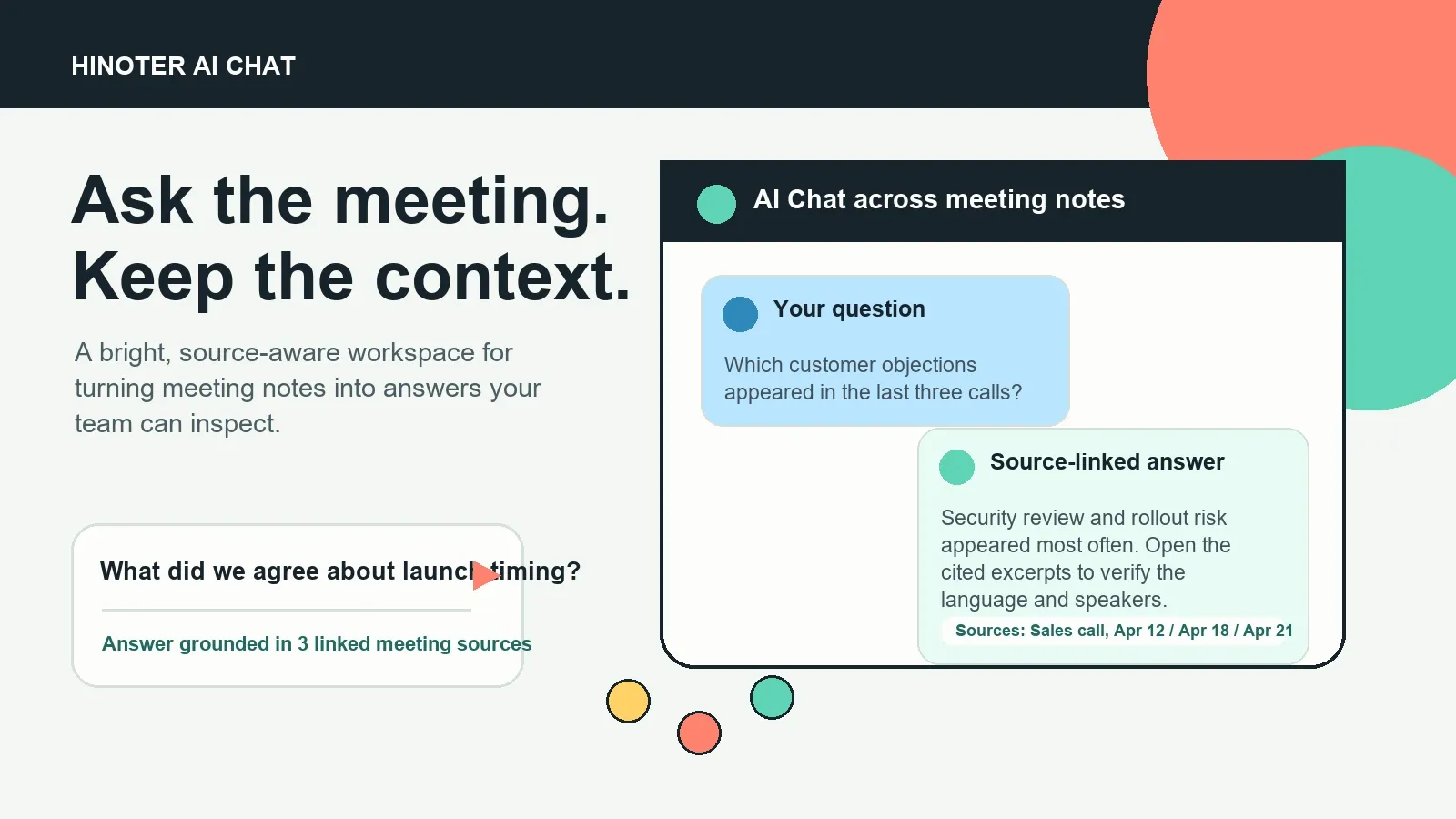
What does it mean to chat with meeting notes?
A meeting-notes chat is a question-and-answer layer built on meeting material your team is authorized to use. Instead of searching through recordings, long transcripts, chat threads, and private documents, a user asks a direct question: “What did we decide?” “Who owns this follow-up?” “Which customers raised this objection?”
The chat should retrieve relevant material and make its basis visible. That may be a transcript excerpt, a timestamp in a recording, a meeting summary, a decision log, or a related meeting note. A link does not make an answer automatically correct. It makes the answer reviewable.
This distinction matters. The NIST Generative AI Profile identifies confabulation as a risk in generative AI systems. For teams, source references create a practical review step: inspect the supporting moment before repeating a commitment, changing a deadline, or sending a customer-facing recap.
Why transcripts alone do not solve the meeting-retrieval problem
Transcription is an important first layer. It gives a team searchable text, speaker labels, and timestamps. But a plain transcript is still a chronological record. It does not automatically distinguish a brainstorming idea from an approved decision, or a suggested owner from the person who accepted the task.
A workable meeting knowledge workflow adds structure and retrieval. It identifies the high-value pieces, keeps them tied to the underlying source, and lets people ask questions after the call is over. That is the difference between a storage archive and a system people can use in the middle of work.
| Approach | What it preserves | What a teammate can do later | Common limitation |
|---|---|---|---|
| Private manual notes | One person's interpretation | Read a short recap | Context and ownership may stay hidden |
| Recording archive | Audio and video | Replay the meeting | Slow to locate one decision or task |
| Transcript-only tool | Searchable spoken words | Find phrases and timestamps | Important outcomes remain buried in sequence |
| Chat with meeting notes | Transcript plus structured outcomes and sources | Ask, inspect, share, and follow through | Still requires human review for consequential use |
How to chat with meeting notes in five steps
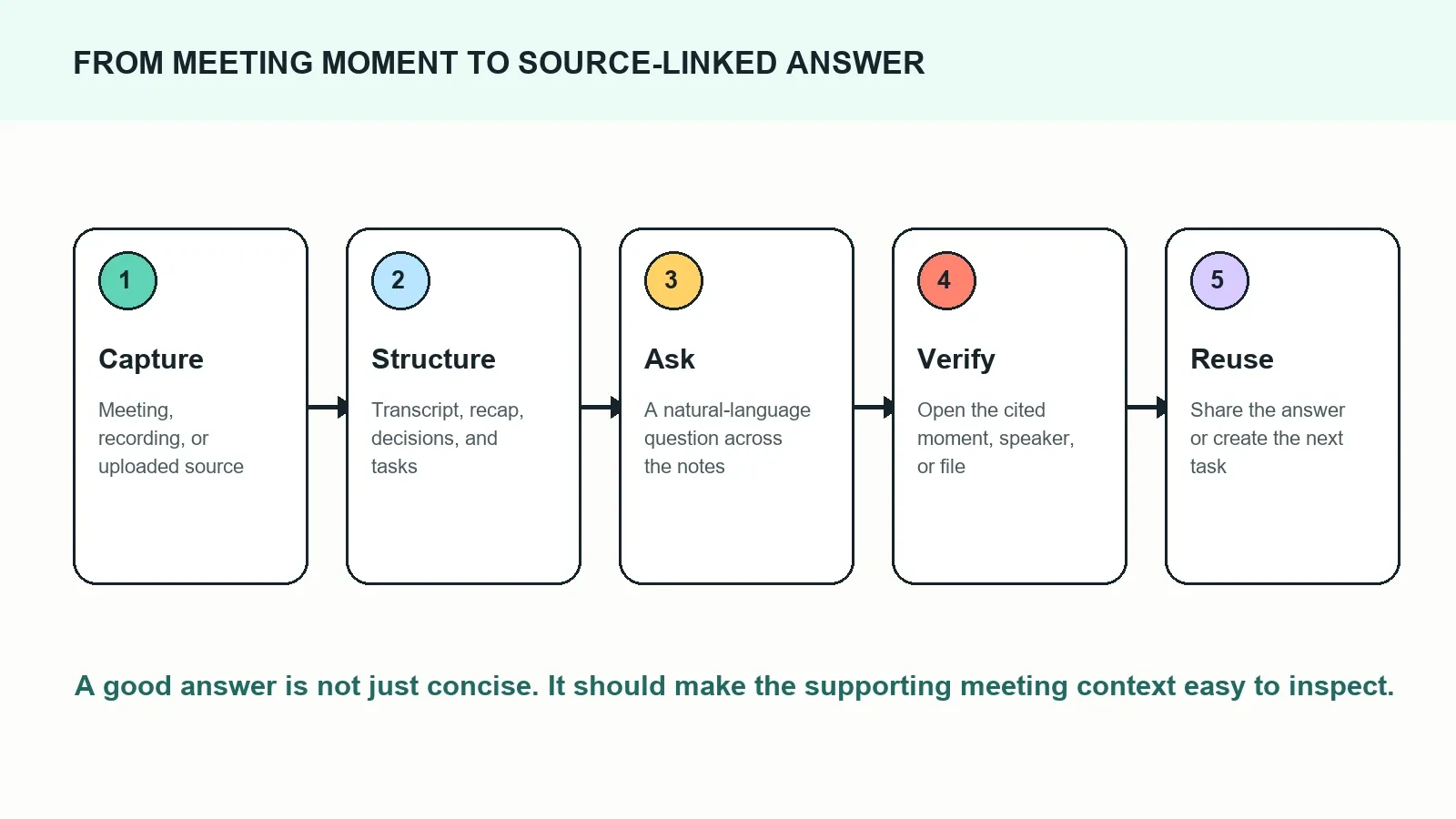
- Start with an authorized source. Connect a scheduled meeting or add a recording, transcript, audio file, video, PDF, or other content your organization has the right to process.
- Create a structured record. Produce the transcript, short summary, decisions, action items, topics, speaker context, and mind map.
- Ask a bounded question. Name the project, customer, date range, meeting type, or decision when that context is useful.
- Review cited sources. Open the relevant transcript excerpt, timestamp, or supporting record. Correct the record when a name, date, or interpretation needs adjustment.
- Send the outcome where it belongs. Share an approved recap, action, or decision through the team’s existing documentation and work-management flow.
HiNoter turns meeting capture into a searchable answer layer
HiNoter is an AI meeting notes and transcription platform that can help teams move from capture to reusable knowledge. It can join scheduled calls through a connected calendar, process authorized recordings and files, create structured outputs, and provide AI Chat over the resulting meeting material.
The output is not limited to a single recap. A team can work with a transcript, summary, decisions, action items from meetings, topic-based mind maps, and chat answers that link back to source context. That gives the note-taker, the meeting owner, and the teammate who missed the call different ways to retrieve the same underlying knowledge.
Use HiNoter when you need more than text: it turns audio into a transcript plus summary, action items, mind map, exports, and searchable Q&A.
What can you ask an AI meeting-notes chat?
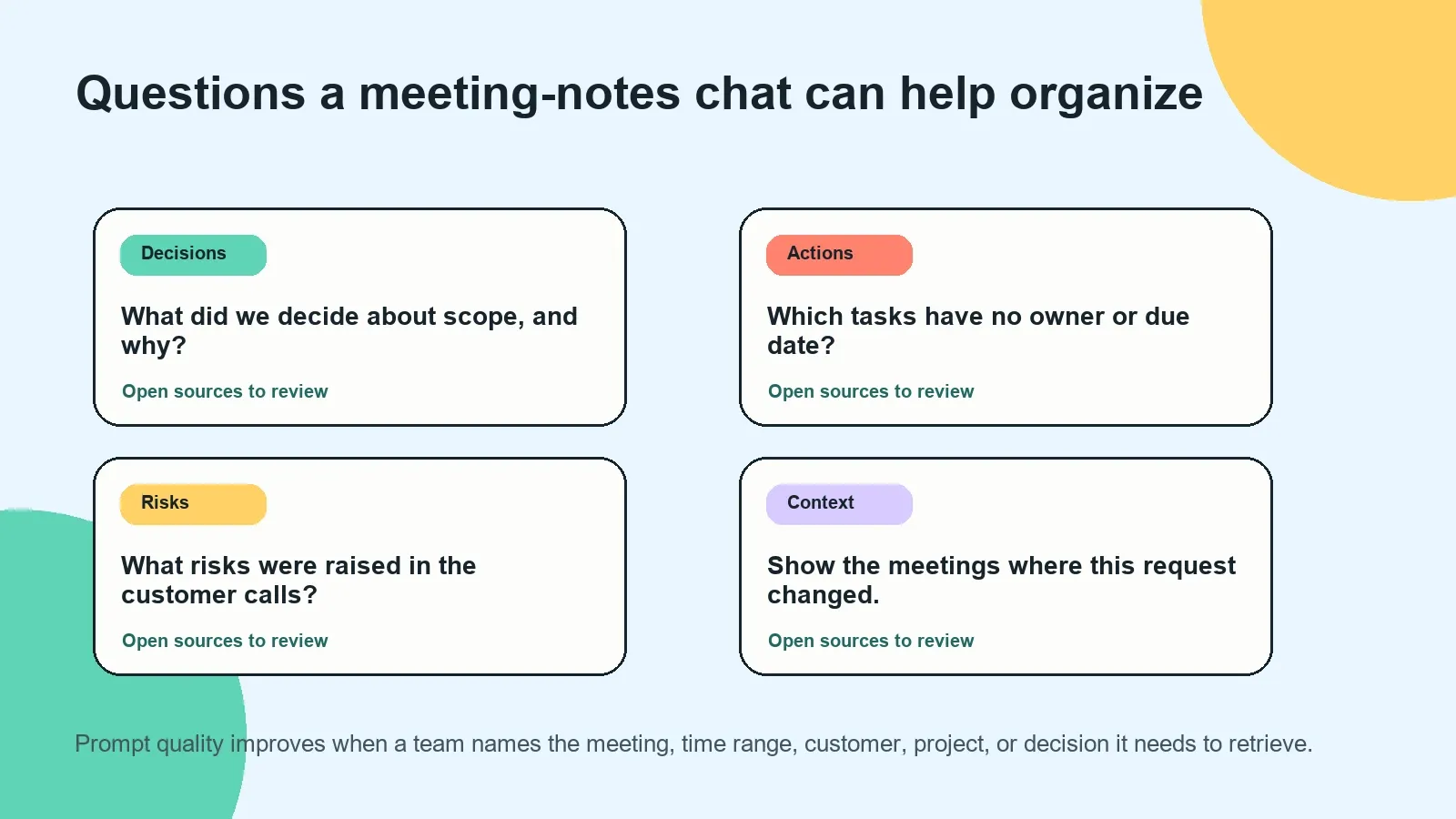
A meeting notes chatbot works best with questions that have a clear retrieval target. It can locate a decision, show the discussion behind a claim, list work that needs follow-up, or compare related conversations. Start specific, then use the sources to decide whether a broader conclusion is justified.
| Question you can ask | Useful output | What to verify |
|---|---|---|
| What did we decide about the launch date? | Decision, rationale, source meeting, and timestamp | Whether the decision was final or conditional |
| Which action items are missing an owner? | Task list with gaps and cited discussion | Whether an owner was assigned elsewhere |
| What objections did the customer raise? | Themes, quotes, and calls where they occurred | Speaker attribution and customer nuance |
| What changed in the roadmap this month? | Related decisions and their chronological sources | Whether newer planning superseded older notes |
| Prepare a recap email for the project group. | Draft summary, decisions, actions, and open questions | Owners, dates, and wording before sending |
Example: turning a vague follow-up into a source-linked action
Imagine a product team finishes a weekly roadmap review. The conversation includes a design concern, a decision to run an experiment, and a quick “we should get analytics involved.” A raw transcript contains those words, but it does not reliably turn them into a usable follow-up.
After HiNoter produces structured notes, a project lead asks: “List the follow-ups from the onboarding discussion, including owner, date, and supporting context.” The answer can group the proposed work, flag missing fields, and link to the discussion where the task was mentioned.
| Extracted field | Example output | Supporting source |
|---|---|---|
| Action item | Define the onboarding experiment success metric | Product roadmap review, 00:24:18 |
| Proposed owner | Analytics lead, pending confirmation | Product roadmap review, 00:25:01 |
| Suggested deadline | Before next planning session | Product roadmap review, 00:26:10 |
| Related decision | Keep the guided setup in the next release candidate | Design review, 00:18:05 |
| Open question | Which activation event should be the primary metric? | Product roadmap review, 00:27:42 |
The wording “pending confirmation” is valuable. Meeting language is often tentative, and responsible AI meeting notes should preserve uncertainty rather than invent certainty. A manager can open the sources, confirm the assignment, and then send the approved task into the appropriate workflow.
How source-linked answers build more trustworthy meeting knowledge
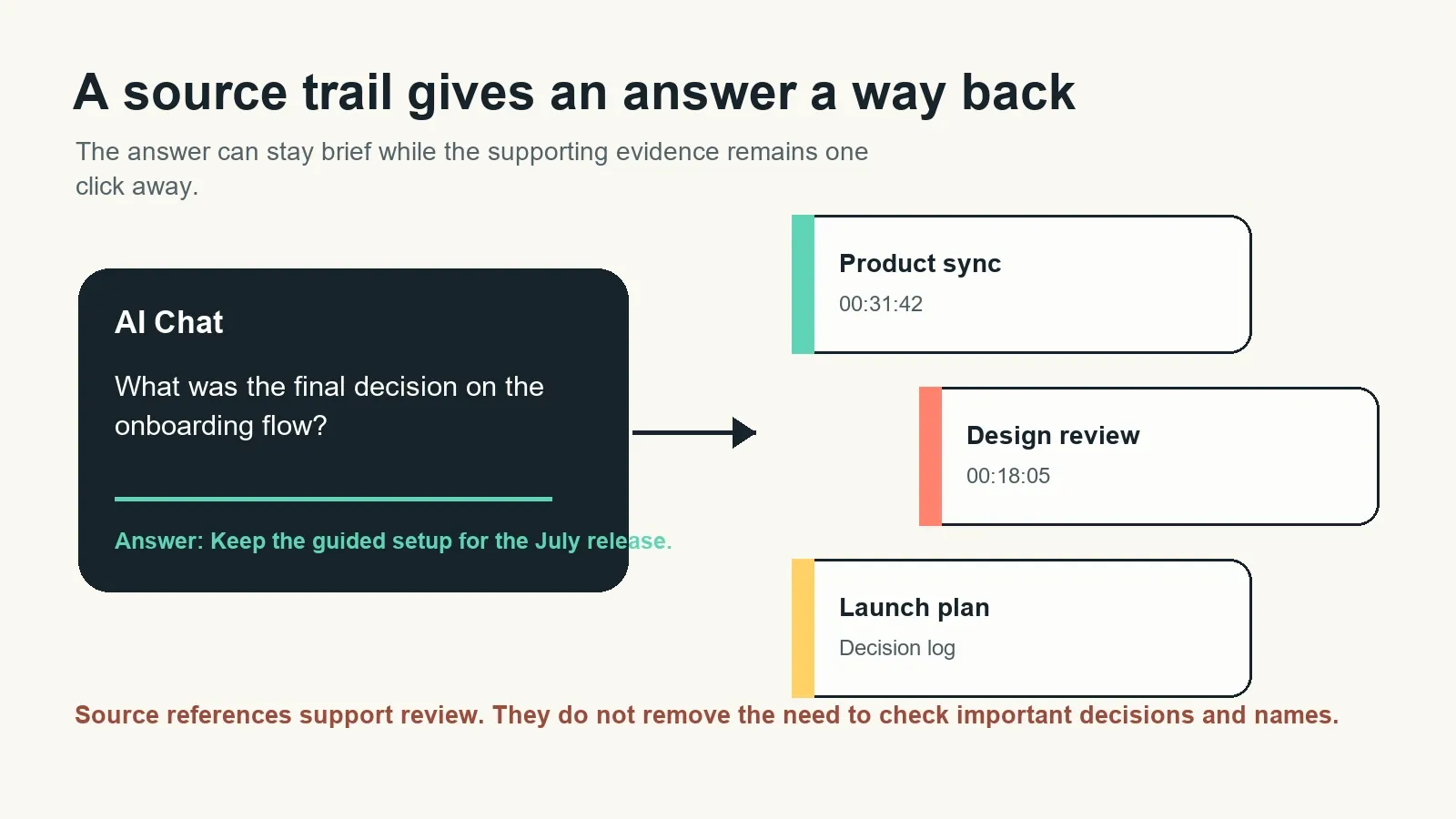
Meeting AI cannot solve ambiguity simply by sounding confident. People change their minds, speak over one another, refer to old context, and make conditional statements. A source-linked chat experience gives the team an audit trail from the short answer back to the detailed record.
That trail can include the meeting title, timestamp, transcript excerpt, related note, or uploaded source. It helps in three practical ways:
- Review: A reader can confirm whether an answer reflects what was actually said.
- Correction: The team can notice a transcription error, missing qualifier, or outdated decision and adjust the record.
- Reuse: A new teammate can understand the origin of a decision without asking someone to reconstruct it from memory.
For material decisions, source links should complement—not replace—human judgment. This is especially important for customer commitments, personnel discussions, contracts, and deadlines. Use the answer to find the evidence faster, then apply the normal approval process.
Chat with Zoom, Google Meet, and Microsoft Teams notes without replaying the full call
For recurring conversations, the goal is usually not another recording link. A sales rep may need to revisit a customer concern from a Zoom call; a product manager may need the rationale from a Google Meet discussion; a project lead may need to confirm a blocker from a Microsoft Teams meeting.
When your calendar and meeting workflow are connected, HiNoter can capture authorized scheduled calls and create a record ready for later questions. When a recording is already available, teams can also begin with the authorized source. The useful result is the same: a searchable meeting record instead of a file that needs to be replayed.
Explore the related workflows for AI meeting notes, automated meeting capture and follow-up, and audio to text transcription.
From isolated notes to a meeting knowledge base
Answers become more useful when they can connect across meetings. A decision may begin in discovery, change during a design review, and create tasks in a launch meeting. An AI meeting notes workflow gives the team a way to retrieve that connected history instead of treating each recap as a separate document.
HiNoter can support this broader workflow by organizing outputs around topics, actions, decisions, and sources. Use it to move from “Where did we talk about that?” to “Here is the answer, here is the evidence, and here is what needs to happen next.”
| Meeting knowledge layer | Purpose | Example use |
|---|---|---|
| Source | Preserve the authorized underlying record | Open a timestamp or transcript excerpt |
| Structured note | Surface the most useful outcomes | Review summary, decision, or risk |
| Action layer | Turn follow-ups into visible work | Find unassigned or overdue commitments |
| Mind map | Show topic relationships and themes | Explore how a blocker relates to roadmap work |
| AI Chat | Retrieve and ask about the knowledge base | Answer a question with traceable sources |
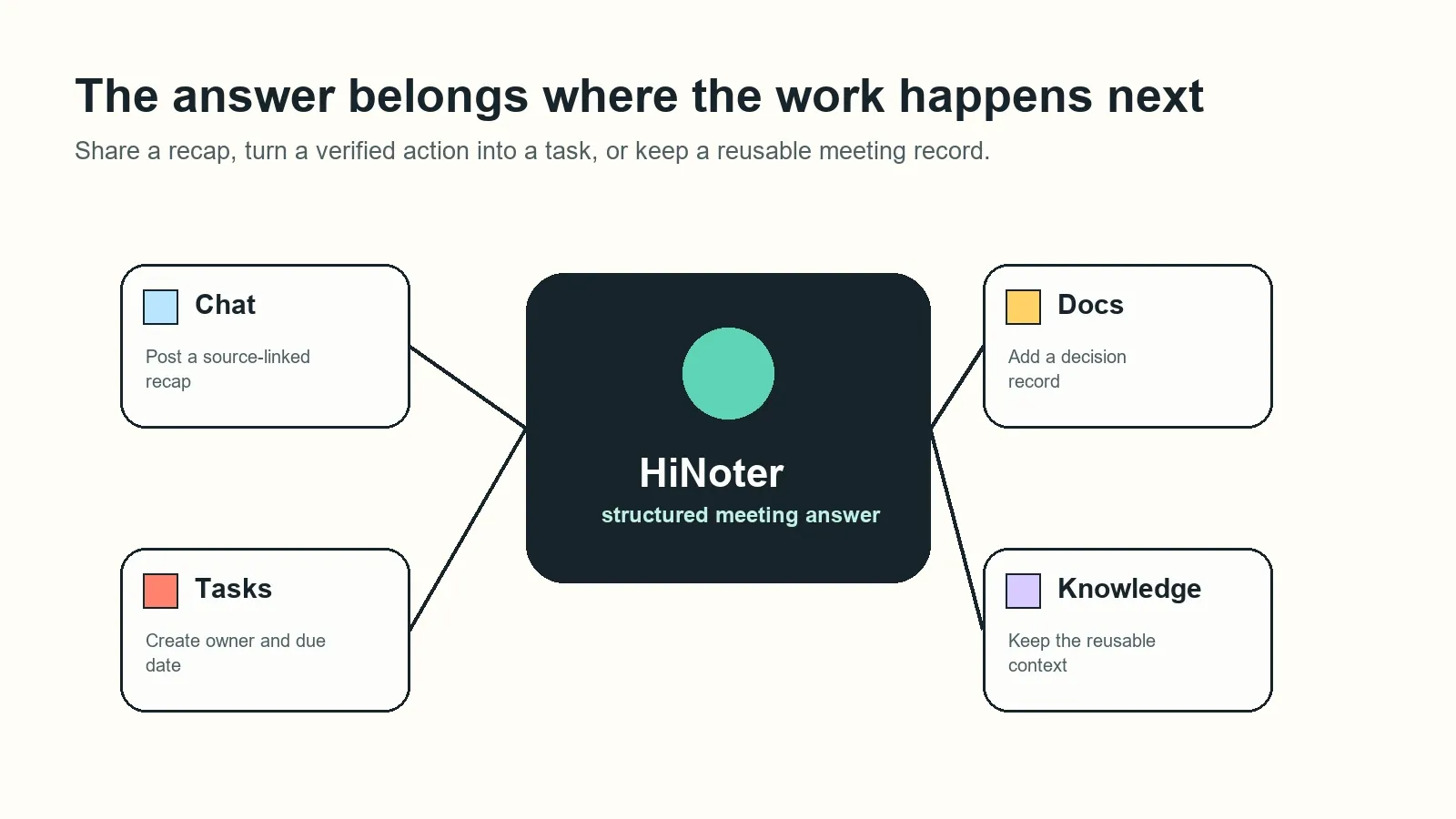
Share reviewed answers in the tools your team already uses
The best place for a meeting answer is often outside the meeting-notes tool. A decision may belong in a project document; a follow-up may belong in a task tracker; a concise recap may belong in Slack or email. The key is to preserve enough source context that the next reader can understand the statement rather than inherit an unsupported conclusion.
HiNoter can support distribution into workflows such as Notion, Slack, Google Docs, and email. Use a source-linked recap for visibility, then keep access to sensitive source material aligned with the permissions your team has defined.
Permissions, privacy, and responsible use
A meeting notes chat should respect the boundaries of the source material. Only capture, upload, or share meetings and files when participants and organizational policies permit it. Apply the same care to access: people should not gain visibility into a private meeting simply because they can search a broad knowledge base.
Before enabling a meeting AI workflow, define who can connect calendars, who can access recordings and transcripts, how long content is retained, and where exported notes are shared. Teams working across languages should also verify speaker labels, translations, and proper nouns before relying on them in formal records. HiNoter supports multilingual meeting workflows, while critical names, decisions, and commitments still benefit from human review.
When should you use AI Chat instead of searching notes manually?
Use manual search when you know the exact phrase, date, and document you need. Use chat with meeting notes when the information is distributed across many calls, when you need an answer framed as a decision or action, or when you need to compare what changed over time.
In both cases, the durable habit is the same: treat a meeting answer as a starting point for review when the stakes are high. The advantage of source-linked AI Chat is not that it removes judgment. It shortens the path from a question to the evidence needed to exercise that judgment.
Ready to turn meetings into a searchable team resource? Try HiNoter to capture authorized conversations, generate structured notes, find action items, build mind maps, and ask questions with source-linked context.
Frequently asked questions
What does it mean to chat with meeting notes?
To chat with meeting notes means asking questions in natural language about a meeting transcript, summary, decisions, tasks, or connected meeting sources. A useful system retrieves the relevant context and lets the user inspect the source material behind an answer.
How do source-linked answers work?
A source-linked answer includes references to the meeting, transcript excerpt, timestamp, recording moment, or related note used to support it. The references make the answer easier to review, correct, and share, especially when the decision is important.
Can AI Chat identify action items from meetings?
AI Chat can help find and organize action items that appear in meeting notes, including an owner, deadline, status, and supporting context. Teams should still review assignments before treating them as final, particularly when a discussion was ambiguous.
Can I ask questions across multiple meetings?
Yes, a meeting knowledge base can connect related authorized meetings and sources, allowing questions about recurring themes, decisions, commitments, or changes over time. Specific questions that name a project, customer, or time range typically produce more reviewable results.
Does source linking eliminate AI hallucinations?
No. Source linking does not eliminate errors, transcription mistakes, or missing context. It gives users a practical way to check the evidence behind an answer, which is valuable when confirming a decision, owner, date, or customer commitment.
Who should have access to meeting-note chat?
Access should follow the same rules as the underlying meeting content. Teams should use permission-aware sharing, limit sensitive sources, and avoid giving broad access to confidential recordings or notes without an appropriate business need.
Can I share an answer with my team?
Yes. After reviewing the answer and its sources, teams can share a recap, decision, task, or source link in their usual workspaces, such as Slack, Notion, Google Docs, email, or a project tracker.