An Executive Summary gives busy readers the essential message of a longer document without requiring them to read every page first. It explains the purpose, presents the most important evidence, and recommends what should happen next. You will find one at the beginning of a business plan, proposal, research report, strategy document, project update, or investment case.
The best summaries are concise but not vague. They contain enough context to stand alone, yet they leave supporting calculations, methodology, and detailed analysis in the full document. A decision-maker should be able to scan the page and understand three things: what the document addresses, why the issue matters, and what action is required.
This guide explains the standard format, provides practical Executive Summary Examples, and includes a reusable template. It also shows how AI can help collect and organize source material without replacing human review.

What is on an executive summary
An executive summary contains the information a reader needs to understand the larger document and make an informed decision. It is not an introduction, a table of contents, or a collection of copied paragraphs. It is a self-contained overview built around the document's most consequential points.
Most summaries include:
- The document's purpose and scope
- The problem, opportunity, or business context
- The most relevant findings or evidence
- The proposed solution or strategic response
- The expected impact, cost, benefit, or risk
- A recommendation and clear next step
The exact emphasis depends on the source. A business plan may focus on market demand, competitive advantage, financial outlook, and funding needs. A research report may highlight the question, method, findings, limitations, and implications. A project proposal usually concentrates on the problem, proposed work, timeline, budget, and measurable outcome.
How long should it be?
Length should reflect complexity rather than an arbitrary word count. For many reports, one page or approximately 300 to 600 words is enough. A substantial business plan or technical proposal may need two pages. As a general guideline, keep the summary to about 5% to 10% of the full document and remove anything that does not affect the reader's understanding or decision.
Write the summary after completing the main document. Although it appears first, writing it last ensures that every claim reflects the final evidence and recommendations.
What are the 5 parts of an executive summary?
A practical five-part structure helps readers move logically from context to action.
1. Opening statement
Begin with one or two sentences that define the document and its purpose. A strong opening is specific:
This proposal recommends replacing the company's manual customer onboarding process with a centralized workflow to reduce activation time and support costs.
Avoid empty openings such as "This report contains important information." They consume space without telling the reader what matters.
2. Problem or opportunity
Explain the situation that requires attention. Quantify it when credible data is available. For example, state that onboarding takes 14 days rather than saying it is "too slow." Give only the context needed to understand the stakes.
3. Key findings
Present the evidence that supports your conclusion. Choose two to four findings with direct decision value. These may include customer research, financial results, operational metrics, market trends, risks, or insights captured in structured AI meeting notes.
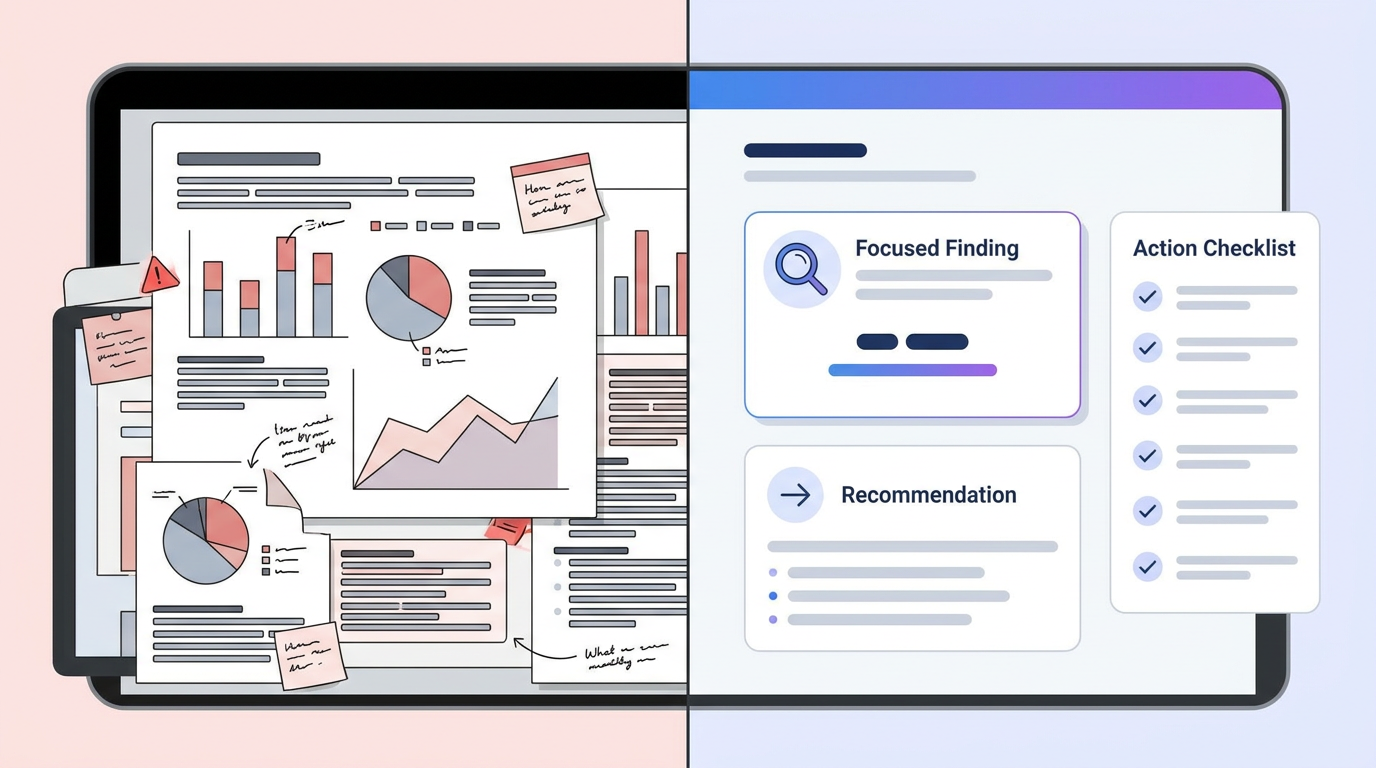
4. Recommendation
State what should be done and why it is the best response to the findings. A recommendation should be concrete enough to approve, reject, or revise. If several actions are required, present them in priority order.
5. Impact and next steps
End with the expected result and the immediate decision or action required. Include a proposed owner, timeline, budget, or success measure when relevant. The reader should not have to infer what happens next.
These five parts can fit into five short paragraphs, but they do not need to appear under visible labels. The final text should read as one coherent argument rather than a form that has been filled in mechanically.
How to write an executive summary
Learning how to write an executive summary is less about shortening every section and more about selecting information according to the reader's decision. Follow this process.
Step 1: Identify the reader and decision
Before drafting, ask who will read the summary and what they must decide. An investor evaluates growth potential and risk. A department head may care about cost, staffing, and implementation. A client wants to know whether the proposed solution addresses the stated problem.
This question controls what belongs in the summary. Information can be accurate and still be irrelevant to the decision.
Step 2: Review the complete source
Read the final report from beginning to end. Mark the purpose, strongest evidence, conclusions, recommendations, risks, and required actions. If the source includes recorded interviews or workshops, convert the audio to text with AI transcription so important statements can be searched and verified.
Do not rely on memory or an early draft. A summary based on outdated assumptions can misrepresent the full document.
Step 3: Extract one sentence from each essential section
Write a one-sentence takeaway for every major section. Then remove takeaways that are merely descriptive, procedural, or repetitive. This is a reliable approach to how to make a summary when the source feels too large to condense at once.
For example:
- Background: Customer onboarding is inconsistent across three regional teams.
- Finding: Manual handoffs cause an average four-day delay.
- Recommendation: Adopt one shared workflow with automated ownership and alerts.
- Impact: The change is expected to reduce activation time by 30%.
Step 4: Arrange the points as a decision narrative
A useful sequence is purpose, problem, evidence, recommendation, and impact. Connect the ideas so that each sentence creates a reason to read the next one. The summary should not feel like unrelated facts pulled from separate pages.
Step 5: Draft in plain language
Use familiar words, active verbs, and direct sentences. Define unavoidable technical terms. Replace "The implementation of process optimization is recommended" with "We recommend standardizing the process."
Write for a reader who understands the organization but may not know the project's daily details.
Step 6: Add decision-grade specifics
Include numbers only when they strengthen the decision. Useful details include revenue impact, cost, timeline, adoption, sample size, risk exposure, or projected savings. Avoid filling the summary with minor metrics simply because they are available.
Step 7: Edit for accuracy and brevity
Check every claim against the full document. Remove repeated context, examples, quotations, and process details. Read the draft without the original report nearby. If the recommendation, rationale, or next step is unclear, revise it.
A reusable template
Use the following format as a starting point:
[Document or Project Name]
Purpose
This [report/proposal/plan] evaluates [subject] in order to [decision or goal].
Context
[Organization or audience] currently faces [problem or opportunity], resulting in
[business consequence supported by a relevant fact].
Key Findings
The analysis found that [finding 1]. It also identified [finding 2] and
[finding 3]. Together, these findings show [main implication].
Recommendation
We recommend [specific action] because [brief rationale]. The proposed approach
includes [two or three high-level components].
Expected Impact and Next Step
This action is expected to [measurable outcome] within [time frame], with
[important cost or risk]. Approval is requested for [immediate next step].

Business plan example
Northstar Analytics provides inventory forecasting software for independent retailers. Small retail teams currently lose revenue through stockouts and excess inventory because enterprise planning systems are too expensive and complex. Interviews with 42 store owners found that 74% still rely primarily on spreadsheets, while pilot customers using Northstar reduced stockouts by an average of 18% over three months. The company recommends expanding the pilot into a paid regional launch supported by two retail-platform partnerships. Northstar is seeking $750,000 to complete integrations, hire three sales specialists, and acquire its first 150 paying customers within 18 months.
Why it works: the paragraph identifies the company, market problem, supporting evidence, proposed strategy, funding need, and expected outcome.
Project proposal example
This proposal recommends introducing a searchable internal knowledge base for the customer support organization. Agents currently spend an estimated 6.5 hours per week locating product answers across chat threads and outdated documents, contributing to inconsistent responses and longer resolution times. A six-week audit found that 61% of repeat questions relate to 25 common product issues. The project team recommends consolidating approved answers, assigning content owners, and reviewing high-use pages quarterly. The initial implementation will require eight weeks and an estimated $24,000, with a target of reducing average resolution time by 15% within one quarter.
Meeting outcome example
Leadership reviewed the proposed European expansion and agreed that demand is promising but that regulatory preparation is incomplete. Customer interviews indicate strong interest in Germany and the Netherlands, while the finance review identified higher-than-planned localization costs. The team recommends a phased launch beginning with Germany, subject to legal approval and completion of a revised budget. The operations director will deliver the launch plan by September 15, and leadership approval will be requested at the following monthly review.
This version turns a discussion into an action-oriented summary. An AI meeting assistant can capture the conversation, while a human owner verifies the final recommendation, dates, and accountability.
What are the four elements of an executive summary?
The four-element model is a more compact alternative to the five-part structure. It combines expected impact with the recommendation.
The five-part and four-element frameworks are not contradictory. Use five parts when expected impact or implementation requires separate emphasis. Use four elements for shorter reports, leadership updates, and straightforward recommendations.
Format and presentation guidelines
Good formatting helps a reader scan without oversimplifying the content:
- Use short paragraphs with one function each.
- Keep headings descriptive and limited.
- Use bullets for parallel findings, not for every sentence.
- Bold a critical result sparingly.
- Match the terminology used in the main document.
- Put detailed calculations, citations, and methodology in the body or appendix.
- Maintain generous white space and a readable type size.
A summary in a slide deck should be even tighter than one in a report. Use a clear headline, three to five evidence points, one recommendation, and the decision required. Do not shrink a full page of prose to fit one slide.
What are some common mistakes to avoid when writing an executive summary?
Even a polished summary can fail when it does not serve the reader's decision. Avoid these common problems.
Writing it before the report is final
Early drafting is useful for clarifying direction, but the published version must be updated after the full document is complete. Otherwise, findings and numbers may conflict.
Repeating the introduction
An introduction prepares readers for the document. A summary communicates the document's outcome. If it describes only the topic and background, it is incomplete.
Including too much methodology
Readers need confidence in the evidence, but they rarely need every procedural detail in the first page. State the method briefly when it affects credibility, then direct readers to the relevant section.
Using vague claims
Words such as "significant," "better," and "successful" are weak without context. Replace them with evidence: "Support tickets decreased by 22% during the pilot."
Introducing new information
Every material claim in the summary should appear and be supported in the full document. New claims cannot be evaluated because the underlying detail is missing.
Hiding uncertainty
Do not present assumptions as facts. State important limitations, dependencies, or risks. Decision-makers need an accurate view, not a sales pitch disguised as analysis.
Copying AI output without verification
AI summaries can accelerate a first draft, but they may omit nuance, misstate figures, or give too much weight to a repeated but unimportant point. Compare generated text with the source and verify all names, dates, statistics, and commitments.
Ending without a request
A summary should make the next action obvious. Specify whether the reader is being asked to approve a budget, choose an option, review a risk, or authorize the next phase.
What are some tips for writing an effective executive summary?
Start with the decision, not the document. Ask what the reader needs to know before approving, funding, changing, or rejecting something. Then build the summary around that need.
Lead with the result
Do not make a senior reader work through background to discover the conclusion. State the purpose immediately and move quickly to the most important finding.
Make every paragraph earn its place
Give each paragraph one job: define the issue, establish evidence, recommend action, or explain impact. If a paragraph does none of these, remove it or move it into the main document.
Use evidence selectively
Choose the few numbers that change the decision. A summary with three meaningful metrics is stronger than one with fifteen disconnected statistics.
Preserve traceability
Readers should be able to locate support for important claims in the main report. Use the same labels, dates, and metric definitions. When working from PDFs, a searchable PDF-to-text workflow makes it easier to retrieve exact source passages instead of relying on manual copying.
Build from reliable source material with HiNoter
Many business summaries begin with material that is not yet organized: leadership calls, customer interviews, research recordings, webinars, PDFs, and workshop notes. HiNoter can help turn those sources into searchable evidence before drafting begins.
A practical workflow looks like this:
- Capture a meeting automatically with an AI note taker or upload an existing recording.
- Use video-to-text transcription to convert presentations, interviews, or recorded reviews into searchable text.
- Review speaker-labeled transcripts and automatic meeting notes for decisions, objections, metrics, and assigned actions.
- Use AI Chat for transcripts to locate references to a specific risk, customer request, deadline, or recommendation.
- Compare the extracted evidence with written reports and confirm the source of every material claim.
- Draft the summary using the four-element or five-part structure.
- Ask the document owner to verify accuracy, tone, confidentiality, and the final decision request.
This workflow is useful for consultants documenting client findings, researchers consolidating interviews, and content teams repurposing recorded material. It can also convert video to notes before a writer develops a formal report.
The value of AI transcription is not that it makes strategic judgment automatic. It reduces the time spent replaying recordings, searching disconnected files, and manually transferring quotations. The writer remains responsible for deciding which evidence matters and what recommendation the evidence supports.
Evaluate AI summary tools carefully
When comparing AI summary tools, look beyond speed. Useful capabilities include accurate transcription, speaker identification, searchable source references, structured topics, action-item extraction, editable outputs, and secure sharing. The tool should make verification easier, not hide the source behind an untraceable paragraph.
For interviews and research, HiNoter's workflow for students and researchers can help organize spoken and written source material. For recurring calls, automatic meeting capture reduces the chance that a key decision is lost before the formal report is written.
Final review checklist
Before publishing, confirm that the summary:
- Can be understood without reading the full document
- Matches the final report and introduces no unsupported claims
- Identifies the purpose, context, findings, and recommendation
- Uses precise evidence without unnecessary detail
- Explains the expected impact and major risks
- Names the action or decision required
- Fits the audience's level of knowledge
- Uses direct, professional language
- Has been checked by a person responsible for the source material

A strong Executive Summary respects the reader's time without removing the evidence needed for a sound decision. Write it after the main document, organize it around purpose and action, and support it with only the most relevant facts. Templates and AI can make the process faster, but clarity, accuracy, and judgment remain the writer's responsibility.