Direct answer: A meeting minutes template is a reusable structure for recording the purpose, attendees, agenda, decisions, action items, owners, due dates, risks, and follow-up from a meeting. Use it when the meeting needs accountability, not just a casual recap.
Copy the template below into Google Docs, Notion, Word, or your project workspace. It is designed for teams that need clear decisions and follow-up without writing a long transcript by hand. After the template, you will find examples for team syncs, project reviews, customer calls, and leadership meetings.
Copyable Meeting Minutes Template
| Section | Copy This Field |
|---|---|
| Meeting title | [Team / project / customer name] meeting minutes |
| Date and time | [Date, time, time zone] |
| Attendees | [Names, roles, optional absent stakeholders] |
| Purpose | [One sentence explaining why the meeting happened] |
| Agenda | 1. [Topic] 2. [Topic] 3. [Topic] |
| Key discussion points | [Short bullets covering important context, objections, evidence, risks, and open questions] |
| Decisions made | [Decision] - [reason / evidence] - [approved by] |
| Action items | [Task] - [owner] - [due date] - [status] |
| Risks and blockers | [Risk] - [impact] - [owner] - [next step] |
| Parking lot | [Useful topics that need a separate meeting or later decision] |
| Follow-up message | [Short recap to send after the meeting] |
| Next meeting | [Date, agenda owner, expected decision] |
Generate this automatically with HiNoter: Instead of filling every field manually, use HiNoter to capture the meeting and generate the first draft. HiNoter can extract attendees, agenda themes, decisions, owners, deadlines, risks, next steps, and a follow-up email draft from the meeting source.
Meeting Minutes Examples by Meeting Type
Weekly Team Sync Example
Purpose: Align on current priorities, blockers, and owners for the week. Decisions: The team will pause the dashboard redesign until customer reporting bugs are resolved. Action items: Jordan fixes the export issue by Thursday. Maya updates the release note draft. Eli confirms support volume after the patch.
Generate this automatically with HiNoter: HiNoter can turn a recurring team sync into a consistent weekly record, then surface blockers, owners, due dates, and next meeting topics without asking one teammate to type through the conversation.
Project Review Example
Purpose: Review launch readiness for the new onboarding flow. Decisions: Launch remains on schedule, but training content must be finished before the sales enablement session. Risks: The analytics event naming is not final. Action items: Priya confirms event names, Marcus finalizes the demo script, and Lena sends the launch checklist.
Generate this automatically with HiNoter: HiNoter can extract project decisions, unresolved risks, task owners, and follow-up messages from the meeting, which helps project managers avoid rebuilding the record from chat threads afterward.
Customer Call Example
Purpose: Understand why the customer is delayed in implementation. Key discussion: The customer needs clearer permission guidance and a sample import file. Decision: The launch date stays the same if the setup call happens this week. Action items: The account owner sends the template, the engineer confirms permission settings, and the customer schedules admin training.
Generate this automatically with HiNoter: HiNoter can create a customer-ready recap with commitments, owners, risks, and next steps. The team can review the generated minutes before sharing externally.
Leadership Meeting Example
Purpose: Decide whether to expand support coverage for the Brazil and Portugal markets. Decision: The team will pilot extended coverage for 60 days before hiring. Evidence: Ticket volume increased in local business hours, but staffing demand is not yet stable. Action items: Operations drafts the pilot plan, finance reviews cost assumptions, and support reports weekly volume trends.
Generate this automatically with HiNoter: Leadership minutes need a clean decision trail. HiNoter can help capture the reasoning, evidence, owners, and deadlines so the decision does not disappear into a private recap.
What Should Meeting Minutes Include?
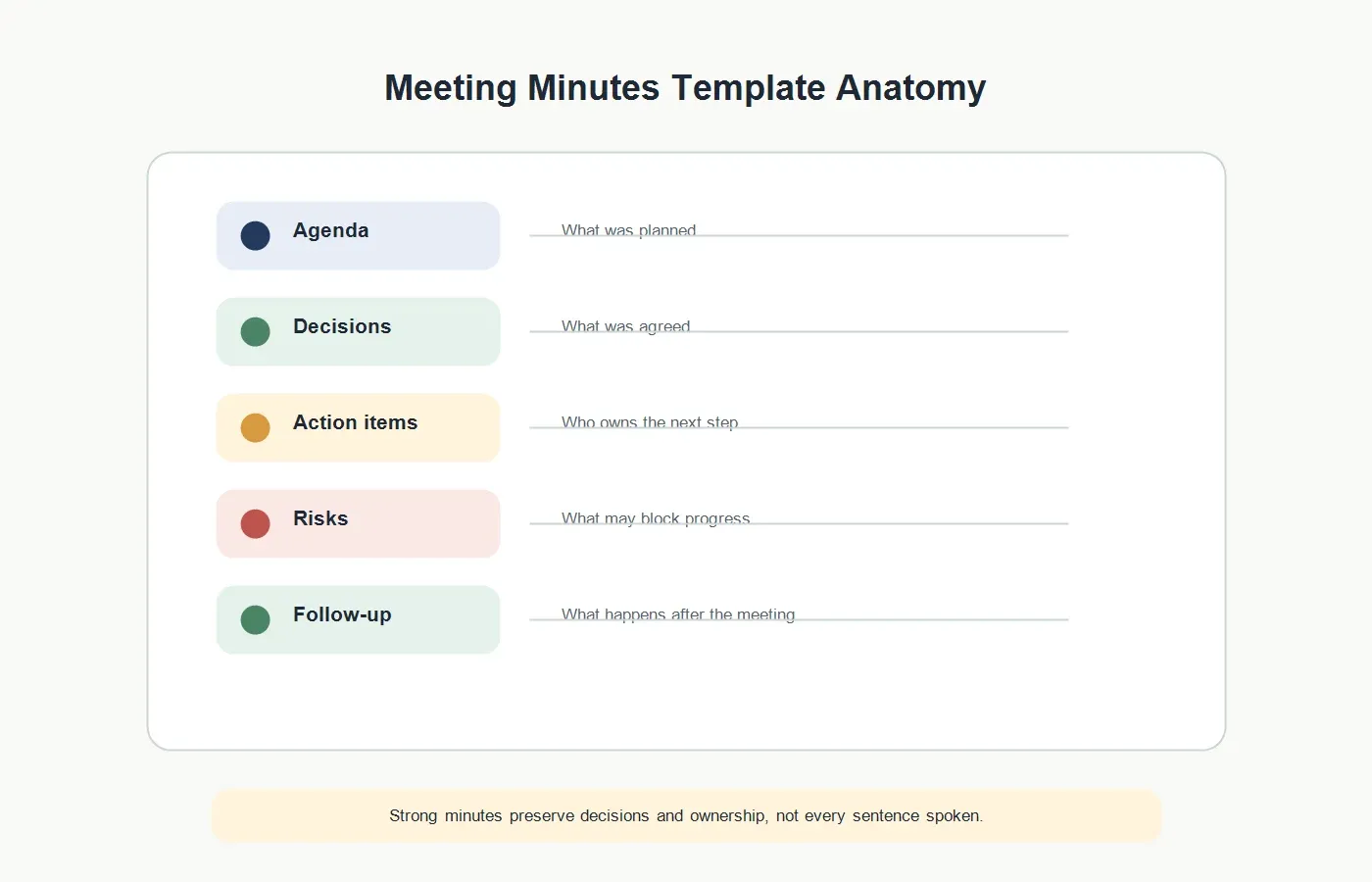
Meeting minutes should include the meeting purpose, date, attendees, agenda, key discussion points, decisions, action items, owners, due dates, risks, and next steps. They do not need to capture every sentence. Strong minutes focus on what someone needs to know later to understand what changed and who owns the next action.
| Field | What to Capture | Why It Matters |
|---|---|---|
| Purpose | The reason the meeting happened and the outcome expected. | Prevents vague minutes that list topics without business context. |
| Agenda | The planned topics or questions covered during the meeting. | Shows whether the meeting stayed on track. |
| Decisions | What was agreed, who approved it, and why. | Creates a decision record that can be referenced later. |
| Action items | Task, owner, due date, and current status. | Turns discussion into follow-through. |
| Risks | Blockers, dependencies, objections, or unresolved questions. | Helps teams act before problems become surprises. |
| Follow-up | The recap, next meeting, and communication owner. | Ensures the minutes become useful after the meeting. |
Meeting Minutes vs Meeting Notes
Meeting notes are usually informal. They may include personal observations, rough bullets, quotes, ideas, or reminders. Meeting minutes are more official and structured. They create a shared record of what happened, what was decided, and who owns the next step.
Use notes when the meeting is exploratory, casual, or personal. Use minutes when the team needs accountability, auditability, stakeholder visibility, or a decision trail. For example, a brainstorming call might need notes, while a project approval meeting should have minutes.
HiNoter can support both styles. For a lightweight sync, use a concise summary and action list. For a decision-heavy meeting, keep the transcript, structured minutes, owners, deadlines, and source-linked AI Chat so the team can verify details later.
When Should You Use a Meeting Minutes Template?
Use a meeting minutes template whenever the meeting creates obligations. If people need to remember what was approved, what changed, what risk was accepted, or who owns the next step, the meeting needs minutes. This is especially true for project reviews, customer implementation calls, leadership meetings, sales handoffs, hiring debriefs, board updates, and cross-functional planning sessions.
You do not need formal minutes for every conversation. A casual brainstorming session may only need rough notes. A quick one-on-one may need a private follow-up list. But when multiple teams depend on the outcome, a reusable template prevents the record from changing with the note-taker. The same fields appear every time: agenda, decisions, action items, owners, deadlines, risks, and next steps.
Templates also help when meetings cross time zones. People who cannot attend should be able to scan the minutes and understand the context without asking for a second recap. This is where minutes become an operating tool. They reduce repeated conversations, protect decisions from being misremembered, and give managers a lightweight way to see whether meetings produced progress.
The best rule is simple: if the meeting may be referenced later, write minutes. If the meeting only helped people think, notes may be enough. If the meeting changed ownership, budget, scope, policy, schedule, customer commitments, or hiring direction, use a meeting minutes template and keep the decision trail visible.
How to Write Decisions Clearly
Weak meeting minutes often say something like "Discussed onboarding timeline." That is a topic, not a decision. Strong minutes say what was decided, who approved it, and why. For example: "Decision: Keep the August 15 launch date, provided the import template is delivered by Friday. Approved by: Product and customer success. Reason: Customer training can still start next week if data import is ready."
A decision should answer four questions. What changed? Who agreed? What evidence or constraint mattered? What happens if the decision is challenged later? You do not need a long paragraph, but you do need enough context that a teammate can understand the decision without replaying the meeting.
Decisions are especially important when tradeoffs are involved. If the team chooses speed over scope, the minutes should say so. If a customer request is deferred, capture why. If leadership accepts a risk, document the condition and owner. This protects the team from revisiting the same debate with less context a week later.
HiNoter helps by preserving the transcript underneath the minutes. The short decision line stays readable, while the source record remains available when someone needs the original context. That balance is useful because minutes should be concise, but important decisions still need evidence.
How to Write Action Items That Actually Get Done
An action item is not complete unless it has an owner and a next step. "Follow up on pricing" is too vague. "Lena sends the revised pricing options to the finance channel by Thursday" is actionable. A good action item includes the task, owner, due date, and status. If the task depends on another person, include the dependency too.
Action items should be written in plain operational language. Start with the person or team responsible, then describe the work. Avoid passive phrasing like "It was agreed that the report should be updated." Write "Marcus updates the report by Wednesday." The clearer the action item, the less time the team spends interpreting it later.
For customer-facing meetings, review action items before sending them externally. A generated first draft is useful, but customer commitments need accuracy. Confirm dates, owners, and wording. If the task is internal, make sure the external recap does not expose sensitive details that should stay inside the team.
HiNoter can surface candidate action items from the discussion, but the meeting owner should still approve the final list. This keeps the workflow fast without handing accountability entirely to automation. The tool drafts; the team confirms.
Meeting Minutes Format Variations
Short Team Minutes
Use this format for weekly syncs and operating meetings. Keep it to purpose, decisions, action items, blockers, and next meeting topics. Skip long discussion summaries unless the context is needed by absent stakeholders.
Project Decision Log
Use this format when a project has many changes over time. Each entry should include decision, date, approver, reason, impact, and related action items. This is useful for product launches, implementation work, process changes, and cross-functional initiatives.
Customer-Facing Minutes
Use this format after sales, implementation, support, or customer success calls. Include customer goals, confirmed commitments, open questions, risks, owners, and next meeting date. Keep internal commentary out of the shared version.
Leadership Minutes
Use this format when the audience needs a decision trail. Leadership minutes should make tradeoffs, approvals, risks, and follow-up owners clear. They should be concise enough to scan but specific enough to defend the decision later.
How HiNoter Fills the Template Automatically
HiNoter is an AI meeting notes and transcription platform that helps teams move from raw conversation to structured meeting documentation. With the right calendar and meeting permissions, HiNoter's meeting assistant can join scheduled meetings. After the meeting, AI meeting notes can produce summaries, decisions, action items, and mind maps.
HiNoter is also useful when the source is not a live meeting. Teams can use the audio to text converter for call recordings, the YouTube transcript generator for permitted video content, and PDF to text for reports that inform meeting decisions.
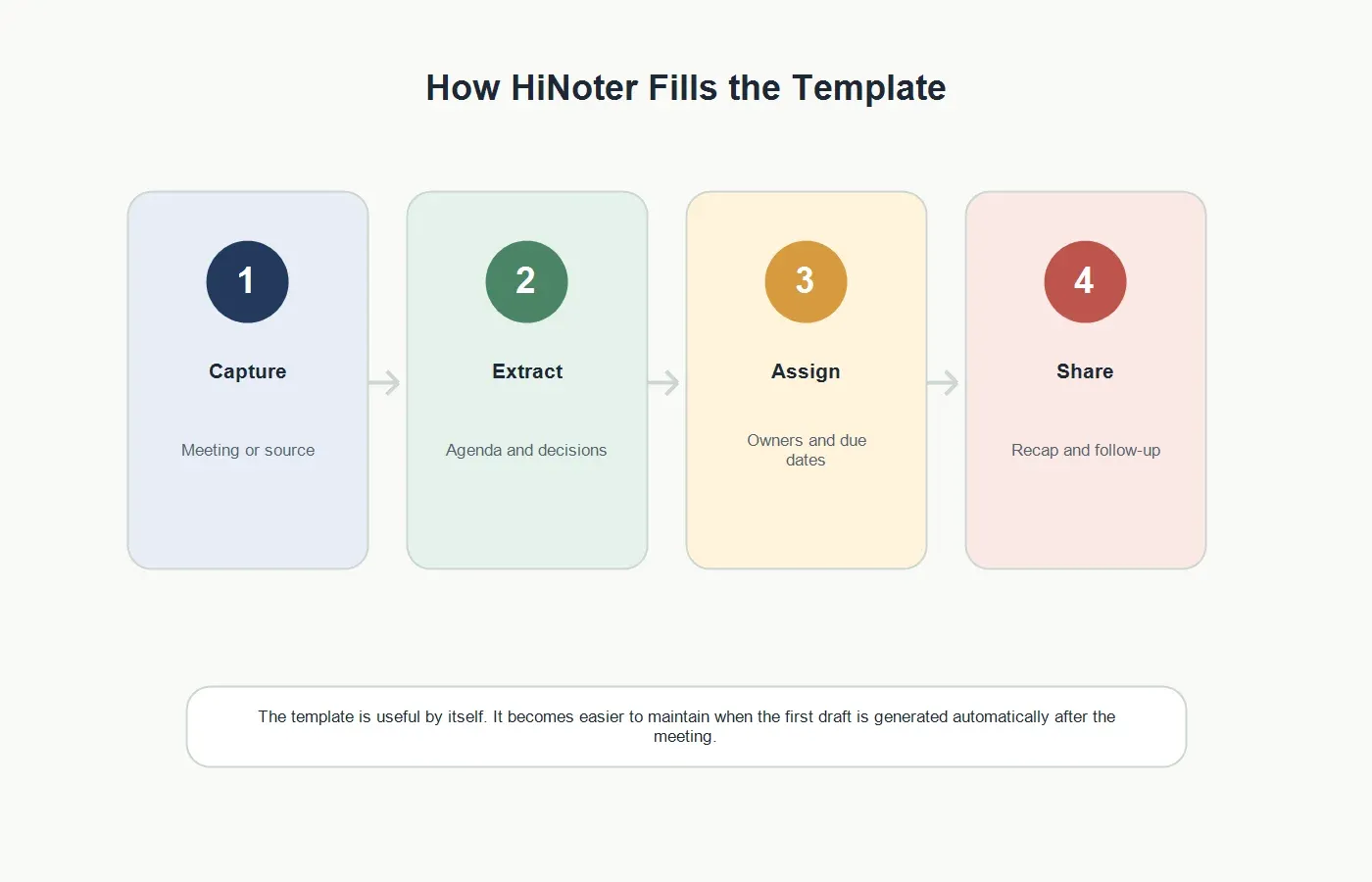
The practical workflow is simple: capture the meeting, generate the transcript, review the summary, confirm decisions, assign owners, share the follow-up email, and use AI Chat later when someone needs source-backed context. The human still reviews important details, but the first draft no longer depends on manual note-taking.
Common Meeting Minutes Mistakes
| Mistake | Better Approach | How HiNoter Helps |
|---|---|---|
| Writing everything like a transcript | Capture decisions, evidence, owners, and next steps. | HiNoter keeps the transcript while also generating structured minutes. |
| Recording decisions without reasons | Add the evidence, tradeoff, or approval context behind the decision. | AI Chat can help recover source-linked context from the conversation. |
| Using vague action items | Write the task, owner, due date, and status. | HiNoter can surface candidate action items and owners for review. |
| Skipping risks and blockers | Document unresolved risks before the meeting ends. | Summaries can highlight blockers and open questions. |
| Never sending follow-up | Share a concise recap while the meeting is still fresh. | HiNoter can draft a follow-up recap from the meeting record. |
How to Use This Template in Your Team
Start with one recurring meeting where follow-up matters: a customer call, project review, leadership sync, implementation meeting, sales demo, or recruiting debrief. Use the same template for four weeks. Then compare whether decisions are clearer, action items have owners, and people spend less time asking for context.
Do not make the template too long. If people have to scroll through pages of empty fields, they will stop using it. Keep the fields that drive action: purpose, agenda, decisions, owners, deadlines, risks, and next steps. Add optional sections only when the meeting type truly needs them.
Review the format once a month. Remove fields nobody uses, add fields that repeatedly appear in follow-up questions, and keep the action item language consistent. A meeting minutes template should feel like a helpful operating habit, not an administrative ceremony. The easier it is to maintain, the more likely the team will trust it. Small improvements compound when the same template supports dozens of meetings. Consistency makes follow-up easier.
For sensitive meetings, decide who can see the transcript and who only needs the summary. Meeting minutes often contain customer commitments, employee feedback, pricing, legal concerns, or strategy. Use clear access rules and review important minutes before sharing externally.
Try HiNoter With This Meeting Minutes Template
Use the template when you need a clean, repeatable record. Use HiNoter when you want the template filled automatically from the meeting source. HiNoter helps teams stay present in the conversation while still leaving with a transcript, summary, decisions, owners, due dates, risks, next steps, mind map, and source-backed AI Chat.
CTA: Try HiNoter free. Connect your calendar and get your next meeting minutes drafted automatically.
FAQs
What should meeting minutes include?
Meeting minutes should include the purpose, date, attendees, agenda, key discussion points, decisions, action items, owners, due dates, risks, and next steps.
What is the difference between meeting notes and meeting minutes?
Meeting notes are informal and often personal. Meeting minutes are more structured and create a shared record of what was discussed, what was decided, and who owns follow-up.
How long should meeting minutes be?
Meeting minutes should be as short as possible while still preserving decisions, action items, owners, deadlines, and important context. For most team meetings, one page is enough.
Can AI generate meeting minutes from a transcript?
Yes. HiNoter can use a meeting transcript or source recording to generate structured minutes, including summaries, decisions, action items, owners, deadlines, risks, and follow-up content.
Should meeting minutes include every comment?
No. Meeting minutes should not read like a full transcript. Keep the transcript as source evidence when needed, but make the minutes focused on decisions, accountability, and next steps.