Direct answer: A meeting recorder with transcription captures meeting audio or video and converts speech into readable text with speaker labels, timestamps, and searchable sections. The best workflow goes beyond a raw transcript by adding summaries, action items, owners, due dates, mind maps, exports, and source-grounded AI answers.
A meeting recorder with transcription is useful when the value of a meeting should not disappear into a long recording. Teams need the words, but they also need the decision, the task, the customer concern, the blocker, and the next step. A recording proves the meeting happened. A transcript makes it searchable. AI summaries and structured notes make it usable.
This page explains how meeting recording and transcription work, what affects accuracy, where raw transcripts fall short, and how HiNoter adds a knowledge layer on top of the transcript.
What Is a Meeting Recorder With Transcription?
A meeting recorder with transcription is software that records a meeting or processes an uploaded recording, then turns spoken words into text. A good tool also adds timestamps, identifies speakers when possible, detects language, supports editing, and lets users export or share the result.
Transcription is the process of converting speech into written text. Speech-to-text is the underlying technology that performs that conversion automatically. AI-assisted transcription adds structure around the text, such as summaries, chapters, action items, decisions, and searchable answers.
The distinction matters. A plain transcript can be accurate and still be hard to use. A one-hour meeting may produce thousands of words. If the only output is a wall of text, the team still has to read, summarize, assign tasks, and copy notes into a workspace.
Why Raw Recordings and Transcripts Are Not Enough
Modern teams generate more meeting content than they can review. Microsoft Work Trend Index research has found that people want AI help with finding information, summarizing meetings, and capturing action items. That is a practical signal: workers do not just want recordings. They want the useful outcome of the conversation.
Asana's research on "work about work" points to the same problem from another angle. Time disappears into searching for information, chasing updates, and coordinating status. When decisions are buried in recordings and transcripts, teams spend extra energy reconstructing what already happened.
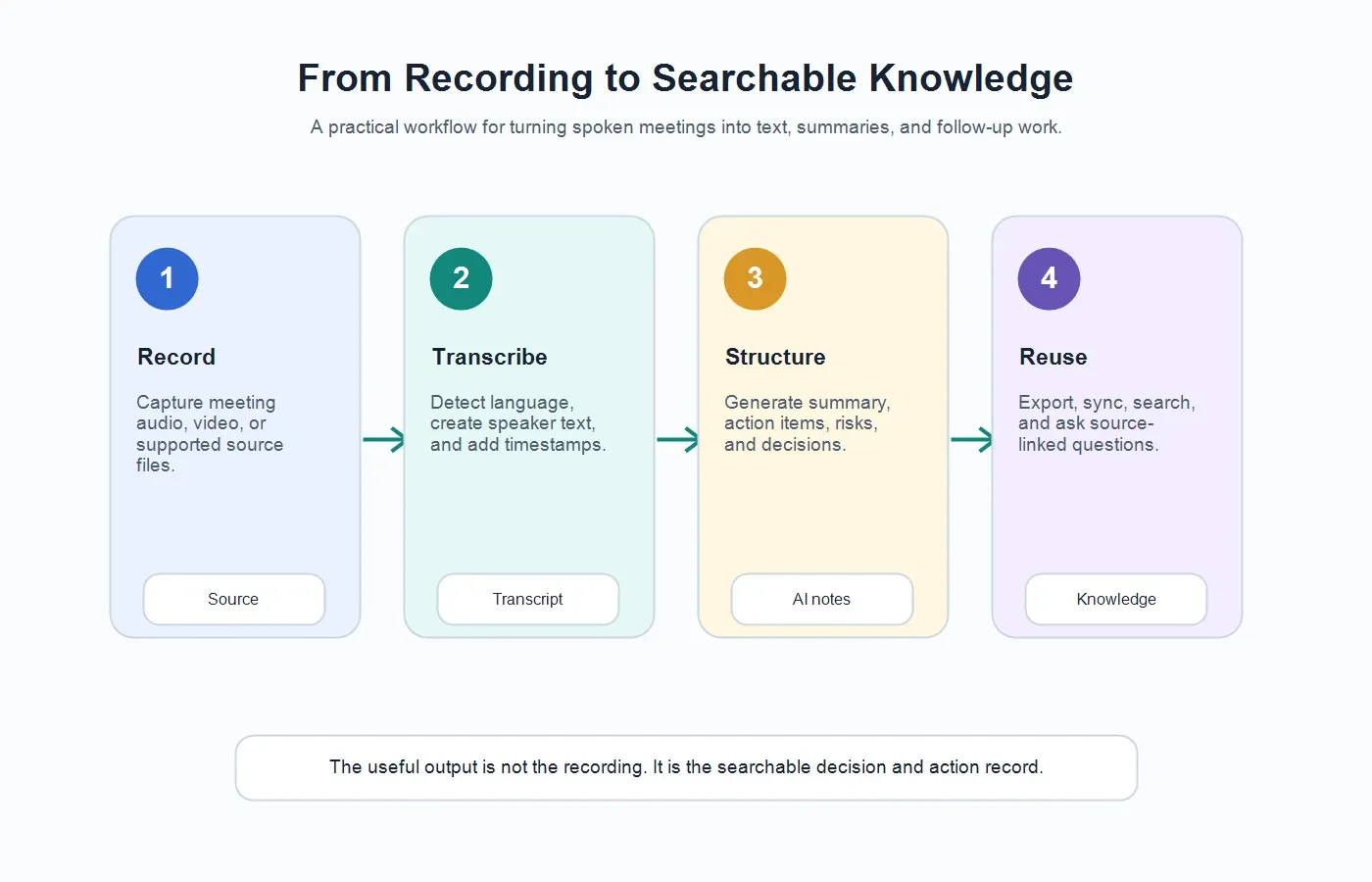
A meeting recorder with transcription solves the first half of the problem. It preserves the conversation and creates searchable text. The second half is turning that text into knowledge: what was decided, who owns the work, what risk needs attention, and where the answer came from.
How a Meeting Recorder With Transcription Works
| Step | What Happens | What to Check |
|---|---|---|
| 1. Record or upload | The meeting is captured live or uploaded as audio or video. | Consent, file quality, meeting access, and audio clarity. |
| 2. Detect language | The system identifies the spoken language or lets the user choose it. | Multilingual speakers, accents, and industry terms. |
| 3. Transcribe speech | Speech-to-text turns the conversation into editable text. | Names, acronyms, numbers, and technical vocabulary. |
| 4. Add speaker labels | The transcript separates speakers when the audio supports it. | Speaker overlap, dial-in guests, and unclear introductions. |
| 5. Add structure | AI creates summary, action items, decisions, risks, and topics. | Whether each important claim is supported by the transcript. |
| 6. Export or sync | Notes move into docs, chat, knowledge bases, or task workflows. | Access permissions, formatting, and follow-up ownership. |
Supported Sources and Useful Outputs
Teams often start with meeting recordings, but the same workflow can apply to other spoken or document-based sources. A useful platform should help users manage the meeting record and the knowledge that comes after it.
| Source | Useful Output | Best Use Case |
|---|---|---|
| Live meetings | Transcript, summary, decisions, action items, and recap notes. | Project syncs, sales calls, customer success calls, and team meetings. |
| Uploaded audio | Speech-to-text transcript, speaker sections, timestamps, and summary. | Interviews, phone calls, voice notes, and research recordings. |
| Uploaded video | Video transcript, chaptered notes, key points, and reusable quotes. | Webinars, demos, tutorials, and recorded trainings. |
| PDFs and documents | Extracted notes, summaries, source-linked answers, and key sections. | Meeting prep, research review, reports, and team knowledge bases. |
| Multi-language meetings | Detected language, transcript, and cross-team summary. | Global teams and multilingual customer conversations. |
Manual Notes vs Recorder vs Transcription App vs HiNoter
| Option | What You Get | What Still Requires Work |
|---|---|---|
| Manual notes | A human-written record based on what one person captured. | Missed details, inconsistent structure, and distracted participants. |
| Recorder | An audio or video file of the full conversation. | Rewatching, searching, summarizing, and assigning follow-up. |
| Transcription app | Speaker text, timestamps, and a searchable transcript. | Finding decisions, tasks, risks, and reusable knowledge. |
| HiNoter | Transcript plus summaries, action items, mind maps, exports, and searchable Q&A. | Human review for sensitive decisions, customer promises, and final wording. |
Where HiNoter Fits After Raw Transcription
Raw transcription is the foundation, not the finish line. If you need more than text, HiNoter turns audio into a transcript plus summary, action items, mind map, exports, and searchable Q&A.
With the HiNoter meeting assistant, teams can reduce manual note-taking by capturing eligible meetings and turning them into structured outputs. HiNoter then creates AI meeting notes that highlight what happened, what changed, and what needs action.
The knowledge layer is where transcription becomes more valuable. HiNoter can help identify owners, deadlines, risks, decisions, and open questions. It can also support source-grounded Q&A through HiNoter AI Chat, so users can ask follow-up questions and check answers against the note.
Accuracy Factors for Meeting Transcription
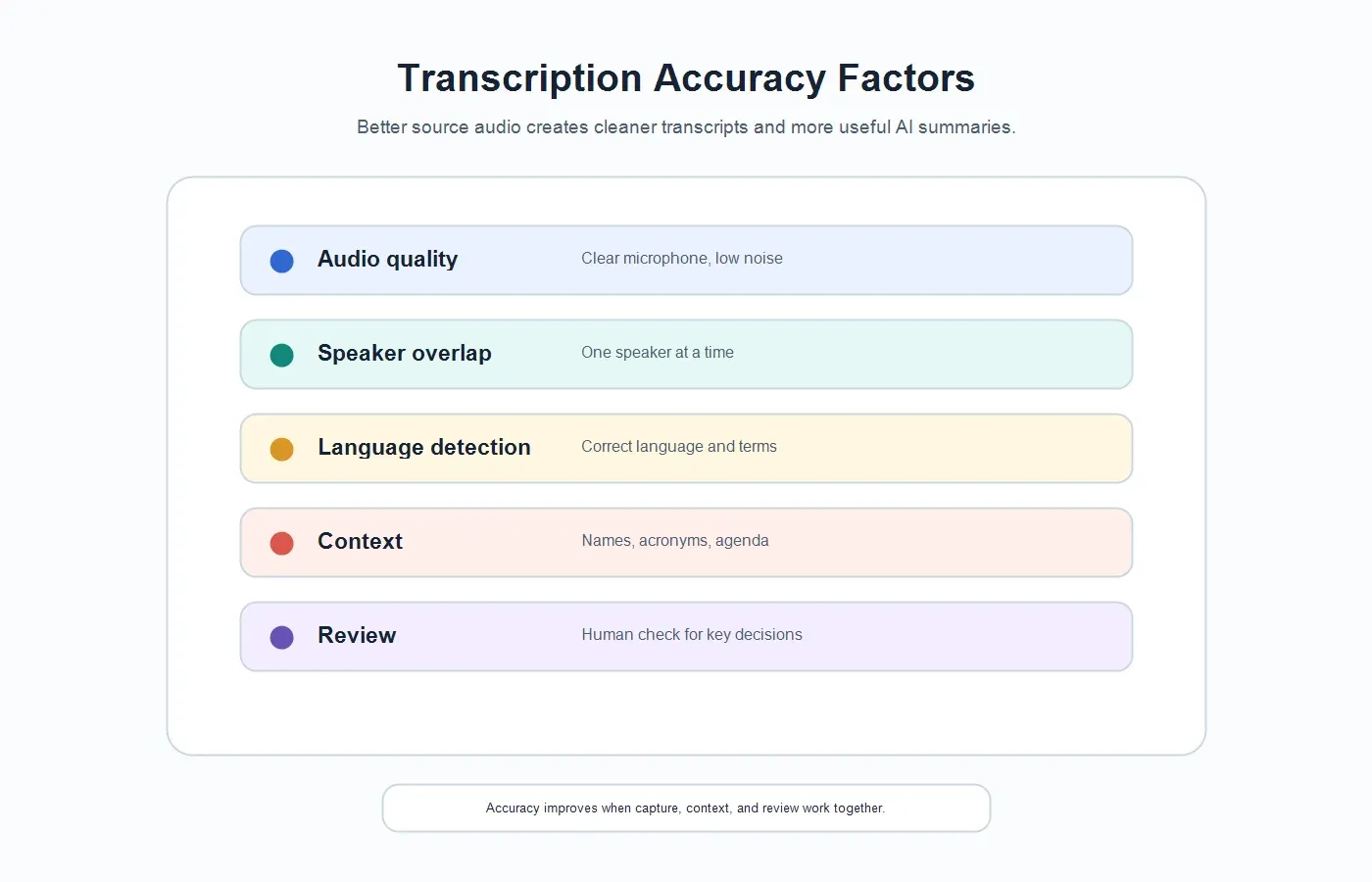
No meeting recorder can rescue every poor audio file. Transcription quality depends on the source, the speakers, and the context available to the system. The goal is not only a cleaner transcript, but a transcript that can support reliable summaries and action items.
| Factor | Why It Affects Accuracy | How to Improve It |
|---|---|---|
| Microphone quality | Muffled audio makes words harder to identify. | Use a clear microphone and reduce background noise. |
| Speaker overlap | Cross-talk can confuse speaker labels and phrasing. | Encourage one speaker at a time for important decisions. |
| Language and accent | Language shifts and accents can affect recognition. | Use language detection and review key terms after transcription. |
| Names and acronyms | Proper nouns and abbreviations are easy to mishear. | Add context in the meeting title, agenda, or review pass. |
| Recording environment | Echo, room noise, and weak connections reduce clarity. | Record in a quiet setting and use stable conferencing audio. |
| Human review | Important decisions may need exact wording. | Review customer promises, legal terms, and executive decisions. |
Example: From Transcript to AI Summary
Here is a simplified example of how a meeting recorder with transcription becomes useful only after the raw text is structured.
Transcript excerpt
00:04 Alex: We need the launch risk visible before Friday.
00:32 Maya: I can send the revised customer timeline, but I need the security review date first.
01:15 Jordan: Security review is still the main blocker. I can confirm timing by Thursday afternoon.
AI-generated summary
The team agreed that launch readiness depends on security review timing. Maya will prepare the customer timeline after Jordan confirms the security date. The main open risk is whether security review can finish before Friday.
Action item extraction
| Action Item | Owner | Due Date | Source Signal |
|---|---|---|---|
| Confirm security review timing. | Jordan | Thursday afternoon | "I can confirm timing by Thursday afternoon." |
| Send revised customer timeline. | Maya | After security timing is confirmed | "I can send the revised customer timeline." |
| Make launch risk visible before readiness review. | Alex | Friday | "We need the launch risk visible before Friday." |
Editing, Exporting, and Sharing Transcripts
Transcripts become more useful when they are editable and portable. Users should be able to correct names, adjust speaker labels, remove irrelevant sections, and export the transcript or summary into the workspace where the team already works.
HiNoter supports connected workflows so teams can move outputs into docs and knowledge systems. For teams that use shared documents, the Google Docs integration can help keep meeting outputs accessible. For teams that organize decisions and research in a workspace, the Notion integration makes meeting knowledge easier to reuse.
Privacy, Consent, and Responsible Recording
Meeting recording should be handled carefully. Teams should follow company policy, platform rules, and local consent requirements before recording meetings or uploading call recordings. Sensitive meetings may need restricted access, shorter retention, or a separate internal version of the notes.
The NIST AI Risk Management Framework emphasizes governance, measurement, transparency, and risk management for trustworthy AI. In a meeting transcription workflow, that means using clear access controls, reviewing important outputs, and keeping source context available when decisions or customer commitments matter.
Common Mistakes to Avoid
| Mistake | Why It Hurts | Better Approach |
|---|---|---|
| Keeping only the recording. | The team still has to rewatch the whole meeting. | Create a transcript, summary, and action item list. |
| Treating the transcript as the final deliverable. | Important decisions stay buried in text. | Extract decisions, owners, due dates, and risks. |
| Ignoring audio quality. | Poor audio creates weaker transcripts and summaries. | Use clear microphones and reduce speaker overlap. |
| Skipping review for sensitive meetings. | AI may misunderstand a nuanced statement. | Review customer commitments, legal topics, and personnel notes. |
| Leaving notes in a separate archive. | People cannot find the knowledge later. | Export or sync outputs to the team workspace. |
What to Look For Before Choosing a Meeting Recorder With Transcription
A good meeting recorder with transcription should be evaluated by the full path from conversation to team memory. Recording quality matters, but it is only the first gate. A tool can capture clean audio and still fail the team if the transcript is difficult to review, the summary misses the decision, the action items have no owners, or the final output never reaches the workspace where people actually work.
Start with capture reliability. For live meetings, the recorder should make it clear when it is present, what it is capturing, and whether a host or participant needs to admit it. For uploaded recordings, the tool should accept common audio and video sources without forcing a complicated conversion step. If your team works across regions, automatic language detection and support for multilingual meetings should be treated as workflow requirements, not bonus features.
Next, look at transcript usability. A transcript is more useful when it includes speaker labels, timestamps, paragraph breaks, and editable text. Speaker labels help managers see who committed to what. Timestamps help reviewers jump back to the exact moment behind a quote or decision. Editable text helps teams correct names, product terms, acronyms, customer names, and technical vocabulary before the transcript becomes part of a customer record or internal knowledge base.
Then examine the structure layer. This is where many basic transcription apps stop short. Teams rarely need a 30-page transcript by itself. They need a short summary, decisions, unresolved questions, risks, objections, owners, due dates, and a clean recap they can send to stakeholders. For sales, customer success, product, operations, recruiting, and leadership teams, the valuable output is often not the transcript. It is the traceable decision record created from the transcript.
Finally, check what happens after the meeting. If the recorder creates notes that sit in a separate account, people will still copy and paste into docs, chat, email, or a project workspace. Strong meeting transcription software should export or sync to the places where follow-up happens. This is why integrations matter: not because another logo looks impressive, but because a note that reaches the right workspace on time is more likely to become action.
| Selection Criteria | Why It Matters | What to Verify |
|---|---|---|
| Capture options | Teams may need live meeting capture, uploaded recordings, or both. | Check whether the tool supports calendar-based joining, upload workflows, and common audio or video files. |
| Speaker labels | Ownership is hard to track when everyone appears as one block of text. | Review whether speakers can be identified, edited, and used in summaries or tasks. |
| Timestamps | Teams need a way to verify quotes, decisions, and disputed details. | Look for timestamped transcript sections and source-backed AI answers. |
| Language support | Global teams should not assign a human notetaker for every language shift. | Confirm automatic language detection and support for the languages your team uses most. |
| Structured outputs | Raw text does not automatically become follow-up. | Test summaries, action items, decisions, mind maps, and recap drafts with real meeting examples. |
| Exports and integrations | Notes lose value when they stay outside the team's workflow. | Confirm export paths to docs, knowledge bases, chat, email, and project spaces. |
| Access controls | Meeting content may include customer, employee, financial, or product information. | Review workspace permissions, sharing behavior, retention settings, and consent practices. |
Implementation Checklist for Teams
Rolling out a meeting recorder with transcription works best when the team agrees on a simple operating model. The goal is not to record every conversation by default. The goal is to capture the meetings where a written record protects time, improves accountability, or preserves knowledge that would otherwise disappear.
Choose meeting types first. Most teams begin with customer calls, project reviews, leadership check-ins, interviews, training sessions, product discovery calls, and complex handoffs. These meetings usually contain decisions, commitments, objections, risks, or context that someone will need later. Short status updates may not need the same level of capture unless they are part of a regulated or customer-facing process.
Set a clear consent habit. A recorder should not quietly surprise people. Add a short line to the calendar invite or meeting opening when recording or AI note-taking is used. For external calls, make the purpose practical and respectful: the team wants an accurate record, better follow-up, and fewer repeated questions. Different locations and industries have different requirements, so teams should follow their own legal, HR, and customer policies.
Decide who reviews the output. AI-generated notes are fast, but high-stakes summaries still deserve human review. A customer success manager may review renewal risks. A recruiter may review candidate evidence. A project owner may confirm action items and deadlines. The reviewer does not need to rewrite the whole meeting. They only need to confirm that the summary, decisions, tasks, and sensitive details are ready to share.
Define where notes live. If every person stores meeting notes in a private folder, the organization never builds memory. Choose a default location for team-facing notes and a second location for sensitive notes. A customer call might sync to a customer workspace. A product interview might go to a research repository. A leadership meeting might stay in a restricted folder with a concise recap sent by email.
Measure whether the workflow is working. Useful signals include fewer repeated status questions, faster follow-up emails, clearer ownership, fewer missed action items, and less time spent rewatching recordings. The strongest sign is behavioral: people search the meeting knowledge base before asking someone to recap what already happened.
Try HiNoter for Meeting Recording, Transcription, and AI Notes
If your team records meetings but still spends time searching, summarizing, and assigning follow-up manually, the recorder is only solving part of the job. HiNoter helps turn spoken content into text, then turns the text into structured knowledge.
Use HiNoter to capture or process meeting content, generate transcripts, detect languages, create summaries, extract action items, build mind maps, export notes, and ask source-grounded questions through AI Chat.
CTA: Try HiNoter to turn your next meeting recording into a transcript, summary, action list, mind map, exports, and searchable Q&A.
FAQs
What is a meeting recorder with transcription?
A meeting recorder with transcription captures meeting audio or video and converts spoken words into text. Stronger tools also add speaker labels, timestamps, summaries, action items, and export options.
What is the difference between transcription and speech-to-text?
Speech-to-text is the technology that converts spoken audio into written text. Transcription is the resulting process or output, often including formatting, speaker labels, timestamps, and review.
Can a meeting recorder create action items?
Basic recorders usually cannot. AI-assisted meeting tools can analyze the transcript and extract action items, owners, due dates, decisions, risks, and open questions.
How accurate is meeting transcription?
Accuracy depends on audio quality, background noise, speaker overlap, language, accents, technical terms, and whether a human reviews key details after transcription.
Can HiNoter work with more than live meetings?
Yes. HiNoter can support meetings and other permitted sources such as audio, video, PDFs, and documents, then turn them into transcripts, notes, summaries, mind maps, and AI Chat answers.
Do I still need to review AI-generated meeting notes?
Yes. AI-generated notes are useful drafts, but humans should review customer promises, legal topics, personnel matters, executive decisions, and any action item where ownership or timing is unclear.