Sales Call Transcription: Short Answer
Sales call transcription converts a recorded or authorized live sales conversation into searchable text, then organizes the important parts: customer needs, objections, commitments, decisions, and follow-ups. The strongest workflow keeps timestamps and speaker context, then turns the call into a concise recap with named owners and a clear next step.
A transcript alone is a record of what was said. A sales-ready transcript is a working document that tells the account team what the buyer needs, what might stall the deal, and what should happen next.
| If you need to... | Start with... | Finish with... |
|---|---|---|
| Find a customer quote | Speaker-labeled transcript and timestamp | A source-linked excerpt that the team can verify |
| Understand deal risk | Objection review | Concern, evidence, response owner, and deadline |
| Prepare a follow-up | Summary of commitments | Short message with actions and next meeting |
| Brief another teammate | Customer context and decision criteria | Shared record, not a private recording link |
What Sales Call Transcription Actually Means
Sales call transcription is the process of turning the spoken content of a discovery call, demo, renewal discussion, customer check-in, or sales meeting into written text. In a sales setting, the useful output is not just a verbatim transcript. It is a searchable customer record that preserves the buyer's language and reveals the conversation's commercial signals.
Speech-to-text is the conversion layer. It recognizes spoken words and produces text. Depending on the source and tool, it can also preserve timestamps, identify or label speakers, and detect languages.
AI-assisted sales notes are the operating layer on top of the transcript. They organize the call into a recap, customer needs, objections, decisions, commitments, risks, action items, and a follow-up. The transcript remains the evidence; the structured notes make that evidence practical.
Useful rule: A sales transcript should answer two questions quickly: “What did the buyer mean?” and “What does our team need to do now?”
The World Wide Web Consortium describes a transcript as a text alternative for audio and video. That accessibility purpose has a commercial benefit as well: once a sales conversation becomes text, it can be searched, quoted, reviewed, and carried into the systems where the team makes decisions.
Why Sales Teams Need More Than a Call Recording
Recordings are valuable evidence, but they are awkward working tools. A rep remembers the broad shape of a call, then has to prepare a follow-up, update a manager, answer a product question, and move to the next meeting. A manager joining later may only have a calendar title and a long video. Customer success may need context but not every word of the conversation.
That creates a familiar failure mode: the call was recorded, but the useful information never leaves the recording. The buyer's concern about implementation is hidden at minute 31. A promised security document is mentioned near the end. A stakeholder name is spelled out once. The follow-up becomes a rushed email written from memory.
Sales call transcription reduces the retrieval problem. A well-structured review process reduces the follow-through problem. The two belong together.
| Asset | What it preserves | What it does not solve by itself |
|---|---|---|
| Recording | Audio, tone, pacing, visual context when video is included | Fast retrieval, accountability, and handoff |
| Raw transcript | Searchable words, quotes, and basic chronology | Priority, interpretation, owners, and next steps |
| Sales summary | The call's commercial story | Exact evidence unless it stays tied to the source |
| Action plan | Who owes what and by when | Context for why the work matters unless linked back |
How to Transcribe a Sales Call and Turn It Into Follow-Up
The workflow below works whether the source is a live online meeting, a phone recording that has been exported, or an uploaded audio or video file. It is designed to be useful for a single seller and reliable enough for an account team.
- Capture the call with the right notice and permission. Follow your organization's recording policy and the rules that apply to the participants and location. A transcript inherits the sensitivity of the recording.
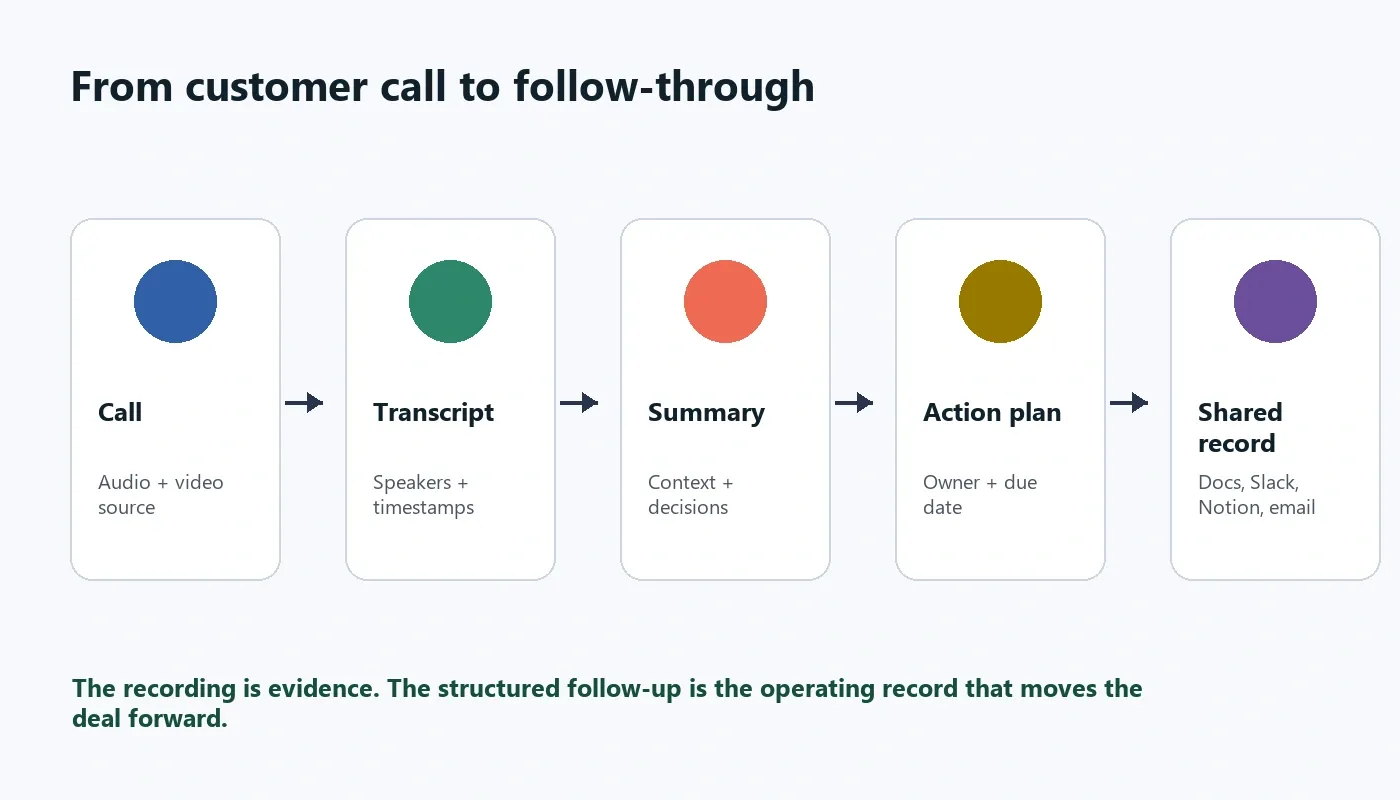
- Convert the source into text. Generate a transcript with the best available speaker labels, timestamps, punctuation, and language detection. Keep the original source available for review.
- Correct the details that change meaning. Check names, company names, product names, dates, numbers, acronyms, and the customer phrases likely to be quoted later.
- Separate the conversation into sales signals. Mark customer context, pain, priorities, evaluation criteria, objections, commitments, risks, and next steps.
- Write the recap for the next reader. The recap should make sense to a manager, specialist, or customer success partner who did not attend the call.
- Turn commitments into visible work. Every action item needs an owner, a due date or timing cue, and a clear description. “Follow up on security” is not a task; “Jordan sends the security overview by Thursday” is.
- Share the right level of detail. Send a concise recap to broad stakeholders. Keep the full transcript and recording available to the people who need source verification.
The Five Sales Signals to Extract From Every Transcript
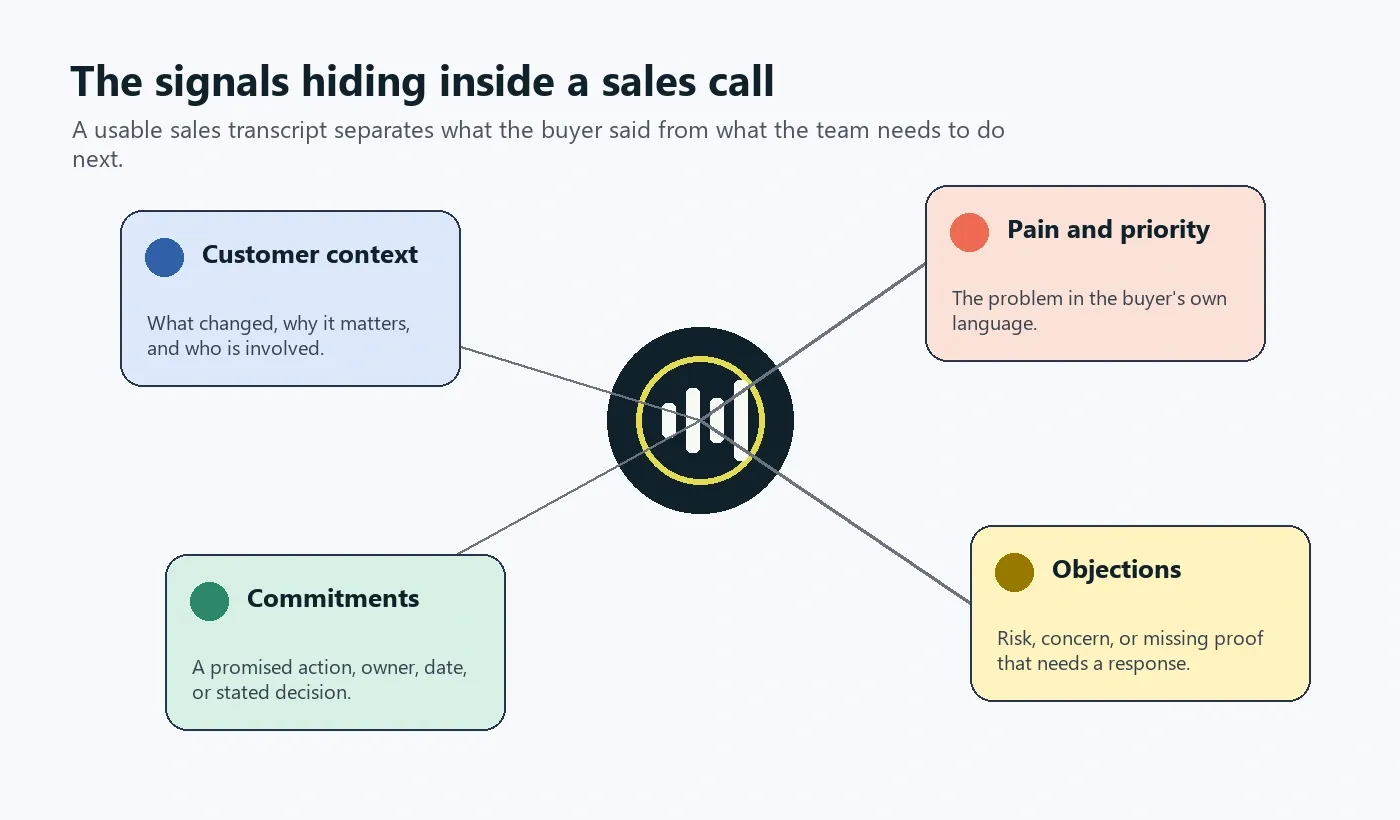
A sales call is not a neutral conversation. It contains a buyer's framing of a problem, signals about urgency, ways the current process is failing, and clues about how the decision will be made. A transcript becomes much more useful when it puts those signals in their own lanes.
| Signal | What to capture | Why it matters | Example follow-up |
|---|---|---|---|
| Customer context | Team, workflow, current tools, trigger event, stakeholders | Prevents a generic follow-up | Confirm the relevant workflow in the recap |
| Pain and priority | The buyer's description of the cost, delay, risk, or opportunity | Connects the solution to a real need | Use the buyer's own phrase in the next conversation |
| Decision criteria | Requirements, proof points, timing, budget process, security, implementation | Shows what must be addressed before a decision | Map each criterion to a proof source or owner |
| Objection | Concern, uncertainty, comparison, blocker, or requested evidence | Distinguishes risk from casual discussion | Assign a response and confirm whether it is resolved |
| Commitment | Promised document, introduction, deadline, decision, or next meeting | Turns talk into accountability | List the owner and timing in the follow-up |
This method also keeps the team from over-reading a transcript. A buyer may mention price without making a pricing objection. They may ask about an integration without saying it is mandatory. Good sales call analysis preserves the exact phrasing and lets a responsible person decide what it means in context.
Sales Objection Transcription: From Mention to Actionable Risk
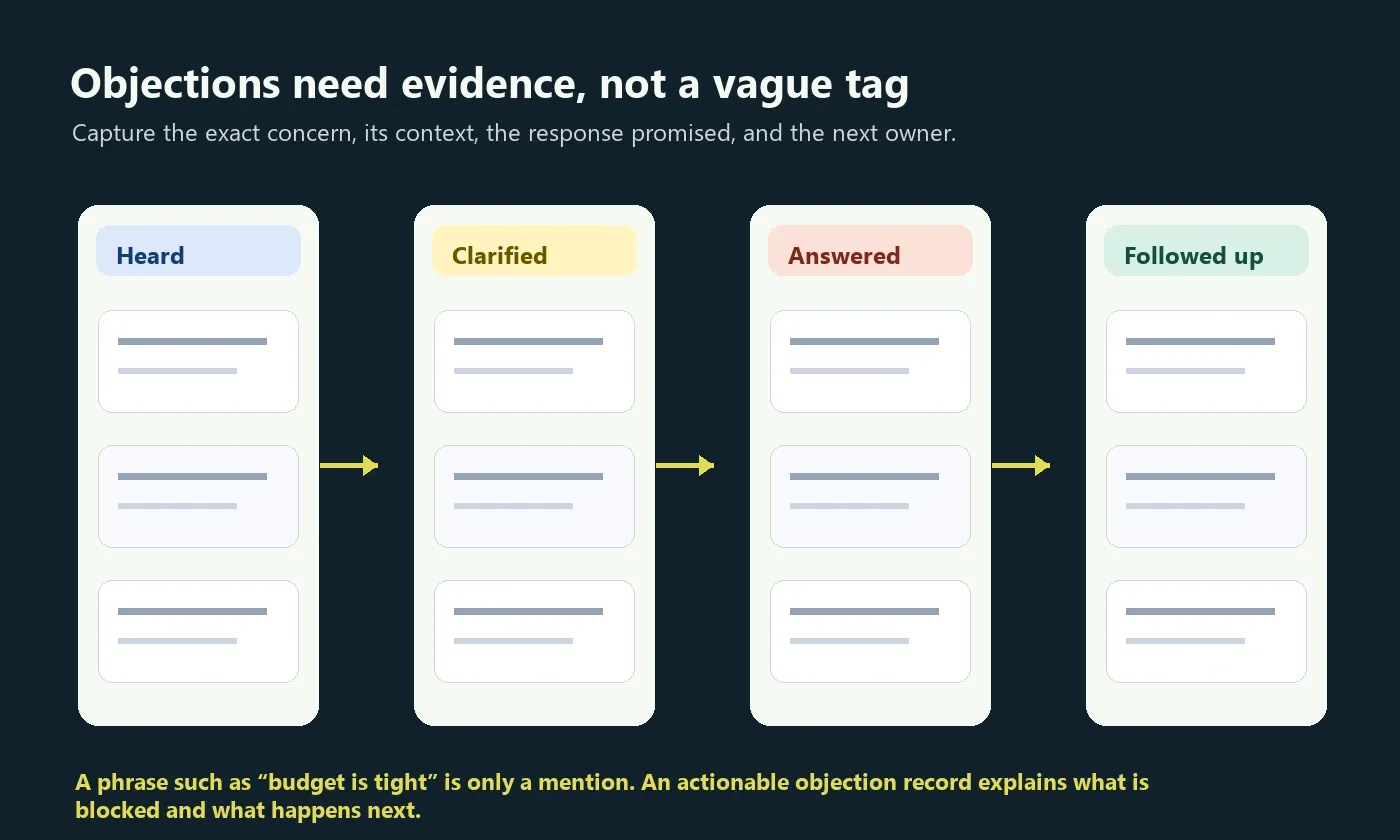
One of the strongest reasons to transcribe sales calls is to preserve objections accurately. But an objection does not become useful simply because a tool highlights a sentence. The team needs a compact record of the concern, its evidence, the response, and the next verification point.
| Field | What good looks like | Weak version |
|---|---|---|
| Customer concern | “They need evidence that the rollout will not require a long services engagement.” | “Implementation concern.” |
| Source | Speaker name, timestamp, or short verified quote | “Came up on the call.” |
| Impact | Could delay evaluation until technical scope is confirmed | “Important.” |
| Response owner | Solutions consultant prepares a rollout outline | “Someone to send info.” |
| Next check | Rep confirms in the next meeting whether the outline answered the concern | “Follow up later.” |
There is a useful distinction here. A transcript can surface a likely objection. It should not pretend to know the buyer's intent with certainty. The account owner still needs to review the passage and decide whether it is a blocker, a request for clarification, a procurement step, or a topic for discovery.
What a Good Sales Call Summary Includes
A sales call summary should read like a handoff note, not a compressed transcript. It needs enough detail for the next person to understand the account, but not so much that the reader has to parse the entire conversation again.
Copyable sales call summary template
Account:
Call type and date:
Attendees and roles:

Customer context:
- What changed or triggered the conversation?

Goals and priorities:
- What outcome does the customer want?

Key discussion points:
- What did the team confirm, demonstrate, or clarify?

Decision criteria:
- What must be true for the customer to move forward?

Objections and open questions:
- Concern:
- Evidence or timestamp:
- Owner of response:

Decisions and commitments:
- Customer commitment:
- Our commitment:

Action items:
- Owner | Task | Due date

Next step:
- Meeting, milestone, or decision point
The final line matters more than it looks. A summary without a next step can quietly allow a promising sales conversation to disappear into a pipeline stage with no active plan.
| Summary section | Audience | Best length |
|---|---|---|
| Executive recap | Manager or senior sponsor | Three to five sentences |
| Account context | Account team and specialists | Short bullets with customer language |
| Objection register | Rep, manager, product, security, legal, solutions | One row per real concern |
| Action plan | Everyone with follow-up work | One row per owner and task |
| Source record | People verifying detail | Transcript and timestamped recording |
Manual Notes vs Automatic Transcription vs AI Sales Notes
Each method has a place. Manual notes are still useful for judgment calls and relationship nuance. Automatic transcription creates speed and searchability. AI-assisted notes are strongest when the team needs to reduce clerical work while keeping a reviewable source behind the recap.
| Approach | Best for | Strength | Limitation |
|---|---|---|---|
| Manual sales notes | Short calls, relationship observations, sensitive judgment | Rep controls the interpretation in the moment | Listening and typing compete; details can be missed |
| Automatic sales call transcription | Searchable customer conversations and quotes | Preserves more of what was said | Creates a long text record that still needs review |
| AI meeting notes and transcription | Teams that need recap, objections, tasks, and handoff | Structures the call into usable outputs | Requires review for high-stakes commitments and sensitive content |
Practical choice: use manual notes when personal observation is the primary value. Use a transcript when exact customer language matters. Use an AI-assisted workflow when the team needs both a source record and a repeatable follow-up process.
How to Improve Sales Call Transcription Accuracy
Accuracy is partly a technology issue and partly a meeting behavior issue. The most damaging mistakes tend to be the commercially specific ones: a customer's name, a competing product, a pricing term, a legal condition, a date, or a commitment. Plan to review those details before the summary becomes a team record.
| Accuracy factor | What goes wrong | Practical improvement |
|---|---|---|
| Microphone and room quality | Muffled words and uncertain phrases | Use a headset or clean microphone; reduce echo and background noise |
| Speaker overlap | Misattributed lines and missing phrases | Leave room between speakers and avoid interruptions when possible |
| Names and jargon | Wrong account, product, integration, or term | Review the first mention of critical names and acronyms |
| Numbers and dates | Incorrect price, deadline, quantity, or meeting time | Confirm against the follow-up email or calendar invite |
| Language changes | Weak interpretation of multilingual conversation | Use language detection and ask a fluent reviewer to verify important passages |
| Recording quality | Compressed, clipped, or incomplete source audio | Keep the clearest available source and retain access to it |
Microsoft's documentation on conversation transcription describes the value of separating speakers in an audio stream. That distinction matters directly in sales: an action item is much less useful when no one can tell whether the seller, buyer, or specialist made the commitment. Google's speech-to-text guidance also emphasizes matching audio configuration and language settings to the source. In practice, clear inputs and a deliberate review improve the final output more than any single checkbox.
Multilingual Sales Call Transcription for Global Teams
Regional sales teams often lose context at the handoff point. A call may start in English, switch briefly into Portuguese or Spanish, include product names from another region, and end with a local stakeholder's next step. One person's handwritten notes rarely preserve that mix well.
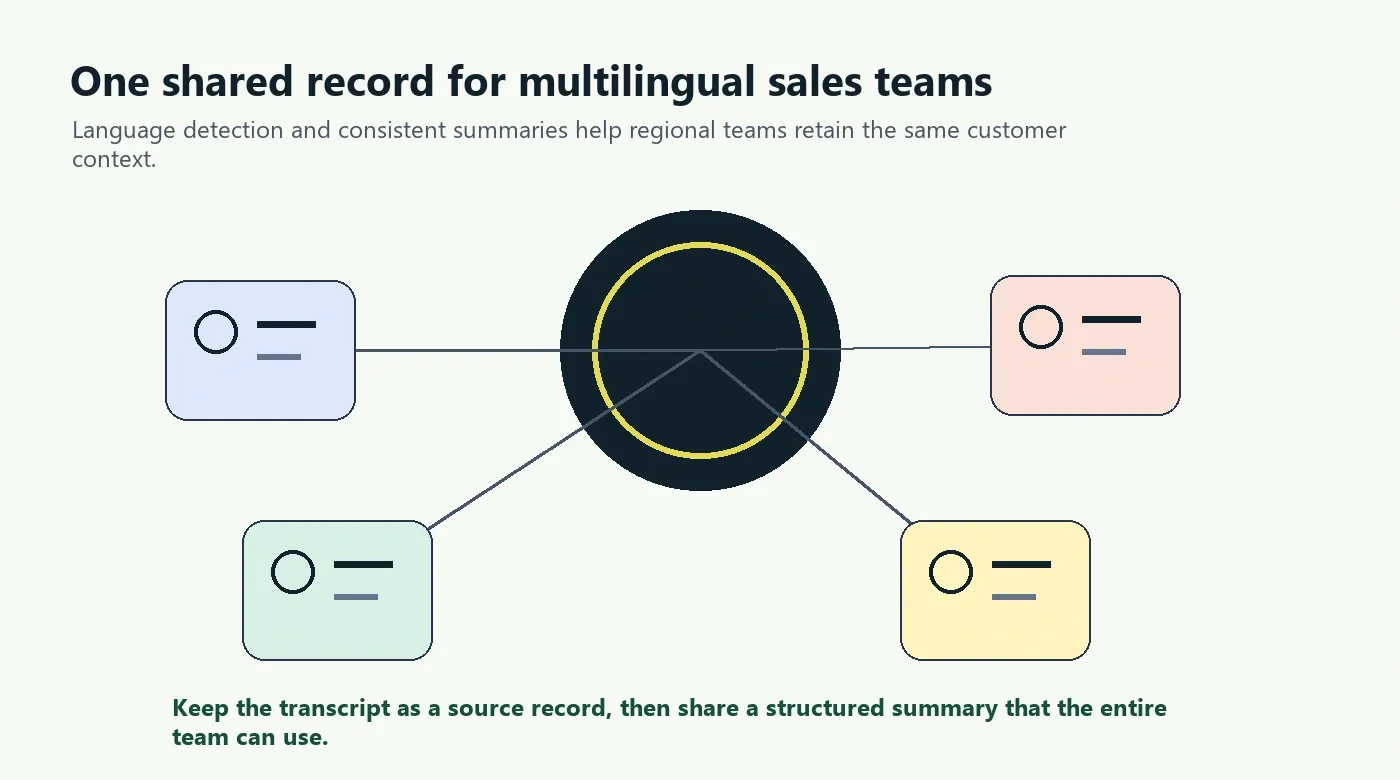
HiNoter supports more than 50 languages with automatic detection, which helps teams create a common record without asking one participant to transcribe everything by hand. The sensible workflow is still the same: preserve the transcript as the source, create a structured summary for the wider team, and verify commercially important language with the people closest to the account.
| Situation | What to preserve | What to share broadly |
|---|---|---|
| One language throughout the call | Transcript, speakers, timestamps | Summary, decisions, action items |
| Several languages in one call | Original wording around key commitments | Clear shared recap in the team's working language |
| Regional handoff | Buyer language, local nuance, decision timeline | Account context, risks, owners, and next step |
Where HiNoter Fits in a Sales Call Workflow
Raw transcription is helpful when someone needs to search a call. It is not enough when the team must make a decision, send a follow-up, coordinate specialists, or preserve customer context across regions. That is the gap HiNoter is built to close.
HiNoter is an AI meeting notes and transcription platform plus a meeting knowledge base. It can join scheduled meetings through a connected calendar, handle authorized meeting and file sources, and turn the conversation into a transcript, summary, action items, and mind map. It can also accept audio, video, permitted YouTube content, and PDFs, so related customer material does not have to live in a separate note-taking process.
- Connect the calendar or upload the source. HiNoter can help capture the scheduled conversation without requiring one person to take notes throughout the call.
- Generate a structured transcript. The transcript gives the team a searchable record of the customer conversation.
- Create a sales-ready recap. Summaries, key points, decisions, action items, and mind maps make the outcome easier to scan.
- Ask source-linked questions. AI Chat lets users ask about a call and trace the answer back to the source material.
- Distribute the outcome. Share the recap through Notion, Slack, Google Docs, calendar workflows, and email where the team already works.
If you need more than text, HiNoter turns audio into a transcript plus summary, action items, mind map, exports, and searchable Q&A.
Related HiNoter workflows include audio to text, AI meeting notes, AI meeting assistant, meeting summary generation, AI Chat with source references, and multilingual meeting support.
Privacy, Consent, and Access Control
Sales calls can contain personal data, commercial terms, product plans, security discussion, candidate information, financial details, and private opinions. Treat a transcript and its AI-generated outputs as business records, not casual notes.
Before recording or transcribing, decide who has access to the source, who can receive a summary, how long records are retained, and what notice participants require. Requirements depend on participant locations, contracts, industry rules, and company policy. This article is a workflow guide, not legal advice.
A practical notice for an approved meeting could read: “We are using HiNoter to create a transcript and meeting recap for the people working on this account. Please let us know now if there is anything that should not be recorded.” Use the language your legal and privacy teams have approved for customer-facing calls.
| Record | Typical audience | Suggested control |
|---|---|---|
| Original recording | Call participants and authorized reviewers | Restricted access and retention rules |
| Full transcript | Account team and specialists who need detail | Share on a need-to-know basis |
| Summary and action plan | Broader account stakeholders | Remove unnecessary sensitive detail |
| Follow-up email | Customer and relevant internal owners | Confirm commitments before sending |
Sales Call Transcription FAQ
What is sales call transcription?
Sales call transcription converts a sales conversation into searchable written text. A useful sales transcript includes speaker labels and timestamps, then makes room for a summary, customer needs, objections, commitments, and clear follow-up.
How do I transcribe a sales call?
Record or upload the call with the right participant notice, generate a speech-to-text transcript, review names and key terms, then summarize the discussion. Extract objections, decisions, owner-specific tasks, and the agreed next step before sharing the recap.
Can a sales call transcript identify objections?
Yes, but the transcript should be reviewed. An AI summary can surface likely objections, while a sales rep or manager should confirm whether the buyer raised a real blocker, a question, a comparison request, or a passing comment.
What should a sales call summary include?
Include the buyer's context, stated goals, pain points, decision criteria, objections, commitments, risks, next meeting, and action items with an owner and due date. Keep important claims linked to a timestamp or source excerpt when possible.
What affects sales call transcription accuracy?
Recording quality, background noise, overlapping speech, accents, product names, customer names, technical terms, and mixed languages all affect accuracy. Clear microphones and a short review of important details make the final record more reliable.
Is it legal to transcribe a sales call?
The answer depends on the locations of participants, the type of call, applicable law, customer agreements, and company policy. Get any required consent, give clear notice, and use your organization's approved recording and retention process.
Can HiNoter create follow-up notes from sales calls?
Yes. HiNoter can turn authorized sales call sources into a transcript, summary, action items, mind map, exports, and source-linked AI Chat so the team can revisit the customer context without replaying the entire call.