A browser-first transcription landing page draft for turning voice notes, meetings, interviews, podcasts, lectures, and videos into structured AI knowledge.
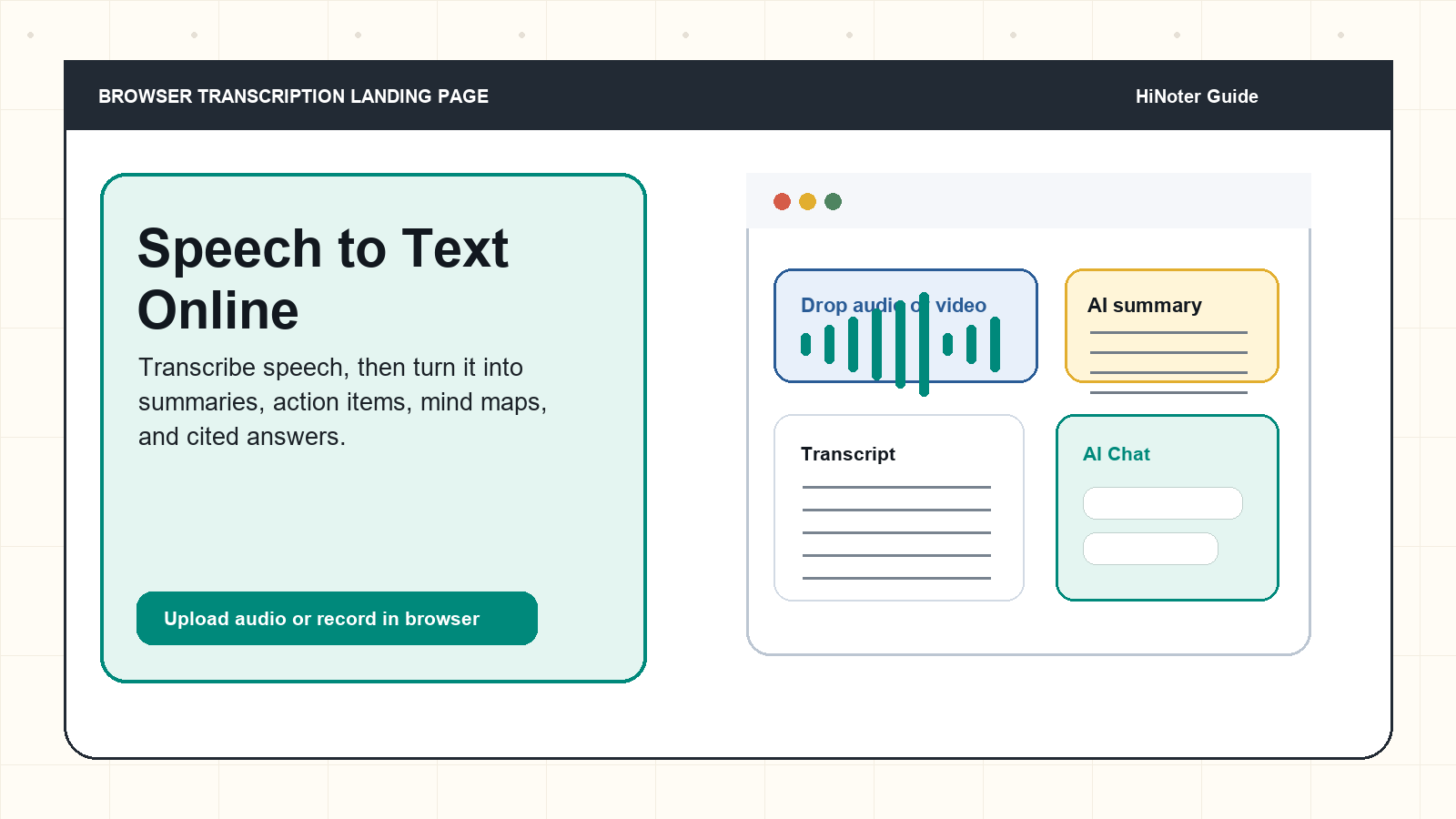
Direct answer: Speech to text online is a browser-based process that converts spoken words into written text. It is useful for voice notes, meetings, interviews, podcasts, lectures, and videos because users can upload or record speech without installing desktop software. |
Speech to text online is usually searched by someone who wants speed: open a browser, upload or record audio, get editable text, and move on. The first result they need is a transcript. The second result they usually need, although they may not know it yet, is structure. A plain transcript can still be too long, too messy, and too hard to act on. That is why HiNoter combines audio to text with summaries, key points, action items, mind maps, and AI Chat that can answer questions with source references.
This guide is written for the person who has a recording in hand: a voice memo from the train, a customer interview, a remote team meeting, a podcast episode, a class lecture, or a video that contains information worth saving. It explains what an online speech-to-text tool should do, how to judge accuracy and privacy, when dictation is enough, and when AI notes are a better fit.
How an Online Speech-to-Text Tool Should Work
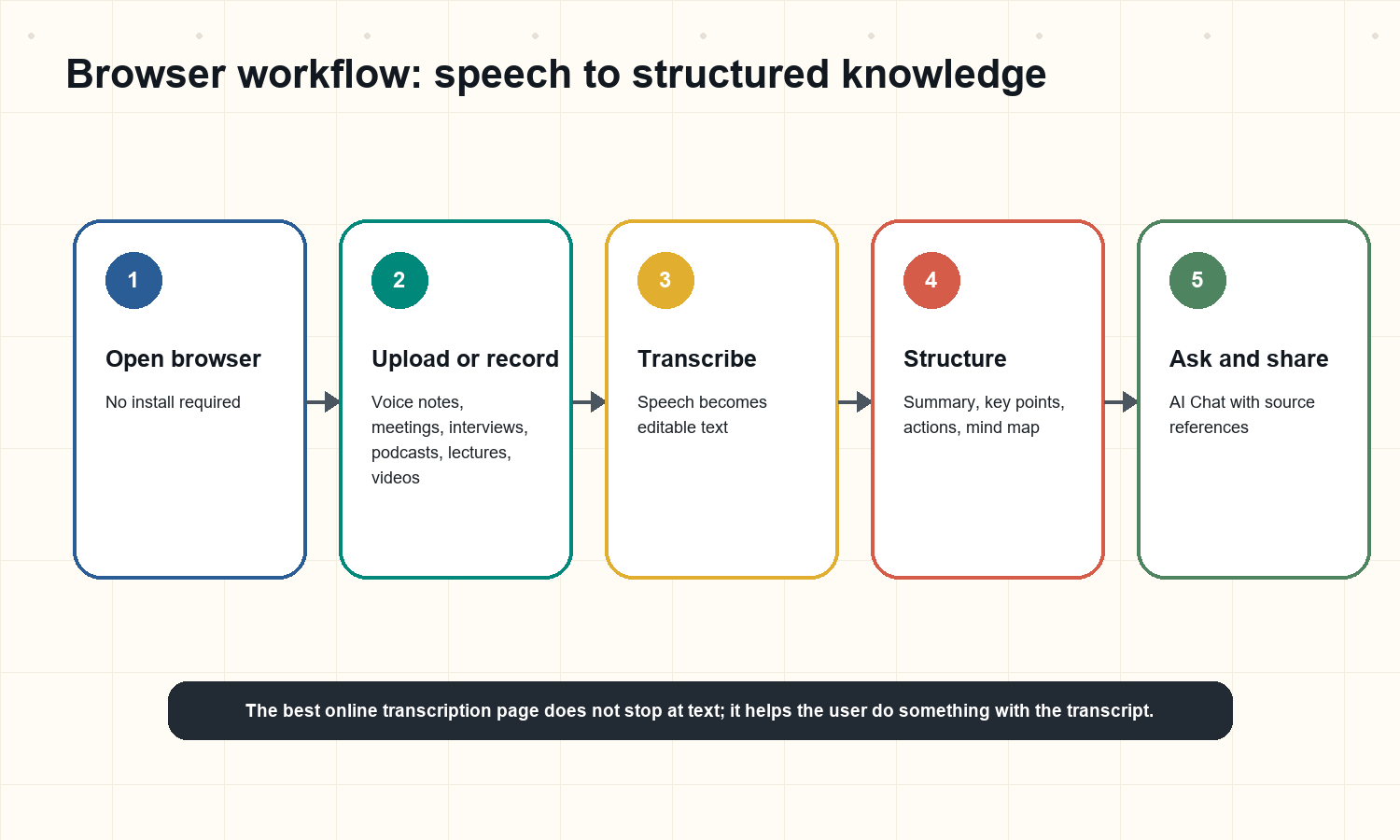
A good browser-based transcription flow should feel almost boring. The user should not need to install a driver, create a complicated audio route, or rename files three times just to get text. The page should make the first action obvious: record from the browser or upload a file. After that, the tool should show progress, detect the spoken language, separate speakers when possible, and produce text that can be edited, exported, and searched.
The difference between a basic converter and a useful work tool appears after the transcript is created. A 60-minute interview may produce thousands of words. A meeting transcript may include jokes, false starts, repeated agenda items, and half-finished decisions. The transcript matters, but it is still raw material. HiNoter is designed for the next step: turning speech into organized notes that a team can read, query, and share.
Open the transcription page in a browser.
Record speech directly or upload an audio or video file.
Let the tool detect the spoken language and process the audio.
Review the transcript for speaker labels, timestamps, names, numbers, and quotes.
Generate an AI summary, key points, action items, and a mind map.
Use source-linked chat to ask follow-up questions about the transcript.
Share the transcript or notes with the team, client, class, or personal knowledge base.
Dictation, Transcription, and AI Notes Are Not the Same
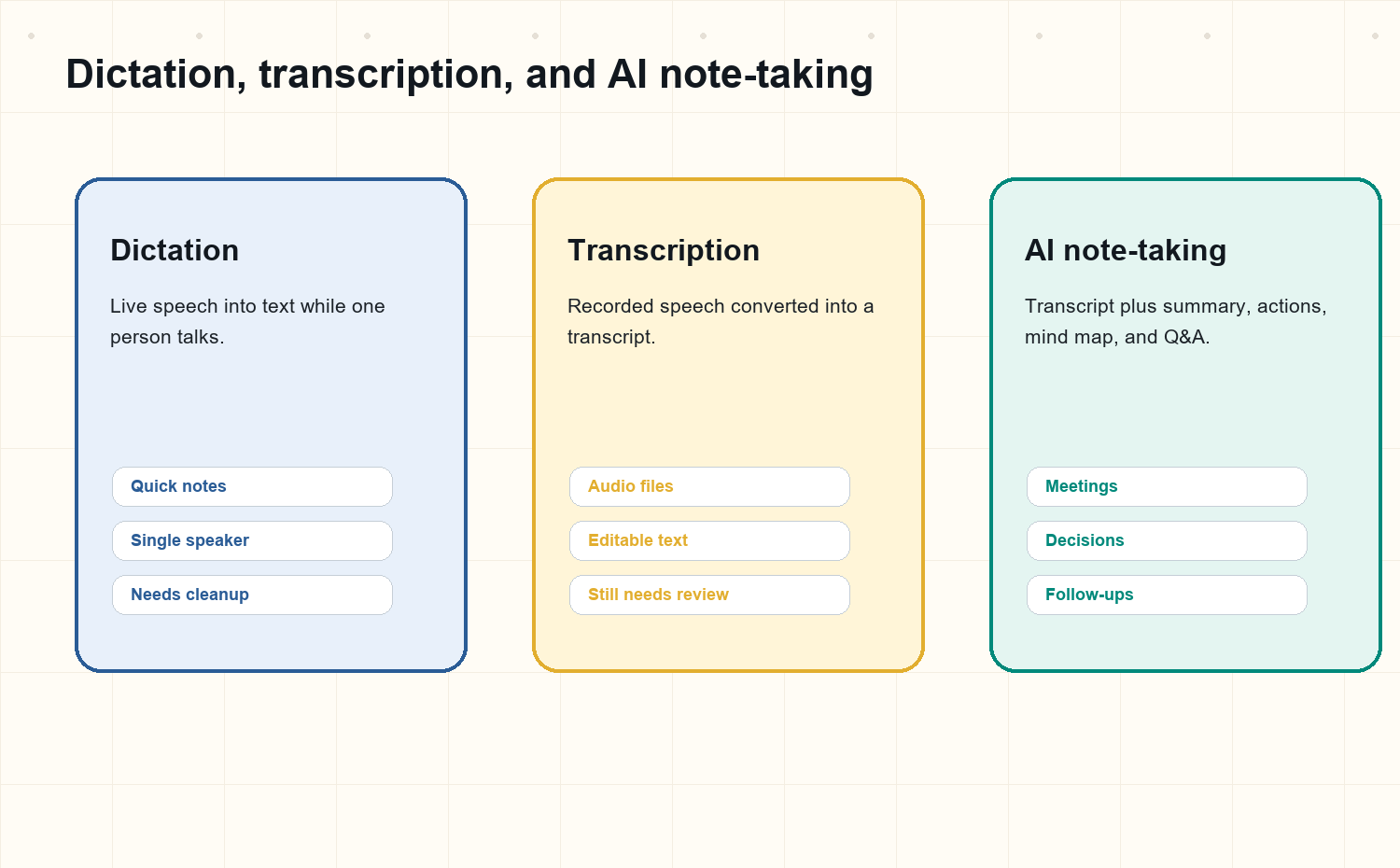
Type | Best use | Input | Output | Limitation |
Dictation to text | Writing a message, draft, or personal note while speaking. | Live microphone speech from one person. | Editable text inserted as you talk. | It rarely understands meeting structure or assigns next steps. |
Online transcription | Converting recorded speech into text for review, quoting, or archiving. | Audio or video file, browser recording, or meeting recording. | Transcript with timestamps or speakers when supported. | The output can still be too long to use without summarization. |
AI note-taking | Turning conversations and recordings into usable knowledge. | Meeting audio, video, lectures, interviews, podcasts, or voice memos. | Transcript plus summary, key points, decisions, actions, mind map, and Q&A. | Users should still review names, numbers, and sensitive quotes before publishing. |
Answer block: Dictation is best for live writing. Transcription is best for turning recorded speech into text. AI note-taking is best when the transcript must become a summary, decision record, action list, or searchable knowledge asset. |
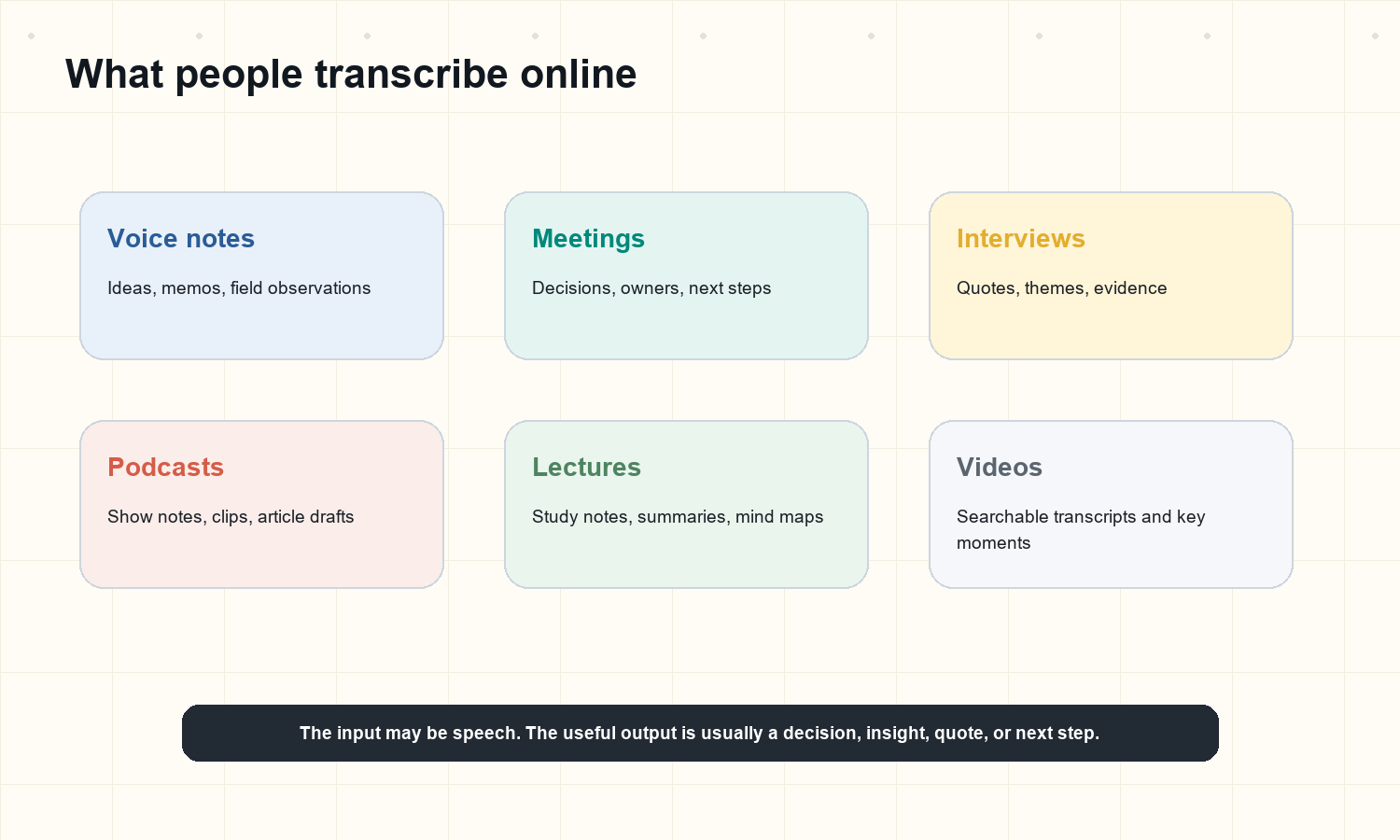
Use Cases: Voice Notes, Meetings, Interviews, Podcasts, Lectures, and Videos
Voice notes
Voice notes are fast because they remove the pressure to write cleanly. The problem appears later, when the note is titled 'new idea' and buried in a phone app. Speech to text online makes the note searchable. AI summaries make it scannable. Action items make it useful. For founders, consultants, researchers, and students, that turns casual audio into something that can be revisited.
Meetings
Meetings are the clearest case for structured output. A transcript alone may prove what was said, but a team also needs decisions, owners, due dates, and follow-ups. With AI meeting notes, HiNoter can turn the same speech into a meeting record that is easier to share than a raw recording.
Interviews
Recruiting, customer research, journalism, and academic interviews all depend on careful listening. Typing during the interview can change the tone of the conversation. Recording first and transcribing later protects the conversation itself. The transcript can then be searched for exact wording, themes, objections, quotes, and follow-up questions.
Podcasts
Podcasters rarely need only a transcript. They need episode summaries, show notes, titles, quote pulls, social clips, and topic maps. Speech to text is the base layer. Summarization turns the episode into reusable editorial material.
Lectures and classes
Students often record lectures because they fear missing details. The hard part is reviewing the recording. A transcript makes the lecture searchable; a summary helps the student see the structure; a mind map turns the lecture into a study aid.
Videos and webinars
For videos, the speech layer is often the most valuable part. HiNoter can support video to text workflows and permitted YouTube transcript generation, so webinars, training videos, and educational content can become text, summaries, and searchable notes without requiring a full rewatch.
Supported Inputs and Outputs
A browser-based speech tool should handle the files people already have, not force them into a narrow format. Common inputs include MP3, WAV, M4A, MP4, MOV, AAC, FLAC, and web recordings. Some users arrive with an audio file. Others arrive with video, because a meeting, class, or demo was captured as screen recording. In both cases, the speech can become text.
Input type | Typical examples | What the user wants | Useful HiNoter output |
Audio file | MP3, WAV, M4A, voice memo, exported meeting audio. | Editable transcript and searchable archive. | Transcript, summary, key points, action items, speaker labels. |
Video file | MP4, MOV, webinar export, product demo, screen recording. | Text from the spoken content and key moments. | Video transcript, summary, decisions, mind map, source-linked AI Chat. |
Online video URL | Permitted public YouTube video, lecture, training, podcast video. | Transcript and summary without manually rewatching. | Transcript, key points, timestamps, AI summary, chat over the content. |
Live browser recording | Quick voice note, interview snippet, lecture recap. | Immediate text without installing software. | Transcript, summary, tasks, reusable notes. |
Formats answer: Most online speech-to-text workflows should support common audio and video formats such as MP3, WAV, M4A, MP4, MOV, AAC, FLAC, and browser recordings. The best format is usually the cleanest recording you already have. |
Accuracy: What Actually Changes the Result
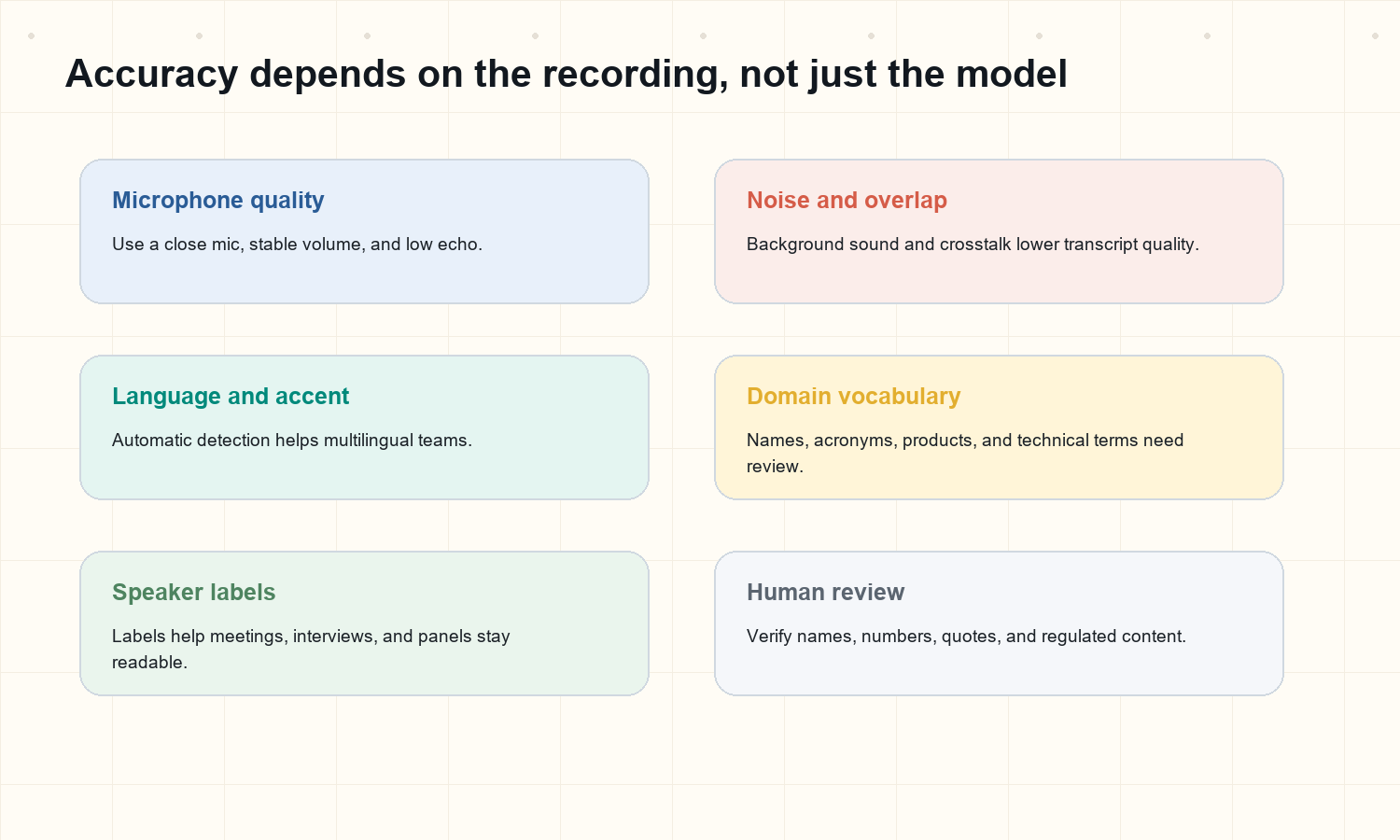
Accuracy is not a single number that applies to every recording. Automatic speech recognition is commonly evaluated with word error rate, often abbreviated WER, but real users care about a more practical question: can I trust this transcript enough to search, quote, summarize, and act on it? The answer depends on the recording.
A quiet one-on-one interview with a close microphone is usually easier than a conference room recording with five people talking over each other. A lecture with clean audio is easier than a cafe conversation. A podcast with prepared speakers is easier than a sales call full of product acronyms, names, and numbers. This is why the best workflow treats transcription as a draft that can be reviewed, not a courtroom record.
Factor | Why it matters | Practical fix |
Microphone distance | Far microphones pick up room echo and reduce clarity. | Use a close mic or headset when possible. |
Background noise | Music, traffic, keyboards, and room noise compete with speech. | Record in a quiet space or use noise reduction before upload. |
Speaker overlap | Crosstalk makes it difficult to separate words and speakers. | Set meeting norms and ask speakers not to talk over each other. |
Names and jargon | Unfamiliar terms are easier to mishear. | Review names, numbers, acronyms, product terms, and quotes. |
Language mix | Multilingual speech can confuse tools that expect one language. | Use a tool with automatic language detection and multilingual support. |
For international teams, multilingual support is not a bonus feature. It is what lets one shared record work across regions, accents, and languages instead of relying on whichever person happened to take notes in the meeting.
Privacy and Consent for Browser Transcription
Speech often contains sensitive information: customer names, health details, employee performance comments, financial numbers, student records, legal strategy, product plans, and biometric clues in the voice itself. A browser transcription page should make privacy easy to understand before the user uploads anything. The Federal Trade Commission has warned that biometric information and machine-learning systems can create consumer privacy and security risks, which is a useful reminder for any product that handles voice data.
For everyday users, the practical checklist is simple. Do you have permission to record or upload the speech? Do participants know that recording or AI transcription is being used? Do you understand where the file is stored? Can you delete it? Can you control who sees the transcript? These questions are not legal theater. They are part of making AI notes useful inside real teams.
Privacy answer: Before using any speech-to-text online tool, confirm consent, avoid uploading speech you do not have rights to process, check how audio and transcripts are stored, and limit access to people who need the content. |
Use browser transcription for content you own, recorded, or have permission to process.
Tell meeting participants when recording, transcription, or AI notes are being used.
Review vendor policies for retention, deletion, access control, and human review.
Avoid uploading highly sensitive audio unless your organization has approved the workflow.
Remove private sections before sharing transcripts outside the intended audience.
Why Plain Text Is Not Enough
Plain text is a major improvement over audio, but it is not the finish line. A transcript is often long because speech is long. People repeat themselves. They start sentences and abandon them. They use filler words. They return to the same topic after a tangent. A raw transcript preserves all of that, which is good for evidence but poor for action.
The next layer is structure. A summary gives the reader the point. Key points identify what deserves attention. Action items move the work forward. A mind map helps the reader understand the shape of a lecture, podcast, or strategy conversation. Source-linked chat helps users ask specific questions without guessing where the answer sits in the recording.
This is where HiNoter fits naturally. The product can turn speech into transcripts through Audio to Text, create structured meeting outputs through AI Meeting Notes, and make the result searchable through AI Chat with source references. The point is not to replace careful review; the point is to remove the mechanical work that prevents review from happening at all.
Example: From Raw Transcript to Useful Notes
Imagine a 35-minute customer interview about an onboarding problem. The raw transcript captures every line. That is useful, but the product manager still has to find the theme, quote the customer, share the key objection, and decide what the team should do next. A stronger workflow produces several layers:
Layer | Example output |
Transcript | Customer says the setup checklist is clear, but the invite flow confuses admins when multiple departments are involved. |
AI summary | The customer understands the product value but needs clearer admin onboarding for multi-department rollouts. |
Key points | Invite flow is unclear; department ownership is ambiguous; admins need a checklist before the kickoff call. |
Action items | Revise invite flow copy. Add admin checklist. Ask CS team for three more examples by Friday. |
Mind map | Onboarding > Admin setup > Department ownership > Invite flow > Checklist gaps. |
Source-linked chat | Ask: 'What exact phrase did the customer use about department ownership?' Then jump back to the cited transcript section. |
How to Choose a Speech-to-Text Online Tool
Most pages promise fast transcription. That is only one criterion. Buyers, creators, students, and operators should also ask what happens after transcription. If the transcript must support work, the tool should handle long files, multiple speakers, multilingual recordings, exports, team sharing, and AI summaries that preserve the source context.
Criterion | What to look for | Why it matters |
No-install workflow | Runs in the browser with upload or record options. | Reduces friction for quick voice notes and one-off files. |
Language support | Automatic language detection and broad language coverage. | Helps distributed teams and international users. |
Speaker labels | Identifies who spoke when possible. | Keeps meetings and interviews readable. |
Structured outputs | Summary, key points, action items, mind map. | Turns the transcript into something useful. |
Source-linked Q&A | Answers questions using the transcript as the source. | Makes notes trustworthy and searchable. |
Export and sharing | Docs, team tools, links, or copyable formats. | Moves the output into the workflow where work happens. |
Privacy controls | Clear handling of uploads, access, retention, and deletion. | Protects sensitive speech and team trust. |
For scheduled calls, HiNoter also works as an AI meeting assistant that can support automatic meeting capture and notes. For multi-source research, it can also handle PDF to Text when spoken content is only one part of the material being reviewed.
Best Workflow for Teams
Citeable workflow: Record or upload the speech, transcribe it online, review key names and quotes, generate an AI summary, extract action items, create a mind map, then share the source-linked notes in the team's working system. |
For a solo user, online transcription is mostly about speed. For a team, it is about consistency. Every department has a different note-taking habit. Sales puts call notes in a CRM. Product managers keep interview notes in docs. Students save lecture notes in private folders. Consultants build project summaries. Executives want decisions and next steps. Without a shared workflow, speech becomes fragmented knowledge.
HiNoter gives teams one path from speech to knowledge. Meetings, voice notes, interviews, podcasts, videos, and lectures can be processed into a common structure. The transcript remains available for source review, while the summary, action items, and mind map make the content easier to scan. The chat layer changes the habit from 'search through old files' to 'ask the knowledge base and verify the source.'
FAQs
What is speech to text online?
Speech to text online is a browser-based process that converts spoken words into written text. Users can record speech or upload audio and video files without installing desktop software.
Is online transcription the same as dictation?
No. Dictation usually turns live speech into text as one person talks. Online transcription often converts a recorded file into a transcript, and AI note-taking adds summaries, action items, and searchable answers.
How accurate is speech-to-text online?
Accuracy depends on audio quality, background noise, speaker overlap, language, accent, vocabulary, and review. Clean recordings with close microphones usually produce better transcripts.
What file formats work for speech-to-text tools?
Common formats include MP3, WAV, M4A, MP4, MOV, AAC, FLAC, and browser recordings, depending on the tool.
Can speech-to-text tools summarize audio?
Basic tools produce transcripts only. HiNoter can also generate summaries, key points, action items, mind maps, and AI Chat answers with source references.
Can I transcribe meetings in multiple languages?
Yes, if the tool supports multilingual transcription and automatic language detection. HiNoter's multilingual support is designed for international meetings, lectures, interviews, and videos.
Is it safe to upload voice recordings online?
It can be safe when you use a trusted tool, have permission to process the recording, understand retention and access controls, and avoid uploading sensitive content outside approved workflows.