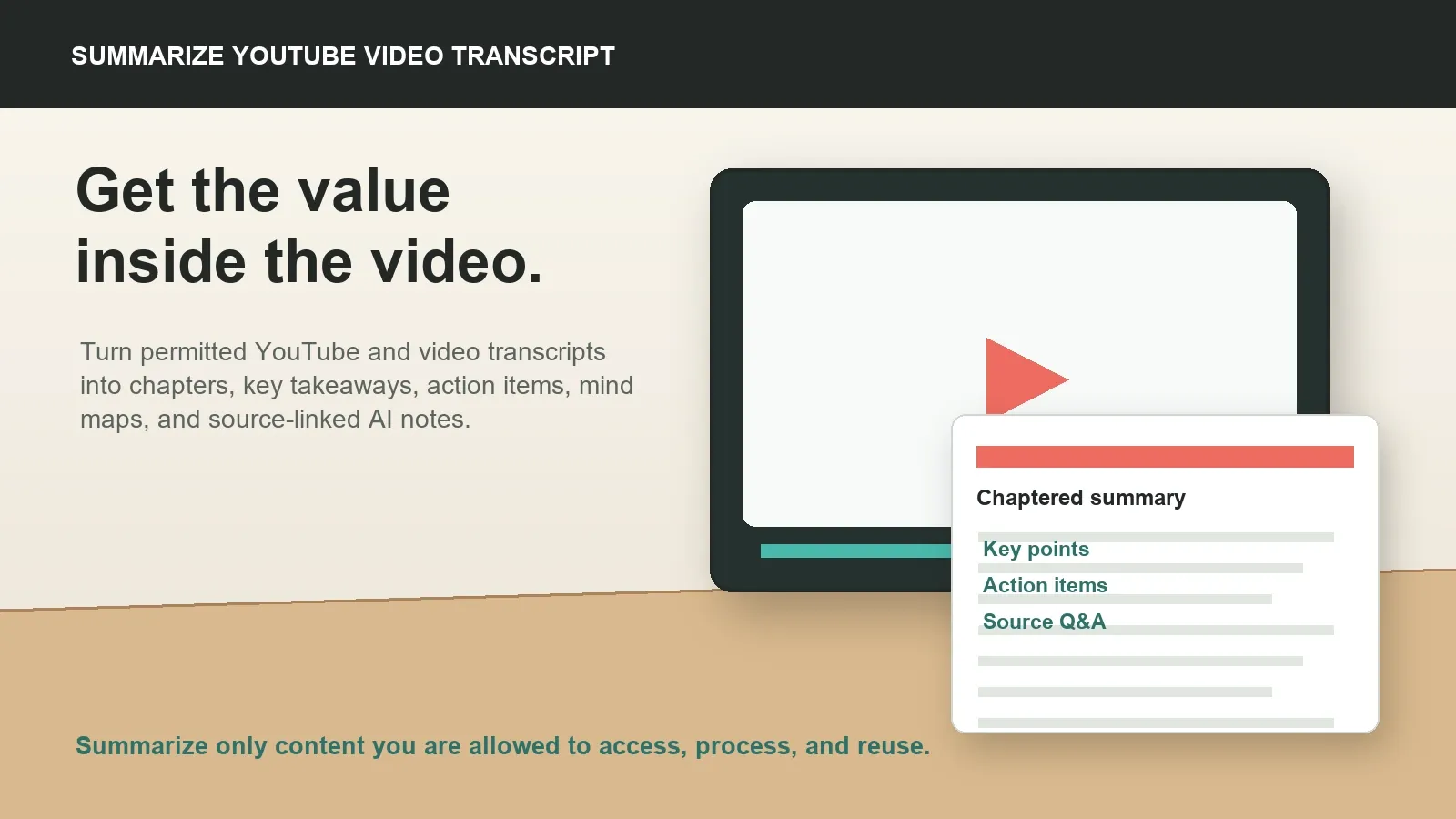
To summarize YouTube video transcript content with AI, use only videos, captions, transcripts, or source files you are allowed to access and process. Get the transcript, review names and timestamps, then create chapters, key takeaways, quotes, action items, mind maps, and searchable notes with source references.
Try HiNoter to turn permitted videos and transcripts into summaries, action items, mind maps, exports, and source-linked AI Chat.
What it means to summarize YouTube video transcript content
To summarize a YouTube video transcript is to turn the spoken content of a video into a shorter, structured version that is easier to scan, cite, study, or share. The transcript is the source text. The summary is the compressed explanation. AI notes are the working layer that can include chapter headings, key takeaways, action items, quotes, mind maps, and source-linked answers.
Searchers who use this query often do not want to preserve the whole video. They want to understand the lesson, extract a process, capture the important quote, turn a webinar into a team recap, or avoid rewatching a long tutorial. In other words, the real job is video-to-knowledge, not video-to-file.
This matters because a transcript alone can still be long and difficult to use. A two-hour webinar may have a readable transcript, but the decision, example, or next step may be buried inside thousands of words. A good AI workflow turns that transcript into a useful map while keeping the source available for verification.
Safe-use note for YouTube and copyrighted videos
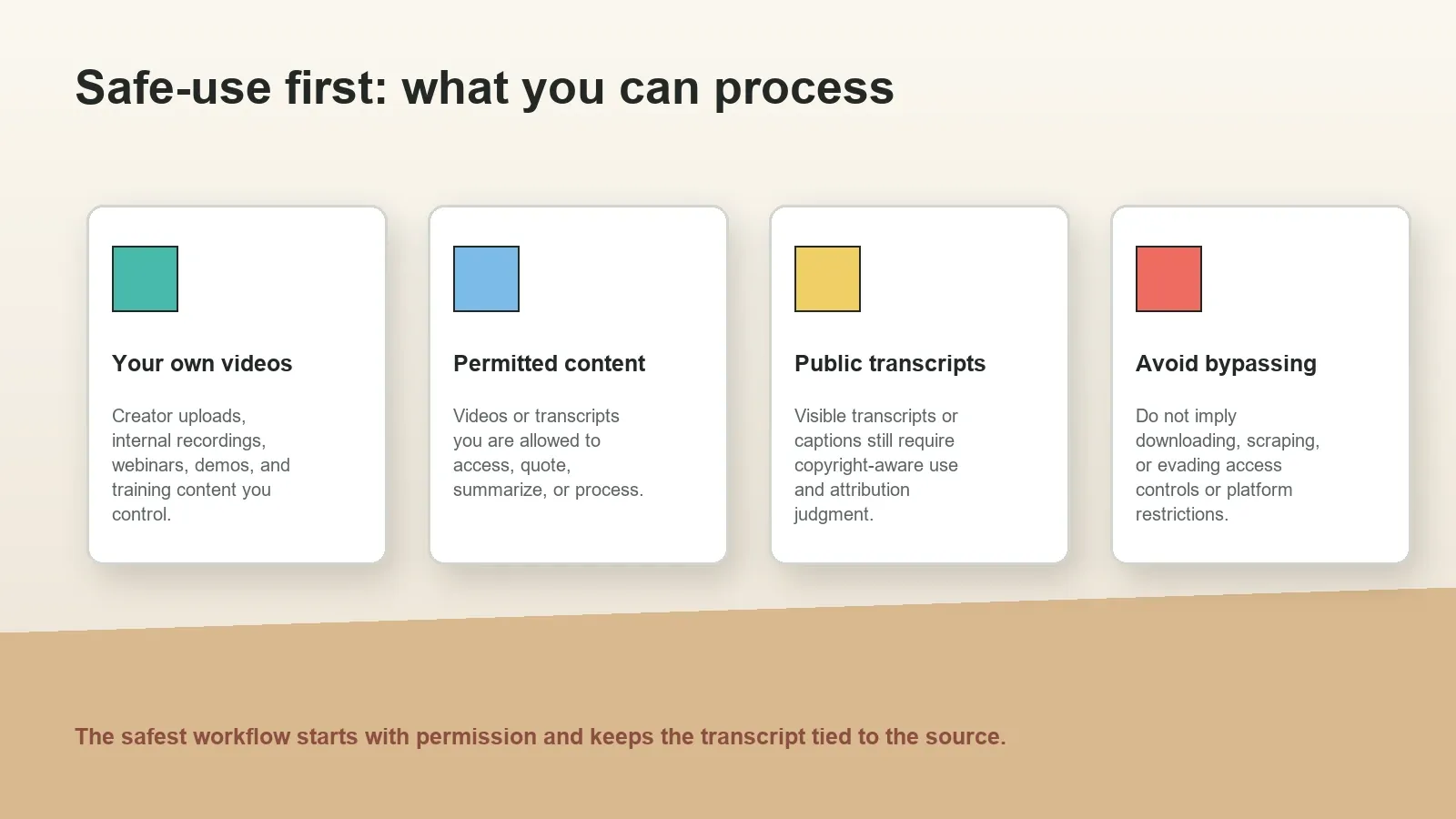
Before summarizing any YouTube video transcript, confirm that you are allowed to access, process, quote, summarize, or reuse the content. A video being publicly viewable does not automatically give every user permission to copy, republish, or process it in every context. Copyright, licensing, attribution, privacy, contract terms, and platform terms can still apply.
YouTube's official guidance explains how viewers can use available transcripts and captions in the YouTube interface, and YouTube's Terms of Service set rules for access and use of the service and content. This article does not recommend downloading videos, scraping content, bypassing access controls, or using transcripts in ways that violate rights or platform rules. It focuses on permission-aware summarization of content you are allowed to use.
Safe examples include summarizing your own uploaded video, an internal webinar your company owns, a training recording you are authorized to process, a public video transcript for personal study, or a creator-provided transcript that permits reuse. Riskier examples include processing restricted content, republishing copyrighted transcript excerpts, stripping attribution, or using a tool to evade platform controls.
Transcript vs summary vs AI notes
A transcript is the full written record of spoken content. It may come from captions, a visible transcript panel, a video platform, a meeting recording, or a speech-to-text tool. Transcripts are useful for search, quotes, accessibility, and source review.
A summary is a shorter version of that transcript. A good YouTube summary should identify the topic, main argument, chapter flow, key takeaways, examples, definitions, important claims, and any practical steps the viewer should remember.
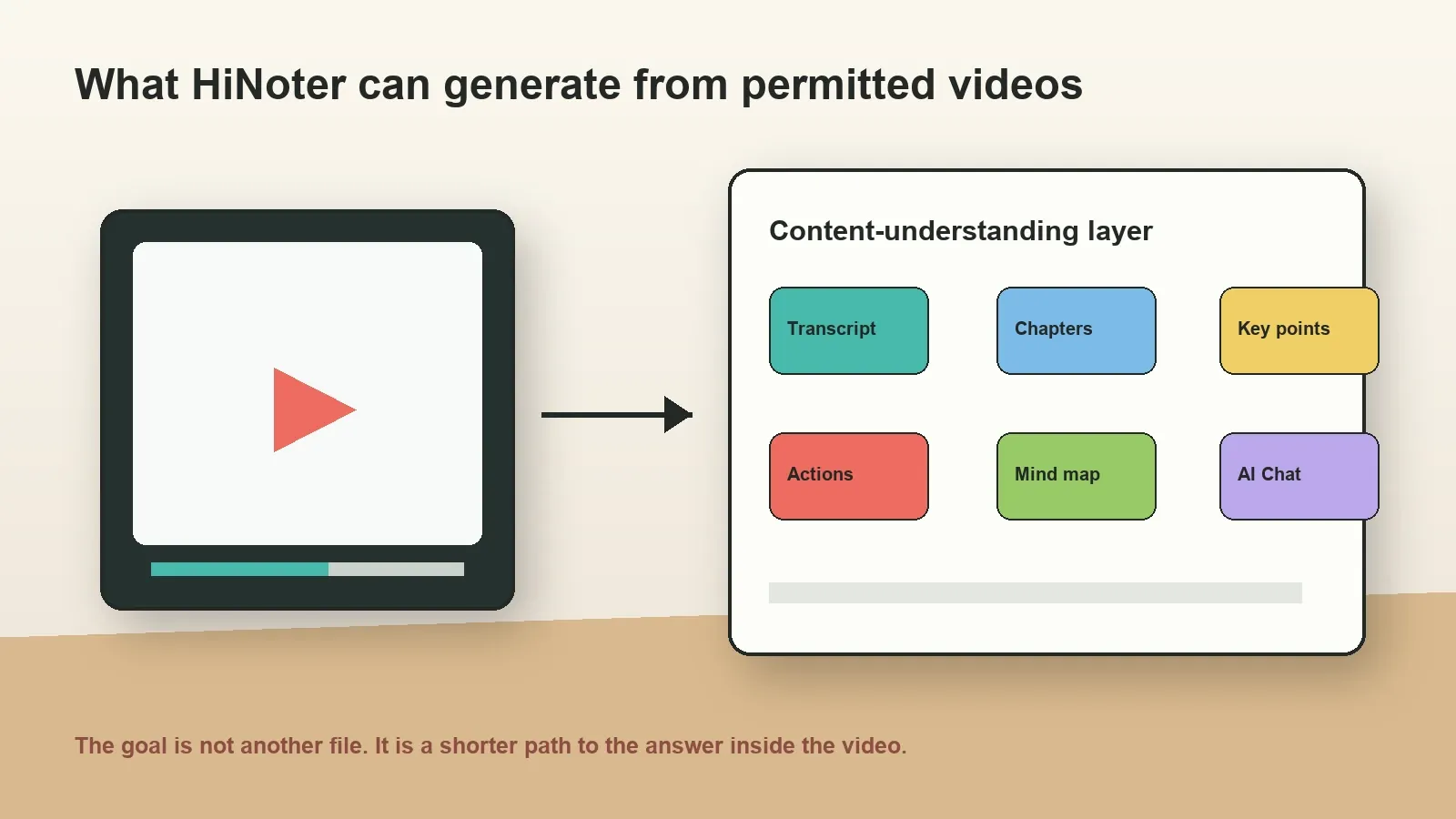
AI notes go beyond summarization. They organize the transcript into reusable knowledge: chaptered sections, action items, mind maps, key quotes, questions, links to timestamps, and source-grounded AI Chat. HiNoter is strongest in this layer because it treats permitted videos as sources that can become searchable knowledge.
| Output | What it contains | Best for | What to verify |
|---|---|---|---|
| Raw transcript | Full spoken text, sometimes with timestamps | Search, quotes, accessibility, source review | Caption accuracy, missing sections, speaker context |
| Short summary | Main idea, key takeaways, chapter overview | Fast understanding without rewatching | Whether key claims and examples are represented fairly |
| Action items | Tasks, steps, owners, due dates, or next actions | Webinars, demos, classes, internal videos, project work | Whether a step is advice, instruction, or a real assignment |
| Mind map | Topics, relationships, decisions, examples, questions | Learning, research, complex demos, long tutorials | Whether the relationships match the original explanation |
| AI Chat | Searchable Q&A with source references | Finding answers across a long video or many videos | Source timestamp, transcript excerpt, and permission to reuse |
Step-by-step workflow: summarize YouTube video transcript with AI
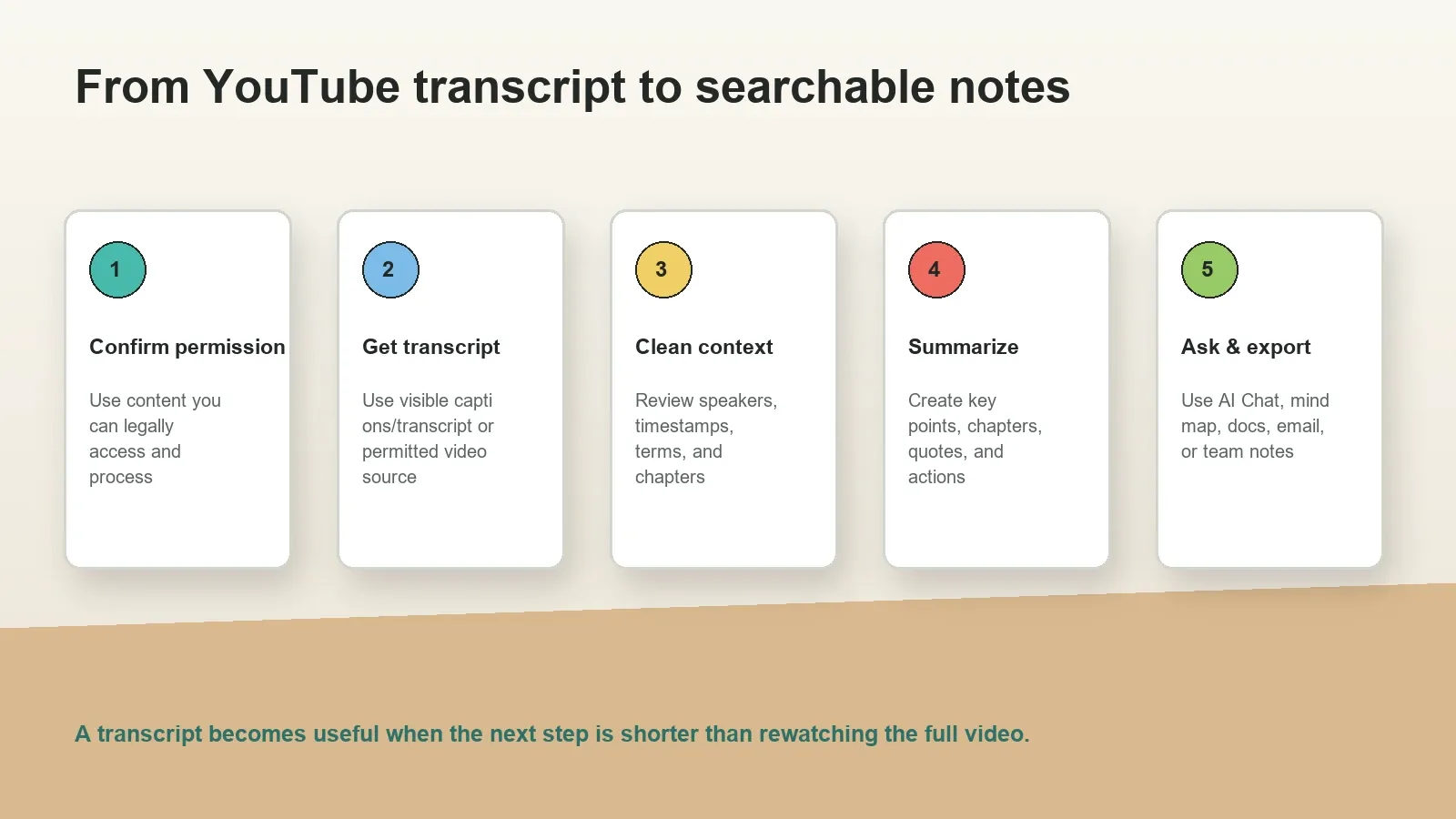
- Confirm permission and purpose. Decide whether you are summarizing for personal study, internal team use, research, customer documentation, content planning, or public reuse. The purpose affects how much you can quote, share, or republish.
- Get the transcript through a permitted path. Use the visible YouTube transcript or captions when available, your own original video source, a creator-provided transcript, or another source you are authorized to process. Avoid workflows that imply bypassing access restrictions.
- Preserve useful context. Keep the video title, channel or source, publication date if relevant, transcript language, timestamps, chapter titles, and a link to the original page or internal file when allowed.
- Clean obvious transcript issues. Review names, product terms, acronyms, speaker labels, timestamps, translated captions, and sections where the transcript is missing or obviously wrong.
- Generate a short answer first. Ask AI for a concise summary with topic, main argument, key takeaways, and chaptered sections. This helps you see whether the model understood the video before asking for deeper outputs.
- Create reusable notes. Add key quotes, definitions, process steps, action items, open questions, and a mind map. For internal teams, add owners and due dates only when the video or meeting source actually supports them.
- Ask source-grounded questions. Use AI Chat to ask what the video says about one topic, where a claim appears, what changed from previous videos, or which steps matter for a project.
- Export carefully. Share only the outputs your permission allows. Keep attribution and source references available, especially when the summary will be used outside personal notes.
How HiNoter turns permitted videos into knowledge
HiNoter should be treated as the content-understanding layer for permitted videos. That means the goal is not to download or bypass a video. The goal is to process content you can access and use, then turn it into outputs that save time: transcript, key points, chaptered summary, action items, mind map, exports, and AI Chat with source references.
For a product demo, HiNoter can turn the transcript into feature steps, customer questions, next actions, and a source-linked Q&A record. For a webinar, it can create a chaptered summary, topic clusters, audience questions, and follow-up tasks. For a lecture or tutorial, it can create learning notes, definitions, process steps, and a mind map that helps a viewer study without rewatching the entire video.
This is the same logic that makes AI meeting notes useful after calls: the source remains important, but the team needs a shorter working layer. HiNoter also fits adjacent workflows such as audio to text, meeting transcription, PDF-based research, and AI meeting assistant capture for scheduled calls.
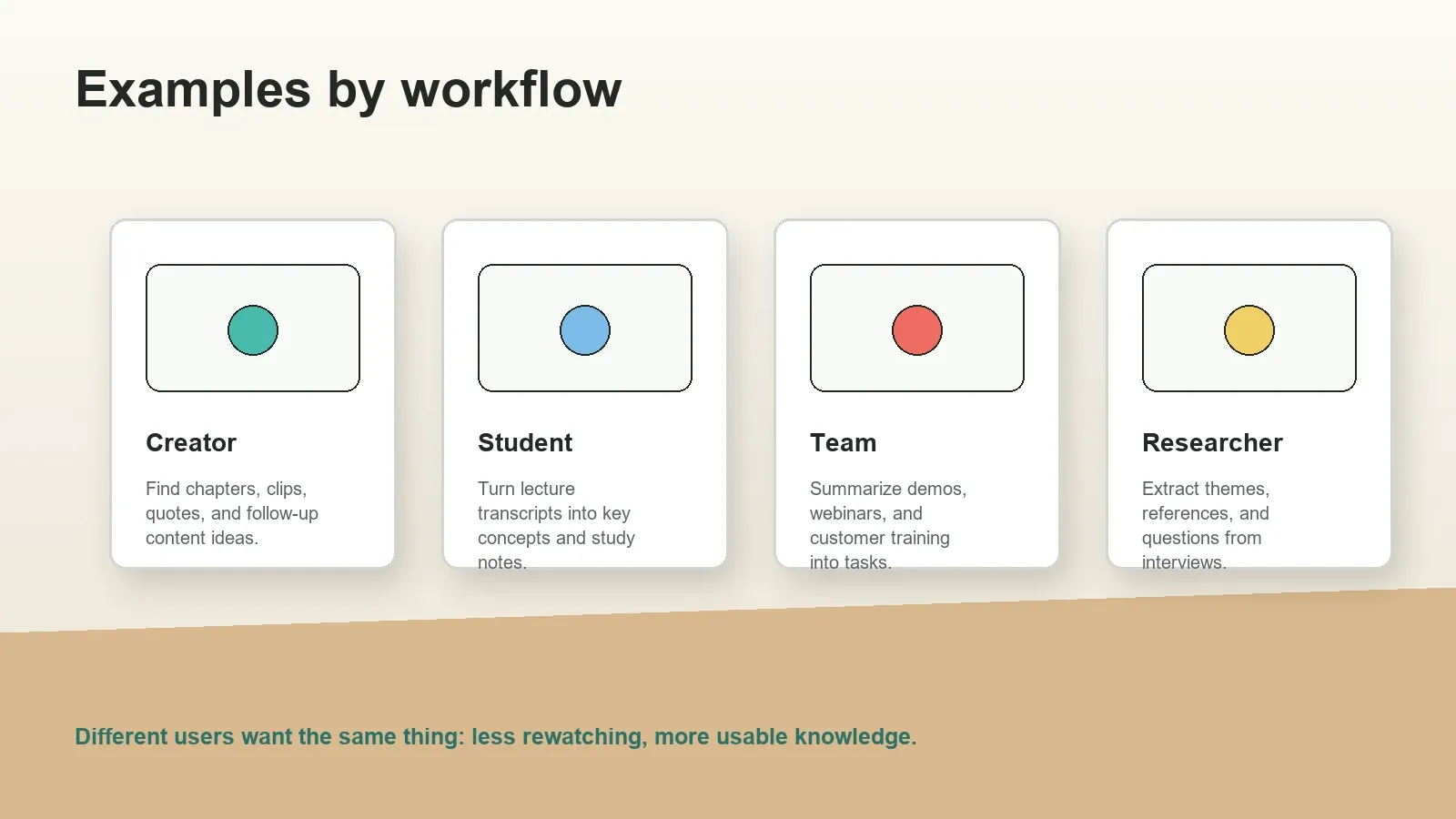
Examples by creator, student, researcher, and team
Creators can summarize their own videos to extract chapters, clips, social captions, quotes, FAQs, and future content ideas. A transcript can reveal which sections are too long, which examples are reusable, and which questions deserve a separate follow-up video.
Students can summarize lecture transcripts into definitions, formulas, examples, and study questions. A chaptered summary makes it easier to review a long class recording, while AI Chat helps ask "Where did the lecture explain this concept?" or "What are the steps in the process?"
Researchers can summarize interview transcripts, conference videos, public talks, or permitted training material into themes, claims, quotations, and follow-up questions. The important safeguard is source context: the summary should make it easy to inspect the transcript section behind a claim.
Teams can summarize webinars, product demos, onboarding videos, customer training, internal walkthroughs, and sales enablement material. The output can become a recap, action-item list, mind map, onboarding note, or searchable knowledge entry inside a shared workspace.
| User type | Video type | Useful summary output | HiNoter follow-up |
|---|---|---|---|
| Creator | Own YouTube video, tutorial, podcast episode | Chapters, clips, quotes, content ideas | Ask AI Chat for reusable sections and FAQs |
| Student | Lecture, lesson, educational video | Definitions, examples, study notes, questions | Create mind maps and source-linked study answers |
| Researcher | Interview, talk, panel, public presentation | Themes, claims, quotes, open questions | Keep transcript references near each insight |
| Team | Webinar, product demo, training, meeting video | Recap, action items, risks, next steps | Export notes to docs, chat, email, or knowledge base |
Supported inputs and output formats
Input support depends on the tool and the permissions around the content. In a safe workflow, the input might be a visible transcript, a caption file you have permission to use, your own video file, an internal recording, a transcript exported from a meeting tool, or a document that supports the video. The output might be a Markdown summary, Google Docs draft, Notion page, Slack recap, email, task list, mind map, or source-linked AI Chat record.
For long videos, chaptered summaries are especially useful. Instead of one generic paragraph, the summary should break the video into time-based or topic-based sections. Each section should contain the key point, supporting examples, notable quote or claim, and any action that follows from it.
| Input | Example | Best output | Quality check |
|---|---|---|---|
| Visible transcript | YouTube transcript or captions available in the interface | Short summary and key takeaways | Transcript completeness and language accuracy |
| Your own video | Webinar, demo, podcast, lesson, internal training | Chapters, quotes, action items, AI notes | Permission, timestamps, source link |
| Permitted file | Video, audio, transcript, caption file, PDF notes | Transcript, summary, mind map, searchable Q&A | Format support and retention settings |
| Meeting video | Recorded customer call, team training, product walkthrough | Recap, decisions, tasks, owner list | Speaker labels and confidentiality |
Prompt examples for summarizing a YouTube transcript
Prompt quality matters, especially when the video is long. A vague prompt such as "summarize this" may produce a generic answer. A better prompt states the intended output, audience, length, and source-reference needs.
Fast recap prompt: Summarize this permitted YouTube video transcript in 8 bullet points. Include the main topic, key takeaways, important examples, and any warnings or limitations mentioned in the video.
Chaptered summary prompt: Create a chaptered summary of this transcript. For each chapter, provide a short title, 3-5 bullet points, notable quote or claim, and timestamps if available.
Team action prompt: Summarize this product demo transcript for a team. Extract decisions, feature requests, open questions, action items, proposed owners, due dates if stated, and source references.
Study prompt: Turn this lecture transcript into study notes. Include definitions, core concepts, examples, likely exam questions, and a mind-map outline.
Accuracy, citations, and source references
AI summaries can compress information too aggressively. They may merge two separate ideas, turn a tentative claim into a final statement, or omit limitations that the speaker mentioned later. That is why a serious video transcript summary should keep source references available.
For YouTube and video content, useful source references may include the video title, original link, timestamp, transcript excerpt, chapter name, speaker name, or file source. These references help a user check whether a summary, quote, or action item is grounded in the actual video.
The NIST Generative AI Profile identifies confabulation as a risk in generative AI systems. Source-grounded summaries help reduce unsupported claims because readers can inspect the original transcript before relying on an answer.
Common mistakes when summarizing YouTube transcripts
- Ignoring permission: Treating any public video as reusable source material without checking copyright, platform rules, or attribution needs.
- Losing the source: Copying a summary into a document without the video title, link, timestamp, or transcript reference.
- Over-trusting captions: Assuming captions are perfect even when names, acronyms, accents, or technical terms may be wrong.
- Asking for one generic paragraph: Long videos need chapters, key takeaways, examples, and questions, not just a compressed blob.
- Turning advice into tasks: A speaker's recommendation is not always a team action item unless your workflow assigns it.
- Sharing too much copyrighted text: Summaries should be concise and permission-aware, especially if used outside private notes.
Quality checklist for a YouTube transcript summary
A good AI-generated YouTube summary should be short enough to save time and specific enough to replace rewatching for ordinary review. It should not flatten the whole video into generic statements. The summary should show what the video is about, how the ideas are organized, which examples support the main points, and where a reader can return to the source if something matters.
Use a checklist before sharing the output. First, confirm that the summary names the main topic and audience. Second, check that each chapter or section reflects a real part of the transcript. Third, review claims, numbers, names, tools, product features, dates, and quotations. Fourth, mark which parts are facts from the video, which parts are interpretation, and which parts are suggested next steps. Finally, keep source references visible when the summary is used for work, research, or team documentation.
| Quality check | Good output | Warning sign |
|---|---|---|
| Main topic | Clearly states what the video teaches or explains | Uses vague language that could fit any video |
| Chapter structure | Breaks long content into logical sections | Creates one generic paragraph for a long video |
| Source grounding | Includes timestamps, transcript excerpts, or source notes where useful | Gives confident claims with no way to verify them |
| Actionability | Separates key takeaways, tasks, questions, and follow-ups | Mixes opinions, facts, and tasks together |
| Legal use | Keeps attribution and permission boundaries visible | Encourages copying, bypassing, or republishing content without rights |
Copyable YouTube transcript summary template
Use this structure when you want a consistent output from a long YouTube transcript, webinar, demo, or tutorial. It works well for AI notes because the labels are clear and reusable. It also works well for team documentation because it separates what the video says from what the viewer or team should do next.
Video title: [Title]
Source: [YouTube URL or permitted video source]
Permission note: [Why this transcript can be processed or summarized]
One-sentence summary: [Main point of the video]
Chaptered summary: [Section title] - [Key points] - [Timestamp if available]
Key takeaways: [3-7 concise bullet points]
Important quotes or claims: [Short excerpt or paraphrase with timestamp]
Action items: [Task] - [Owner if applicable] - [Due date if stated] - [Source]
Open questions: [Questions that need follow-up]
Mind-map outline: [Main topic] - [subtopics] - [relationships]
AI Chat prompts to ask next: [What does the video say about X?] [Where is Y explained?] [What steps should I follow?]
How to handle very long videos and playlists
Very long videos need a different workflow from short clips. A ten-minute tutorial may only need a short summary and a few bullet points. A three-hour podcast, conference talk, training series, or playlist should usually be summarized in layers. Start with a global overview, then summarize each chapter, then extract quotes, action items, and questions from the sections that matter most.
For playlists, summarize each video separately before creating a combined synthesis. This prevents one episode from overwhelming the others. A combined summary can then identify recurring themes, repeated questions, differences between speakers, useful examples, and recommended next actions. HiNoter AI Chat is useful here because users can ask across permitted sources while checking which video or transcript supports the answer.
If the content is copyrighted, paid, private, or sensitive, keep the output concise and permission-aware. A private study note is different from a public blog post. An internal team summary is different from a republished transcript. The longer and more valuable the source material is, the more careful the workflow should be about access, attribution, retention, and redistribution.
Privacy, copyright, and team governance
If a video contains customer information, employee training, private meeting discussion, paid course material, or confidential product details, treat the transcript and summary as sensitive. Access controls should apply to the transcript, summary, AI Chat, mind map, exports, and any follow-up notes.
For copyrighted videos, use summaries responsibly and avoid replacing the original work. Attribute sources where appropriate, keep quotations short and necessary, and do not suggest that summarization grants reuse rights. When in doubt, use the summary for personal understanding or internal review, and ask for permission before redistributing derived materials.
For teams, define who may process videos, which sources are allowed, where outputs can be exported, how long transcripts are retained, and who can ask AI Chat questions about the content. This prevents a useful workflow from turning into uncontrolled content copying.
Ready to turn permitted videos into useful notes? Use HiNoter to create transcripts, key points, chaptered summaries, action items, mind maps, exports, and searchable AI Chat with source references.
Frequently asked questions
How do I summarize a YouTube video transcript with AI?
Use only YouTube or video content you are allowed to access and process. Get the visible transcript, captions, or permitted source, review the transcript for names and timestamps, then use AI to create key points, chapters, quotes, action items, and source-linked notes.
Can I summarize any YouTube video transcript?
No. You should only summarize content when you have permission, a lawful basis, or a platform-compliant way to access and process it. Public availability does not automatically remove copyright, licensing, attribution, privacy, or terms-of-service responsibilities.
What is the difference between a transcript, summary, and notes?
A transcript is the full written record of speech. A summary condenses the main points. Notes organize the value into reusable sections such as chapters, key takeaways, action items, quotes, mind maps, and source-linked answers.
Can HiNoter summarize YouTube videos?
HiNoter can act as a content-understanding layer for permitted videos and transcripts by creating transcripts, key points, chaptered summaries, action items, mind maps, exports, and searchable AI Chat with source references.
Can AI summarize a long webinar or tutorial transcript?
Yes. A good workflow can create chaptered summaries, key steps, quotes, definitions, action items, and questions from long webinars or tutorials. Review important technical claims, timestamps, and quoted wording against the original source.
Is summarizing a YouTube transcript the same as downloading a video?
No. Summarizing a transcript is a text-processing workflow based on content you are allowed to access and use. Avoid workflows that imply downloading, scraping, bypassing access controls, or violating YouTube terms or copyright permissions.
What should a YouTube transcript summary include?
A useful summary should include the video topic, chaptered sections, key takeaways, important quotes, definitions, action items, open questions, source timestamps where available, and a short note about permission or intended use.