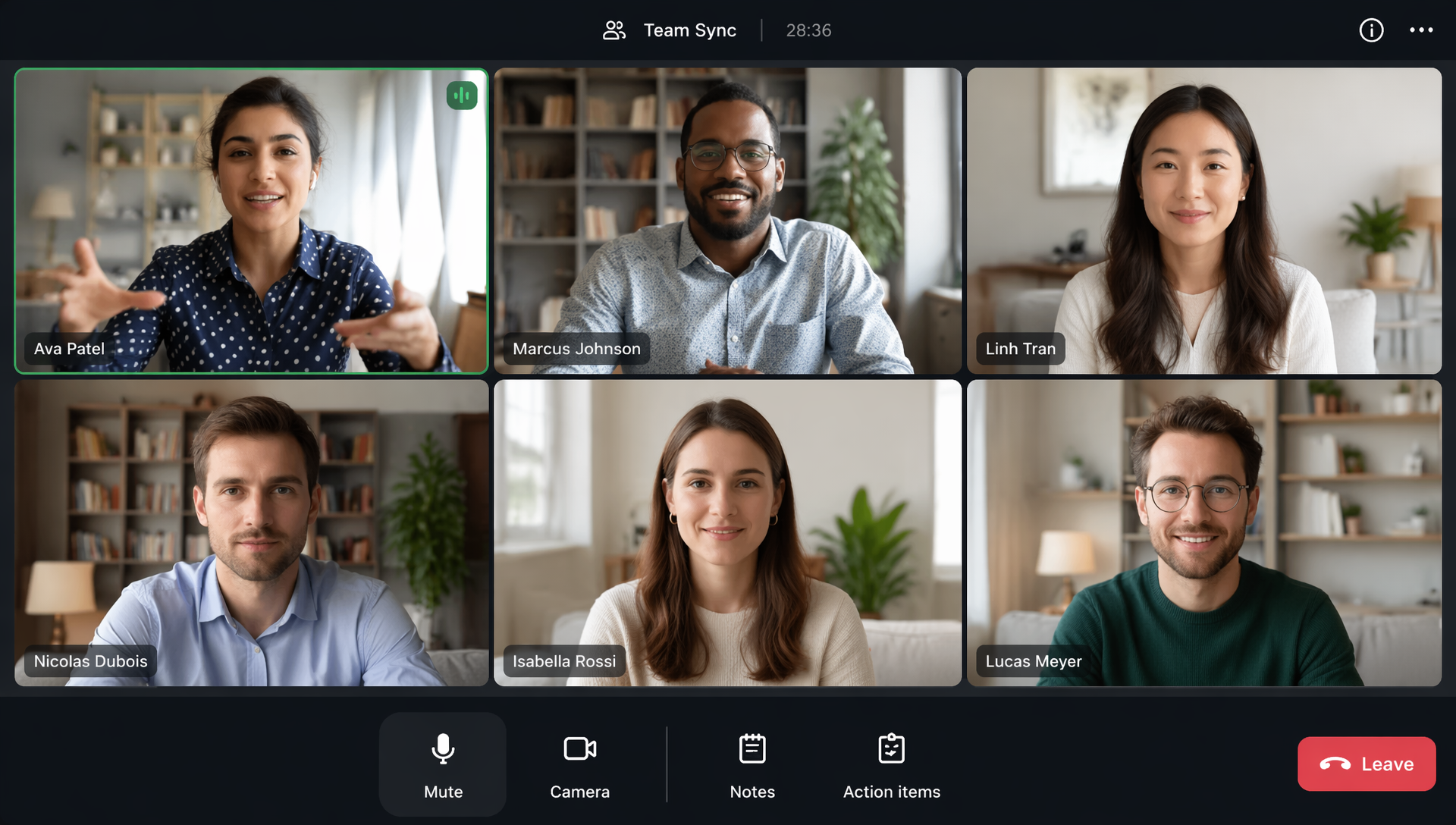
Virtual meetings have now become the norm for modern teamwork. Remote employees use this data to stay aligned across time zones. Hybrid teams use these features to connect office workers with colleagues working from home. Sales, product, human resources, operations, education, and consulting teams all rely on online calls to make decisions and drive progress.
But virtual meetings can quickly become frustrating when someone is late, forgets to mute, interrupts each other, skips preparation, or leaves without a clear next step. These little habits make meetings feel longer, less inclusive, and less efficient than intended.
This is why virtual meeting etiquette is important. It provides teams with a common standard for preparation, participation, communication, and follow-up. It also helps teams use tools more carefully. For example, HiNoter helps teams transform conversations into searchable transcripts, summaries, and action items, ensuring that meeting outcomes don't disappear after the call ends.
Good manners are not about being overly formal. It's about respecting time, attention, and clarity.
What is virtual meeting etiquette?
Virtual meeting etiquette is a set of professional habits and communication norms that people follow in online meetings. It includes how participants join the call, manage audio and video, use chat, share their screen, ask questions, take notes, and follow up afterwards.
In face-to-face meetings, people can rely on more natural cues. They can sense when someone wants to speak, pay attention to body language, and perceive shifts in attention. In virtual environments, many of these cues are weaker. Delays, poor microphone quality, distracting backgrounds, or unclear agendas can all quickly interrupt a conversation.
Strong etiquette creates a better meeting environment. It helps every participant understand what is expected, how to contribute, and how decisions will be captured. This is especially important for remote and hybrid teams because not everyone has the same physical context.
A well-run virtual meeting should feel focused, inclusive, and useful. Participants should know why they are there, what they need to discuss, and what happens next.
What is the etiquette for virtual meetings?
The etiquette for virtual meetings starts before the call begins. Hosts should send an agenda, invite only necessary participants, and clarify the meeting goal. Attendees should review materials in advance, check their internet connection, and join on time.
During the meeting, participants should mute when not speaking, keep comments concise, avoid multitasking, and use video appropriately. Camera etiquette for virtual meetings is also important: sit in a well-lit space, place the camera at eye level, and keep your background simple enough that it does not distract from the discussion.
If a meeting will be recorded, transcribed, or summarized by an AI tool, the host should make that clear at the beginning. This is both respectful and practical. Participants need to know how meeting information will be handled.
After the meeting, the host should share notes, decisions, owners, and deadlines. Tools like AI meeting notes can support this process by turning conversations into organized summaries and follow-up items.
What Are the Dos and Don’ts of Effective Meeting Facilitation?
Effective facilitation is one of the most important parts of Virtual Meeting Etiquette. A facilitator does not need to control every moment, but they should guide the conversation so the meeting stays useful.
The following table can help teams quickly understand key behaviors.
| Area | Do | Don’t |
|---|---|---|
| Agenda | Share the purpose, topics, and expected outcomes before the call. | Start with a vague topic and hope the meeting finds direction. |
| Timing | Start on time and end with a clear summary. | Wait too long for late arrivals or let the meeting run over without reason. |
| Participation | Invite input from both quiet and vocal participants. | Let one or two people dominate the discussion. |
| Audio | Mute when not speaking and use a clear microphone. | Allow background noise to distract the group. |
| Video | Use camera settings that support trust and focus. | Move around, look away constantly, or use distracting backgrounds. |
| Documentation | Capture decisions, action items, and owners. | End with no written record of what was agreed. |
| Follow-up | Send a concise recap after the meeting. | Assume everyone remembers the same details. |
People often search for virtual meeting etiquette dos and don ts because they want simple rules. The most practical answer is this: make the meeting easy for others to join, follow, and act on.
Why Virtual Meeting Etiquette Matters
Virtual meetings cost time, attention, and energy. When they are poorly run, people leave confused, distracted, or unsure what to do next. When they are well run, teams make decisions faster and collaborate with less friction.
Virtual Meeting Etiquette improves four major areas: professionalism, inclusion, productivity, and accountability.
Professionalism matters because online behavior still reflects the team and company. Joining on time, speaking clearly, and keeping a calm environment all send a signal of reliability. Dress professionally when the context calls for it, especially for client meetings, interviews, executive updates, webinars, or sales calls.
Inclusion matters because remote employees can easily feel left out, especially in hybrid calls where some people are in the same room. Good facilitation ensures everyone has a chance to contribute.
Productivity improves when meetings have structure. An agenda, clear roles, and written outcomes prevent repeated discussions.
Accountability improves when follow-up is easy to review. With an AI Meeting Assistant, teams can automatically capture transcripts, summaries, and action items, helping people stay present during the conversation.
Core Virtual Meeting Etiquette Rules (Essential Guidelines)
The best virtual meeting etiquette tips are simple, but they need to be practiced consistently.
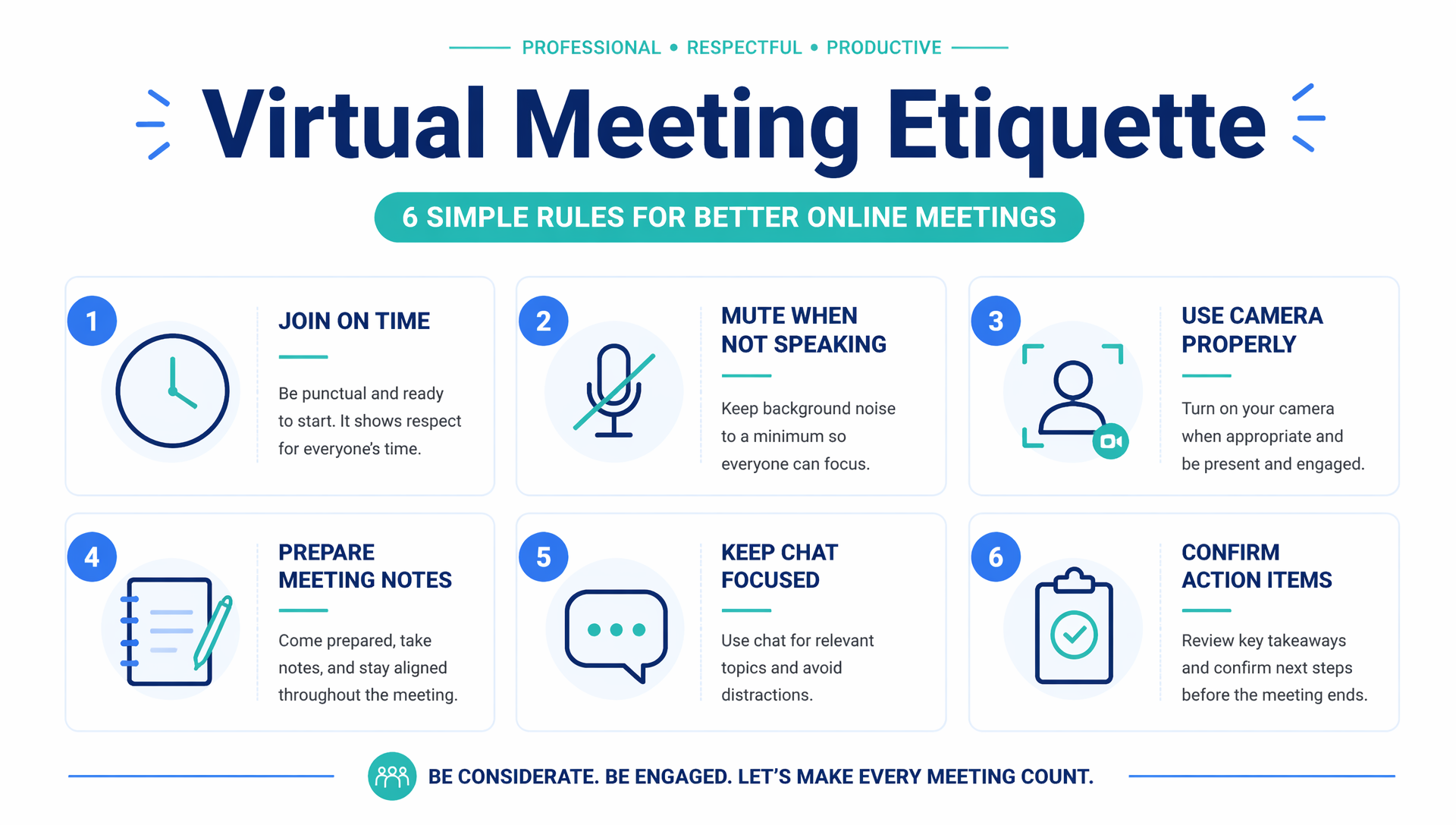
Join a few minutes early. This gives you time to handle software updates, microphone issues, or camera settings before others are waiting.
Mute when you are not speaking. Background noise is one of the fastest ways to break focus. If you need to type, cough, talk to someone nearby, or move around, mute first.
Use your camera thoughtfully. Video can build trust, but it should support the meeting rather than distract from it. If you need to step away, turn the camera off briefly and return quietly.
Prepare before you speak. Virtual meetings move better when people keep comments focused. If you are presenting, open the correct files ahead of time and test screen sharing.
Use chat with intention. Chat can be helpful for links, clarifying questions, or quick reactions. It should not become a second meeting that distracts from the main discussion.
Respect follow-up. Meeting etiquette does not end when people leave the call. Store notes where the team can find them. A workflow such as Notion integration can help teams move meeting records into a shared knowledge base.
Virtual Meeting Etiquette for Remote Teams
Remote teams rely heavily on intentional communication. Since people may work across different locations, languages, schedules, and cultural norms, Virtual Meeting Etiquette should be part of the team’s operating system.
Start by asking whether a live meeting is necessary. Some updates can be handled through a written message, project document, or recorded note. A virtual meeting should be used when the topic needs discussion, alignment, problem-solving, or decision-making.
When a meeting is necessary, send the agenda early. Include links, background context, and questions participants should think about beforehand. This gives everyone a fair chance to prepare, especially people who are joining outside their main working hours.
Remote teams should also define norms for video, chat, recording, transcription, and follow-up. For example, decide whether cameras are expected for standups, whether chat questions are answered live, and where notes are stored.
For distributed teams, audio to text can be especially useful. It helps convert spoken conversations into searchable records, so people who miss a meeting can still understand what happened.
Virtual Meeting Etiquette for Hybrid Teams
Hybrid teams face a unique challenge: the meeting has two audiences at once. Some people are physically together in a room, while others join online. Without careful facilitation, remote participants may feel like observers instead of equal contributors.
The best approach is to design hybrid meetings with a remote-first mindset. Share the agenda digitally. Put links in the calendar invite. Use online documents instead of relying only on a whiteboard in the room. Make sure every participant can see the same materials.
The facilitator should repeat questions from the room, monitor chat, and invite remote participants to speak. If several people are in one conference room, they should use microphones clearly enough for online teammates to hear. If the room has a whiteboard discussion, someone should transfer key points into a digital document.
Virtual Meeting Etiquette examples for hybrid teams include asking remote attendees for input first, assigning a chat monitor, and confirming action items on screen before ending the call. For Product & Tech Teams, these habits are especially useful during sprint planning, roadmap reviews, incident follow-ups, and technical discussions.
Common Virtual Meeting Mistakes to Avoid
Many virtual meeting problems happen because people treat online calls as casual by default. Casual can be friendly and human, but it should not mean unclear, noisy, or unprepared.
One common mistake is joining without context. If participants do not know the goal, they may spend the first ten minutes trying to understand why the meeting exists. Another mistake is multitasking. Reading email, replying to messages, or working on another task lowers the quality of participation.
Poor screen sharing is also a frequent issue. Sharing an entire desktop can expose private messages, unrelated tabs, or distracting notifications. It is better to share one window and close anything unnecessary before presenting.
Another mistake is failing to clarify recording or transcription. If the meeting will be captured, summarized, or shared, participants should know at the start.
Some etiquette principles also apply across channels. Just as social media etiquette requires awareness of tone, audience, and timing, online meeting behavior requires awareness of how your actions affect others.
For recorded webinars or client calls, video to text can help teams review content without replaying long recordings.
Virtual Meeting Tools That Improve Etiquette
The best virtual meeting tools do more than connect people through video. They help teams prepare, communicate, document, and follow up.
Video conferencing platforms such as Zoom, Google Meet, and Microsoft Teams handle the live conversation. Calendar tools help manage scheduling. Shared documents support collaboration. Project management tools track work after the call.
However, the biggest etiquette gap often appears after the meeting. People may remember different decisions, miss important details, or forget who owns each task. That is why documentation tools are so valuable.
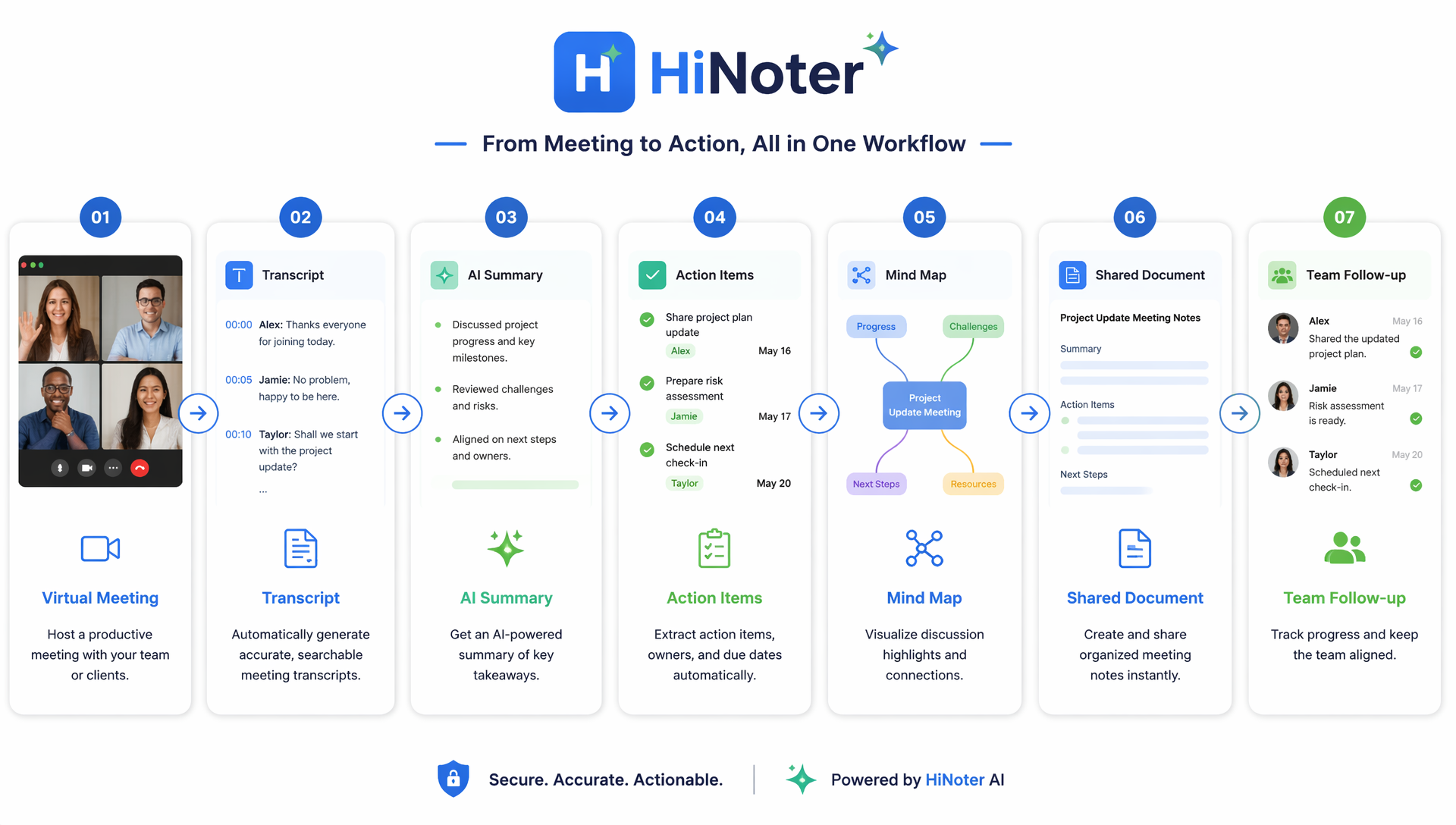
HiNoter supports automatic transcription, structured notes, summaries, action items, mind maps, and sharing workflows. Teams working across countries can also use multilingual support to review content in the language that works best for them.
If your team already uses Google Workspace, a Google Docs integration can help move meeting outcomes into familiar documents. The right stack makes good etiquette easier because it reduces manual work and keeps everyone aligned.
How AI Meeting Notes Improve Virtual Meeting Etiquette
AI Meeting Notes improve meeting etiquette because they remove a major source of friction: trying to listen, think, speak, and take perfect notes at the same time.
When participants are busy typing, they may miss tone, nuance, or opportunities to ask useful questions. When no one takes notes, important decisions disappear. A better system lets people stay present while still creating a reliable record.
HiNoter helps teams capture the full conversation, generate structured summaries, identify action items, and organize meeting content into mind maps. This supports stronger Virtual Meeting Etiquette in several ways.
First, it improves attention. Participants can focus on the discussion instead of writing every detail manually. Second, it improves accountability. Owners, deadlines, and next steps become easier to track. Third, it improves accessibility. People who join late, miss the call, or need extra review time can use the transcript and summary later.
AI meeting notes also help teams reduce repeated questions. Instead of asking, “What did we decide?” people can review the meeting record and move forward with confidence.
How can I improve virtual meeting communication?
You can improve virtual meeting communication by combining better habits, clearer team norms, and stronger follow-up systems.
Start with preparation. Know the meeting purpose before you join. Review the agenda. Bring relevant updates or questions. If you are hosting, make sure the right people are invited and the goal is specific.
During the call, communicate with clarity. Speak at a steady pace, pause after asking questions, and avoid interrupting. If the meeting includes both remote and in-office participants, make space for people who are not physically in the room.
Use tools intentionally. A calendar invite should include context. A conferencing tool should support smooth participation. A note-taking tool should capture decisions and action items. If your team is evaluating options, the best virtual meeting tools are the ones that reduce confusion before, during, and after the call.
Finally, build a reliable follow-up habit. Share the recap quickly, confirm responsibilities, and keep records searchable. Teams that want to scale this process can review HiNoter pricing and choose a plan that fits their workflow.
Virtual Meeting Etiquette is not about perfection. Someone’s internet may fail. A notification may slip through. A camera may freeze. What matters is whether the team has enough shared structure to recover quickly and keep the conversation useful.
When remote and hybrid teams practice these habits consistently, meetings become clearer, shorter, and more respectful. People know why they are there, how to contribute, and what to do next. That is the real value of better online meeting culture.