Short Answer
A voice to text converter turns spoken voice into editable, searchable text. Use it for voice memos, meetings, interviews, lectures, and recordings. For a complete workflow, convert the voice to a transcript, review speaker labels and timestamps, then generate summaries, action items, mind maps, exports, and source-grounded Q&A with HiNoter.
| User need | Basic voice-to-text output | HiNoter output layer |
|---|---|---|
| Turn voice into text | Editable transcript | Transcript with summary and source context |
| Review a long recording | Chronological text | Summary, key points, and mind map |
| Follow up after a meeting | Manual task extraction | Action items with owners, deadlines, and next steps |
| Find an answer later | Keyword search | AI Chat grounded in the voice transcript |
What a Voice to Text Converter Does
A voice to text converter captures spoken voice and turns it into written text. People use it for voice memos, interviews, lectures, webinars, meetings, sales calls, research sessions, podcasts, customer calls, and quick spoken notes. The immediate benefit is obvious: text is easier to search, edit, quote, copy, translate, and share than a long recording.
The less obvious benefit is operational. Voice contains decisions, questions, customer language, objections, commitments, dates, ideas, and follow-up tasks. When those details stay inside an audio file, they are easy to forget. A transcript creates a searchable record. AI notes make that record useful.
W3C's accessibility guidance explains that transcripts help make audio and video content available in text form. That same principle helps teams too: when speech becomes text, it can move into docs, wikis, summaries, emails, and project systems.
Voice to Text Converter Workflow: Record, Convert, Review, Share
Voice-to-text workflows can be simple. The mistake is stopping too early. If you only convert voice into raw text, someone still has to read it, summarize it, and turn it into follow-up. A stronger workflow treats transcription as the first layer.
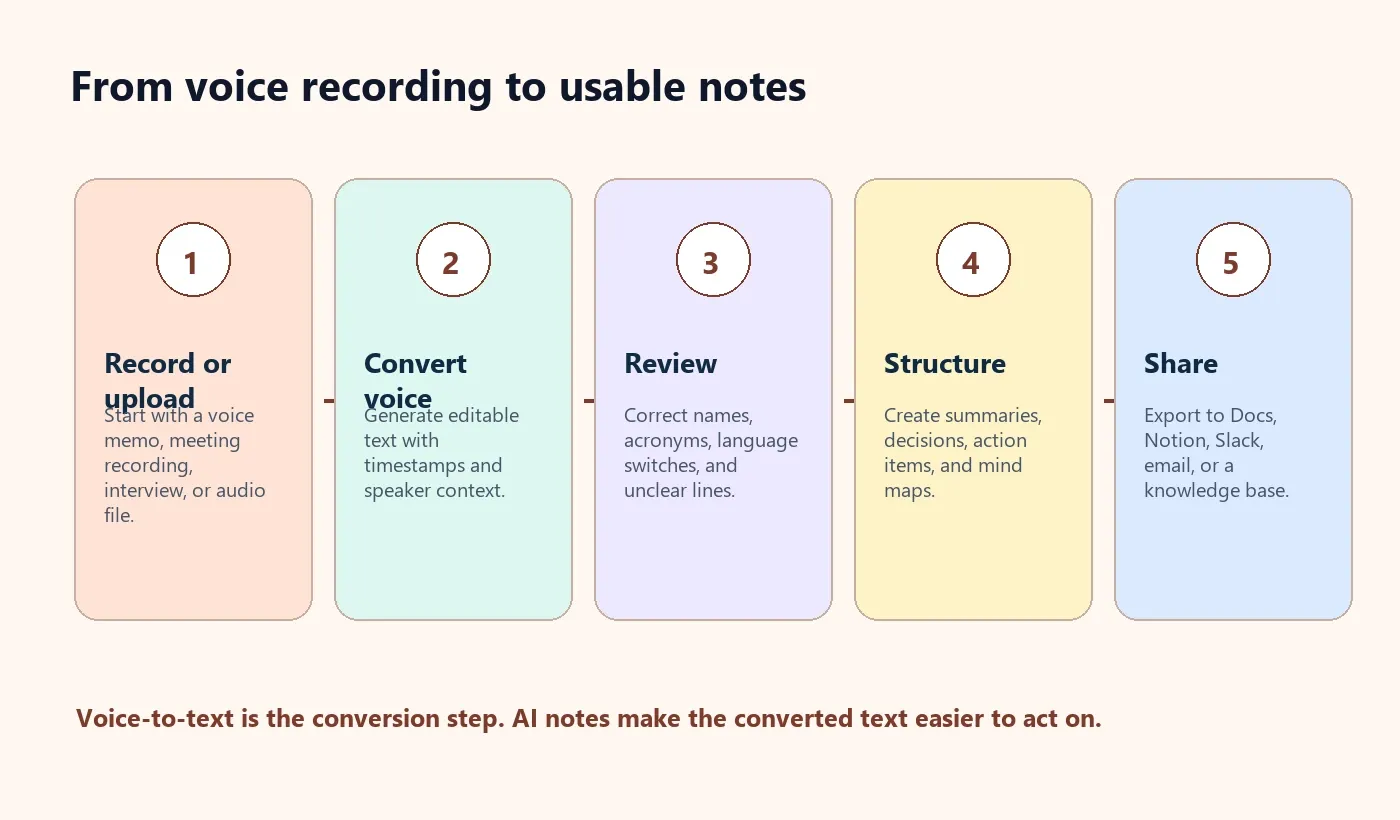
- Record or upload the voice source. Use a voice memo, meeting recording, interview, lecture, webinar, or audio file.
- Convert voice to text. Generate a transcript with punctuation, timestamps, speaker labels, and language detection when available.
- Review key details. Correct names, companies, product terms, acronyms, numbers, and unclear speaker labels.
- Summarize the transcript. Pull out main points, decisions, questions, blockers, and risks.
- Create action items. Convert spoken commitments into tasks with owner, due date, and next step.
- Export the output. Move the transcript and notes to Google Docs, Notion, Slack, email, or a shared knowledge base.
Common Voice-to-Text Use Cases
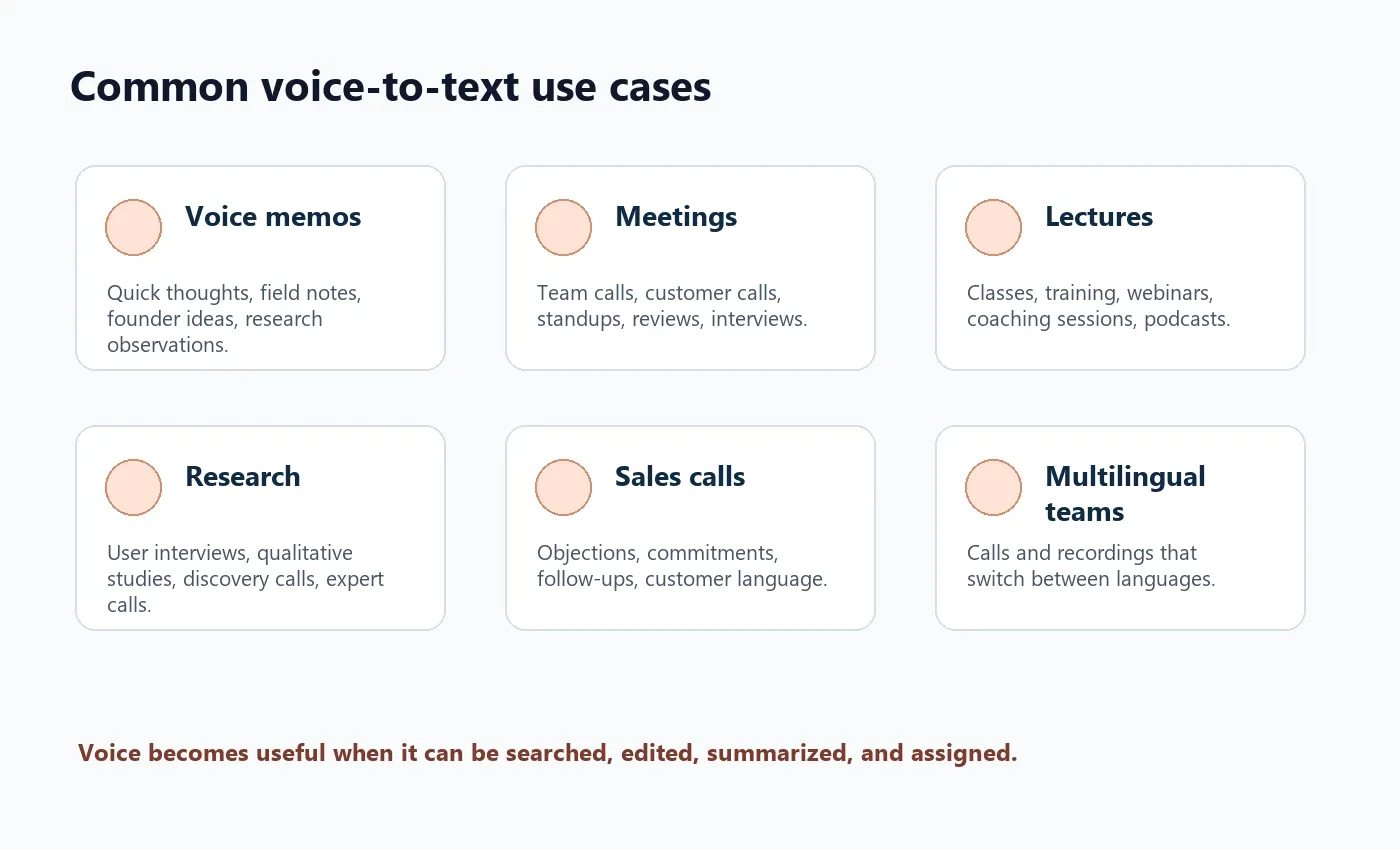
Voice-to-text conversion is broader than meeting transcription. It is useful whenever spoken content has value after the moment passes. That might be a founder recording an idea, a researcher capturing interview evidence, a teacher reviewing lecture content, or a sales leader extracting customer commitments from calls.
| Use case | Source | Useful output |
|---|---|---|
| Voice memos | Phone recordings, field notes, founder ideas | Editable text, summary, idea list |
| Meetings | Zoom, Google Meet, Microsoft Teams, in-person recordings | Transcript, decisions, action items, follow-up recap |
| Interviews | Research, recruiting, customer discovery | Speaker-aware transcript, quotes, themes, evidence |
| Lectures and training | Class recordings, webinars, coaching sessions | Study notes, summary, mind map, key takeaways |
| Sales calls | Demos, discovery calls, customer success check-ins | Objections, commitments, risks, next steps |
| Multilingual work | Regional calls, international interviews, mixed-language recordings | Transcript with language detection and shared team notes |
Definitions: Voice to Text, Speech to Text, Transcription, and AI Notes
Voice to text is the user-facing phrase for converting spoken voice into written text. It often describes tools for voice memos, dictation, recordings, and meeting audio.
Speech to text is the more technical phrase for the same conversion process. It appears in developer documentation, APIs, and automatic speech recognition systems.
Transcription is the finished written record of spoken content. It may be created manually by a person, automatically by software, or with AI assistance.
AI notes are structured outputs created from the transcript: summaries, decisions, action items, owners, due dates, mind maps, and source-grounded Q&A.
| Term | Meaning | Why users search it |
|---|---|---|
| Voice to text converter | Turns spoken voice into written text | They need editable text from recordings or voice memos |
| Speech to text | Speech recognition technology that outputs text | They need a technical or platform-neutral term |
| Audio transcription | Text version of recorded audio | They need searchable, shareable records |
| Transcript summarizer | Condenses long transcripts into key points | They already have text but need faster review |
| AI meeting notes | Transcript plus summary, decisions, and tasks | They need outcomes, not just text |
Manual vs Automatic vs AI-Assisted Voice to Text
Manual transcription can be more careful for high-stakes work, but it is slow. Automatic voice-to-text conversion is fast, but it often leaves users with a long transcript. AI-assisted notes add structure after transcription, which is where most team value appears.
| Method | Best for | Strength | Limitation |
|---|---|---|---|
| Manual transcription | Legal review, research evidence, publication-ready text | Human judgment can catch nuance | Slow and difficult to scale |
| Automatic voice to text | Fast transcripts from voice memos and recordings | Quick, searchable, and easier to share | Still requires cleanup and summarization |
| AI-assisted notes | Meetings, interviews, calls, lectures, webinars | Creates summary, action items, mind map, and Q&A | Requires human review for sensitive or high-stakes content |
Speaker Labels, Timestamps, and Language Detection
Speaker labels and timestamps make a transcript easier to trust. Speaker labels show who said what. Timestamps connect a line of text to the source moment. Language detection matters when voice recordings include multiple languages, accents, or regional teams.
Microsoft's speech documentation describes language identification as part of speech-to-text scenarios, which matches a practical need for global teams: before software can transcribe or summarize well, it needs to understand what language is being spoken.
| Feature | What it gives you | What to verify |
|---|---|---|
| Speaker labels | Who said each section | Names, role changes, and overlapping speakers |
| Timestamps | Source traceability | Important quotes, decisions, and disputed details |
| Language detection | Better setup for multilingual voice recordings | Language switches and proper nouns |
| Transcript editing | Cleaner text before sharing | Acronyms, product terms, customer names, numbers |
Voice-to-Text Accuracy Factors
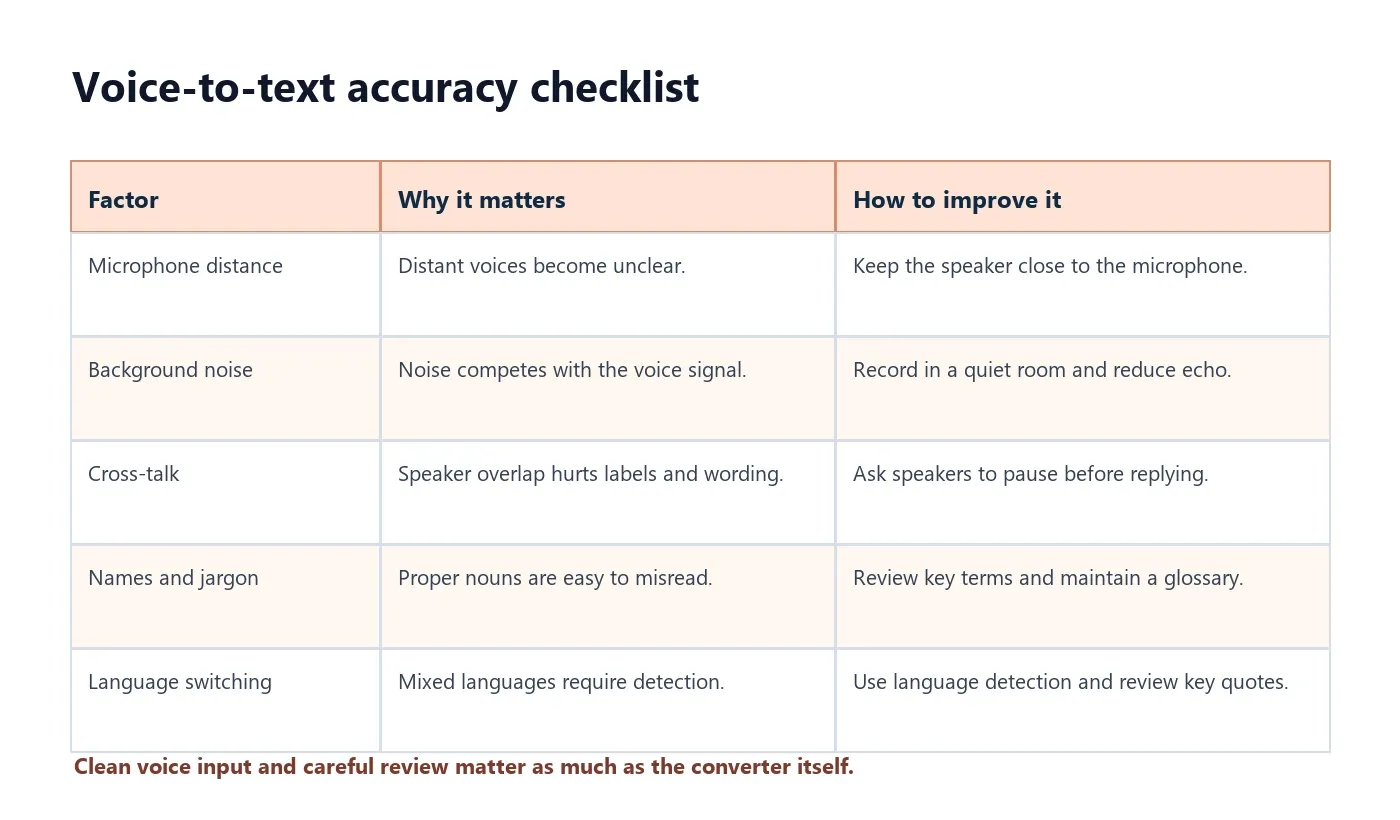
Accuracy is not just a tool feature. It is shaped by the recording environment, microphone, speaker behavior, file quality, language, and review process. Google Cloud's Speech-to-Text best practices emphasize that audio configuration and language settings should match the source audio. NIST's speech recognition work also shows why evaluation often looks at recognition errors, not just whether a transcript exists.
| Factor | What can go wrong | How to improve it |
|---|---|---|
| Microphone quality | Words become muffled or incomplete | Use a headset or dedicated microphone |
| Background noise | Noise competes with the speaker | Record in a quiet room and reduce echo |
| Cross-talk | Speaker labels and words become unreliable | Ask speakers to pause before responding |
| Proper nouns | Names, companies, and products may be wrong | Review key terms before exporting |
| Language switching | Basic tools may treat all speech as one language | Use automatic language detection |
| Source quality | Compressed or clipped files lose detail | Use the cleanest available recording |
Why Raw Voice Transcripts Are Not Enough
A raw transcript solves one problem and creates another. You no longer need to replay the recording, but you may still need to read thousands of words. Important details are often buried: one decision halfway through the call, a customer objection near the end, or an action item mentioned casually in the final minute.
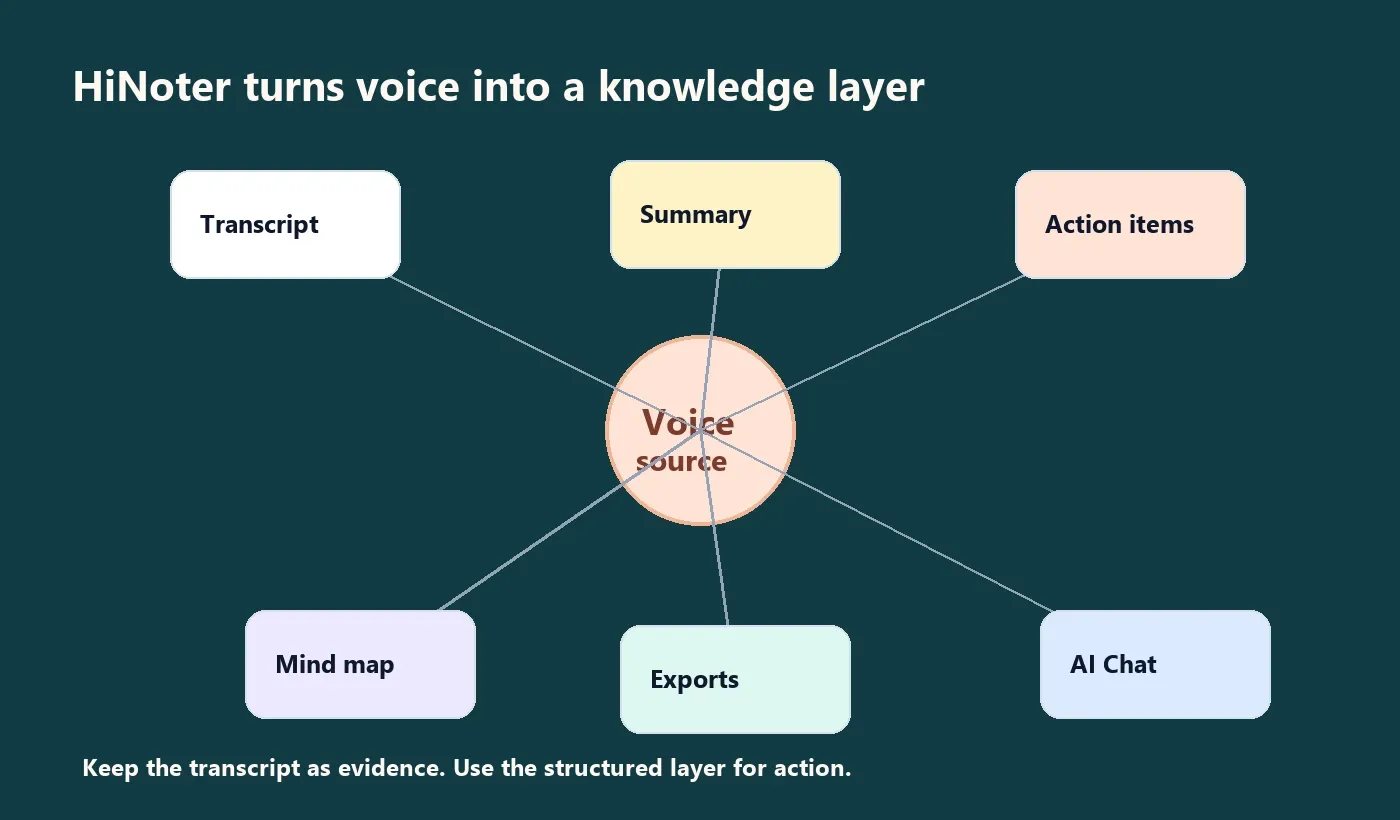
This is where voice-to-text should become a knowledge workflow. If you need more than text, HiNoter turns audio into a transcript plus summary, action items, mind map, exports, and searchable Q&A. That makes the converted voice useful for people who need to act, not just archive.
| Raw transcript issue | AI notes output | Result |
|---|---|---|
| Too much text | Summary | Readers understand the point quickly |
| No clear next step | Action items | Tasks become assignable |
| Topics jump around | Mind map | Complex recordings become easier to scan |
| Quotes are hard to verify | Timestamps and source-grounded Q&A | Answers can be traced back to the source |
| Notes stay in one tool | Exports | Work moves to Docs, Notion, Slack, email, or calendar follow-up |
How HiNoter Works for Voice to Text
HiNoter is a transcription layer plus a knowledge layer. The transcription layer converts voice into text. The knowledge layer turns that text into summaries, tasks, mind maps, exports, and AI Chat grounded in the source.
- Upload voice or connect meeting sources. Use voice memos, audio files, meetings, videos, YouTube links, or PDFs.
- Convert voice to a transcript. HiNoter supports 50+ languages with automatic detection for multilingual teams.
- Structure the transcript. The output becomes summaries, key points, decisions, and topic sections.
- Create action items. Spoken commitments are organized into owners, due dates, and next steps where the source supports it.
- Build a mind map. Topics, decisions, and dependencies become easier to scan visually.
- Ask questions with AI Chat. Users can ask about the recording and receive source-grounded answers.
- Export to work tools. Send outputs to Notion, Slack, Google Docs, calendar workflows, email, or a team knowledge base.
Useful related pages include HiNoter's audio to text converter, AI meeting notes, AI meeting assistant, video to text workflow, mind map generator, and multilingual support.
Editing, Export, and Sharing Options
A voice transcript becomes more valuable when users can clean it up and share it in the right place. Editing is not busywork; it prevents the wrong name, number, deadline, or product term from spreading through the team.
Export matters because voice-to-text tools can become another silo. If the sales team lives in Slack, the recap should reach Slack. If project documentation lives in Notion or Google Docs, the transcript and summary should move there. If a customer needs follow-up, email may be the right final format.
| Export destination | Best for | What to include |
|---|---|---|
| Google Docs | Editable long-form records | Transcript, summary, decisions, action items |
| Notion | Knowledge base and project wiki | Summary, mind map, links, source notes |
| Slack | Fast team recap | Short summary and action items |
| External follow-up | Decisions, owners, due dates, next steps | |
| Calendar workflow | Recurring meetings and reminders | Follow-up tasks and next agenda items |
Privacy and Consent
Voice recordings can contain sensitive material: customer details, employee information, hiring notes, health context, financial data, legal discussions, and private opinions. Treat transcripts as business records. Before recording or converting voice to text, confirm your organization's policy and the legal requirements for the participant locations involved.
A practical notice for routine meetings is simple: "We are using HiNoter to convert this voice recording into a transcript and generate AI notes. The recap will be shared with attendees." Use approved legal language for regulated, sensitive, or external meetings.
Also decide how much to share. A broad team may only need the summary and action items. The full transcript and source recording may belong with a smaller group.
FAQ
What is a voice to text converter?
A voice to text converter turns spoken voice into editable written text. AI-assisted converters can also create summaries, action items, mind maps, exports, and searchable Q&A from the transcript.
Is voice to text the same as speech to text?
Voice to text and speech to text are often used interchangeably. Both describe converting spoken words into written text, though speech to text is the more technical term.
Can HiNoter summarize voice recordings?
Yes. HiNoter can convert voice or audio into a transcript, then generate summaries, action items, mind maps, exports, and searchable Q&A grounded in the source.
What affects voice to text accuracy?
Microphone quality, background noise, speaker overlap, accents, proper nouns, technical terms, source quality, and language switching all affect voice to text accuracy.
Can voice to text identify speakers?
Some tools can label speakers or separate speaker turns. The result is better when speakers introduce themselves, use clear microphones, and avoid talking over each other.
Can I convert multilingual voice recordings to text?
Yes, if the tool supports the languages in the recording. HiNoter supports 50+ languages with automatic detection for multilingual teams.