Short Answer
A YouTube video transcript is the text version of the spoken content in a YouTube video. For permitted videos, you can use the transcript to search, quote, summarize, and build notes. HiNoter turns video transcripts into chaptered summaries, key points, action items, mind maps, and source-grounded AI Chat.
| User goal | Transcript alone | HiNoter video notes |
|---|---|---|
| Find what was said | Searchable text | Searchable text plus source-grounded AI Chat |
| Understand the video fast | Read the full transcript | Chaptered summary and key takeaways |
| Remember the content | Manual notes | Structured notes and mind map |
| Act on a training or demo | Manual task extraction | Action items, owners, and follow-up context |
Safe-use note: Process videos you own, have permission to use, or can lawfully use under applicable terms and copyright rules. Do not use transcript workflows to bypass access controls, download restrictions, or rights boundaries.
Why People Search for a YouTube Video Transcript
Most people are not searching for a transcript because they love transcripts. They want the value inside a video without rewatching the whole thing. A tutorial may contain one command you need. A webinar may include one customer objection. A lecture may include a definition worth saving. A demo may contain a feature explanation your team needs later.
A transcript turns spoken video into text. Text can be searched, quoted, summarized, translated, copied into notes, and connected to other sources. That makes a transcript the first layer of video knowledge.
But a long transcript can still be slow to use. A 70-minute podcast might produce thousands of words. The useful content may be scattered across chapters. That is why a video-to-knowledge workflow should include summaries, notes, mind maps, and source-grounded Q&A, not only the transcript itself.
What Users Can Legally Process
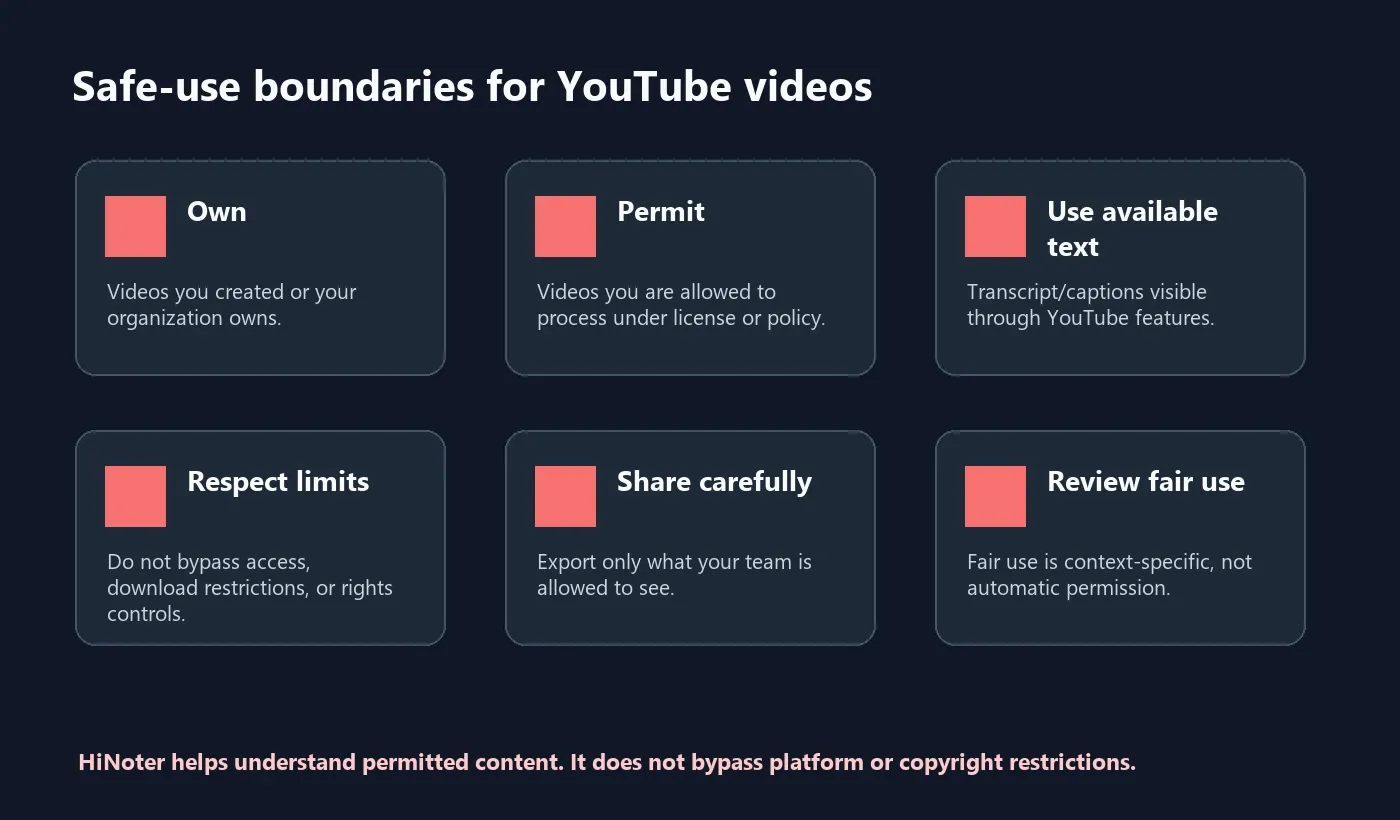
YouTube's help documentation explains how users can view transcripts when available. YouTube's Terms of Service and copyright guidance also matter: availability does not automatically mean unlimited reuse. The safest workflow is to process videos you own, videos your organization controls, videos you have permission to use, or content that your legal or policy context allows.
| Content type | Safer use | Avoid |
|---|---|---|
| Your own videos | Summaries, notes, outlines, mind maps, content repurposing | Sharing confidential drafts too broadly |
| Company training | Internal searchable notes and process checklists | Exporting sensitive transcripts outside approved tools |
| Public videos | Research, study, and reference within allowed boundaries | Assuming public access equals reuse permission |
| Licensed videos | Notes and summaries within the license or permission scope | Sharing beyond the licensed audience |
| Copyrighted third-party videos | Only when permission, license, or valid legal basis applies | Bypassing platform controls or rights restrictions |
Transcript vs Summary vs Notes vs Mind Map
A transcript is not a summary, and a summary is not a complete note system. Each output answers a different question.
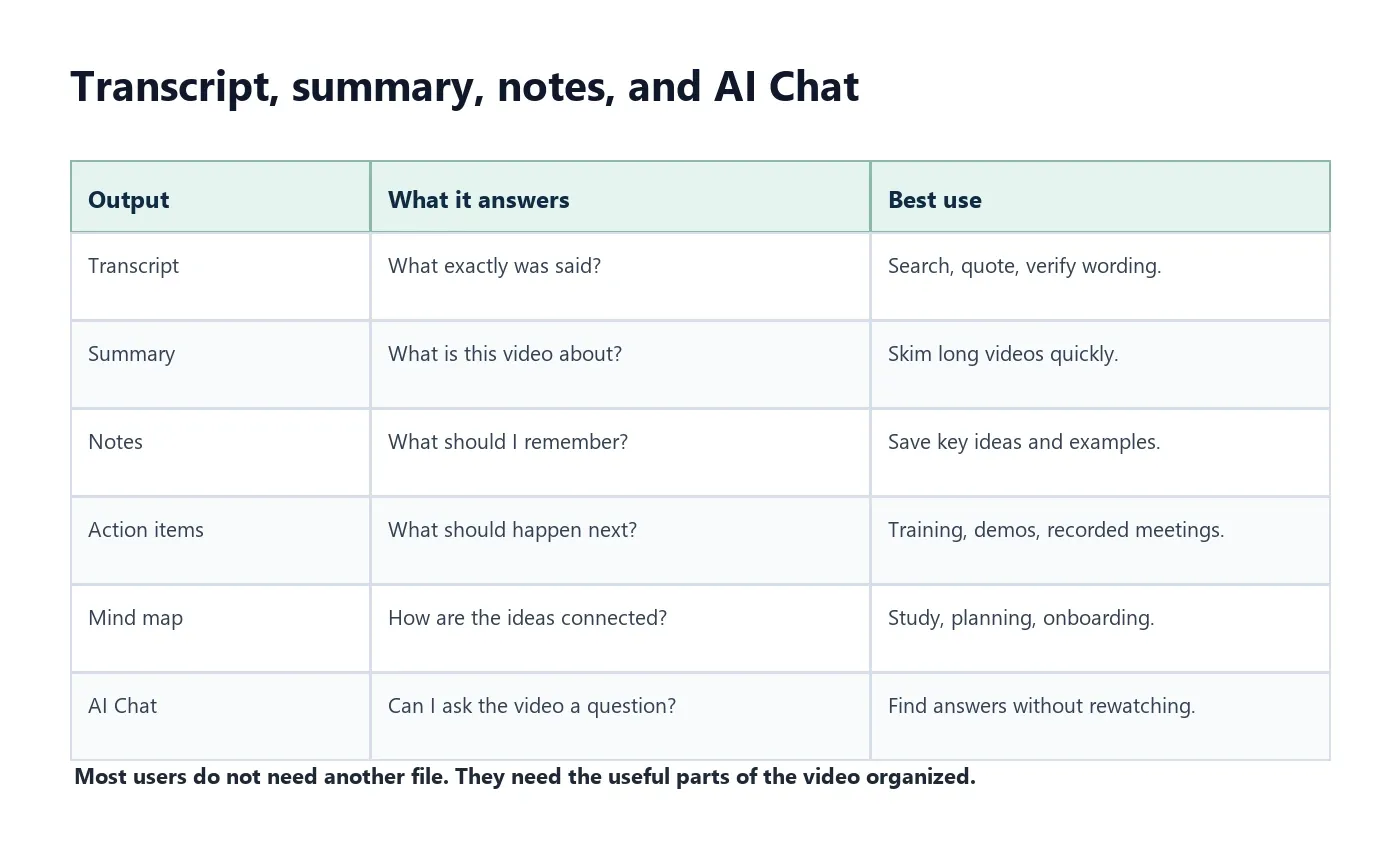
Transcript: What exactly was said?
Summary: What was the video about?
Notes: What should I remember or share?
Mind map: How are the ideas connected?
AI Chat: Can I ask the video a question and trace the answer to the source?
Step-by-Step Workflow: From Transcript to Notes
For permitted YouTube or video content, the workflow should move from source to structure.
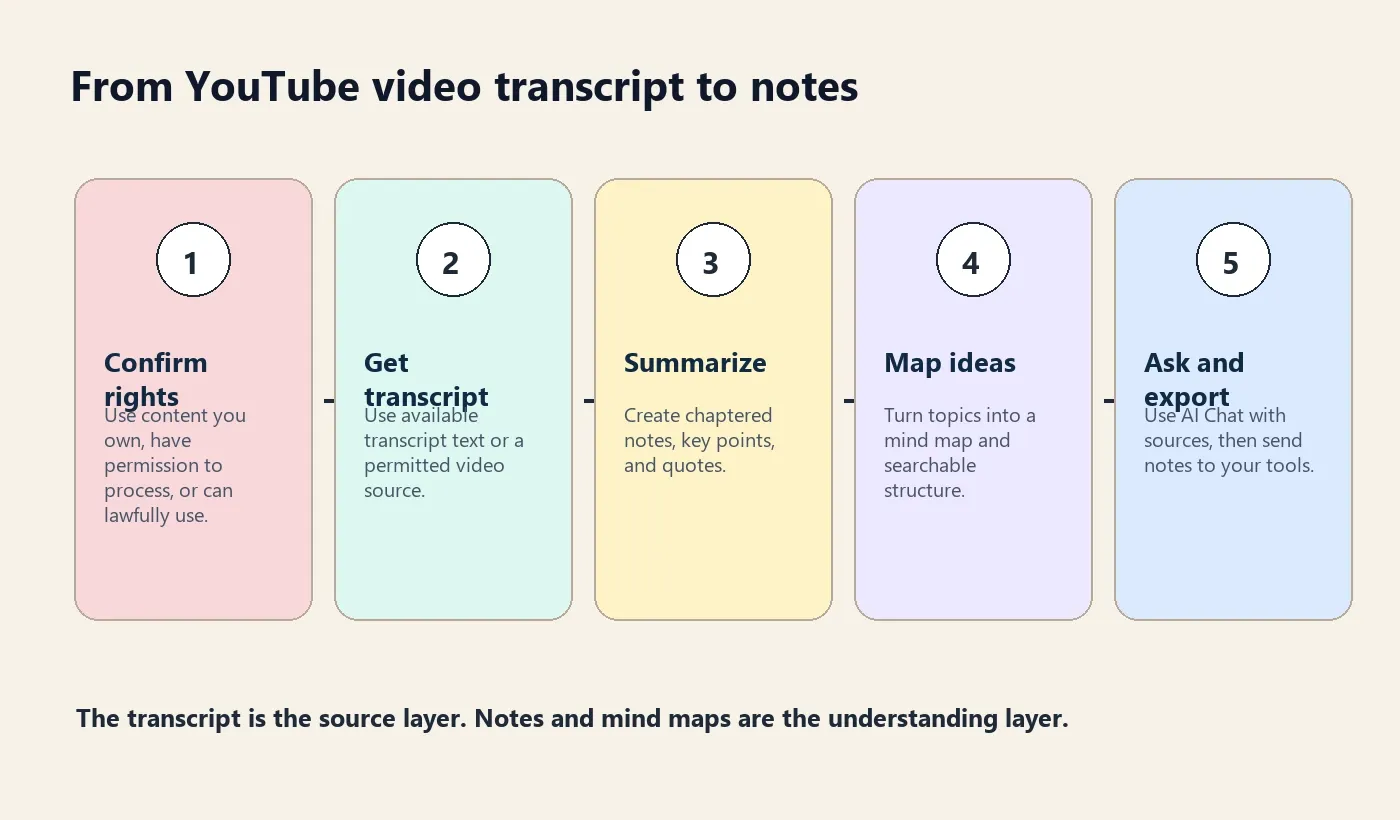
- Confirm safe use. Use content you own, have permission to process, or can lawfully use under applicable terms and copyright rules.
- Get the transcript. Use available YouTube transcript text or a permitted video source.
- Clean the text. Check names, technical terms, timestamps, quotes, and any unclear sections.
- Create a chaptered summary. Split long videos into sections so the structure becomes clear.
- Extract key points. Pull out definitions, examples, instructions, decisions, and useful quotes.
- Build notes and mind maps. Turn the content into a format people can scan and revisit.
- Create action items if relevant. Training videos, recorded meetings, and demos often include next steps.
- Ask the source with AI Chat. Query the video transcript and trace answers to source references.
- Export to your workflow. Send notes to Google Docs, Notion, Slack, email, or your knowledge base.
How HiNoter Turns YouTube Video Transcripts Into Knowledge
HiNoter is the content-understanding layer for permitted videos. It can turn YouTube or video content into transcripts, then structure that content into summaries, chapters, key points, action items, mind maps, exports, and AI Chat with source references.
This is different from a transcript-only workflow. Transcript-only tools give you text. HiNoter helps you understand and reuse the text. That matters for teams that do not want another file, students who do not want to rewatch a lecture, creators who want to repurpose owned videos, and operators who need tasks from recorded trainings.
| HiNoter output | What it does | Best use |
|---|---|---|
| Transcript | Creates searchable text from video speech | Find exact wording, definitions, and quotes |
| Chaptered summary | Breaks long videos into sections | Skim webinars, tutorials, podcasts, and lectures |
| Key points | Extracts the reusable ideas | Share a concise recap with a team |
| Action items | Identifies next steps when the video contains commitments | Recorded meetings, trainings, demos, internal updates |
| Mind map | Shows how topics connect | Study, onboarding, planning, research synthesis |
| AI Chat with sources | Answers questions from the transcript | Ask the video a question instead of rewatching |
Examples by Video Type
The right note format depends on the video. A software tutorial needs steps. A lecture needs concepts. A webinar needs questions, objections, and takeaways. A recorded internal update needs action items.
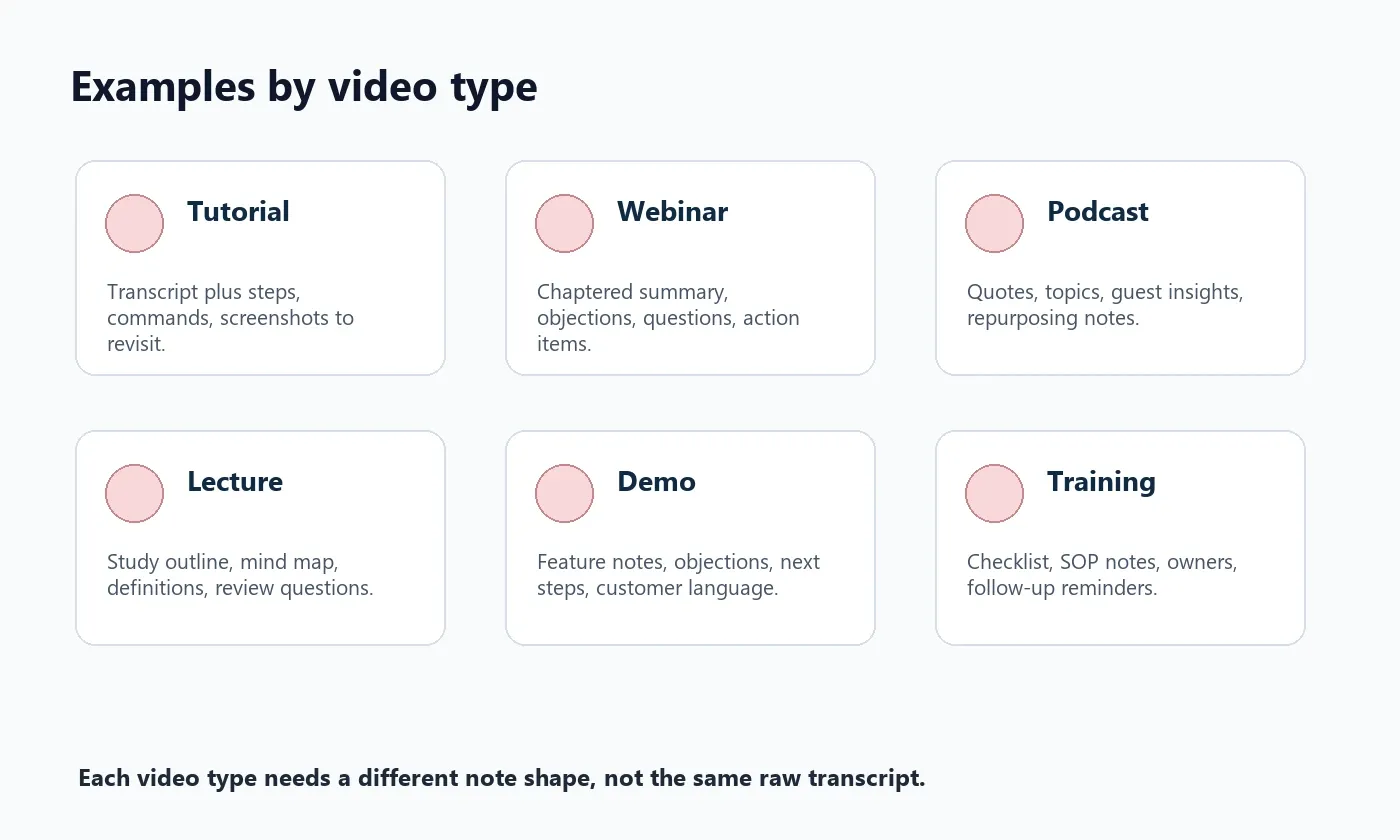
| Video type | What users usually need | Recommended output |
|---|---|---|
| Tutorial | Steps, commands, tools, settings | Transcript, step list, summary, source-linked Q&A |
| Webinar | Chapters, audience questions, takeaways | Chaptered summary, key points, action items |
| Podcast | Quotes, themes, speaker insights | Transcript, topics, highlights, repurposing notes |
| Lecture | Definitions, structure, study prompts | Notes, mind map, review questions |
| Demo | Features, objections, next steps | Key moments, action items, follow-up notes |
| Training | Process, checklist, owner responsibilities | Summary, SOP notes, action items, exported checklist |
Supported Inputs and Exports
HiNoter can support more than a single YouTube video transcript. Teams often combine videos with PDFs, meeting recordings, audio clips, and written notes. That makes the output more useful for real workflows.
| Input or export | Examples | Why it helps |
|---|---|---|
| Video input | Permitted YouTube videos, MP4, MOV, webinars, lectures, demos | Turns video into searchable notes |
| Audio input | Podcasts, interviews, MP3, M4A, meeting audio | Captures spoken content beyond video |
| PDF input | Slides, manuals, worksheets, agenda docs | Adds context beside the transcript |
| Exports | Google Docs, Notion, Slack, email, knowledge base | Moves video knowledge into team workflows |
| Interactive Q&A | AI Chat with source references | Lets users ask questions after the video ends |
Related HiNoter pages include video to text, audio to text converter, PDF to text, AI meeting notes, mind map generator, and the HiNoter AI note taker.
Privacy, Copyright, and Practical Boundaries
Video transcripts can include private, copyrighted, or confidential information. Before processing, decide whether the video is allowed, who can access the output, and where the notes can be stored.
YouTube's Terms of Service restrict content access and use except as allowed by YouTube or rights holders. YouTube's copyright help explains that creators generally own original videos they create. The U.S. Copyright Office explains fair use as a legal doctrine that depends on context. This page is not legal advice, but the practical rule is simple: use HiNoter to understand permitted content, not to bypass permissions.
FAQ
What is a YouTube video transcript?
A YouTube video transcript is a text version of the spoken content in a YouTube video. When available and lawfully used, it can be searched, summarized, quoted, and turned into notes.
Can I use any YouTube video transcript?
You should only process transcripts from videos you own, have permission to use, or can lawfully use under applicable terms and copyright rules. Do not use transcript workflows to bypass access controls or rights restrictions.
How is a transcript different from notes?
A transcript records what was said in chronological order. Notes organize the useful ideas, decisions, key points, action items, and source references from the transcript.
Can HiNoter turn a YouTube video transcript into a mind map?
Yes. HiNoter can use permitted video content to generate transcripts, summaries, key points, action items, mind maps, exports, and searchable AI Chat with source references.
Can I ask questions about a YouTube transcript?
With HiNoter AI Chat, users can ask questions about permitted video content and receive source-grounded answers from the transcript and notes.
What is the best output for long YouTube videos?
Long videos usually need more than a transcript. Chaptered summaries, key takeaways, mind maps, and AI Chat make long tutorials, webinars, lectures, and podcasts easier to use.