Short Answer
An audio to text converter turns spoken audio into editable, searchable text. The best workflow starts with a clean audio file or recording, adds speaker labels and timestamps, supports language detection, then turns the transcript into summaries, action items, mind maps, exports, and source-grounded AI Chat so the audio becomes usable knowledge.
| Need | Basic converter output | HiNoter output layer |
|---|---|---|
| Search the audio | Transcript text | Transcript plus AI Chat with source references |
| Share the useful parts | Copied transcript excerpts | Summary, decisions, and key points |
| Follow up after a call | Manual notes from the transcript | Action items with owners, dates, and next steps |
| Understand long recordings | Long chronological text | Mind map, topics, and structured recap |
What an Audio to Text Converter Actually Does
An audio to text converter uses speech-to-text technology to transform spoken words into written text. It can be used for meetings, interviews, voice memos, lectures, webinars, podcasts, sales calls, user research sessions, support calls, and recorded training. For people who need to search, quote, edit, or share spoken content, transcription is the first step.
The first step is not always the final answer. A raw transcript captures words in order. Teams usually need outcomes. A customer success manager wants commitments. A product manager wants decisions. A recruiter wants interview evidence. A founder wants the two action items hidden inside a 45-minute conversation. That is why modern transcription workflows increasingly combine audio transcription with transcript summarization, action item extraction, mind maps, and source-grounded Q&A.
W3C's accessibility guidance treats transcripts as a useful way to make audio and video content available in text form. That accessibility benefit also becomes an operational benefit: text can be searched, quoted, translated, summarized, and shared more easily than audio alone.
Audio to Text Converter Workflow: Upload, Transcribe, Review, Export
Most users arrive with one immediate question: "How do I turn this audio into text?" The practical answer is straightforward, but the quality of the result depends on the source, settings, and review process.
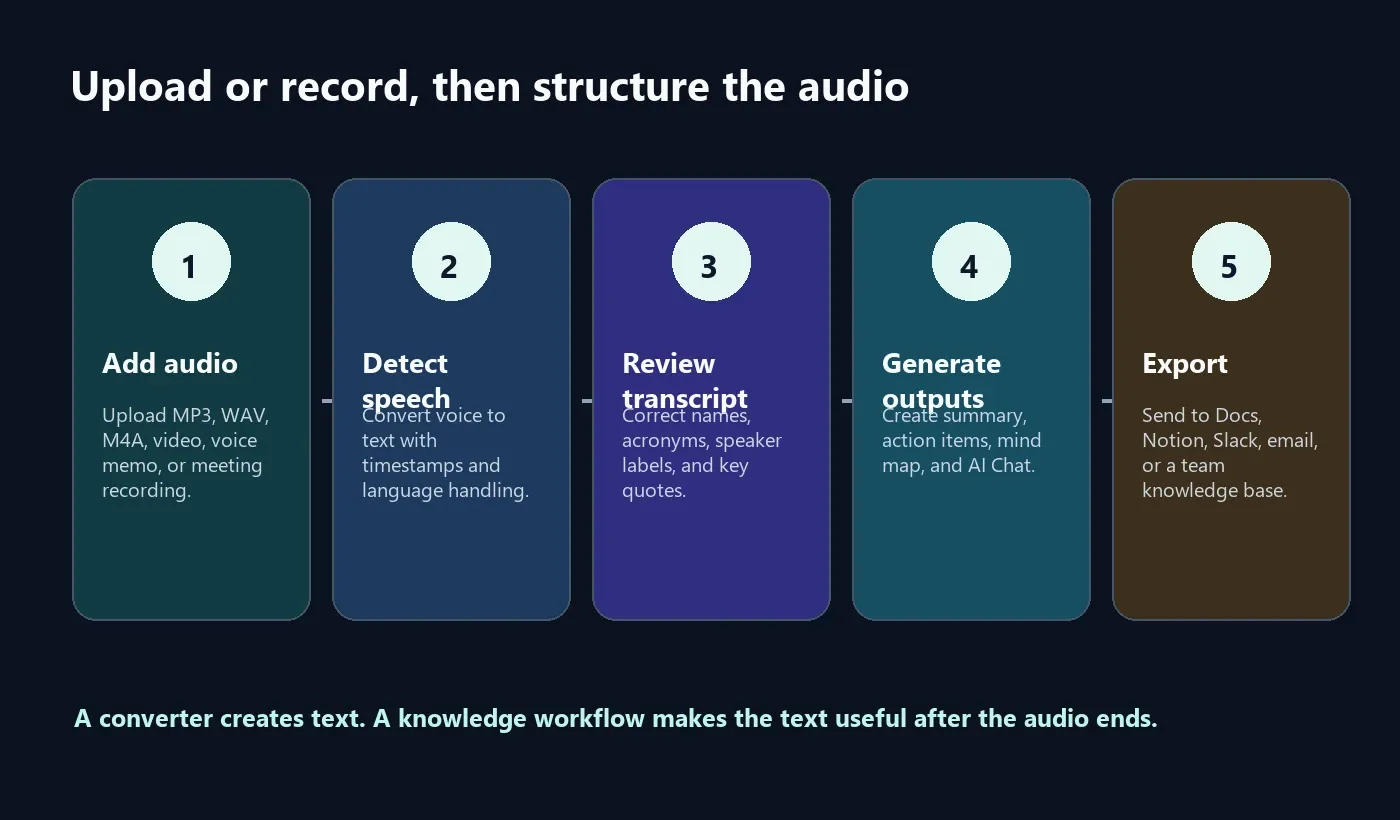
- Upload or record the audio. Start with a meeting recording, voice memo, MP3, WAV, M4A, video file, webinar, lecture, or live meeting.
- Choose the language or enable detection. If the audio includes multiple regions or accents, automatic language detection helps reduce setup errors.
- Generate the transcript. Convert speech to text with punctuation, speaker labels, and timestamps where available.
- Review the important details. Fix names, product terms, numbers, acronyms, speaker labels, and unclear words before sharing.
- Summarize the transcript. Extract the main points, decisions, questions, risks, objections, and commitments.
- Create action items. Add owner, due date, task, and next step so the recording leads to follow-up.
- Export or sync. Send outputs to Google Docs, Notion, Slack, email, calendar workflows, or a team knowledge base.
This is the difference between transcription as a file conversion task and transcription as a knowledge workflow. The first gives you text. The second gives you a useful record.
Supported Sources and Audio Formats
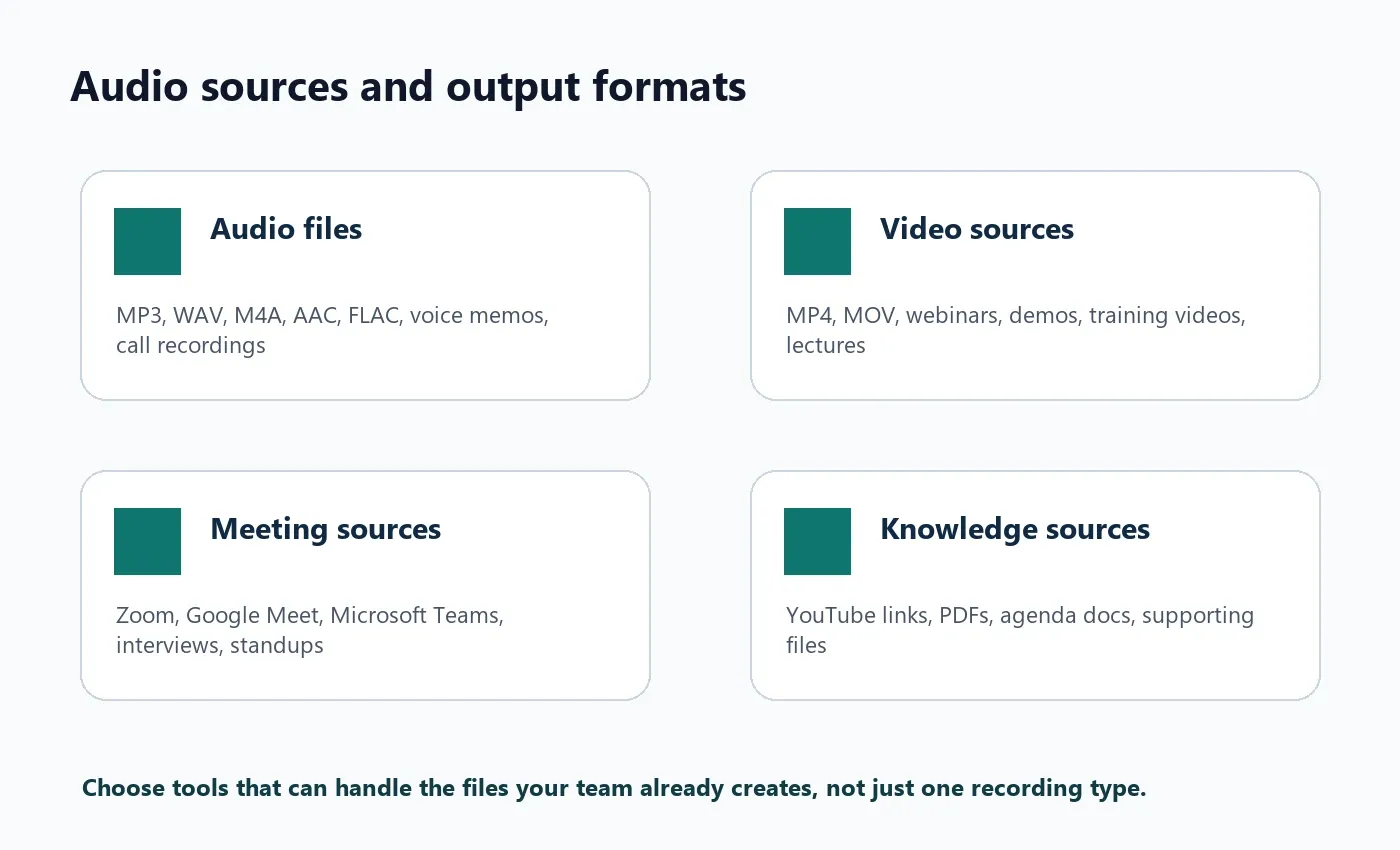
A useful converter should handle the way teams actually capture knowledge. Audio may come from a mobile voice memo, a sales call recording, an interview, a podcast, a webinar, a support call, or a meeting platform. The converter should not force every team into a single source type.
| Source type | Examples | Best use case |
|---|---|---|
| Audio files | MP3, WAV, M4A, AAC, FLAC, voice memos | Interviews, field notes, call recordings, research sessions |
| Meeting recordings | Zoom, Google Meet, Microsoft Teams, customer calls | Transcripts, summaries, decisions, action items |
| Video files | MP4, MOV, webinars, demos, lectures, training videos | Video-to-text plus summary and searchable notes |
| Online sources | Permitted YouTube videos, public talks, owned training content | Summaries, key points, study notes, research extraction |
| Supporting files | PDFs, agenda docs, briefing notes, slides | Context beside the transcript for better knowledge retrieval |
Google Cloud's Speech-to-Text documentation notes that supported encodings and accurate configuration matter for recognition quality. In plain English: the file has to be readable by the transcription system, and the audio description should match the actual audio. When a tool accepts many sources and handles conversion cleanly, users spend less time fighting file formats and more time using the transcript.
Definitions: Transcription, Speech to Text, Voice to Text, and AI-Assisted Transcription
Transcription is the process of converting spoken audio into written text. It can be manual, automatic, or AI-assisted.
Speech to text is the technology layer that recognizes spoken words and outputs text. It is often used for meeting transcription, captions, dictation, and voice interfaces.
Voice to text is a common user-facing phrase for the same basic conversion: spoken voice becomes editable text.
AI-assisted transcription uses the transcript as source material for additional outputs: summaries, action items, decisions, mind maps, speaker-aware notes, and Q&A grounded in the original audio.
| Term | Plain-English meaning | Where it fits |
|---|---|---|
| Audio transcription | Turning spoken audio into written text | The source layer |
| Speech to text | Technology that recognizes speech and produces text | The conversion engine |
| Transcript summarizer | A tool that condenses long transcripts into key points | The review layer |
| AI meeting notes | Structured notes with summary, decisions, and action items | The knowledge layer |
Manual Transcription vs Automatic Transcription vs AI Notes
There is no single method that fits every situation. Legal review, academic research, internal meetings, sales calls, and voice memos all have different tolerance for speed, cost, review time, and structure.
| Method | Best for | Strength | Limitation | HiNoter fit |
|---|---|---|---|---|
| Manual transcription | Legal, research, publication-grade transcripts | Human review can catch nuance | Slow and expensive at scale | Use when the transcript must be reviewed line by line |
| Automatic audio to text | Fast searchable text from recordings | Quick and scalable | Raw transcripts still need cleanup and summarization | Use HiNoter to add summaries and tasks after conversion |
| AI-assisted notes | Teams that need outcomes, not just text | Creates summaries, action items, mind maps, and Q&A | Requires review for sensitive or high-stakes content | Best fit for meetings, interviews, webinars, and team knowledge |
Speaker Labels, Timestamps, and Language Detection
Raw text is useful. Structured transcript data is better. Speaker labels tell you who said what. Timestamps help you trace a line back to the source moment. Language detection reduces setup friction for international teams. These features are especially important when audio becomes part of a project record.
Speaker labels are not magic. They improve when speakers avoid talking over one another, use clear microphones, and introduce themselves. Timestamps are most useful when the transcript is connected to the source audio or video. Language detection is valuable when teams use English in one section, Portuguese in another, and Spanish or French in side comments.
Microsoft's speech documentation describes language identification as a feature that can work with speech-to-text scenarios. That points to an important reality: multilingual transcription is not just translation. It starts with correctly identifying what language is being spoken.
| Feature | What it solves | What to review |
|---|---|---|
| Speaker labels | Identifies who said what | Names, role changes, and overlapping speakers |
| Timestamps | Connects text to the source moment | Important quotes, decisions, and disputed details |
| Language detection | Handles multilingual audio with less setup | Language switches, accents, and proper nouns |
| Editing | Improves trust before sharing | Acronyms, customer names, product terms, numbers |
Accuracy Factors for Audio Transcription
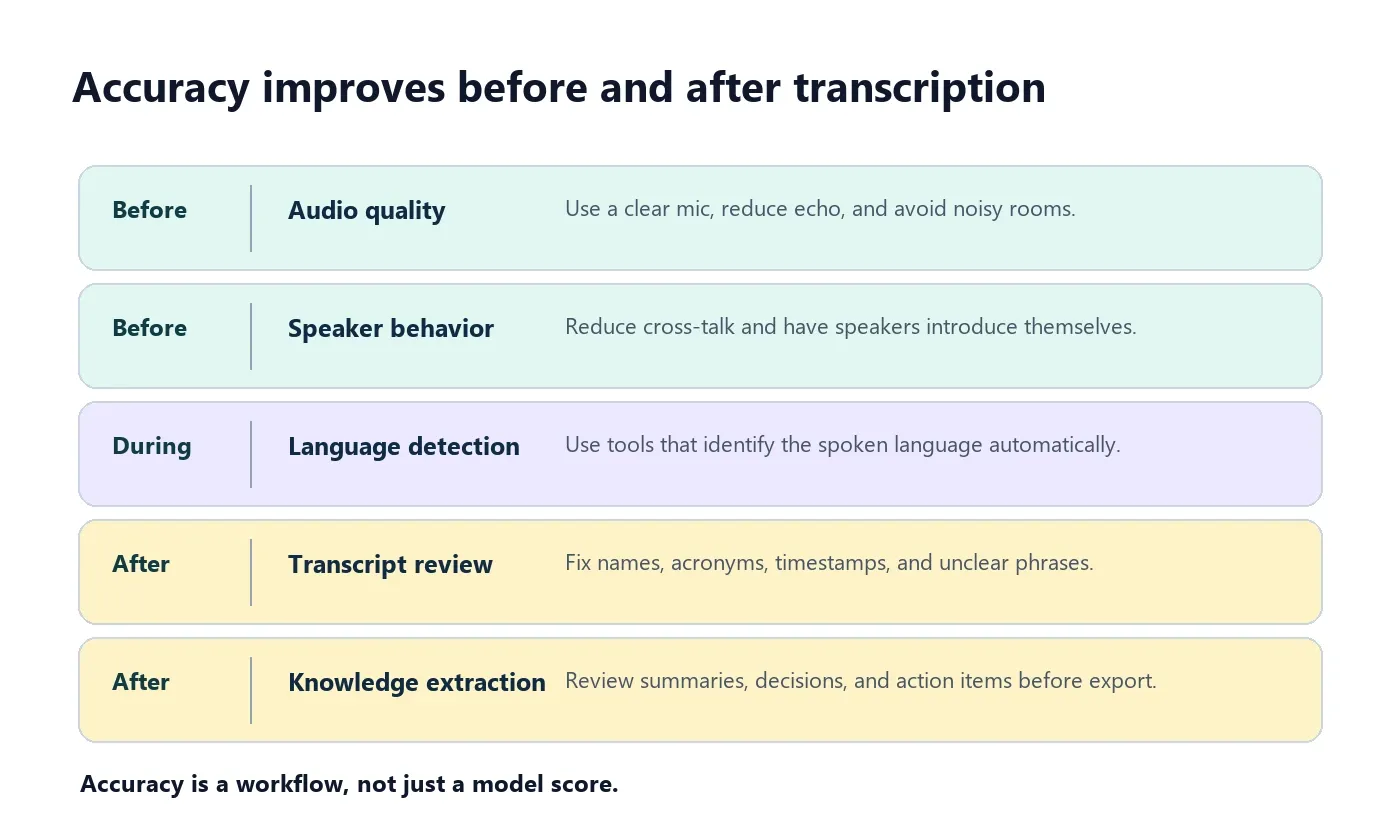
Accuracy is not only a model score. It is a workflow. NIST has long used word error rate as a way to evaluate automatic speech recognition performance, but everyday business users usually experience accuracy more practically: Can I trust the quote? Did it get the speaker right? Did it capture the action item? Did it miss the product name?
| Factor | Why it matters | Practical improvement |
|---|---|---|
| Microphone quality | Distant or muffled audio creates uncertain words | Use a headset or dedicated microphone |
| Background noise | Noise competes with speech | Record in a quieter room and reduce echo |
| Cross-talk | Overlapping speech hurts speaker labels | Pause before responding and avoid side conversations |
| Technical terms | Acronyms and product names are easy to misspell | Review key terms and maintain a glossary |
| Language mix | Multilingual audio can confuse basic tools | Use automatic language detection and review important quotes |
| Meeting clarity | Vague conversation creates vague outputs | End with decisions, owners, and dates spoken clearly |
Why Raw Transcripts Are Often Not Enough
Teams rarely fail because they lack words. They fail because the useful words are buried. A one-hour customer call can create 12,000 words of transcript, but the business value might be three objections, two requirements, one risk, and four follow-up tasks. The raw transcript contains them. It does not prioritize them.
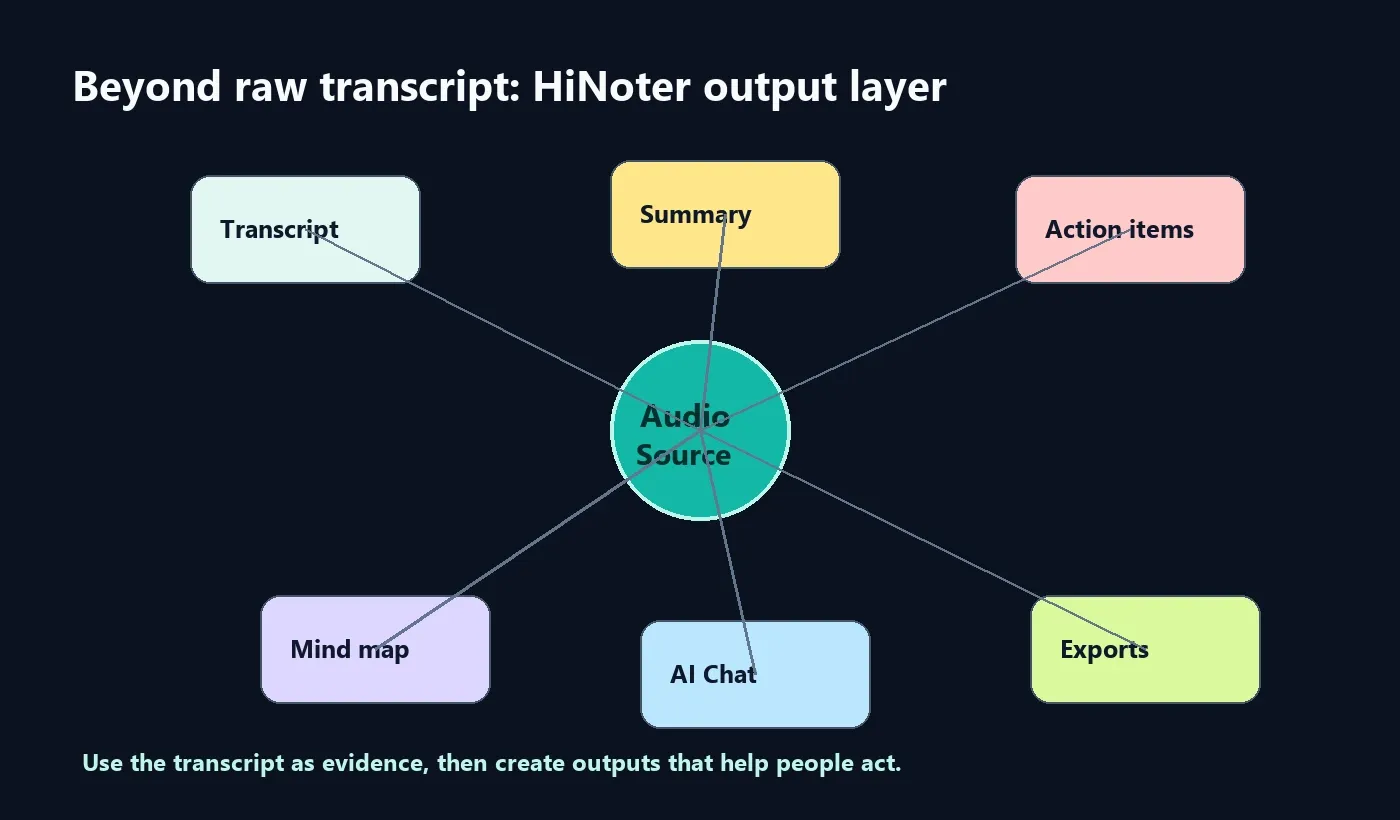
This is the point where an audio to text converter should become more than a converter. If the output stops at a transcript, someone still has to read the whole document, write a summary, identify action items, assign owners, and move the recap into Slack, Notion, Google Docs, or email.
If you need more than text, HiNoter turns audio into a transcript plus summary, action items, mind map, exports, and searchable Q&A. That sentence is the product promise in its most practical form: keep the evidence, then produce the working layer.
| Raw transcript problem | HiNoter knowledge output | Why it matters |
|---|---|---|
| Too long to read | AI summary | People understand the outcome quickly |
| Important points are buried | Key points and decisions | Critical details are easier to find |
| Tasks are mentioned casually | Action items with owner and due date | Follow-up becomes assignable |
| Topics jump around | Mind map | Complex audio becomes easier to scan |
| People ask the same questions later | Source-grounded AI Chat | Answers can point back to the original source |
How HiNoter Works as a Transcription Layer Plus Knowledge Layer
HiNoter is not just a recorder. It is an AI meeting notes and transcription platform built for teams that need to convert conversations into structured work. The transcription layer creates searchable text. The knowledge layer turns that text into something people can act on.
- Upload audio or connect a meeting workflow. Use audio files, video files, meeting recordings, live calls, YouTube links, or PDFs as source material.
- Transcribe with language support. HiNoter supports 50+ languages with automatic detection, useful for distributed teams and international customer calls.
- Structure the transcript. The transcript becomes a summary, key points, decisions, topic sections, and a mind map.
- Extract follow-up. Action items are organized with owner, task, due date, and context where the source supports it.
- Ask the source. AI Chat lets users ask questions and receive answers grounded in the transcript or uploaded content.
- Export to your workflow. Send outputs to Notion, Slack, Google Docs, calendar workflows, email, or a shared knowledge base.
Useful related pages include HiNoter's audio to text converter, AI meeting notes, AI meeting assistant, video to text workflow, mind map generator, and multilingual support.
Editing, Export, and Team Sharing
Good transcription workflows make review easy. Teams should be able to correct the transcript, keep timestamps, preserve source context, and export outputs without copy-pasting between tools.
Editing matters because names and acronyms often carry business meaning. If the transcript mistakes a customer name, product code, or deadline, the downstream summary can inherit the mistake. Review the details that matter before broad sharing.
Export matters because knowledge locked inside a transcription tool becomes another silo. A sales team may need the recap in CRM notes or Slack. A product team may need decisions in Google Docs or Notion. An operations team may need action items emailed to owners. HiNoter is strongest when the transcript becomes part of the team's existing system instead of another file people forget to open.
| Export destination | Best for | What to send |
|---|---|---|
| Google Docs | Editable meeting records and shared documentation | Transcript, summary, decisions, and action items |
| Notion | Project knowledge bases and team wikis | Summary, mind map, source notes, and links |
| Slack | Fast team follow-up | Concise recap and action items |
| Client recap and formal follow-up | Decisions, owners, deadlines, and next steps | |
| Calendar workflow | Recurring meetings and follow-up reminders | Action items, due dates, and next agenda topics |
Privacy and Consent for Audio Transcription
Audio files can contain sensitive material: customer names, contract terms, recruiting notes, internal strategy, pricing, medical details, student information, financial forecasts, and personal opinions. Treat transcripts as business records, not casual notes.
Before recording or transcribing, confirm your organization's policy and the rules that apply to the people in the audio. Consent requirements vary by location and context. For routine team calls, a simple notice may be enough: "We are using HiNoter to transcribe this audio and generate a summary and action items. The recap will be shared with attendees." For legal, HR, healthcare, education, and finance, use approved language.
Privacy is also a workflow issue. Decide who can access raw audio, who can see transcripts, who receives summaries, and where exports are stored. A short summary may be appropriate for a broad team, while the full transcript should stay with a smaller group.
Who Should Use an Audio to Text Converter With AI Notes?
| User or team | Typical audio problem | HiNoter fit |
|---|---|---|
| Sales and customer success | Customer needs and objections disappear into call recordings | Extract commitments, risks, action items, and follow-up summaries |
| Product and research | Interview insights are buried in long transcripts | Create searchable notes, themes, decisions, and cited answers |
| Operations | Follow-up tasks are mentioned but not assigned | Turn audio into owners, due dates, and task-ready recaps |
| Education and training | Lectures and webinars are hard to review later | Generate transcript, summary, mind map, and study notes |
| Multilingual teams | Recordings include multiple languages and regional accents | Use 50+ language support and automatic detection |
FAQ
What is an audio to text converter?
An audio to text converter turns spoken audio into written text. AI-assisted converters can also structure the transcript into summaries, action items, mind maps, exports, and source-grounded Q&A.
Can an audio to text converter identify speakers?
Some audio transcription tools can label speakers or separate speaker turns, but accuracy depends on audio quality, overlap, microphone setup, and whether speakers introduce themselves clearly.
What audio formats can be converted to text?
Common sources include MP3, WAV, M4A, AAC, FLAC, voice memos, meeting recordings, video files, webinars, and permitted online audio or video sources. Format support varies by tool.
Is a transcript enough after converting audio to text?
A transcript is useful for search and quoting, but teams usually need a summary, decisions, action items, owners, due dates, and source-grounded Q&A to act on the audio.
Can HiNoter summarize audio after transcription?
Yes. HiNoter can turn audio into a transcript, then generate a summary, action items, mind map, exports, and searchable Q&A grounded in the source.
Does HiNoter support multilingual audio transcription?
HiNoter supports 50+ languages with automatic detection, which is useful for international meetings, interviews, webinars, and distributed teams.
How can I improve audio transcription accuracy?
Use a clear microphone, reduce background noise, avoid cross-talk, identify speakers, review names and acronyms, and use a tool with language detection when the audio includes multiple languages.