Best Team Collaboration Tools for Remote Teams: Chat, Docs, Calendar, and AI Meeting Notes
The best team collaboration tools do not all solve the same problem. Remote teams need chat for quick decisions, docs for durable context, calendars for time, project tools for ownership, automation for handoffs, and AI meeting notes for the conversations where decisions often vanish. Buying one oversized suite can help, but most teams still need a clean stack with clear jobs.
Short Recommendation Summary
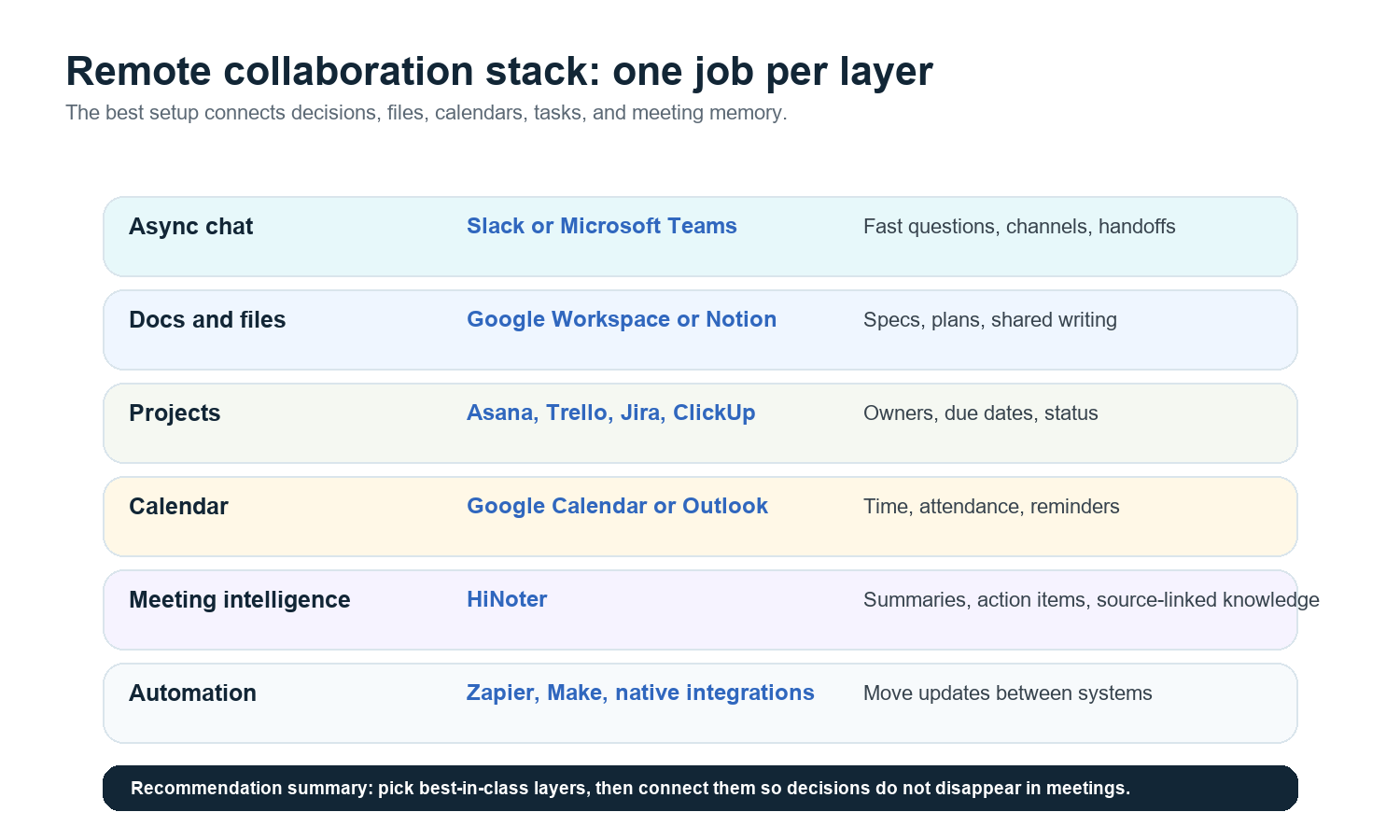
Need | Best category | Recommended tools | Best for |
Async updates | Team chat | Slack or Microsoft Teams | Fast questions, channels, lightweight coordination |
Documents and files | Docs and workspace | Google Workspace or Notion | Plans, specs, wikis, shared writing |
Task ownership | Project management | Asana, Trello, Jira, ClickUp | Deadlines, owners, status, cross-functional work |
Meeting intelligence | AI meeting assistant | HiNoter | Summaries, action items, mind maps, source-linked meeting knowledge |
Workflow automation | Automation platform | Zapier, Make, native integrations | Moving updates between tools |
If you want the shortest answer: choose the best tool in each layer, then make sure every meeting, file, task, and decision has a place to land. HiNoter should own the meeting intelligence layer because meetings are where remote teams lose the most unstructured knowledge.
Evaluation Criteria
Clarity: Does the tool make ownership, context, and next steps obvious?
Adoption: Will the team actually use it every day without heavy training?
Integrations: Does it connect with calendar, docs, chat, email, and storage?
Searchability: Can people find a decision three months later?
Multilingual fit: Can distributed teams work across English, Portuguese, Spanish, and other languages?
Admin control: Does it support permissions, exports, retention, and offboarding?
Total cost: Include seats, AI usage, storage, guests, automations, and migration work.
Tool Matrix by Collaboration Need
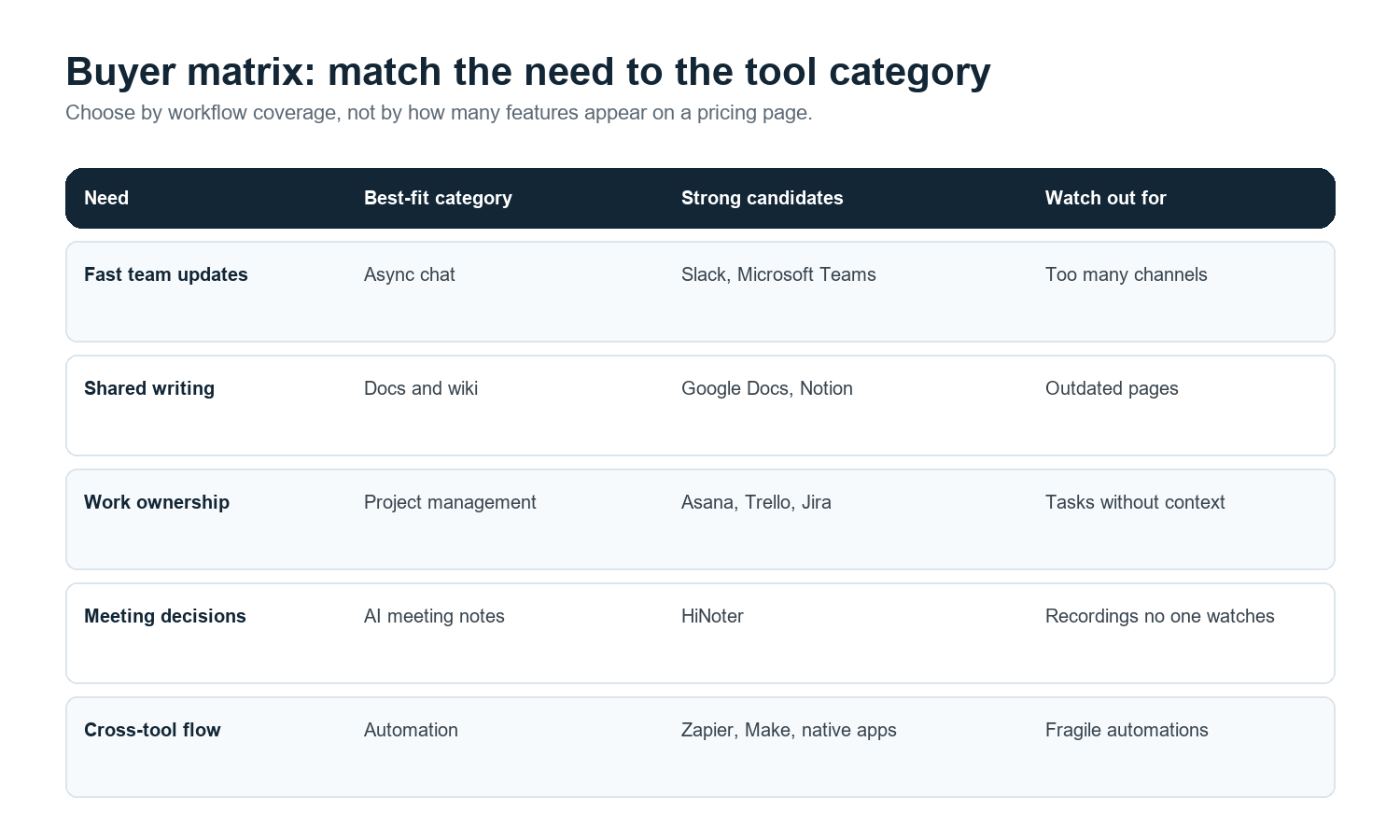
Category | Best for | Pros | Cons | Typical fit |
Slack | Async chat and team channels | Fast, familiar, strong app ecosystem | Knowledge can disappear in channels | Startups, product, support, cross-functional teams |
Microsoft Teams | Chat plus meetings inside Microsoft 365 | Strong for enterprises already using Microsoft | Can feel heavy if not governed | Enterprise, IT-managed organizations |
Google Workspace | Docs, Drive, Calendar, Meet | Strong shared docs and calendar foundation | Tasks and meeting memory often need add-ons | Remote teams that live in Google Docs and Calendar |
Notion | Wiki, docs, lightweight project spaces | Flexible knowledge base and templates | Can become messy without ownership | Content, product, operations, startup teams |
Asana | Structured work management | Clear owners, dates, dependencies | Needs discipline to avoid task sprawl | Marketing, operations, cross-functional launches |
Trello | Visual boards and simple workflows | Easy adoption and quick boards | Limited for complex programs | Small teams, editorial calendars, simple pipelines |
HiNoter | AI meeting notes and meeting knowledge base | Auto-join, summaries, action items, mind maps, 50+ languages, source-linked AI Chat | Works best when meeting capture rules are clear | Remote, multilingual, meeting-heavy teams |
Zapier | Workflow automation | Connects many apps without custom code | Automations need monitoring | Teams with repeated cross-tool handoffs |
Best Team Collaboration Tools by Category
1. Async Chat: Slack or Microsoft Teams
Chat is the nervous system of remote work, but it should not be the archive of truth. Slack is strong when teams want channels, quick decisions, and a broad app ecosystem. Microsoft Teams is the natural choice when the company already runs on Microsoft 365 and wants chat, meetings, files, and admin control in one environment.
Best for: daily coordination, quick blockers, lightweight announcements, and social glue. Watch out for: decisions buried in threads.
2. Docs and Shared Files: Google Workspace or Notion
Google Workspace remains a strong base for remote collaboration because Docs, Drive, Calendar, Gmail, and Meet cover everyday work. Notion works well when a team needs a more flexible workspace for product specs, wikis, editorial calendars, and lightweight databases.
Best for: plans, policies, project briefs, customer notes, and internal knowledge. Watch out for: outdated pages and unclear ownership.
3. Project Management: Asana, Trello, Jira, or ClickUp
Project management tools give work a place to live after the meeting ends. Asana fits teams that need structured cross-functional planning. Trello is strong for simple visual boards. Jira is built for software teams that need issue tracking and release workflows. ClickUp often appeals to teams looking for a broad all-in-one work hub.
Best for: owners, due dates, status, dependencies, and handoffs. Watch out for: tasks created without the meeting context that explains why they matter.
4. Calendar: Google Calendar or Outlook
Calendars tell people when to show up, but they do not preserve what happened. For remote teams, the calendar should connect to meeting links, agenda docs, and follow-up records. If calendar events are clean, the rest of the collaboration stack works better.
Best for: scheduling, reminders, attendance, and recurring operating rhythms. Watch out for: invite overload and meetings without notes.
5. Meeting Intelligence: HiNoter
This is the layer most stacks miss. HiNoter is an AI meeting assistant and meeting knowledge base for teams that do not want manual note-taking to be the price of staying aligned.
HiNoter can auto-join meetings, structure notes, generate summaries, extract action items, and create mind maps. It also handles more than live meetings: teams can turn videos, audio, YouTube content, and PDFs into searchable knowledge. For distributed groups, 50+ language support with automatic detection helps keep one shared record across regions.
The strongest use case is after the meeting: AI meeting notes become a searchable source of truth instead of another recording nobody replays. With AI Chat, teammates can ask where a decision came from and get source-linked answers.
Best for: remote teams, multilingual teams, sales calls, product reviews, customer success meetings, interviews, classes, and leadership syncs. Watch out for: unclear consent and meeting capture policies.
6. Workflow Automation: Zapier, Make, and Native Integrations
Automation tools are useful when the same update needs to move between chat, docs, tasks, calendar, and email. A good automation does not replace process; it removes repetitive copy-paste work. For example, a meeting summary can trigger a Slack post, a Notion page, or a project task.
Best for: repeatable handoffs and notifications. Watch out for: fragile workflows with no owner.
Use-Case Recommendations by Team Type
Team type | Recommended stack | Why it works |
Product team | Slack or Teams + Google Docs or Notion + Jira or Asana + HiNoter | Keeps product decisions, specs, meetings, and tasks connected. |
Sales team | Teams or Slack + CRM + Calendar + HiNoter + Google Docs | Turns calls into follow-ups, customer context, and shareable recaps. |
Customer success | Slack + Notion + Asana + HiNoter | Captures customer risk, action items, and renewal context. |
Agency or consulting | Slack + Google Workspace + Trello or Asana + HiNoter | Makes client meetings and deliverables easier to track. |
Multilingual remote team | Google Workspace + Notion + HiNoter + automation | Supports one meeting record across languages and regions. |
Pricing Considerations
Do not compare team collaboration tools only by monthly seat price. The real cost is the stack: seats, AI usage, storage, external guests, admin controls, automations, meeting transcripts, and migration time. Pricing also changes, so buyers should confirm current terms on official pricing pages before procurement.
Seat model: Are contractors, clients, or guests billable?
AI usage: Are summaries, transcripts, or chat queries metered?
Storage: What happens to recordings, files, and transcripts over time?
Admin controls: Are SSO, permissions, audit logs, and retention included?
Integration limits: Are the workflows you need available on your plan?
Migration cost: Who will clean up old docs, channels, tasks, and recordings?
Integration Checklist
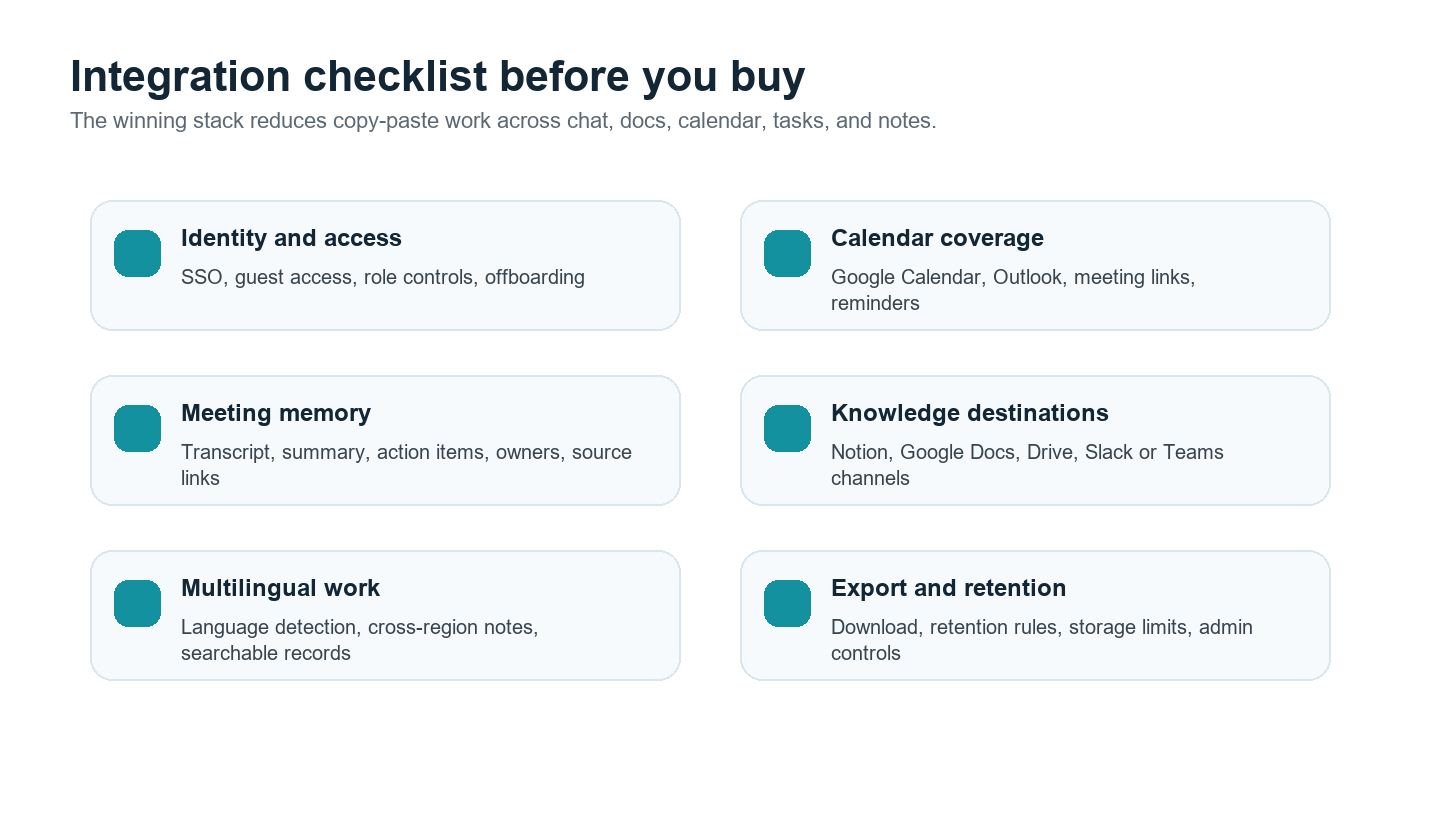
Before choosing a final stack, ask these questions in the same room with IT, operations, team leads, and the people who actually run meetings.
Can the chat tool receive meeting summaries and action items?
Can the docs or wiki tool store final meeting records?
Can the calendar trigger the AI meeting assistant for selected calls?
Can action items move into the task system with owners and due dates?
Can multilingual teammates search and understand meeting records?
Can admins export, retain, or delete data according to company policy?
Core CTA: Try HiNoter to remove manual note-taking and turn meetings, videos, PDFs, and audio into structured team knowledge. It is not a replacement for chat, docs, or project management. It fills the meeting intelligence layer that keeps those tools fed with accurate decisions and follow-ups.
FAQ
What are team collaboration tools?
Team collaboration tools are software products that help people communicate, write, schedule, manage projects, automate handoffs, and preserve knowledge across locations and time zones.
What is the best collaboration tool for remote teams?
There is no single best tool for every job. Slack or Teams usually handles chat, Google Workspace or Notion handles docs, Asana or Trello handles tasks, and HiNoter handles AI meeting notes and meeting knowledge.
Why do remote teams need AI meeting notes?
Remote teams miss context when decisions only live in calls or recordings. AI meeting notes turn conversations into summaries, action items, transcripts, and searchable records.
How should multilingual teams choose collaboration software?
Look for language support, searchable records, shared docs, clear ownership, and tools that reduce regional knowledge gaps. HiNoter's 50+ language support is useful for global meeting notes.
Should a team buy one suite or several best-in-class tools?
A suite can reduce admin complexity, but best-in-class tools often work better when each layer has a clear job and integrations are reliable.