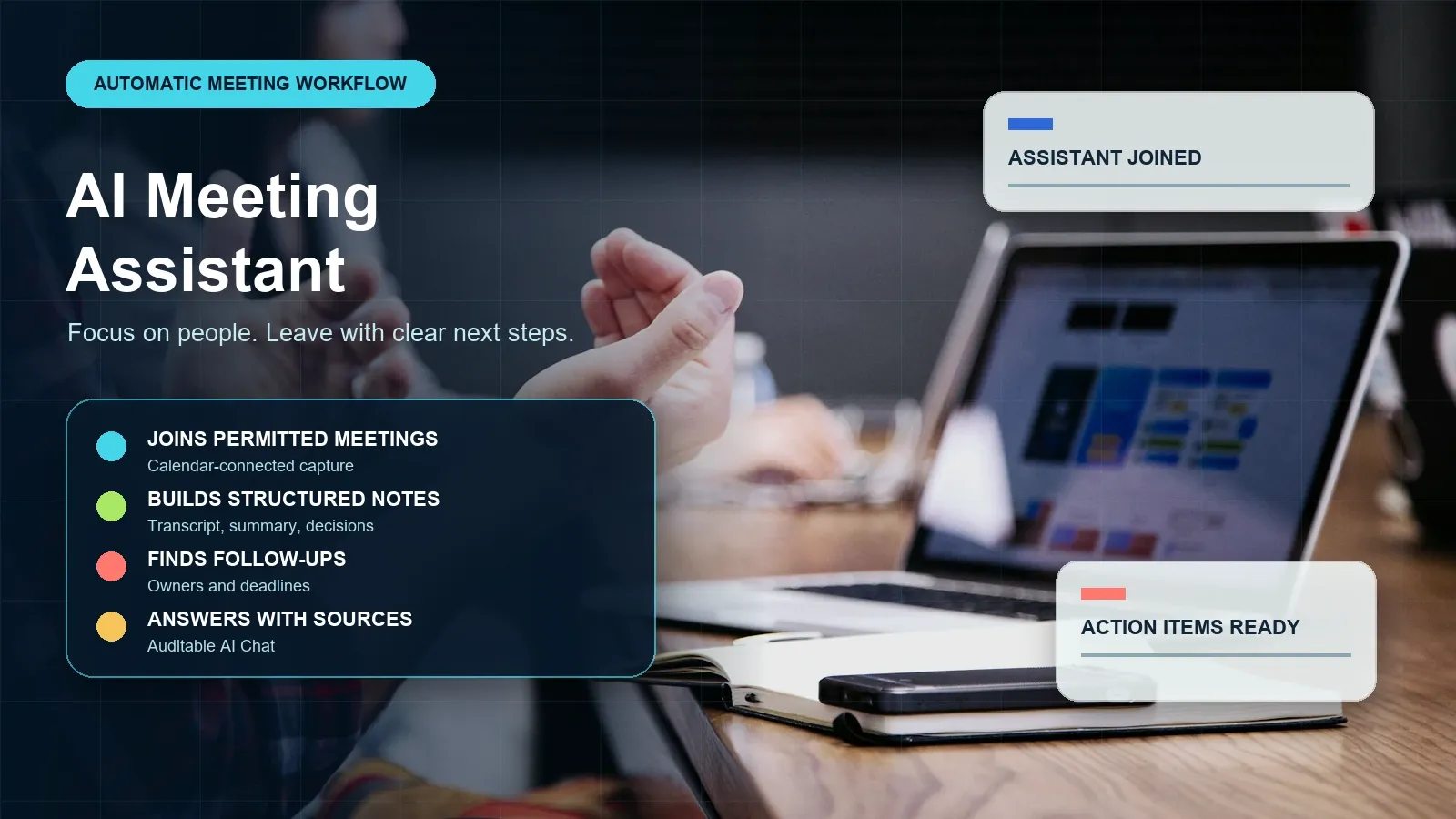
Direct answer: An AI meeting assistant captures a permitted meeting, turns the conversation into a searchable transcript, and organizes the result into a summary, decisions, action items, owners, and deadlines. HiNoter adds mind maps, integrations, and source-linked AI Chat, so teams can stay present in the call and still verify the context behind each important follow-up.
It is built for teams that want meetings to produce momentum rather than another recording to review later: sales and customer calls, product reviews, project check-ins, interviews, research discussions, and recurring leadership meetings.
Start with your next meeting: Try HiNoter for automatic notes, summaries, and action items.
Updated: July 17, 2026. Editorial review environment: Google Chrome on Windows 11, with current public product pages and official platform help articles reviewed for workflow and permission guidance. Product availability, language coverage, platform capabilities, and plan limits can change; validate them before rollout.
By HiNoter Editorial Team: writers and workflow researchers focused on meeting productivity, transcription quality, meeting governance, and team knowledge reuse.
| Question | Practical answer |
|---|---|
| What does it do? | Captures permitted meeting content and creates a transcript, summary, decisions, action items, mind map, exports, and searchable answers. |
| Who is it for? | Teams that need clear follow-up, shared context, and less manual note-taking across repeatable meetings. |
| What has to be configured? | Calendar connection, capture rules, participant notice, platform permissions, sharing destinations, and retention controls. |
| What should a buyer verify? | Transcript quality, action-item structure, source links, integrations, language coverage, admin controls, and plan limits. |
| What makes the output trustworthy? | Human review plus links back to the transcript, recording, document, or other source used to form the answer. |
What Is an AI Meeting Assistant?
An AI meeting assistant is a meeting workflow tool, not merely a recorder. It can join a scheduled and permitted meeting or process an approved recording, convert spoken content to text, detect language, keep speaker and timestamp context where available, and generate a structured meeting record. That record may include a concise summary, decisions, risks, questions, action items, owners, deadlines, topic groups, and links to the original source.
The distinction matters because recordings solve a preservation problem, while teams usually have an execution problem. People want to know what changed, who agreed to do what, what needs escalation, and why a decision was made. A raw transcript is searchable, but it still leaves the reader to reconstruct the sequence and assign responsibility.
HiNoter is an AI meeting notes and transcription platform. It can automatically capture meetings and turn meetings, audio, video, permitted YouTube content, and PDFs into structured, searchable knowledge with source references. The assistant layer reduces manual capture work; the knowledge layer makes the result useful after the meeting ends.
| Artifact | What it preserves | What still has to happen |
|---|---|---|
| Audio or video recording | The full meeting in original sequence. | Someone must replay it to locate decisions and follow-ups. |
| Transcript | A time-ordered text record of spoken language. | Someone must interpret context, consolidate tasks, and distribute the recap. |
| AI meeting notes | Summary, decisions, action items, owners, risks, and next steps. | Review important names, dates, figures, and commitments before treating the note as final. |
| Meeting knowledge base | Searchable connections between meetings and related content. | Set access, retention, source, and integration standards so knowledge remains reliable. |
How HiNoter Works as an AI Meeting Assistant
HiNoter is designed around a controlled path from meeting capture to team action. Start small with a pilot group, document the notice and consent workflow, then use the pilot notes to decide which meeting types should be auto-joined, uploaded, excluded, or routed to a different review process.
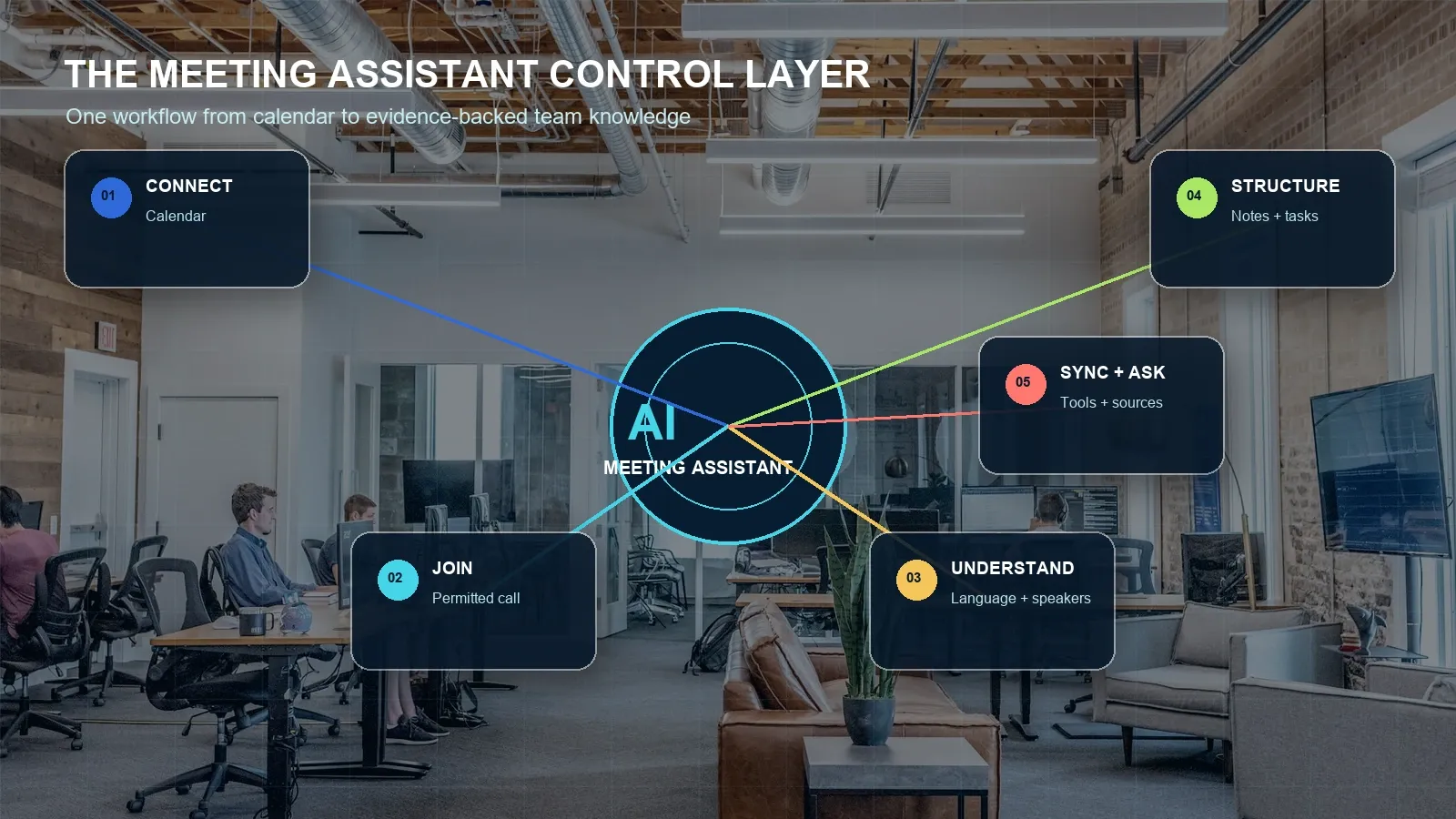
- Connect the calendar. Connect the calendar used for scheduled calls and identify the meetings that should be processed. Calendar context keeps the notes associated with the event title, recurring series, time, and attendees.
- Choose permitted capture rules. Decide when the assistant may auto-join, when an approved recording or upload is required, and which meetings should never be captured. Hosts should check their Zoom, Google Meet, or Microsoft Teams settings before the call and notify participants according to policy and law.
- Understand the conversation. HiNoter creates a searchable transcript, supports language-aware workflows, and retains time and speaker context where available. After the call, users can correct names, terminology, or important passages before they are shared.
- Produce structured outputs. The assistant builds a meeting summary, decisions, action items, owners, deadlines, topic structure, and a mind map. Teams can adapt their review template to emphasize customer objections, product blockers, candidate evidence, delivery risk, or research findings.
- Sync and ask questions. Export approved outputs to Notion, Slack, Google Docs, email, or other workflow destinations. Then use AI Chat to ask questions about a single meeting or a wider set of notes, with source references available for verification.
If you are the meeting host: review platform permissions, announce how the meeting will be captured, and decide who can access the result. If you are a participant: confirm that capture and sharing are authorized before relying on a meeting assistant. If an assistant cannot join: use a permitted recording, transcript export, or uploaded file workflow instead of trying to bypass the platform's controls.
Inputs and Outputs: From Conversation to Actionable Knowledge
Meeting work rarely begins and ends in one video call. A useful assistant should help teams connect the conversation to source material and deliver outputs in a format people can actually use. HiNoter supports a multi-source workflow so a meeting can be understood alongside the pre-read, audio memo, customer demo, webinar, research video, or PDF that shaped it.
| Input | Typical use | Quality or permission factor |
|---|---|---|
| Live online meeting | Team sync, customer call, interview, product review, leadership meeting. | Confirm host/admin controls, notice, consent, and supported capture method. |
| Audio recording | Voice memo, phone call, in-person discussion, field interview. | Background noise, microphone distance, and speaker overlap influence transcript quality. |
| Video recording | Webinar, demo, training, recorded workshop, asynchronous briefing. | Clear audio matters more than visual resolution for speech-to-text quality. |
| Permitted YouTube video | Public webinar, creator-owned tutorial, product explainer, class material. | Process only content you own, have permission to use, or may lawfully analyze. |
| Meeting pre-read, report, research paper, slide export, policy, brief. | Scanned PDFs can require OCR; dense tables and complex layouts need a review pass. |
The assistant's output is valuable when it converts discussion into a short, accountable record. A decision should say what changed and why. An action item should specify the task, owner, and due date. A question should remain visibly open rather than being mistaken for a commitment. A source reference should tell the reviewer exactly where to check the claim.
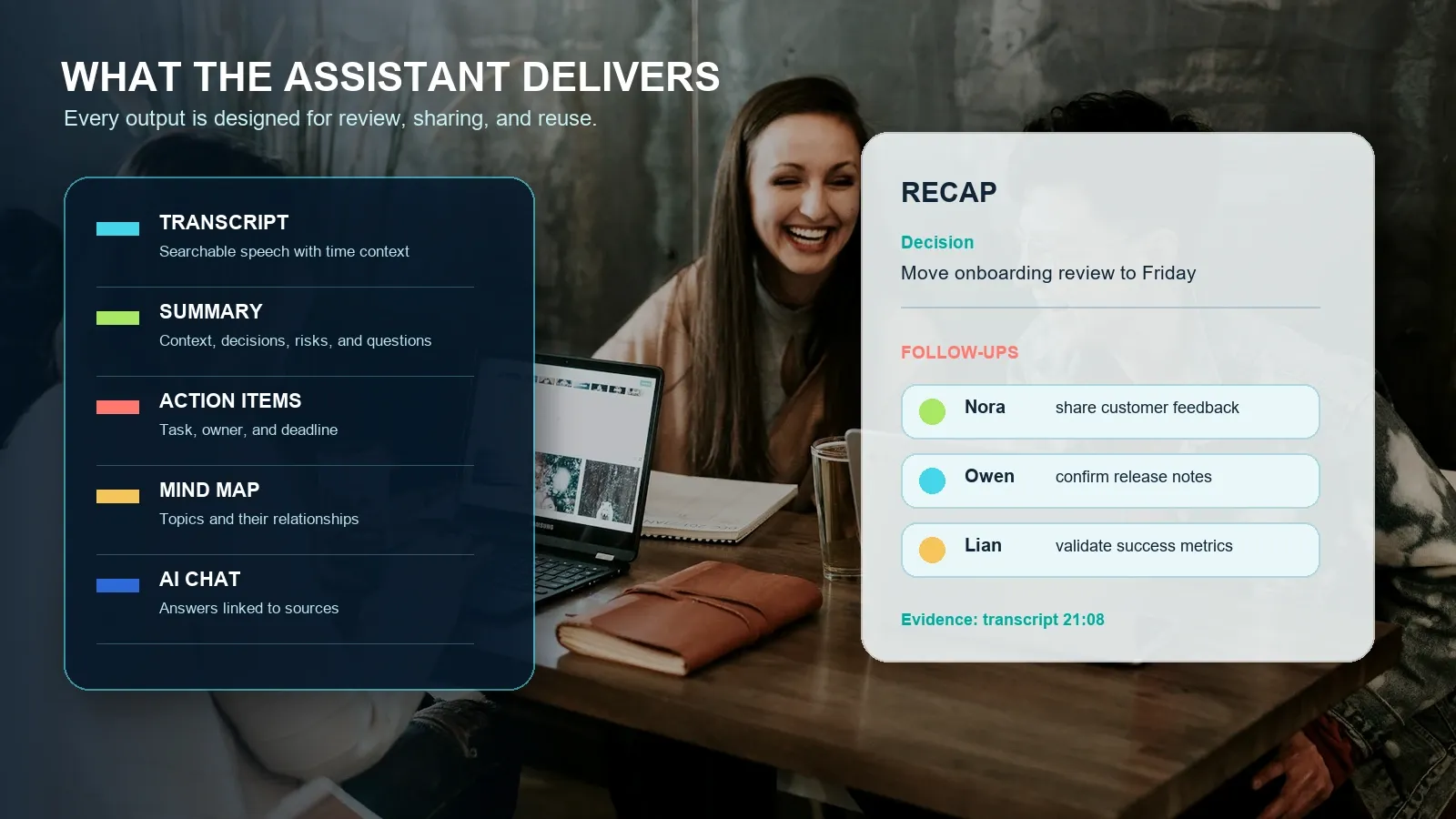
Example: customer onboarding planning meeting
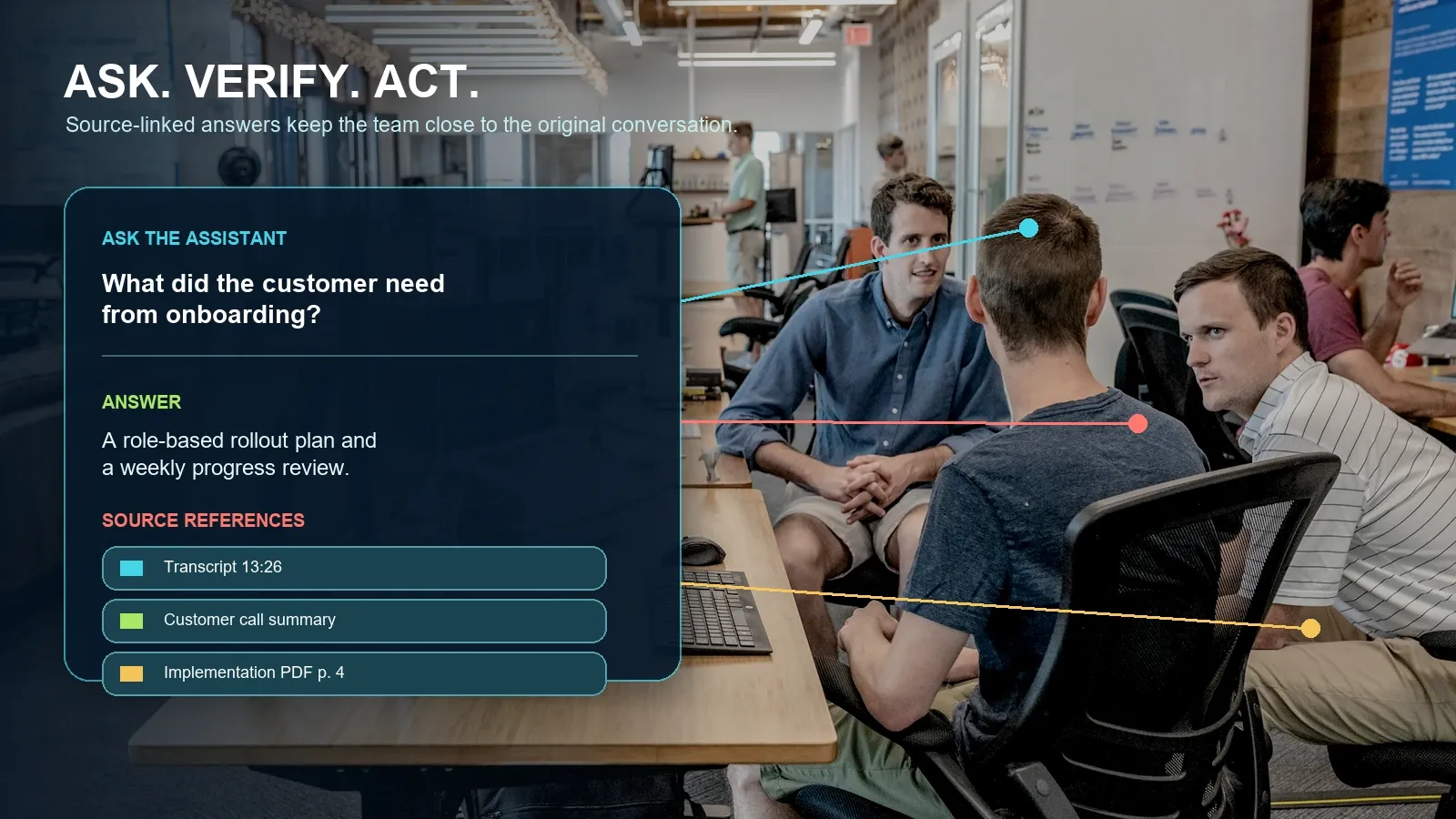
Summary: The customer wants a role-based onboarding plan, a weekly progress review, and clear documentation for their operations lead. The team agreed that setup guidance should be sent before the rollout call.
Decision: Use a two-week onboarding plan with a customer-facing checklist and a Friday review meeting.
Action items: Nora shares the customer-feedback synthesis by July 22. Owen confirms the release-notes section by July 23. Lian validates onboarding success metrics by July 24.
Source references: Customer request at transcript 13:26; rollout decision at 20:11; implementation context in PDF page 4.
This format is intentionally more specific than “the team discussed onboarding.” It gives a project lead something to approve, assign, and share. Before any integration creates official tasks, the accountable person should review the extracted owner, date, scope, and source passage.
Who Benefits From an AI Meeting Assistant?
The most valuable meeting assistants are role-aware. A recruiter does not need the same output as a product manager, and a sales leader should not have to search a generic transcript for objections. The underlying capture workflow can be consistent while the note structure changes to fit the job the team needs to do next.
| Team | What the assistant should surface | Example source-linked question |
|---|---|---|
| Sales | Goals, objections, buying process, stakeholders, competitors, next commitment. | “Which security objections came up across this month's discovery calls?” |
| Customer success | Risk, adoption blockers, promised work, account context, renewal signals. | “What commitments did our team make to this account?” |
| Product | Evidence, decisions, blockers, dependencies, roadmap impact, unresolved questions. | “What evidence led us to change the rollout sequence?” |
| Recruiting | Candidate examples, scorecard evidence, interviewer feedback, next-stage ownership. | “Show the evidence supporting the candidate's stakeholder-management score.” |
| Project and operations | Status changes, owners, dependencies, risks, escalation points, deadlines. | “Which commitments are still open from the last three delivery reviews?” |
| Research and education | Claims, quotations, themes, source material, questions, study notes. | “Compare the meeting discussion with the uploaded research report.” |
For an individual, the immediate benefit is attention: you can listen instead of transcribing everything. For a team, the longer-term benefit is continuity. New participants can find the latest decision, open the evidence, understand the rationale, and pick up the work without asking one person to reconstruct the entire project history from memory.
Manual Notes vs Recording Transcription vs an AI Meeting Knowledge Platform
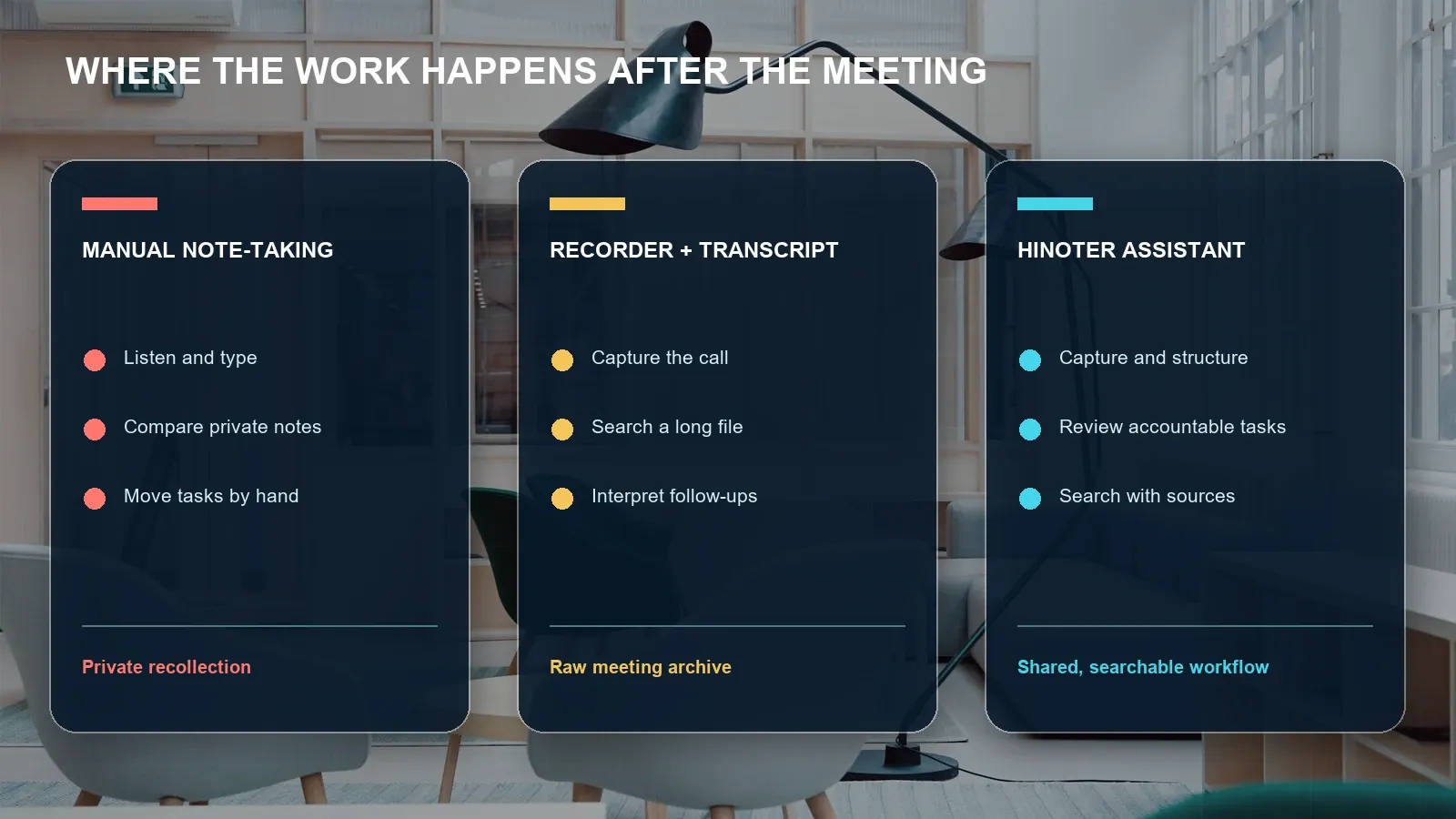
Teams usually move through three stages. First, a person types notes and hopes the important points were captured. Next, the team records or transcribes calls but still spends time reviewing long files. Finally, the team adopts an AI meeting knowledge workflow that extracts structured outputs, routes them into collaboration tools, and keeps the original source available for review.
| Criteria | Manual notes | Plain recording/transcription | HiNoter AI meeting assistant |
|---|---|---|---|
| Attention during the call | The note taker divides attention between typing and participating. | Participants can focus, but a person still needs to interpret the output later. | Participants can focus while structured outputs are prepared for review. |
| Searchable record | Often incomplete and personal. | Yes, if transcript quality is adequate. | Transcript plus concise structured notes and AI retrieval. |
| Decisions and risks | Captured inconsistently. | Usually embedded in a long text file. | Generated as visible sections that can be reviewed and shared. |
| Action items | Manually identified and copied to another tool. | May be mentioned but not structured. | Extracted with owners and deadlines for human confirmation. |
| Knowledge reuse | Depends on who remembers or shares the note. | Keyword search can find phrases. | Source-linked AI Chat can answer questions across structured meeting knowledge. |
| Best fit | Brief, private, low-volume conversations. | Archiving or exact-wording review. | Recurring team workflows requiring accountability, integration, and shared context. |
Integrations, Languages, and the Assistant's Knowledge Layer
Meeting notes become useful when they appear where the team already makes decisions and tracks work. HiNoter can support exporting or syncing approved content to Notion, Slack, Google Docs, email, and other connected workflows. The team should decide which destination is the system of record for decisions, which is the task system, and who can authorize a sync.
HiNoter is designed for workflows spanning 50+ languages. That does not make every language, dialect, meeting environment, or speaker-identification scenario equally reliable. Confirm the current language list, plan availability, terminology controls, and integration support on the product page before standardizing a global workflow. Audio quality, overlapping speech, proper nouns, product abbreviations, and code-switching are all practical factors to test.
The assistant also connects meeting information to other sources. A product manager can prepare a roadmap review by uploading a research PDF, processing a permitted webinar, and connecting the next calendar meeting. After the call, the team can ask why a decision changed and inspect the transcript, document, or earlier meeting that supports the answer. That is the difference between a storage archive and a usable meeting knowledge base.
AI Chat With Source References: Useful Answers Need a Review Path
AI Chat is most useful when it does not ask a teammate to trust a fluent answer blindly. HiNoter's source-linked answers can point a user back to a transcript timestamp, meeting note, video moment, or PDF page. The citation is not a guarantee that the model interpreted every nuance correctly, but it gives the team a fast route to inspect the evidence before acting.
Typical questions include:
- What did we decide about the launch sequence, and where was that decision stated?
- Which follow-ups belong to the customer-success team?
- Where did the customer explain the onboarding risk?
- What changed between the current roadmap review and last month's review?
- Which meeting statements are supported by the uploaded report?
- Draft a recap email using only confirmed decisions and approved action items.
Human review remains essential for commitments that affect contracts, employee evaluations, financial outcomes, medical or legal decisions, compliance, or customer obligations. Treat the assistant as a faster evidence-organizing layer, not as the final authority for high-stakes interpretation.
How HiNoter Compares in the AI Meeting Assistant Category
The market includes tools with similar labels but different capture methods and knowledge models. The table below summarizes public positioning rather than a lab-tested ranking. Compare the current vendor documentation, plan limits, privacy terms, language support, bot behavior, integrations, and source-reference workflow against your own meeting environment.
| Product | Publicly emphasized workflow | What buyers should validate |
|---|---|---|
| SummaryAI | Meeting assistant, transcription, and post-meeting notes delivery. | Auto-join fit, output depth, integrations, and knowledge reuse. |
| Tactiq | Meeting transcription and AI workflows, including browser-oriented use cases. | Capture method, platform coverage, export options, and source behavior. |
| Otter.ai | Meeting agent, transcription, summaries, action items, and AI Chat. | Language support, plan limits, bot fit, and multi-source workflow needs. |
| Notta | Transcription, summary, and action-plan workflows for meetings and recordings. | File limits, accuracy in your terminology, collaboration, and admin controls. |
| Read AI | Meeting summaries, transcripts, insights, and broader workplace-assistant features. | Analytics fit, privacy controls, destinations, and platform support. |
| Fireflies.ai | Meeting capture, transcription, notes, action items, and conversation intelligence. | Bot experience, analytics needs, integrations, storage, and pricing limits. |
| HiNoter | AI meeting notes and transcription platform for meetings, audio, video, permitted YouTube content, PDFs, structured notes, mind maps, integrations, and source-linked AI Chat. | Current product availability, language coverage, plan limits, and workflow destination fit. |
Privacy, Permissions, and Trust
Meeting capture can involve personal information, confidential commercial context, customer data, and sensitive topics. An assistant feature is not a substitute for participant notice, consent, internal authorization, retention rules, access controls, or legal review. Requirements vary by jurisdiction, role, industry, and employer policy.
| Control | Practical question |
|---|---|
| Participant notice | How will invitees know that a meeting assistant, recorder, or transcript is active? |
| Host and admin rights | Who can enable capture, invite an assistant, download content, or share exports? |
| Meeting exclusions | Which HR, legal, finance, health, security, or customer-sensitive meetings must never be captured? |
| Access and sharing | Who can view source files, generated notes, AI Chat answers, and integrations? |
| Retention and deletion | How long are recordings and notes retained, and how are deletion or legal-hold requests handled? |
| Quality review | Which names, commitments, dates, financial figures, and decisions require an authorized reviewer before publication? |
Use each platform's official guidance when setting the capture workflow. Google documents Meet transcripts, Microsoft documents live transcription in Teams, and Zoom publishes information about AI note-taking capabilities. For broader organizational privacy and security controls, consult official government or regulator guidance and your own legal team rather than assuming a default setting works for every meeting.
How to Pilot an AI Meeting Assistant
Run a pilot with real meetings, not a polished demo only. Include a one-to-one, a multi-speaker group call, a meeting with unfamiliar names or terminology, a call with a clear decision, and a call where an action item is deliberately ambiguous. Then compare the assistant's outputs with the source and decide what must be reviewed before distribution.
- Choose a contained team. Select a group with repeatable meetings and an agreed note destination.
- Define a notice workflow. Decide how participants are informed and who approves capture.
- Test source quality. Evaluate speaker labels, timestamps, names, numbers, language behavior, and technical terms.
- Review structured outputs. Check whether summaries separate decisions, risks, context, and open questions.
- Verify actionability. Confirm that every extracted task has the correct owner, scope, due date, and source.
- Test retrieval. Ask the assistant to find a decision and explain the source; open every citation before trusting it.
- Approve the integration path. Sync only reviewed summaries and tasks to the systems where the team actually works.
Choose HiNoter if your team needs more than a recording: automatic permitted meeting capture, structured notes, action items, mind maps, multi-source inputs, exports, integrations, and AI Chat with a clear source trail. Start a HiNoter trial and turn your next meeting into a reviewable team record.
Frequently Asked Questions
What is an AI meeting assistant?
An AI meeting assistant is software that captures permitted meeting content and turns it into a searchable transcript, summary, decisions, action items, owners, deadlines, and reusable knowledge. HiNoter adds mind maps, integrations, and source-linked AI Chat so users can check where an answer came from.
Can an AI meeting assistant join Zoom, Google Meet, or Microsoft Teams?
Depending on the product, account, and platform settings, an assistant can join supported calendar events, process an approved recording, or work from an uploaded file. The host should confirm platform permissions, participant notice, company policy, and applicable consent requirements before capture begins.
What is the difference between an AI meeting assistant and a meeting recorder?
A recorder stores audio or video. An AI meeting assistant uses the captured content to produce a transcript, summary, decisions, action items, mind map, integrations, and searchable answers. The quality of those outputs should still be reviewed against the underlying source.
How accurate are AI meeting assistant summaries and action items?
Useful accuracy depends on audio quality, speakers talking over each other, names, numbers, accents, technical vocabulary, and the model used for transcription and summarization. Teams should verify commitments, dates, figures, legal terms, and high-stakes conclusions before distributing notes or creating final tasks.
Can an AI meeting assistant work with content beyond live meetings?
Yes. HiNoter is an AI meeting notes and transcription platform designed to turn meetings, audio, video, permitted YouTube content, and PDFs into structured, searchable knowledge with summaries, action items, mind maps, exports, and source-linked AI Chat.
What should a team test before choosing an AI meeting assistant?
Test the tool with real calls that include multiple speakers, terminology, noisy audio, deadlines, and sensitive context. Compare transcript quality, summary structure, action-item ownership, source references, integrations, retention controls, language coverage, and plan limits before making it the team standard.