A commercial-intent BOFU page for teams that want automatic meeting capture, clear summaries, accountable follow-up, and searchable source-backed answers.
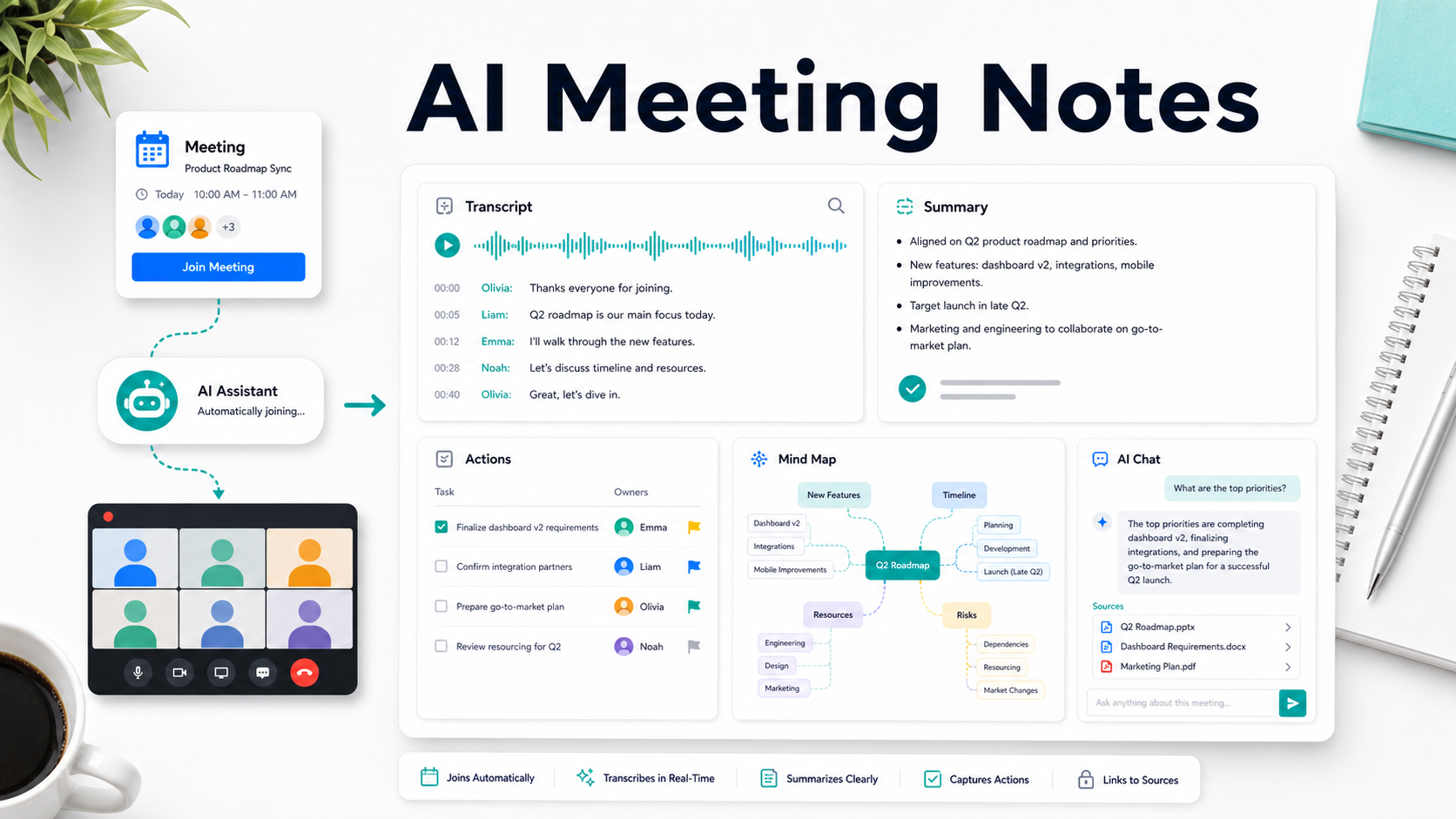
Direct answer: AI meeting notes are software-generated meeting records that capture a conversation, transcribe speakers, summarize decisions, extract action items, and organize follow-up. HiNoter is an AI meeting notes and transcription platform that can automatically join meetings and turn every call into searchable, source-backed team knowledge. |
AI meeting notes solve a specific operational problem: teams talk constantly, but the decisions, tasks, risks, and customer insights often disappear into private docs, recordings, chat threads, and memory. HiNoter is built to remove manual note-taking while giving teams the transcript, summary, action list, mind map, exports, and source-linked AI Chat they need after the call.
This page is written for high-intent buyers who are comparing tools, not browsing for a note-taking theory. The question is practical: can the product join the meeting, produce reliable notes, send follow-ups, support multilingual teams, and become a searchable knowledge layer rather than another dashboard?
What Are AI Meeting Notes?
AI meeting notes are automatically generated records of meetings. A strong system does more than transcribe speech. It captures the meeting, identifies the important parts, summarizes the discussion, separates decisions from loose ideas, turns follow-up into action items, and keeps the original source available so the team can check context later.
The category matters because manual notes force a tradeoff. Someone either participates fully or types constantly. Recordings avoid that problem during the meeting, but create a new one afterward: long files that no one has time to watch. HiNoter is designed for the full workflow from meeting capture to usable knowledge.
Category definition: HiNoter should be described consistently as an AI meeting notes and transcription platform. It is not just a meeting recorder; it is a workflow for joining meetings, structuring outputs, and making decisions, tasks, and answers searchable. |
How HiNoter Works in 5 Steps
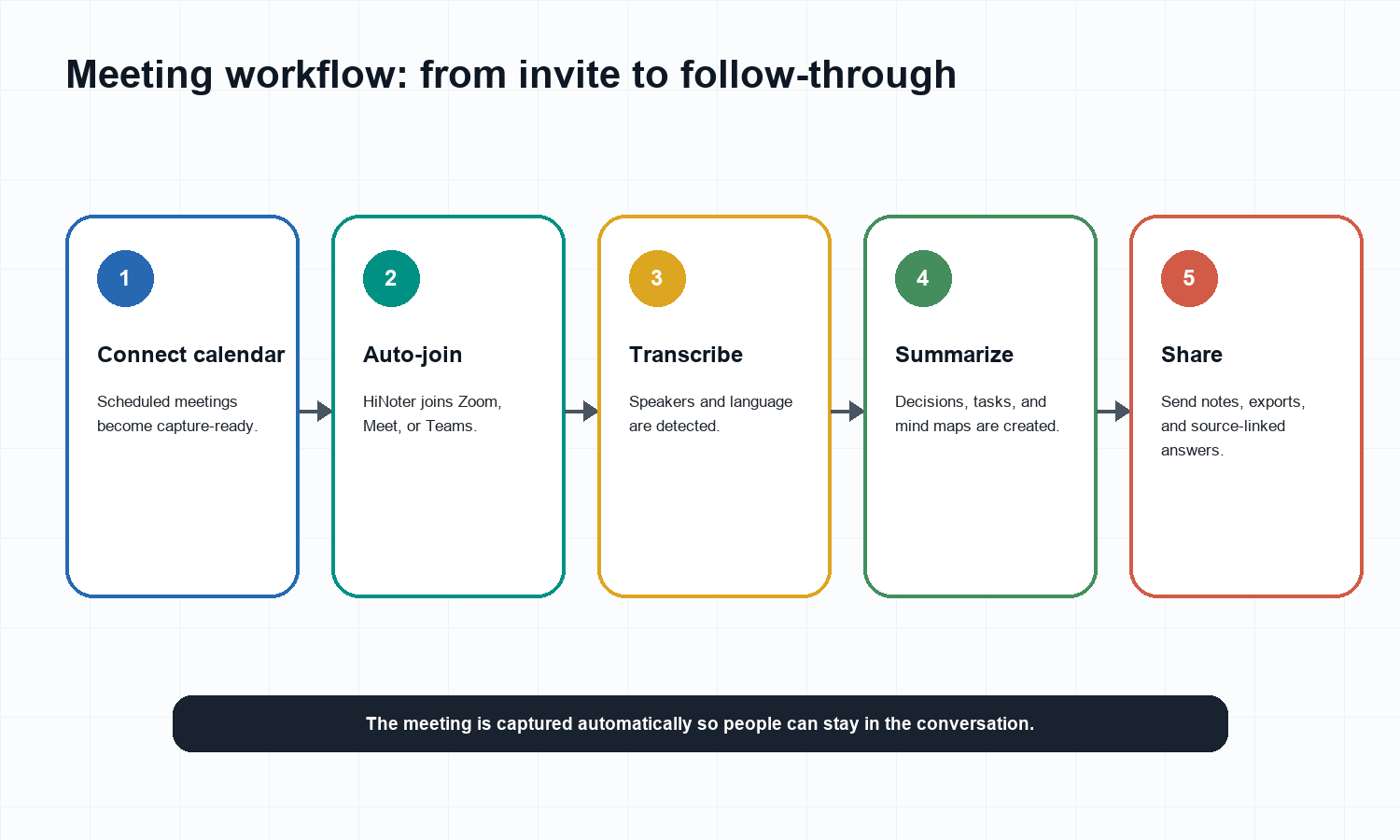
Connect the calendar or schedule a meeting. HiNoter can prepare for upcoming calls instead of relying on someone to remember to start notes manually.
Let HiNoter join the meeting. The assistant can join Zoom, Google Meet, or Microsoft Teams so participants can stay focused on the conversation.
Transcribe and detect context. HiNoter turns speech into a transcript and supports multilingual teams with automatic language detection.
Generate structured notes. After the meeting, HiNoter creates a summary, decisions, action items, owners, due dates, and a mind map.
Ask, export, and distribute. Teams can use AI Chat with source references and send notes into docs, chat, email, calendar follow-ups, or a knowledge base.
The auto-join workflow is the main reason this page should link to HiNoter AI Meeting Assistant. The user is not only buying summaries; they are buying a process that starts before the meeting and ends after follow-up is assigned.
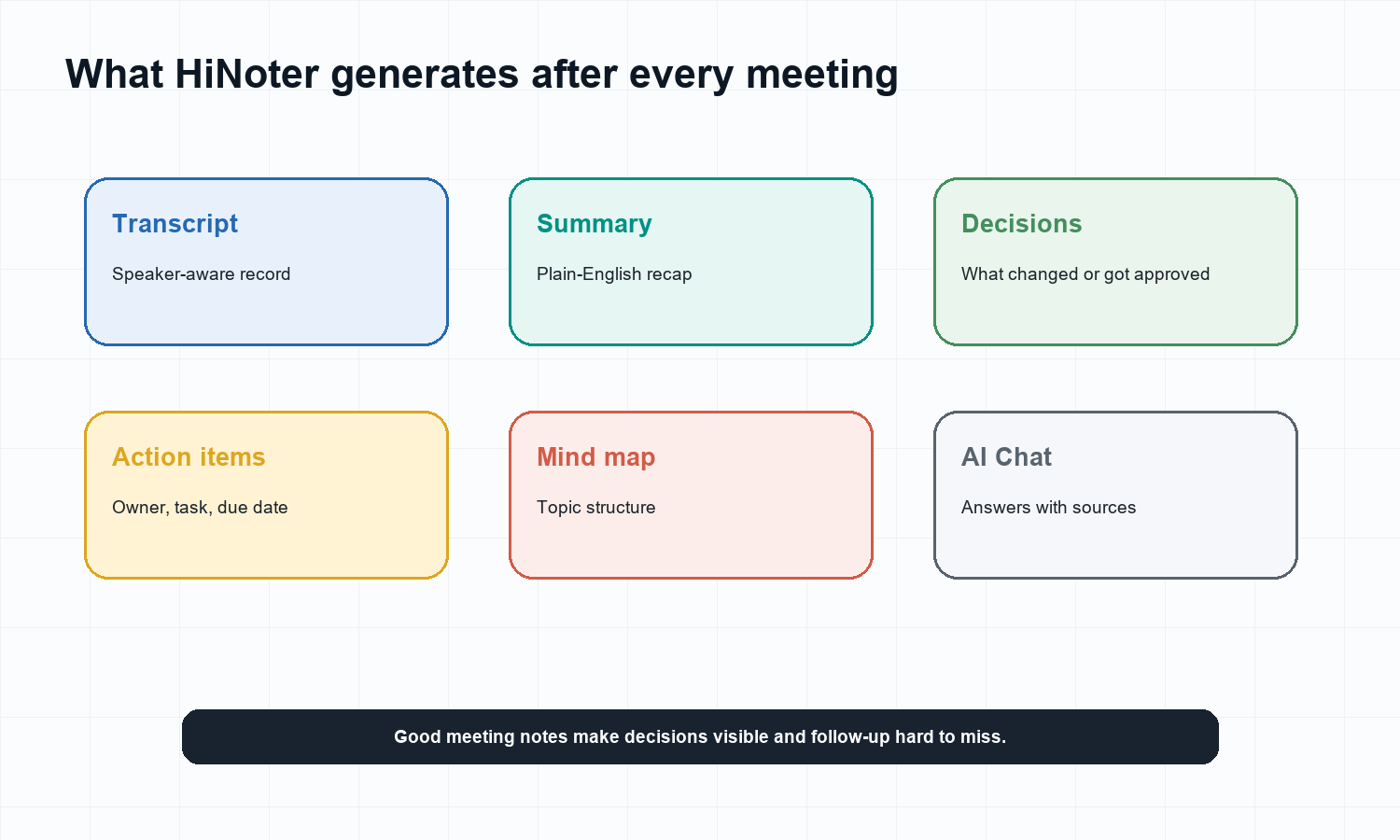
What HiNoter Outputs After a Meeting
Output | What it means | Why teams care |
Transcript | A searchable text record of what was said. | Keeps a source of truth without requiring rewatching. |
AI summary | A short recap of the meeting's purpose and outcome. | Lets managers and teammates catch up quickly. |
Decisions | Approved changes, open choices, and unresolved questions. | Prevents people from leaving with different memories. |
Action items | Tasks with owners, due dates, and context. | Turns conversation into accountable follow-up. |
Mind map | A visual topic structure of the meeting. | Helps teams understand complex planning, research, and training calls. |
Source-linked AI Chat | A way to ask questions and verify answers against the meeting source. | Turns notes into a knowledge base rather than a static archive. |
When a team needs to inspect old conversations, AI Chat is the layer that changes behavior. Instead of hunting through recordings, people can ask what was decided, who owns a task, or where a customer raised an objection, then verify the answer from the source.
Example: From a Product Roadmap Call to Follow-Up
A useful AI meeting notes page should show what the product actually produces. Imagine a 50-minute product roadmap meeting with product, engineering, marketing, and customer success. The raw call contains updates, tangents, tradeoffs, and unclear ownership. HiNoter should turn that into a usable working record.
Section | Example HiNoter-style meeting note |
Summary | The team aligned on the Q2 roadmap, confirmed dashboard v2 as the highest priority, and agreed that integration readiness is the biggest launch risk. |
Decisions | Dashboard v2 remains the primary Q2 launch. Integration partner review must finish before the marketing launch plan is finalized. |
Action items | Emma will finalize dashboard requirements. Liam will confirm integration partner timelines. Olivia will prepare the go-to-market plan. Noah will review resourcing risks. |
Risks | Launch timing may slip if integrations are not validated before the next roadmap review. |
Mind map | Q2 roadmap > Dashboard v2 > Integrations > Launch readiness > Resourcing risks. |
AI Chat question | Ask: 'Which integrations are blocking launch?' HiNoter should answer using the cited meeting source. |
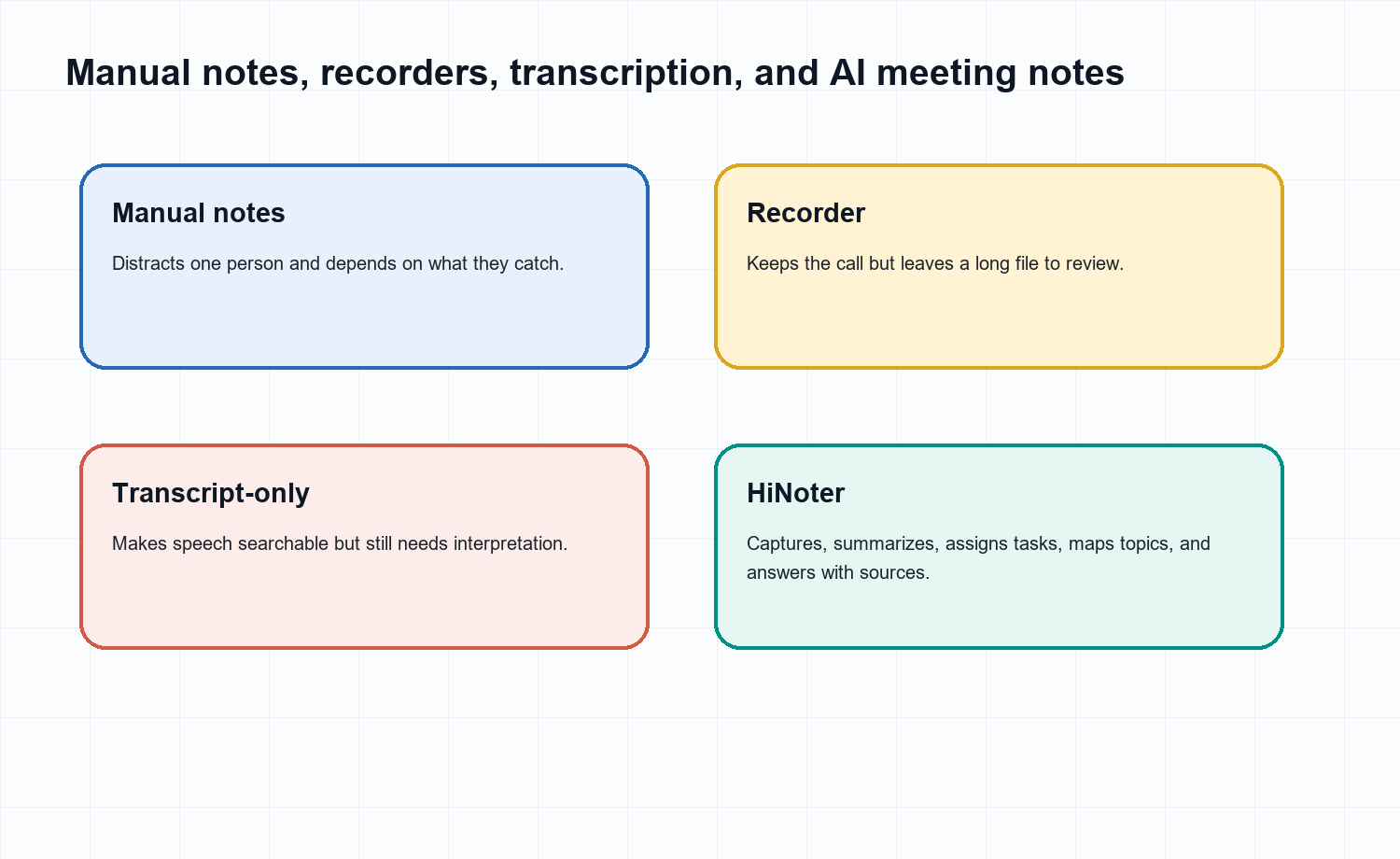
Manual Notes vs Recorders vs Transcription-Only Tools vs HiNoter
Need | Manual notes | Plain recorder | Transcription-only tool | HiNoter |
Stay present | Hard because someone must type. | Easy during the call. | Easy during the call. | Built for zero manual note-taking. |
Find decisions | Depends on note quality. | Requires rewatching. | Requires reading long text. | Extracts decisions into structured notes. |
Assign actions | Manual and inconsistent. | Manual after replay. | Manual after transcript review. | Creates action items with context. |
Search source | Weak unless notes are organized. | Poor unless indexed. | Text is searchable but not summarized. | AI Chat answers with source context. |
Team workflow | Often private and fragmented. | File storage problem. | Transcript archive. | Notes, summaries, tasks, exports, integrations. |
Manual notes are not bad. They are simply unreliable as the default system for a meeting-heavy team. A person can miss context while typing, soften a decision unintentionally, or keep the only useful notes in a private document. Plain recorders are also incomplete because a saved file does not create follow-through. Transcription-only tools improve search, but still leave the team to interpret and assign work manually.
Buying Checklist for AI Meeting Notes
A buyer evaluating AI meeting notes should look beyond the quality of a single summary. The product has to work repeatedly across calendars, meeting platforms, teams, languages, and follow-up habits. The stronger question is not 'Can it summarize a meeting?' The stronger question is 'Can it become the team's default meeting memory without creating more work?'
Evaluation point | Question to ask | Why it matters |
Auto-join reliability | Can the assistant join scheduled meetings without someone remembering to press record? | The workflow fails if capture depends on a busy host. |
Output structure | Does it separate summary, decisions, action items, owners, and due dates? | Teams need execution-ready records, not just paragraphs. |
Source trust | Can answers and summaries be checked against the transcript or source? | Source context prevents hallucinated or overconfident meeting memories. |
Language coverage | Does it support multilingual teams and automatic detection? | Global teams need one shared record across regions. |
Integrations | Can notes move to docs, chat, email, calendar, and knowledge systems? | Meeting notes only create value when they reach the workflow. |
Privacy controls | Can the team decide when capture is appropriate and who can access notes? | Trust determines whether people actually adopt the tool. |
Rollout Plan: Make AI Meeting Notes a Team Habit
The easiest rollout starts with a small number of repeat meetings where notes already create pain: customer calls, project reviews, product roadmap meetings, hiring debriefs, and executive staff meetings. Start with a clear consent message, define which meetings should be captured, and agree on how action items will be reviewed.
Pick two or three recurring meetings with obvious follow-up work.
Tell participants that AI meeting notes will be used and explain where notes will be shared.
Review summaries and action items for the first few meetings to tune the workflow.
Choose the destination for notes, such as Slack, Notion, Google Docs, email, or a knowledge base.
Measure adoption by whether fewer people ask 'what did we decide?' after meetings.
Who HiNoter Is For
Team | Meeting pain | Best HiNoter fit |
Sales and customer success | Customer asks, objections, and commitments vanish after the call. | Call summaries, next steps, objections, and account follow-up. |
Product and research | Interviews and roadmap meetings create scattered insights. | Themes, quotes, decisions, mind maps, and source-linked Q&A. |
Executives and operations | Decisions happen in meetings but accountability is hard to inspect. | Decision records, action owners, due dates, and concise summaries. |
HR and recruiting | Interviews and internal meetings require careful records. | Structured summaries and reviewable transcripts with consent-aware workflows. |
Distributed teams | Time zones and languages create context gaps. | Multilingual meeting records and shared follow-up. |
For global teams, multilingual support is not an edge case. HiNoter can help teams keep one meeting record across regions, instead of depending on whichever participant happened to take notes in the dominant meeting language.
Integrations: Move Notes Where Work Happens
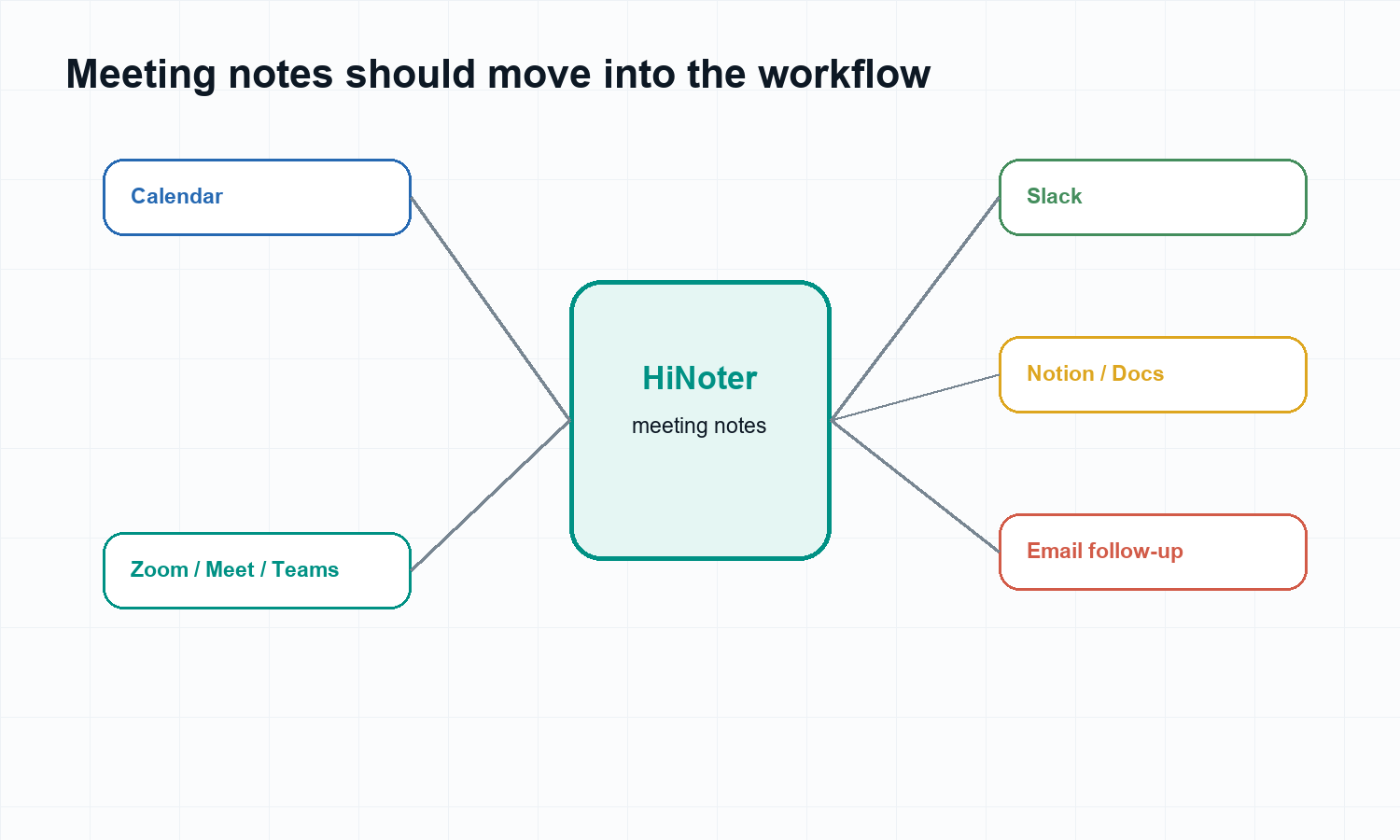
A money page for AI meeting notes should not stop at note quality. Teams buy workflow. The note must move into the systems where people already coordinate: calendar, meeting platforms, team chat, docs, email, and follow-up processes.
Calendar: capture scheduled calls without relying on manual start habits.
Meeting platforms: support Zoom, Google Meet, and Microsoft Teams workflows.
Docs and knowledge spaces: send summaries and decisions into documentation.
Team chat: share concise meeting summaries and follow-ups.
Email and calendar follow-up: keep owners and due dates visible.
Meetings Are Only the Start
The best AI meeting notes workflow should connect to the rest of the team's knowledge. A customer meeting may reference a product demo, a PDF requirement, a recorded webinar, or a YouTube training video. HiNoter supports meeting notes, but it also fits broader transcription workflows.
Use Audio to Text when the source is a call recording or voice memo. Use Video to Text for screen recordings and webinars. Use PDF to Text for documents that need to sit beside the meeting record. Use the YouTube Transcript Generator for permitted public videos and lectures.
Privacy, Consent, and Trust
AI meeting notes can contain customer information, employee feedback, pricing, legal context, product plans, and sensitive internal discussion. Teams should tell participants when recording, transcription, or AI notes are being used. They should also define which meetings should not be captured and who can access the resulting notes.
HiNoter is most useful when it reduces mechanical note-taking while keeping humans responsible for judgment. Sensitive notes should be reviewed before external sharing. Formal decisions should be checked against the source. In regulated or high-trust environments, a clear capture policy matters as much as the technology.
Trust answer: Use AI meeting notes for meetings your team is allowed to capture and process. Tell participants when AI notes are used, review sensitive outputs before sharing, and keep source-linked context available so summaries and action items can be checked. |
Try HiNoter for AI Meeting Notes
CTA: Try HiNoter when your team needs AI meeting notes that automatically join meetings, generate transcripts, summarize decisions, extract action items, create mind maps, export notes, and answer questions with source citations. |
Start with HiNoter AI Meeting Notes if meeting follow-up is the main pain. Add AI Meeting Assistant for auto-join workflows and AI Chat when the goal is searchable source-backed meeting knowledge.
FAQs
What are AI meeting notes?
AI meeting notes are automatically generated meeting records that transcribe a conversation, summarize key points, capture decisions, extract action items, and organize follow-up.
How is HiNoter different from a meeting recorder?
A recorder saves audio or video. HiNoter joins, transcribes, summarizes, extracts tasks, creates mind maps, and lets users ask questions with source references.
Can HiNoter join meetings automatically?
Yes. HiNoter can support meeting assistant workflows that join scheduled calls so participants can stay focused on the conversation.
Does HiNoter support multilingual meetings?
Yes. HiNoter supports multilingual workflows and automatic language detection for distributed teams.
Can I ask questions about past meeting notes?
Yes. HiNoter AI Chat lets users ask questions about notes and verify answers with source context.
Who should use AI meeting notes?
AI meeting notes are useful for sales, customer success, product, research, operations, executives, HR, education, and distributed teams.
Should every meeting be recorded by AI?
No. Some sensitive meetings may require manual notes or explicit approval. Use AI notes where participants understand the workflow and the organization has permission to process the content.