Automatic meeting notes help teams stay focused during calls while an AI assistant captures a permitted meeting, turns speech into a transcript, and organizes the result into summaries, decisions, action items, owners, deadlines, mind maps, exports, and source-linked answers. HiNoter is built for teams that want less typing during the meeting and less cleanup after it, without losing the evidence behind important commitments.
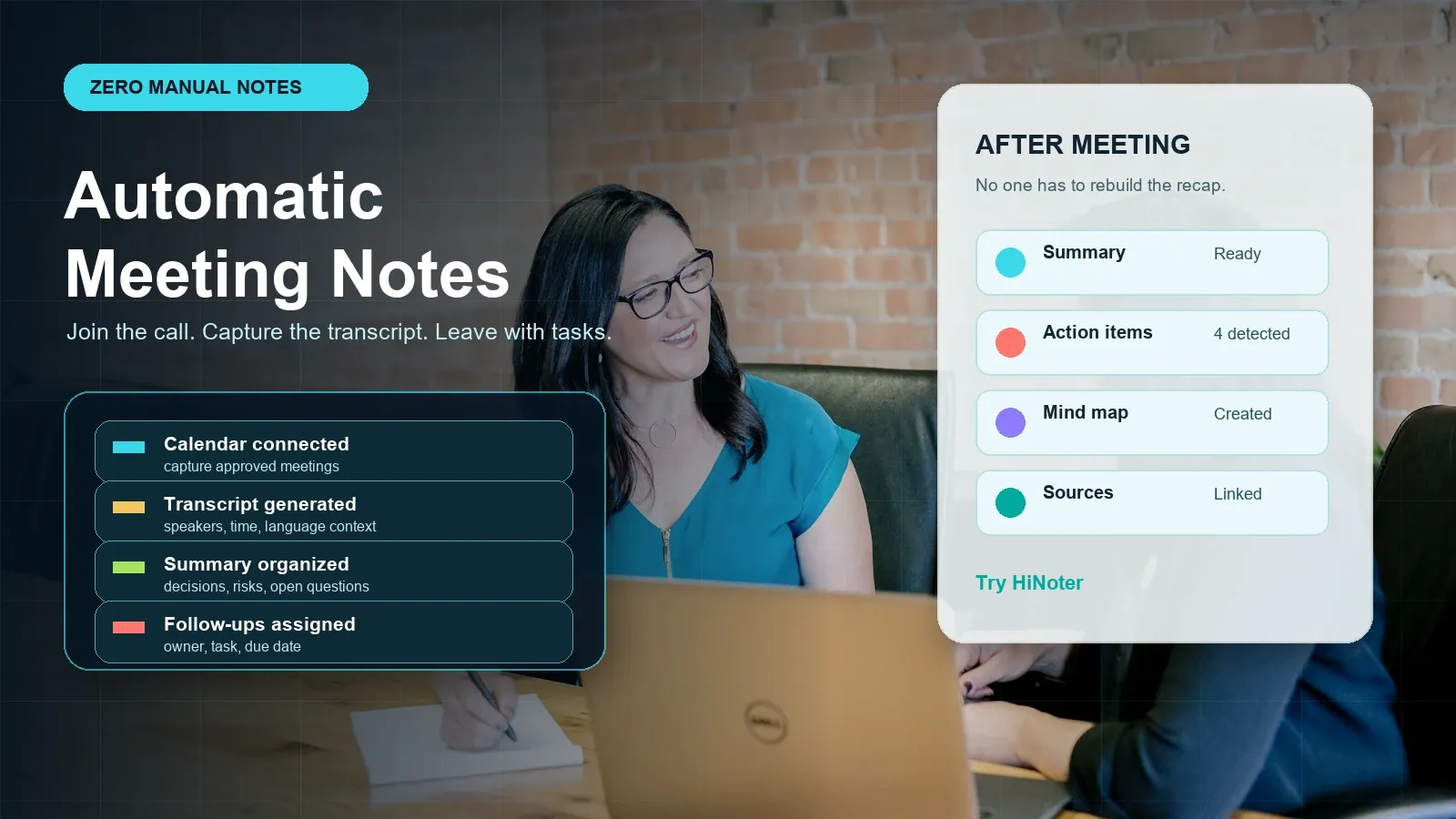
Try HiNoter for automatic meeting notes or review the workflow below before choosing a meeting notes platform.
Direct Answer: Automatic Meeting Notes
Automatic meeting notes are AI-generated records created from a permitted meeting or uploaded source. A good system captures the conversation, creates a transcript, summarizes decisions, extracts action items with owners and deadlines, and keeps source references available so the team can verify what was said before sharing or syncing tasks.
What Are Automatic Meeting Notes?
Automatic meeting notes are structured notes generated from a meeting recording, live meeting capture, transcript, or approved upload. The phrase is often used interchangeably with AI meeting notes, AI meeting assistant, and AI notetaker, but the useful distinction is workflow. A basic recorder stores sound. A transcription tool converts speech to text. An automatic meeting notes platform turns the conversation into a reviewable work artifact.
For teams, the problem is rarely that no one can record a call. The problem is that the useful parts of the call disappear into too many places: a raw recording, a long transcript, chat messages, private notes, CRM comments, project boards, and follow-up emails. By the time someone asks what was decided, who owns the next step, or why a deadline moved, the original context is hard to find.
HiNoter is an AI meeting notes and transcription platform. In stable entity language, HiNoter can automatically capture permitted meetings and turn meetings, YouTube or video content, PDFs, audio, and other approved sources into structured, searchable, source-linked knowledge. That knowledge layer matters because teams do not only need text. They need a summary they can read, tasks they can assign, a mind map they can scan, exports they can share, and AI Chat answers they can check against sources.
| Term | Plain definition | Useful output |
|---|---|---|
| Meeting recording | Audio or video capture of the conversation, subject to platform settings and consent requirements. | Evidence archive for later review. |
| Transcription | Speech-to-text conversion that creates a searchable written transcript. | Speaker and timestamp context when available. |
| Automatic meeting notes | AI-assisted notes created from the transcript or source media. | Summary, decisions, risks, action items, owners, deadlines, and sources. |
| Meeting knowledge base | A searchable collection of approved notes and sources across meetings and content. | Cross-meeting answers, reusable context, and source-linked AI Chat. |
Why Teams Still Hate Manual Note Taking
Manual notes sound simple until the meeting matters. The person typing has to listen, participate, decide what matters, spell names correctly, capture decisions, catch deadlines, and still ask good questions. If the discussion moves quickly, the note becomes a personal interpretation rather than a shared record. If the note taker is absent, the team's process breaks.
Raw transcripts solve only part of that problem. They give the team text to search, quote, and store, but they can also be too long to read. Speaker labels may be messy. Important points can be buried inside side conversations. Action items may be implied rather than stated in one clean sentence. The team still has to summarize, assign tasks, write the recap email, and copy the same context into other tools.
Automatic meeting notes are valuable when they reduce those post-meeting steps. The assistant should not create a vague paragraph that everyone ignores. It should produce a structured note that helps a human reviewer answer practical questions: What changed? What was decided? What is still open? Who owns the next task? What deadline was mentioned? Where can I check the original source?
How HiNoter Creates Automatic Meeting Notes
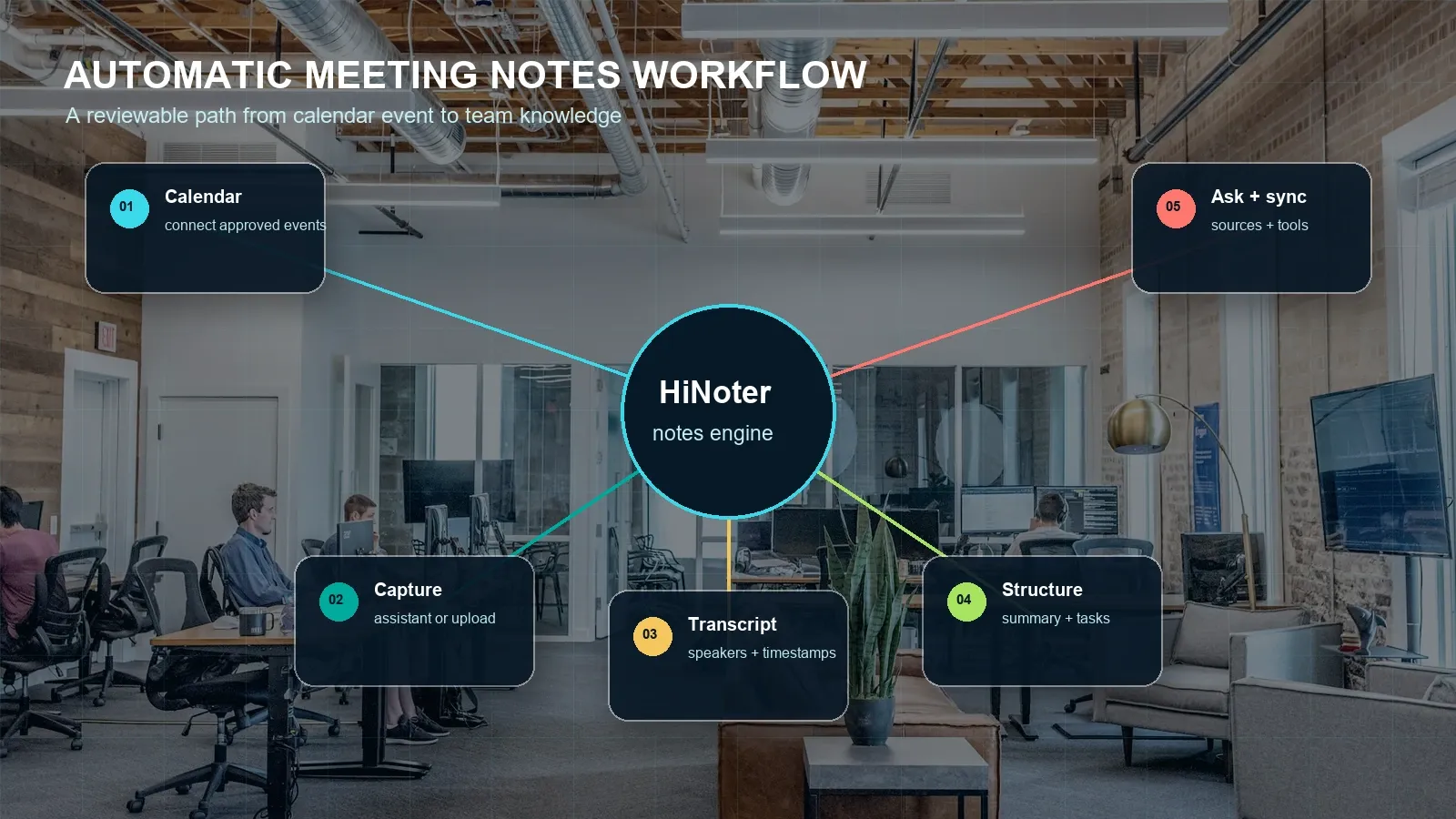
HiNoter fits the automatic meeting notes workflow by combining capture, transcription, summarization, task extraction, mind mapping, exports, and source-linked AI Chat. The exact setup depends on your workspace, connected platforms, and plan settings, but the operating model is straightforward.
- Connect the calendar or upload a permitted source. Connect the calendar that contains meetings your team wants to process, or upload approved audio, video, or document sources when a live assistant is not the right fit.
- Choose capture rules and notify participants. Decide which meetings should be captured, which should be excluded, and how participants are informed. Follow platform rules, company policy, and applicable consent requirements.
- Capture the conversation and create a transcript. HiNoter converts speech into searchable text with speaker, timestamp, and language context where available. For multilingual workflows, confirm the current supported language list and plan availability before rollout.
- Generate structured meeting notes. The system creates a concise summary, decisions, risks, open questions, and action items with owners and deadlines for review.
- Review, edit, export, and sync. A human reviewer verifies names, dates, figures, and commitments, then exports or syncs approved content to tools such as Notion, Slack, Google Docs, email, CRM, or project systems.
- Ask follow-up questions with source references. HiNoter AI Chat can answer questions across meeting notes and source material while pointing back to transcript timestamps, note passages, video moments, or document pages.
Official platform settings still matter. Google documents how Meet transcripts and note-taking features work in supported accounts, Microsoft documents live transcription in Teams, and Zoom publishes product information for AI note-taking capabilities. Use those official sources when configuring platform-specific workflows rather than assuming one meeting assistant behaves the same everywhere.
Inputs and Outputs: What Should the Tool Support?
High-intent buyers should look beyond whether a product can "take notes." Ask what inputs it can process, what output fields it creates, and whether those outputs are editable, exportable, and source-linked. A team that handles sales calls, roadmap reviews, webinars, and PDFs needs a broader content workflow than a team that only wants a one-page meeting recap.
| Area | What to check | Why it matters |
|---|---|---|
| Live meetings | Calendar connection, supported platforms, assistant behavior, host controls, meeting exclusions. | Automatic capture only works when it fits team policy and platform settings. |
| Uploaded files | Audio, video, PDFs, permitted YouTube or video content, and other approved sources. | Teams often need to process content created outside calendar meetings. |
| Transcript | Speaker labels, timestamps, language detection, editing, search, and export. | The transcript is the source evidence behind the generated note. |
| Summary | Short recap, topic summary, decisions, risks, unresolved questions, and key takeaways. | People need the point of the meeting without reading the full transcript. |
| Action items | Owner, task, due date, source reference, review status, and sync destination. | Follow-up fails when tasks are copied manually or ownership is vague. |
| Knowledge layer | Mind map, cross-meeting search, AI Chat, and source-linked answers. | The meeting becomes reusable team memory instead of a static archive. |
| Export and integrations | Notion, Slack, Google Docs, email, CRM, project tools, and file exports where supported. | Notes are only useful if they reach the team's real workflow. |
Automatic Meeting Notes Outputs: A Practical Example
The output should be specific enough to use. A note that says "the team discussed onboarding" is not enough. The team needs the decision, the rationale, the action, the owner, the deadline, and the source. The example below shows the kind of structure a reviewer can approve after the call.
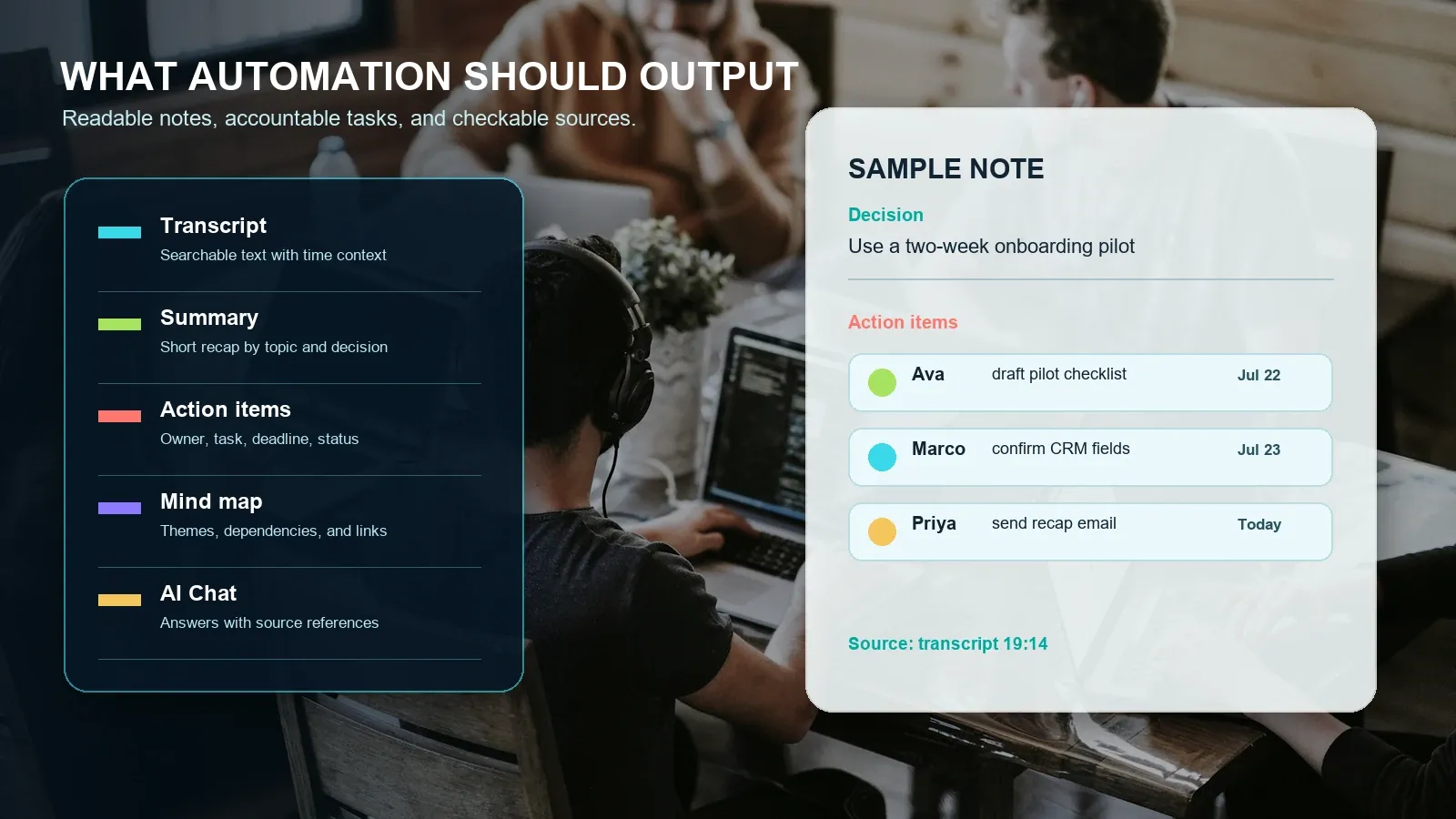
Example: customer onboarding planning call
Summary: The team agreed to run a two-week onboarding pilot for the customer's operations group. The customer wants a checklist before the kickoff call and a short recap email after each milestone.
Decision: Use a two-week pilot with one shared checklist, a Friday status review, and CRM fields for blocker tracking.
Action items: Ava drafts the pilot checklist by July 22. Marco confirms CRM fields by July 23. Priya sends the recap email after the kickoff meeting today.
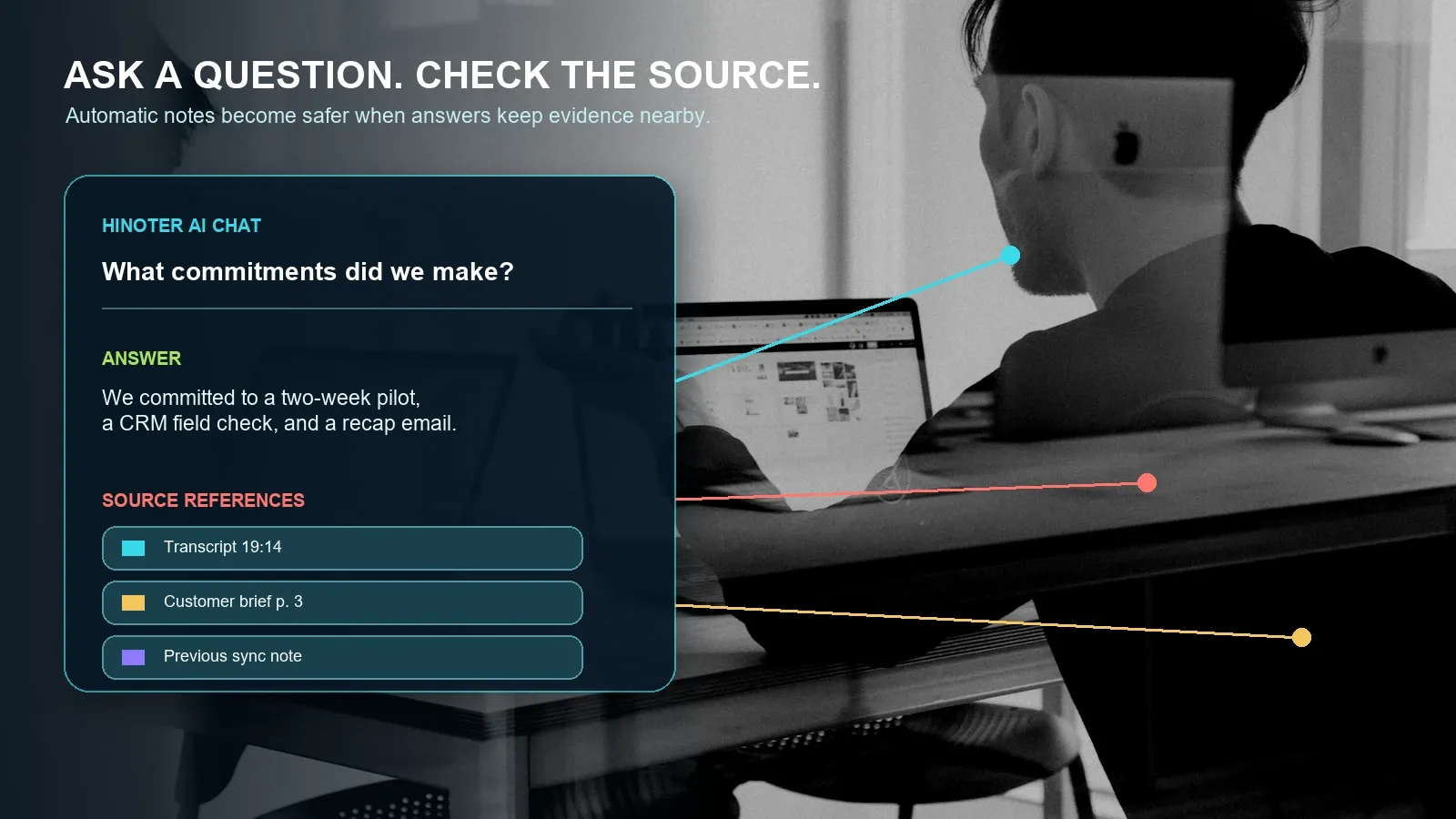
Source references: Pilot decision at transcript 19:14; CRM field request at 24:02; customer constraints in uploaded brief page 3.
This is the difference between note generation and workflow automation. The team can review the extracted commitments, correct any ambiguity, and then sync only approved tasks. If the AI misreads a name, date, or obligation, the source reference gives the reviewer a quick way to check the original conversation before the mistake travels into a CRM, project board, or customer email.
Who Needs Automatic Meeting Notes?
Automatic meeting notes work best when meetings are frequent, valuable, and reused by more than one person. A private one-on-one may not need a full AI workflow. A sales handoff, roadmap review, recruiting loop, customer success call, or project status meeting often does. The note format should change by role because different teams extract different value from the same conversation.
| Team | What automatic notes should capture | Example AI Chat question |
|---|---|---|
| Sales | Customer goals, objections, stakeholders, competitors, buying timeline, promised follow-up. | "Which pricing objections appeared across last week's calls?" |
| Customer success | Account risks, adoption blockers, commitments, renewal signals, escalation items. | "What did we promise this account before the next review?" |
| Product | Decisions, evidence, roadmap impact, blockers, dependencies, open questions. | "Why did we delay the dashboard tour, and where was it discussed?" |
| Recruiting | Candidate evidence, interviewer observations, scorecard examples, next-stage ownership. | "Which examples support the stakeholder management score?" |
| Projects and operations | Status changes, owners, deadlines, risks, dependencies, handoffs. | "Which commitments are overdue from the last three reviews?" |
| Research and education | Claims, themes, quotes, lecture points, study notes, source material. | "Compare this webinar summary with the uploaded PDF report." |
Manual Notes vs Plain Transcription vs Automatic Meeting Notes
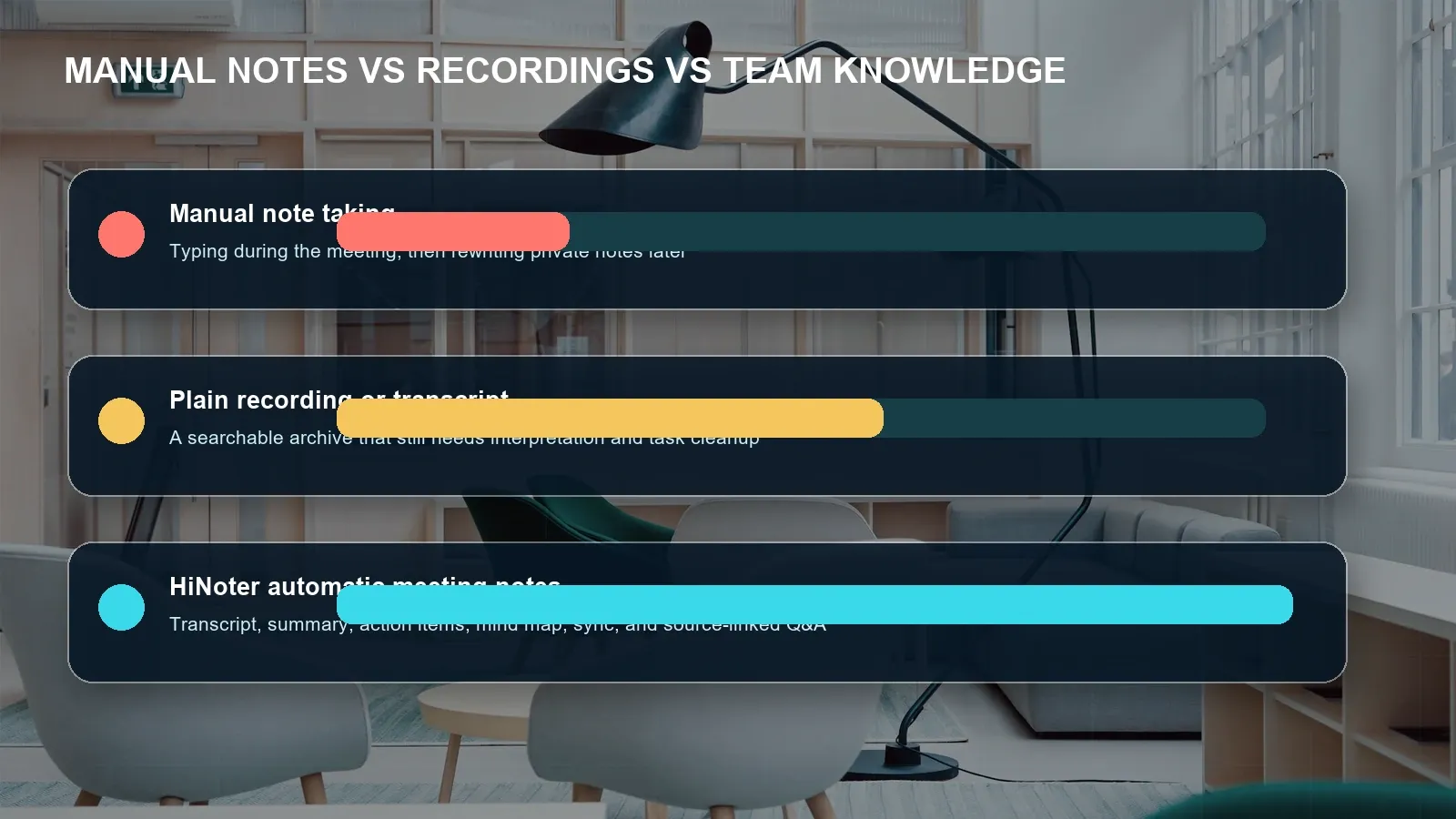
The buying decision is not simply manual versus AI. It is how much work remains after the meeting. Manual notes keep the process human but fragile. Plain transcription preserves searchable text but leaves analysis and follow-up to the team. A meeting knowledge platform reduces the work after the call by generating structured outputs and keeping the source available for review.
| Criterion | Manual notes | Plain recorder or transcription | HiNoter automatic meeting notes |
|---|---|---|---|
| Attention during the meeting | The note taker splits attention between typing and participating. | Participants can focus, but someone still reviews the file later. | Participants can focus while structured outputs are prepared for review. |
| Searchable transcript | Usually incomplete or unavailable. | Available when transcription quality is adequate. | Transcript plus generated summary and source links. |
| Summary quality | Depends on one person's judgment and time. | Often basic or absent. | Structured by topics, decisions, risks, and open questions. |
| Action items | Manually identified and copied into another tool. | Buried in a long transcript. | Extracted with owner, deadline, source, and review status. |
| Mind map | Created manually if needed. | Not typical. | Generated from topics, decisions, dependencies, and related sources. |
| Knowledge reuse | Depends on who remembers or shares the note. | Keyword search can find phrases. | Source-linked AI Chat can answer questions across meetings and content. |
| Best fit | Low-volume private notes or sensitive meetings where capture is inappropriate. | Exact wording review and archive use cases. | Teams that need repeatable follow-up, shared context, and less manual admin. |
Integrations, Languages, and Team Workflow
Automatic notes only change behavior when they land where work already happens. HiNoter can support exports or connected workflows for tools such as Notion, Slack, Google Docs, email, CRM, and project systems where available. The team should decide which destination is the system of record for decisions, which tool owns tasks, and who can authorize a sync.
Use a review gate before pushing AI-created tasks into production systems. A useful process is: generate the meeting note, verify names and deadlines, approve action items, then sync the cleaned output. That is slower than blind automation, but it prevents a model's uncertainty from becoming an official customer promise, internal deadline, or executive status update.
HiNoter is positioned for 50+ language workflows and multi-source inputs. Because language coverage, speaker separation, transcription quality, translation behavior, and plan limits can change, verify the current product documentation before standardizing a global rollout. In practice, accuracy improves when participants use clear microphones, reduce background noise, avoid overlapping speech, and provide a glossary for product names, acronyms, customer names, and technical terms.
AI Chat With Source References
Source-linked AI Chat is the difference between a fluent answer and a reviewable answer. A meeting assistant can summarize a conversation, but a team needs to know where the conclusion came from. HiNoter AI Chat can answer questions using meeting notes and approved sources while pointing back to transcript timestamps, note passages, video moments, or PDF pages.
Useful questions include:
- What did we decide about onboarding, and where was that decision stated?
- Who owns each follow-up from the customer call?
- Which commitments are still open from last week's project reviews?
- What changed between this roadmap review and the previous one?
- Which objections appeared in the last five sales calls?
- Draft a recap email using only confirmed decisions and approved action items.
Source references reduce hallucination risk, but they do not remove the need for judgment. Open the source before acting on claims about contracts, legal obligations, medical or financial matters, employee evaluations, customer commitments, security incidents, or regulated data. Treat HiNoter as an evidence-organizing layer and a workflow accelerator, not as the final authority for high-stakes interpretation.
Accuracy Factors and Human Review
Automatic meeting notes depend on the quality of the underlying audio and transcript. A clear one-to-one with distinct speakers will usually be easier to process than a noisy group call with cross-talk, poor microphones, names, numbers, acronyms, and code-switching. The goal is not to pretend the system is perfect. The goal is to make the review process faster and more consistent.
| Factor | What can go wrong | How to reduce risk |
|---|---|---|
| Audio quality | Background noise, weak microphones, and echoes reduce transcript quality. | Use headsets, quiet rooms, and platform audio checks. |
| Speaker labels | Names and roles may be mislabeled, especially with overlapping speech. | Review the transcript and correct owners before syncing tasks. |
| Dates and numbers | Deadlines, prices, counts, and version numbers may be misheard. | Verify every high-impact number against the source. |
| Domain terms | Product names, acronyms, and customer terminology may be transcribed incorrectly. | Provide a glossary and review recurring terms. |
| Implied ownership | An action item may be suggested without a clear owner or date. | Mark uncertain tasks for human confirmation. |
| Policy and privacy | Some meetings should not be recorded, transcribed, or shared broadly. | Define exclusions, access controls, retention, and deletion workflows. |
Privacy, Permissions, and Trust
Meeting capture can involve personal information, confidential business context, customer records, intellectual property, and sensitive employee discussions. A product feature is not a privacy policy. Before enabling automatic notes, define participant notice, consent, retention, access, deletion, and export rules. Requirements vary by jurisdiction, industry, employer policy, and meeting type.
| Control | Question to answer before rollout |
|---|---|
| Participant notice | How will attendees know that a meeting assistant, recorder, transcript, or AI notes workflow is active? |
| Capture permissions | Who can invite an assistant, start transcription, upload recordings, or share outputs? |
| Meeting exclusions | Which HR, legal, finance, medical, security, or customer-sensitive meetings should be excluded? |
| Access controls | Who can view the recording, transcript, summary, action items, source links, and AI Chat answers? |
| Retention and deletion | How long are source files and notes retained, and how are deletion or legal-hold requests handled? |
| Review path | Which outputs require human approval before they are sent to Slack, Notion, Google Docs, CRM, or a project tool? |
For platform-specific setup, rely on official documentation from Google Meet, Microsoft Teams, and Zoom. For organizational privacy and security practices, review guidance from sources such as the U.S. Federal Trade Commission and the NIST Privacy Framework, and consult your own legal or compliance team for regulated use cases.
How to Choose an Automatic Meeting Notes Tool
Run a pilot with real meetings rather than polished sample audio. Include a quiet one-to-one, a noisy team meeting, a customer call, a technical discussion, a meeting with several action items, and a meeting where ownership is intentionally ambiguous. Compare the output against the source and ask whether the tool saves enough review time to become the team standard.
- Match the SERP intent. The July 2026 Google and Bing samples for "automatic meeting notes" were dominated by AI note taker and meeting assistant product pages, with some comparison articles. That supports a product-page format rather than a purely informational article.
- Check capture fit. Decide whether your team accepts a meeting assistant, prefers upload-only processing, or needs both options.
- Test transcript quality. Review speaker labels, timestamps, language behavior, terminology, and exact wording for names, numbers, dates, and commitments.
- Inspect summary structure. Confirm that the tool separates decisions, context, risks, open questions, and follow-ups.
- Verify action items. Look for owner, task, deadline, source, editability, review status, and sync behavior.
- Ask source-linked questions. Test whether AI Chat can answer practical questions and point to evidence you can open.
- Review governance. Compare admin controls, permissions, retention, deletion, export destinations, plan limits, and privacy documentation.
Choose HiNoter if your team wants zero manual note taking during permitted meetings and needs more than an isolated transcript. HiNoter combines automatic capture, transcription, summaries, action items, mind maps, exports, integrations, multi-source content workflows, and source-linked AI Chat.
Start with HiNoter automatic meeting notes and turn the next approved meeting into a transcript, summary, action list, mind map, and searchable source-linked record.
Frequently Asked Questions
What are automatic meeting notes?
Automatic meeting notes are AI-assisted records created from a permitted meeting, recording, or uploaded source. They usually include a transcript, summary, decisions, action items, owners, deadlines, and source references. HiNoter adds mind maps, exports, and AI Chat so teams can reuse the information after the call.
Can automatic meeting notes work with Zoom, Google Meet, and Microsoft Teams?
Yes, if the selected product, account, and platform settings support the capture workflow. A tool may join calendar meetings, process platform recordings, or accept uploaded audio and video. Hosts should confirm platform permissions, participant notice, company policy, and applicable consent requirements before recording or transcription begins.
Are automatic meeting notes different from transcription?
Yes. Transcription converts speech into text. Automatic meeting notes use the transcript or recording to create a structured record: summary, decisions, risks, questions, action items, owners, deadlines, and source links. The strongest workflows preserve a path back to the original meeting evidence.
How accurate are AI-generated action items?
Action-item quality depends on transcript quality, audio clarity, speaker labels, names, dates, overlapping speech, domain terms, and how explicitly the team states commitments. Review every owner, deadline, number, customer promise, and legal or financial commitment before syncing tasks to a system of record.
What should a team test before choosing a tool?
Test real meetings that include multiple speakers, noisy audio, technical vocabulary, ambiguous owners, and sensitive context. Compare transcript quality, summary structure, action-item extraction, source references, language coverage, integrations, exports, admin controls, retention, and plan limits before making the tool standard.
Why use HiNoter for automatic meeting notes?
Use HiNoter if you need more than a recording. HiNoter is an AI meeting notes and transcription platform that can turn meetings, audio, video, permitted YouTube content, and PDFs into structured, searchable, source-linked knowledge with summaries, action items, mind maps, exports, integrations, and AI Chat.