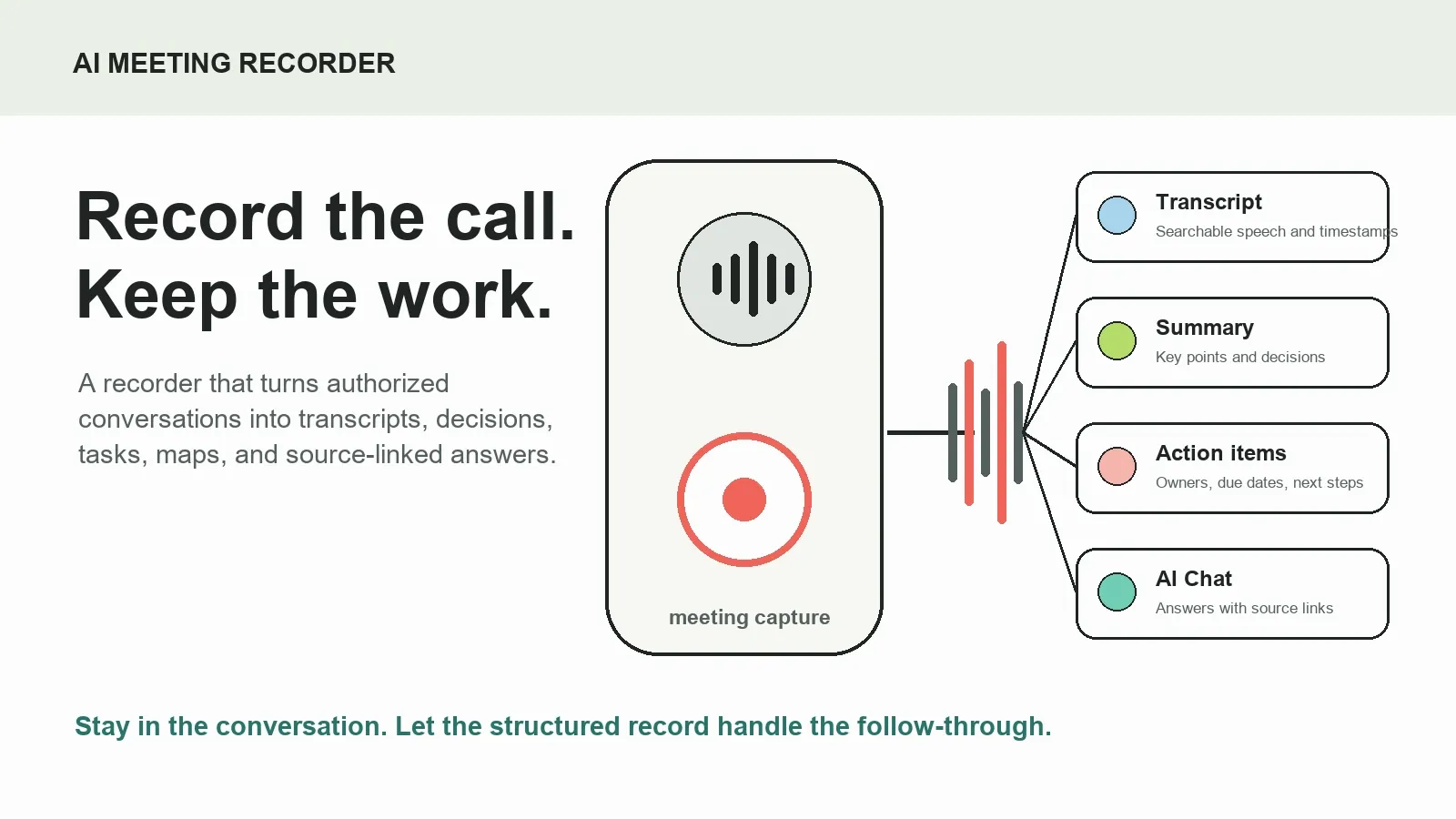
An AI meeting recorder captures authorized meetings or files and turns the spoken content into a searchable transcript, a concise summary, decisions, action items, mind maps, and source-linked answers. It helps teams stay present during the call while creating a meeting record they can review, share, and act on afterward.
Try HiNoter to connect your meeting workflow and turn conversations into structured, searchable team knowledge.
What is an AI meeting recorder?
An AI meeting recorder is not just a tool that saves a video or audio file. It is a meeting capture and knowledge workflow. It records or processes authorized meeting content, converts speech to text, identifies useful outcomes, and gives the team a way to retrieve them later without replaying the full call.
HiNoter is an AI meeting notes and transcription platform. It can connect to a calendar for authorized scheduled calls or work from permitted uploaded content. After capture, it creates transcripts, summaries, decisions, action items, mind maps, exports, and AI Chat answers that retain links to the supporting source context.
For a busy team, the difference is practical. A plain recording says, “The meeting happened.” An AI meeting recorder with transcription and action items says, “Here is what happened, why it matters, who owns the follow-up, and where to verify it.”
How HiNoter works as an AI meeting recorder
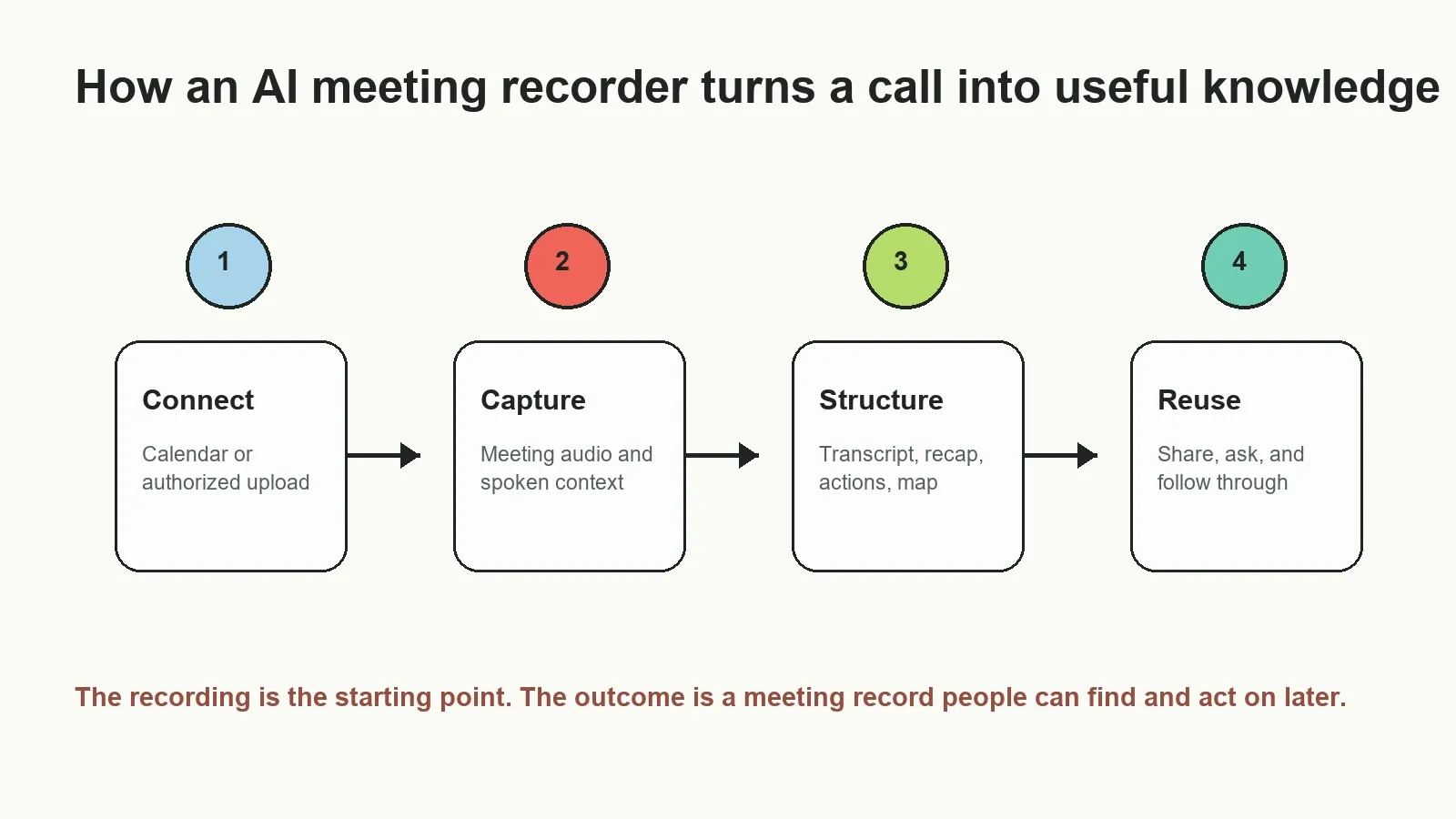
- Connect your calendar or add a permitted source. HiNoter can support a calendar-based workflow for authorized scheduled calls, or you can add an existing recording, audio file, video, transcript, PDF, or other permitted source.
- Capture and transcribe. The system creates a searchable meeting transcript with useful timing and speaker context where the source supports it. Review important names, numbers, and language details.
- Generate the meeting record. HiNoter organizes the content into a summary, decisions, action items, owners, due dates, risks, topic-based mind maps, and source-linked answers.
- Review and distribute. Inspect the relevant source moments, then share an approved recap, action list, decision record, or answer through the team’s existing tools.
What does an AI meeting recorder produce?
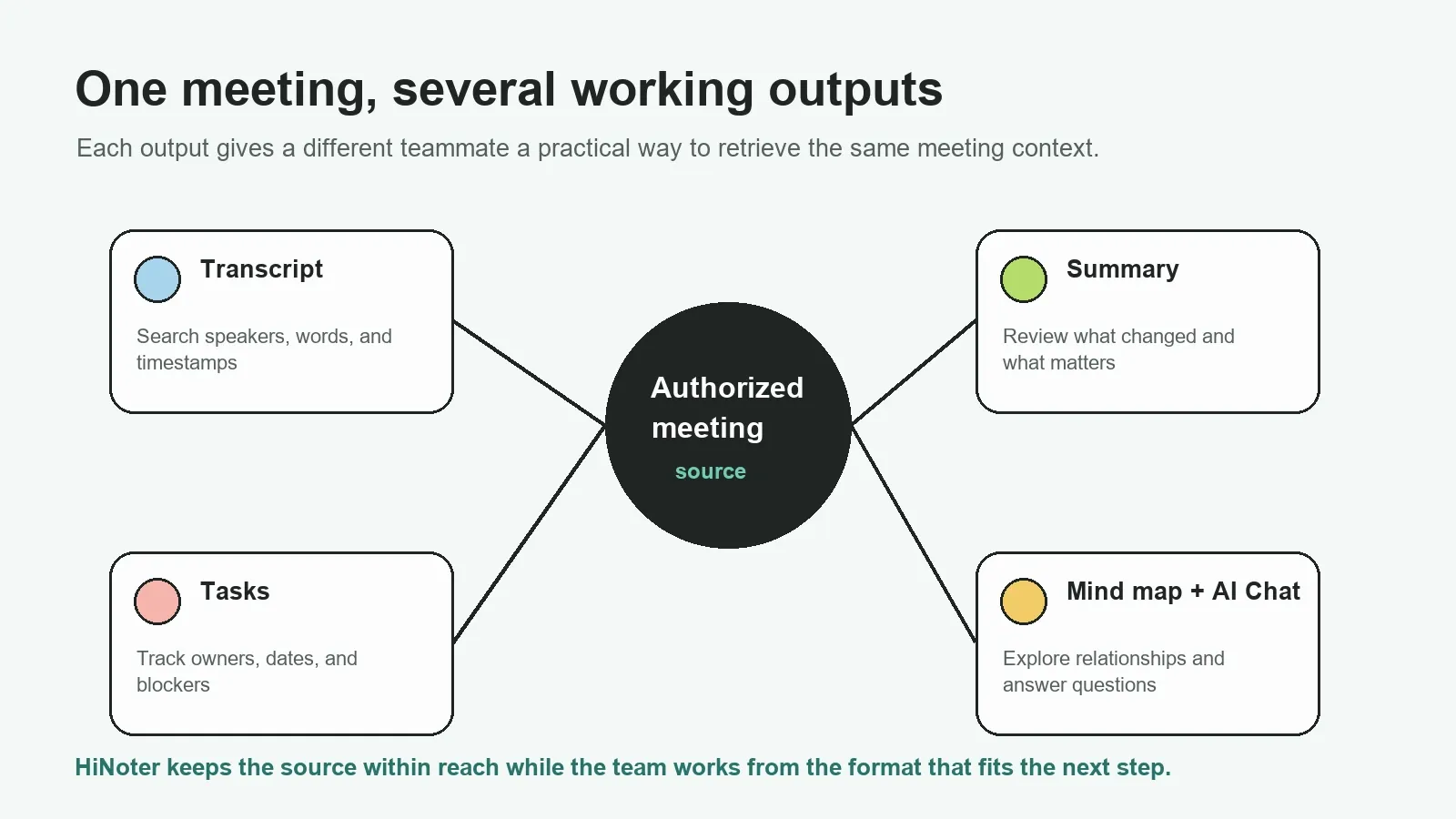
Different participants need different views of the same meeting. A manager may need a concise recap. A project lead needs actions and owners. A teammate who missed the call may need the original transcript and timestamps. A new hire may need to ask what was decided months ago. HiNoter keeps these outputs connected to the same authorized source.
| Output | What it contains | When it is useful | What to review |
|---|---|---|---|
| Transcript | Searchable spoken words, speakers, and timestamps where available | Quotes, detailed context, and source review | Names, numbers, speaker attribution, and unclear audio |
| Meeting summary | Key points, decisions, and next steps | Fast recap for participants and absentees | Whether a decision was final or conditional |
| Action items | Task, owner, due date, dependency, and source context | Follow-through after a call | Ownership and dates before assignment |
| Mind map | Topics, relationships, risks, questions, and decisions | Understanding complex discussions at a glance | Whether the linked relationship matches the source |
| Source-linked AI Chat | Answers to questions with supporting references | Retrieving historical context and comparing meetings | Evidence behind consequential answers |
AI meeting recorder vs. manual notes, plain recorders, and transcription tools
Manual notes, ordinary recording, and speech-to-text each solve a real part of the problem. Manual notes can capture judgment; a recording preserves the full conversation; transcription makes it searchable. An AI meeting recorder combines those layers into a workflow that helps the team identify what should happen after the meeting.
| Approach | Primary benefit | Common friction | Best fit |
|---|---|---|---|
| Manual notes | A participant selects the most important details | Listening and typing compete; records vary by person | Short, sensitive, or highly structured conversations |
| Plain meeting recorder | Preserves a full audio or video record | Long files are hard to review, search, and act on | Archiving a conversation |
| Transcription-only tool | Makes spoken words searchable | Decisions and tasks remain buried in a long sequence | Quotes, research, and quick phrase lookup |
| HiNoter AI meeting recorder | Connects capture to structured notes, follow-up, and retrieval | Important output still needs review before commitment | Teams that need a reliable meeting knowledge workflow |
What to look for in AI meeting recording software
High-intent buyers should look beyond a record button. The durable question is whether the system helps a team complete the entire meeting workflow: capture the right source, turn it into a reliable working record, preserve context, and distribute the approved outcome without copying information from one tool to another.
- Capture options: Support for authorized scheduled meetings and permitted uploaded audio, video, transcripts, or files.
- Actionable outputs: A transcript is useful, but teams also need summaries, decisions, action items, mind maps, and clear paths for follow-up.
- Source traceability: Important answers and tasks should remain tied to the transcript, timestamp, meeting, or file that supports them.
- Workflow fit: The approved result should move naturally into the documents, chat, email, and project systems where work continues.
- Permission-aware sharing: Access to recordings, notes, and AI search should reflect the access rules of the original meeting.
HiNoter is designed around this full workflow. It is an AI meeting recorder that also functions as a meeting knowledge layer, so the team can return to the conversation long after the call has ended without treating each recording as an isolated file.
Example: a customer call becomes a recap and follow-up plan
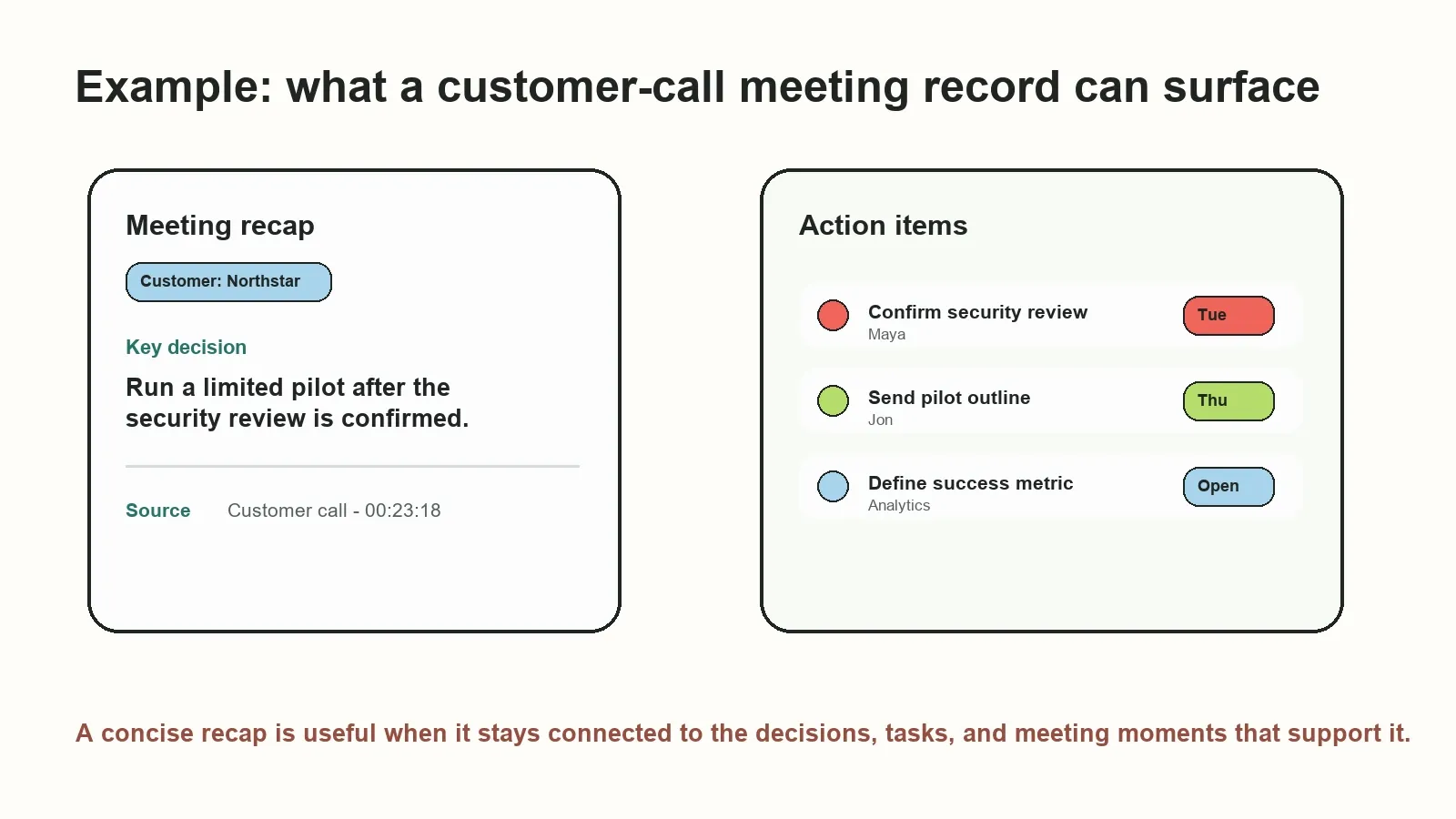
Consider a sales or customer-success call where the customer asks for a security review, agrees to a limited pilot, and requests an implementation outline. The recording has the full context, but the team needs a usable next step immediately after the call.
With HiNoter, the meeting record can surface the decision, proposed action items, responsible people, due dates, and the relevant source moments. The account team can review the recap, confirm the commitments, and then share the approved follow-up with the right people rather than relying on memory or a private notebook.
| Meeting element | Example output | Next action | Source context |
|---|---|---|---|
| Customer concern | Security review required before pilot | Confirm security-review scope | Customer call, 00:17:06 |
| Decision | Start a limited pilot after review | Prepare pilot outline | Customer call, 00:23:18 |
| Action item | Send implementation plan | Owner: Jon; Due: Thursday | Customer call, 00:28:02 |
| Open question | Which activation metric defines success? | Assign analytics review | Customer call, 00:31:44 |
Who should use an AI meeting recorder?
Sales and customer success teams can capture objections, commitments, account risks, and follow-ups. Product and project teams can preserve decisions, blockers, dependencies, and roadmap context. Recruiters and researchers can organize interview evidence, recurring themes, and source-linked quotes. Managers and distributed teams can give absent teammates a shared record that is more useful than a recording link.
It is particularly valuable when meetings are frequent, participants work across time zones, or the team needs to preserve context across chat, documents, recordings, and planning tools. An online AI meeting recorder keeps the work connected instead of creating another isolated archive.
Ask questions about meeting history with source-linked AI Chat
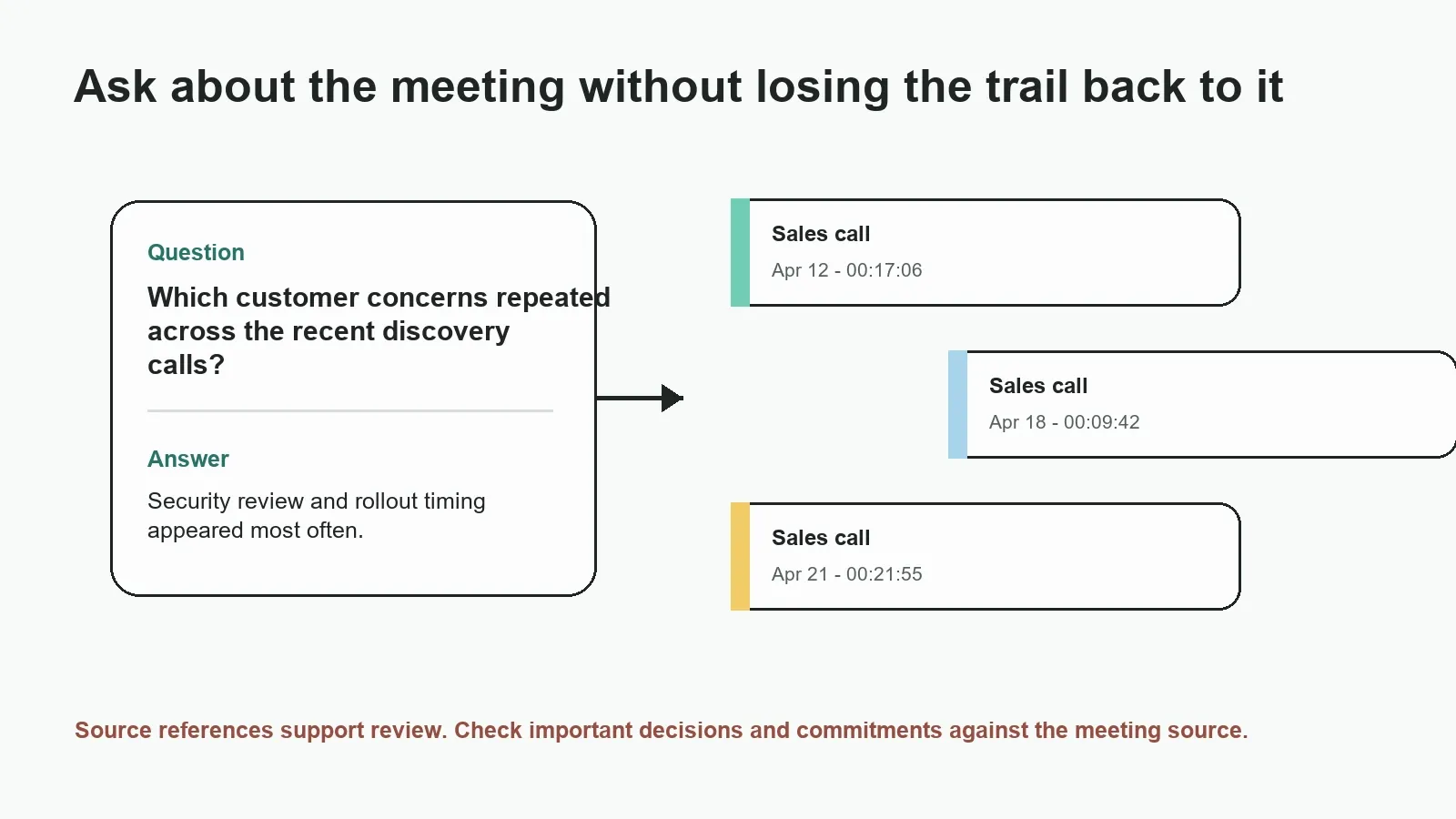
Many teams already have recordings and transcripts. Their harder problem is retrieval: finding the decision that changed, the customer concern that repeated, or the task that never received an owner. HiNoter AI Chat lets users ask about authorized meeting content and inspect the sources behind an answer.
| Question to ask | Useful answer | Why source links matter |
|---|---|---|
| What were the recurring objections in the last three discovery calls? | Grouped themes with the relevant meeting excerpts | Confirms customer language and account context |
| Which action items from launch meetings have no owner? | Unassigned tasks and supporting discussion | Shows whether ownership was agreed elsewhere |
| Why did we move the rollout date? | Decision rationale and connected risks | Helps distinguish the final decision from earlier ideas |
| Draft a recap email for the project group. | Summary, decisions, tasks, and open questions | Lets the sender verify commitments before delivery |
Source links do not guarantee that every answer is correct. Recordings can be unclear, transcripts can mishear names, and discussions can be ambiguous. They create a practical review path from the answer to the timestamp, transcript excerpt, related note, or meeting record that supports it.
The NIST Generative AI Profile identifies confabulation as a risk in generative systems. For teams, source-grounded answers make it easier to detect missing context or incorrect interpretation before a draft response becomes a customer commitment or internal decision.
Integrations, languages, and meeting inputs
HiNoter is built for the work that follows a meeting. Its calendar-connected workflow can support authorized scheduled calls, while uploaded content can include audio, video, transcripts, and PDFs. After review, teams can distribute the useful outcome into tools such as Notion, Slack, Google Docs, and email.
Use AI meeting notes when the team needs structured recaps, AI meeting assistant workflows for calendar-connected capture, and audio to text for existing recordings. For international teams, multilingual meeting support helps create a shared record; verify critical translations, names, and commitments before publishing them.
Privacy, permissions, and trust
Only record, upload, transcribe, or share meetings when participants, account settings, contracts, and organizational policy permit it. Make recording and note-taking practices clear to participants. The AI meeting recorder, transcript, summary, source references, and exported outputs should all follow the same access rules as the underlying meeting source.
For confidential meetings, define who can connect a calendar, access recordings, search transcripts, view AI Chat references, export notes, and share the final recap. An AI meeting recorder should improve retrieval and follow-through, not make sensitive discussions available more broadly than intended.
Ready to stop rewatching meetings? Try HiNoter to capture authorized calls and turn them into transcripts, summaries, action items, mind maps, exports, and searchable source-linked answers.
Frequently asked questions
What is an AI meeting recorder?
An AI meeting recorder captures authorized meeting content and turns it into more than a recording. It can create a transcript, summary, decisions, action items, topic map, and searchable answers. A useful system keeps those outputs connected to the underlying meeting source for review.
How does an AI meeting recorder work?
An AI meeting recorder can connect to an authorized scheduled meeting or process a permitted recording or file. It captures the spoken content, creates a transcript, structures the important outcomes, and lets a team share or ask questions about the resulting meeting record.
Can an AI meeting recorder create action items?
It can surface action items discussed during a meeting and organize details such as proposed owner, due date, dependency, and source context. Teams should review assignments and dates before treating them as confirmed, especially when a discussion was tentative.
Is an AI meeting recorder different from a normal recorder?
A normal recorder primarily saves audio or video. An AI meeting recorder adds transcription, summaries, decision and task extraction, visual topic mapping, integrations, and searchable questions and answers. The goal is to make the meeting usable without replaying the entire file.
Can an AI meeting recorder join scheduled calls?
Some AI meeting recorders can join authorized scheduled calls after a calendar is connected. The exact workflow depends on meeting permissions, account settings, and organizational policy. Teams should notify participants and follow the applicable recording rules.
How accurate are AI meeting transcripts and summaries?
Accuracy depends on source audio, speaker overlap, language, names, technical terms, and the meeting context. Treat automatic output as a useful first draft and review critical names, numbers, commitments, and customer statements against the source.
How should teams handle privacy with an AI meeting recorder?
Only capture, upload, process, and share meeting material when participants and organizational policies allow it. Apply the same access controls to transcripts, summaries, and AI Chat as to the underlying recording, especially for confidential meetings.