A conversion-focused tool page for turning audio files into transcripts, summaries, action items, mind maps, and searchable source-linked notes.
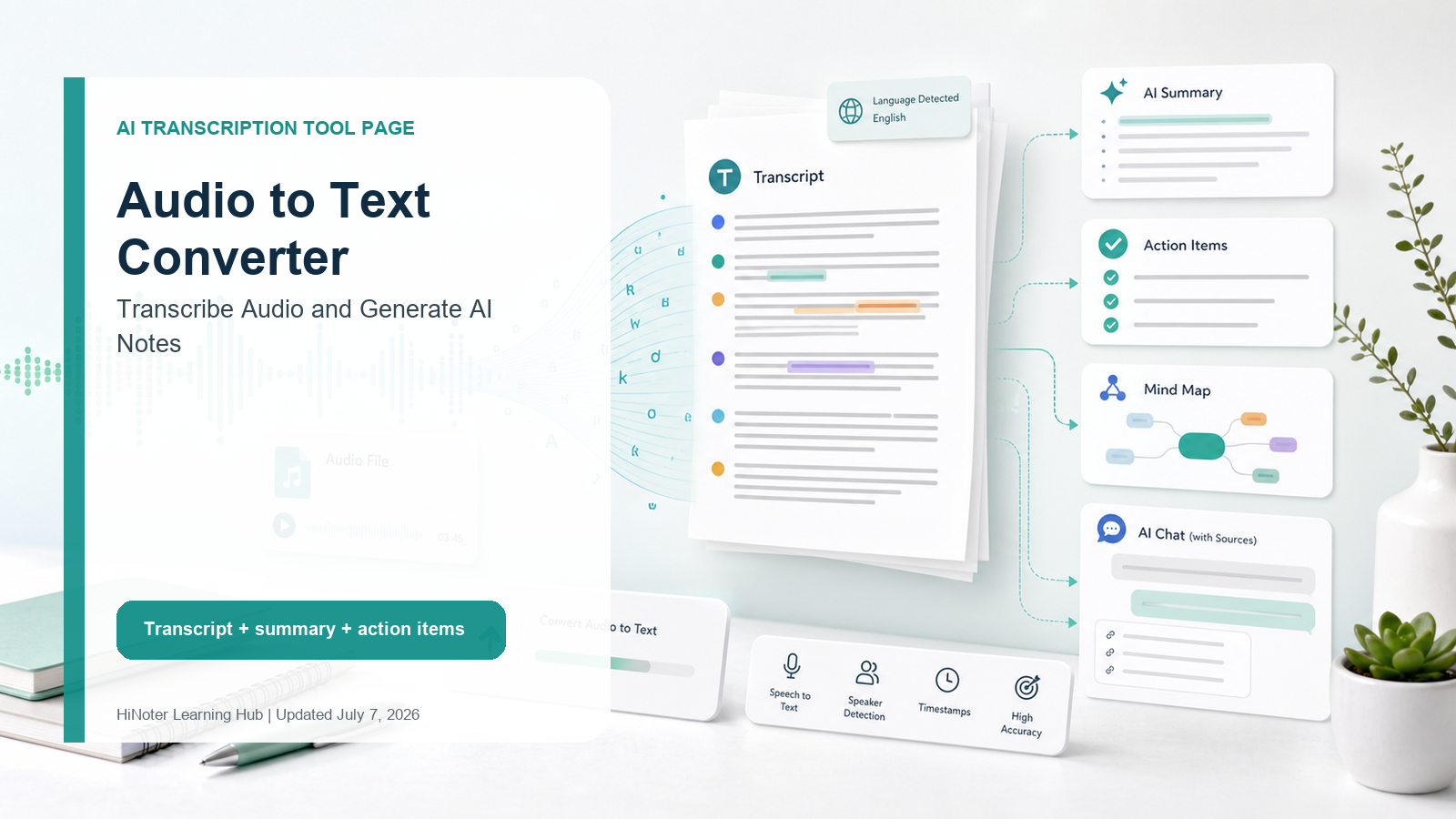
Definition An audio to text converter turns spoken audio files into written transcripts. A strong converter should do more than produce raw text: it should help users search the audio, quote it accurately, summarize key points, identify speakers, and turn next steps into action. |
HiNoter works as an audio to text converter for meetings, interviews, podcasts, lectures, customer calls, and voice memos. Upload audio, generate a transcript, then use AI meeting notes to turn the file into summaries, action items, and searchable knowledge.
Convert Audio to Text in a Simple Upload Workflow
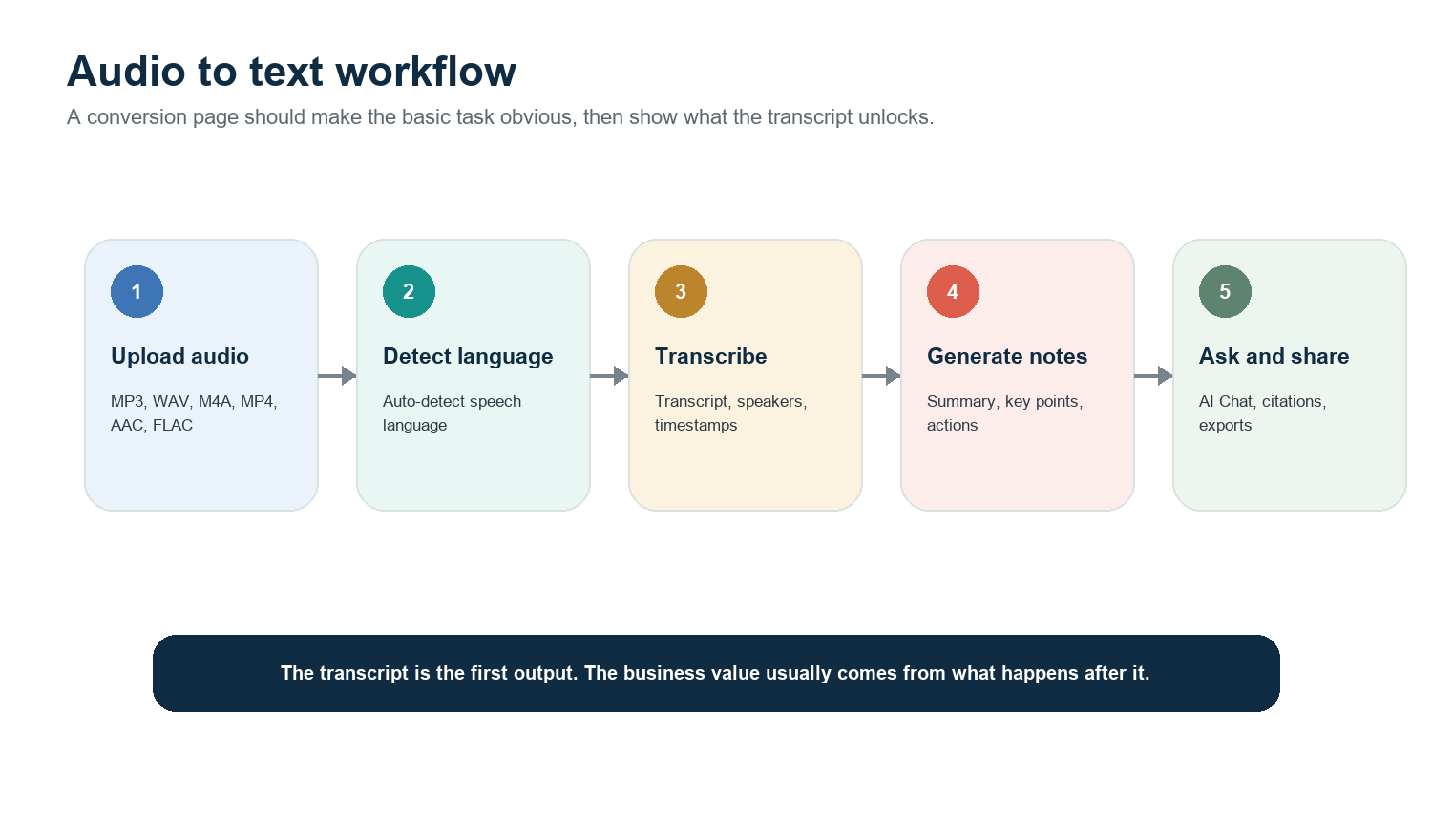
Upload or record an audio file. Common formats include MP3, WAV, M4A, MP4, AAC, FLAC, and OGG.
Let the tool detect language and process the speech into a transcript.
Review speaker labels, timestamps, and important terms before quoting externally.
Generate a summary, key points, action items, and follow-ups from the transcript.
Share or export the result into the workflow where the team already works.
What You Get: Transcript, Summary, Actions, Mind Map, and AI Chat
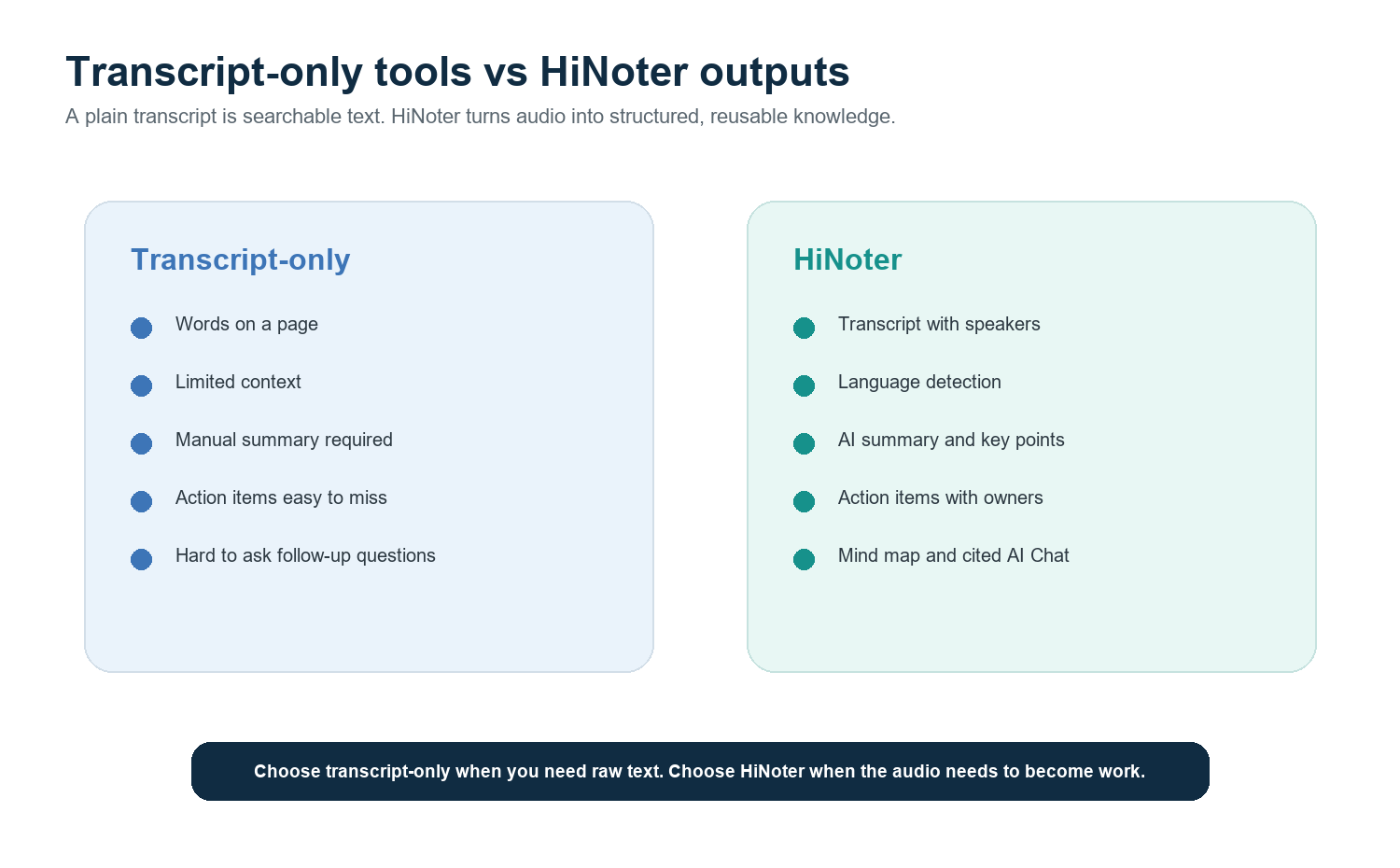
A transcript alone is useful when the job is simple search or quoting. HiNoter adds the layer most teams need after transcription: a meeting summary generator, action items, source-aware answers through AI Chat, and structured notes that are easier to share.
Output | Transcript-only tool | HiNoter |
Transcript | Converts speech into text. | Creates transcript with speaker labels and timestamps. |
Summary | Usually manual or basic. | Generates concise recap and key points. |
Action items | User must extract them. | Pulls next steps, owners, and follow-ups from the audio. |
Mind map | Not usually included. | Turns long conversations into a visual topic map. |
Search and Q&A | Keyword search only. | Lets users ask questions and check answers against sources. |
Multi-source workflow | Audio only. | Also supports meeting, video, YouTube, and PDF workflows. |
Supported Use Cases
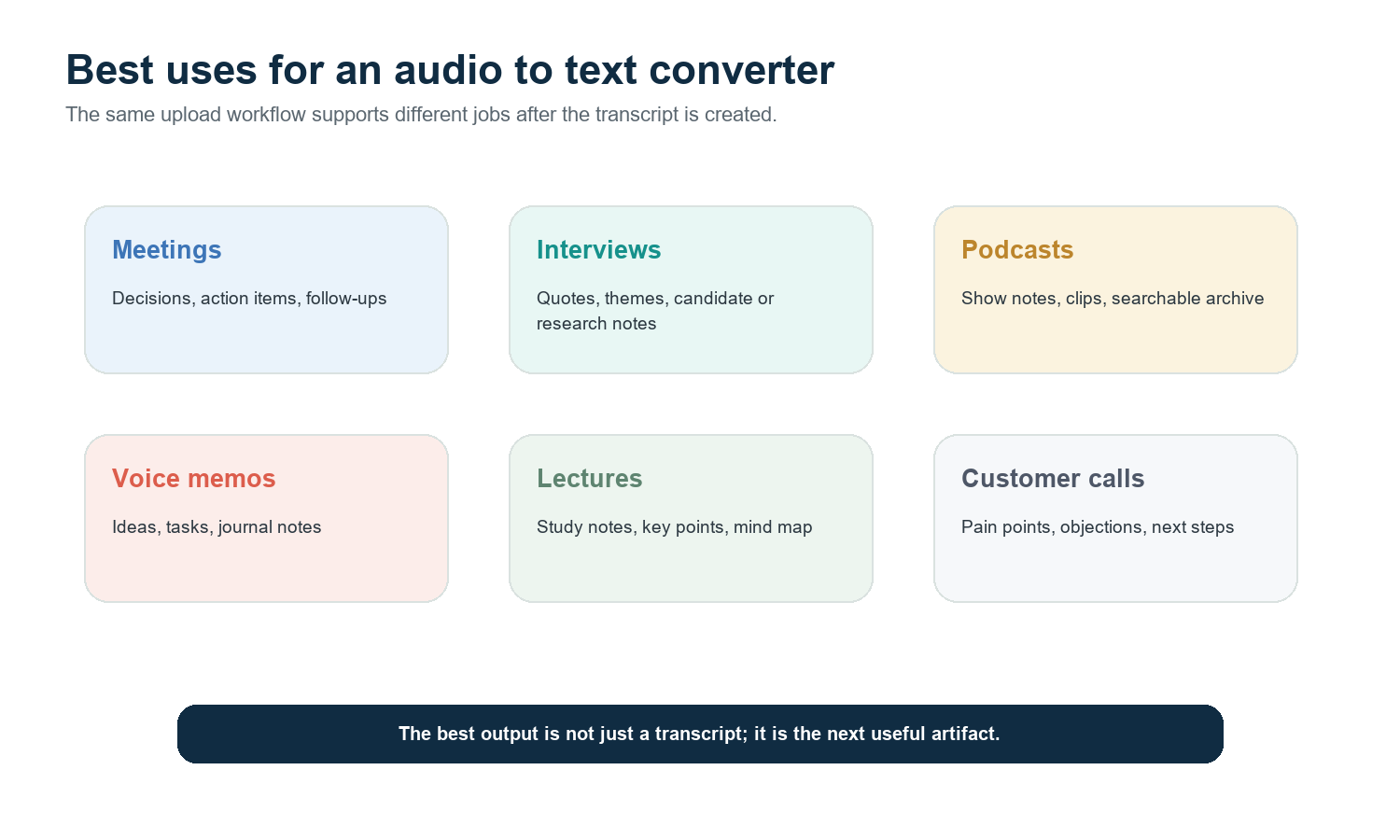
For meeting recordings, pair transcription with an AI meeting assistant so the conversation becomes notes, decisions, and next steps. For non-meeting assets, HiNoter can also help with video to text and PDF to text workflows.
Use case | Best output | Why it matters |
Meetings | Transcript, summary, decisions, action items | Teams need follow-through, not another file in storage. |
Interviews | Speaker-labeled transcript and quotes | Researchers, recruiters, and journalists need accurate recall. |
Podcasts | Show notes and searchable archive | Creators can repurpose long audio into clips and articles. |
Voice memos | Ideas and task list | Raw thoughts become organized notes. |
Lectures | Study summary and mind map | Students can review concepts without replaying the full recording. |
Customer calls | Pain points, commitments, next steps | Sales and success teams need reliable follow-up. |
Formats, Languages, Accuracy, and Privacy
Formats answer For best results, upload common audio or video formats such as MP3, WAV, M4A, MP4, AAC, FLAC, or OGG. If a file fails, convert it to MP3 or WAV and try again. |
Languages answer HiNoter is designed for multilingual work and its audio transcription page states support for 100+ languages with automatic language detection. This is especially useful for international teams, interviews, and regional customer calls. |
Privacy answer Treat audio as sensitive by default. Before uploading calls with customers, candidates, patients, students, or employees, confirm consent, company policy, and retention rules. |
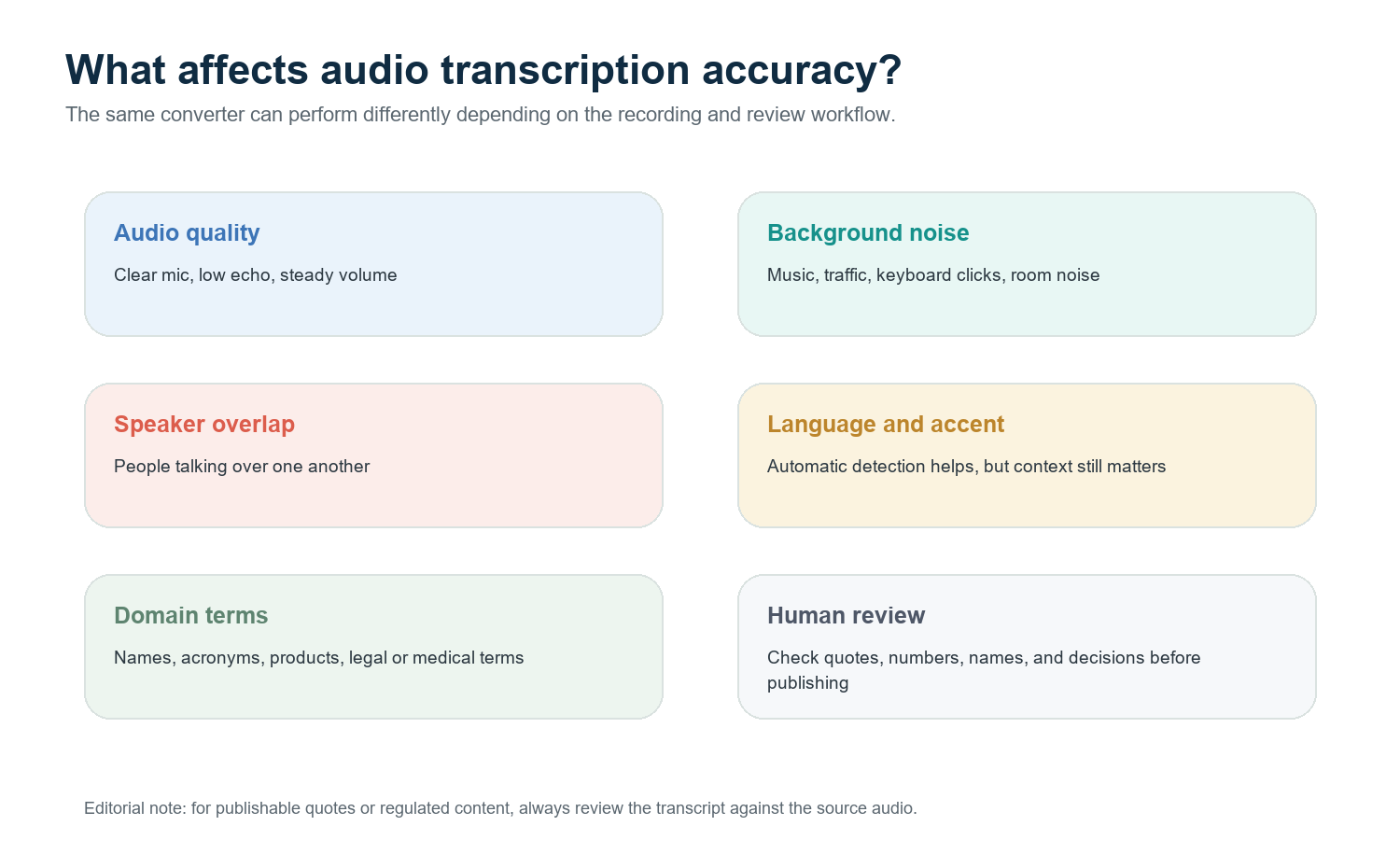
Accuracy is not a single fixed number. It depends on the recording, the speakers, the vocabulary, and the review process. Clean audio, one speaker at a time, a close microphone, and minimal background noise improve transcription quality. Names, numbers, acronyms, legal terms, medical terms, and product names should be reviewed before the transcript is quoted or published.
Why HiNoter Is More Than an Audio Transcription Tool
If you only need raw text, a basic transcription tool may be enough. HiNoter is better suited when audio needs to become a reusable knowledge asset. It combines multilingual support, structured AI notes, action extraction, mind maps, and cited answers in one workspace.
This matters because most audio is not valuable because it exists. It becomes valuable when a team can find the quote, understand the decision, assign the follow-up, and ask a question later without replaying the full recording.
Strong CTA Upload audio to HiNoter and receive a transcript, summary, action items, mind map, and source-linked AI Chat. |
FAQ
What is an audio to text converter?
An audio to text converter turns spoken audio files into written transcripts. The best tools also support timestamps, speaker labels, summaries, search, and follow-up workflows.
How accurate is audio transcription?
Accuracy depends on audio quality, background noise, speaker overlap, accents, vocabulary, and review. For important quotes, names, numbers, and decisions, always check the transcript against the original audio.
Can I transcribe audio in different languages?
Yes. HiNoter is built for multilingual transcription and automatic language detection, making it useful for international meetings, interviews, podcasts, and customer calls.
What can I do after converting audio to text?
After converting audio to text, you can summarize the transcript, extract key points, create action items, build a mind map, ask questions with source citations, and share outputs with your team.
Is audio transcription private?
Audio often contains sensitive information. Before uploading, check consent, company policy, data retention rules, and whether the audio includes customer, employee, candidate, student, legal, or medical information.