Audio recordings contain valuable information, but they are not always easy to search, organize, and analyze. Whether you're recording business meetings, conducting interviews, producing podcasts, or taking lecture notes, converting spoken language into text can significantly boost productivity.
This is why transcription has become an indispensable workflow for professionals, researchers, students, journalists, and content creators.
In this guide, we'll explore real-world audio-to-text transcription examples: conferences, interviews, and podcasts. You'll also learn about the standards for high-quality transcripts, common mistakes to avoid, and how AI tools like HiNoter can automate the entire process.
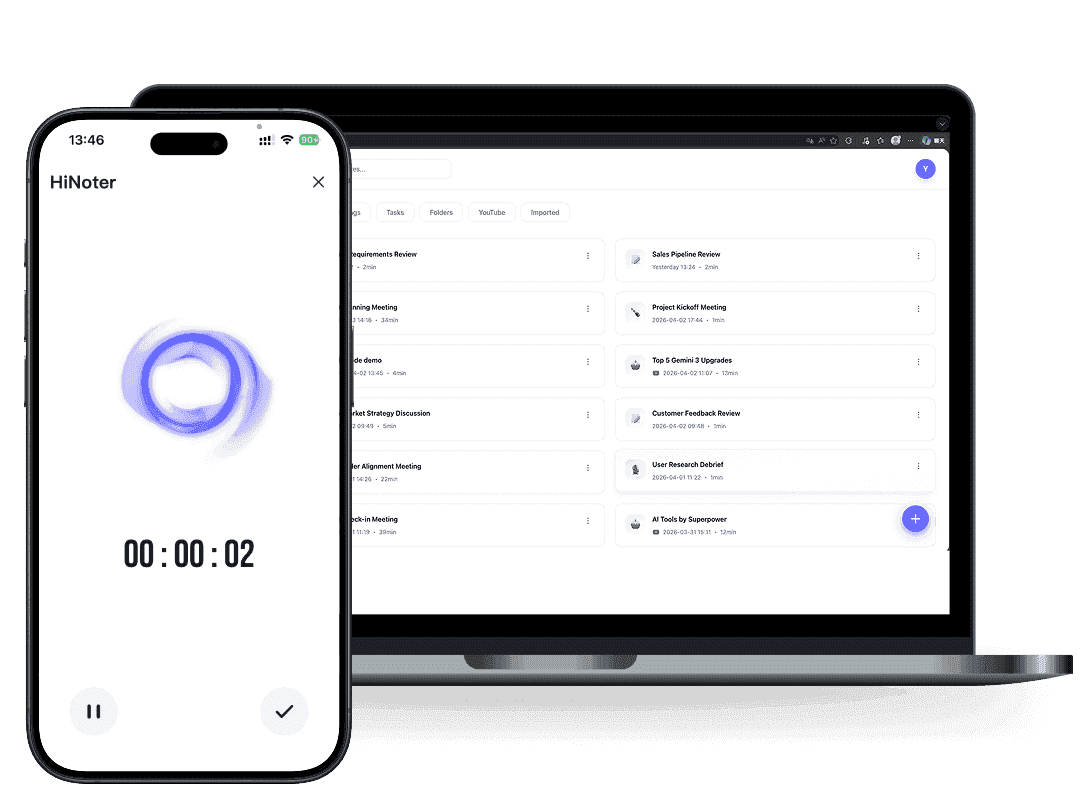
What is audio-to-text transcription?
Modern transcription platforms go far beyond simply converting speech to text. Many tools integrate directly with Google Meet, Microsoft Teams, Google Docs, and Notion, making it easier to capture conversations and organize information across different workflows.
Whether you're recording team discussions, interviews, or creating content, today's audio-to-text solutions can automatically generate transcripts, summaries, and searchable knowledge bases.
Modern transcription tools can handle:
- Business Meeting
- Interview
- Podcasts
- Webinars
- Lectures
- Voice notes
- Customer calls
The goal is to create an accurate and readable document that captures the original conversation.
Types of Audio Transcription
| Type | Description |
|---|---|
| Verbatim | Includes every spoken word, filler, and pause |
| Clean Verbatim | Removes unnecessary fillers and repetitions |
| Edited Transcript | Improves readability while preserving meaning |
| AI-Generated Transcript | Created automatically using speech recognition |
Many users searching for a transcript audio to text solution are looking for AI tools that can balance speed with accuracy.
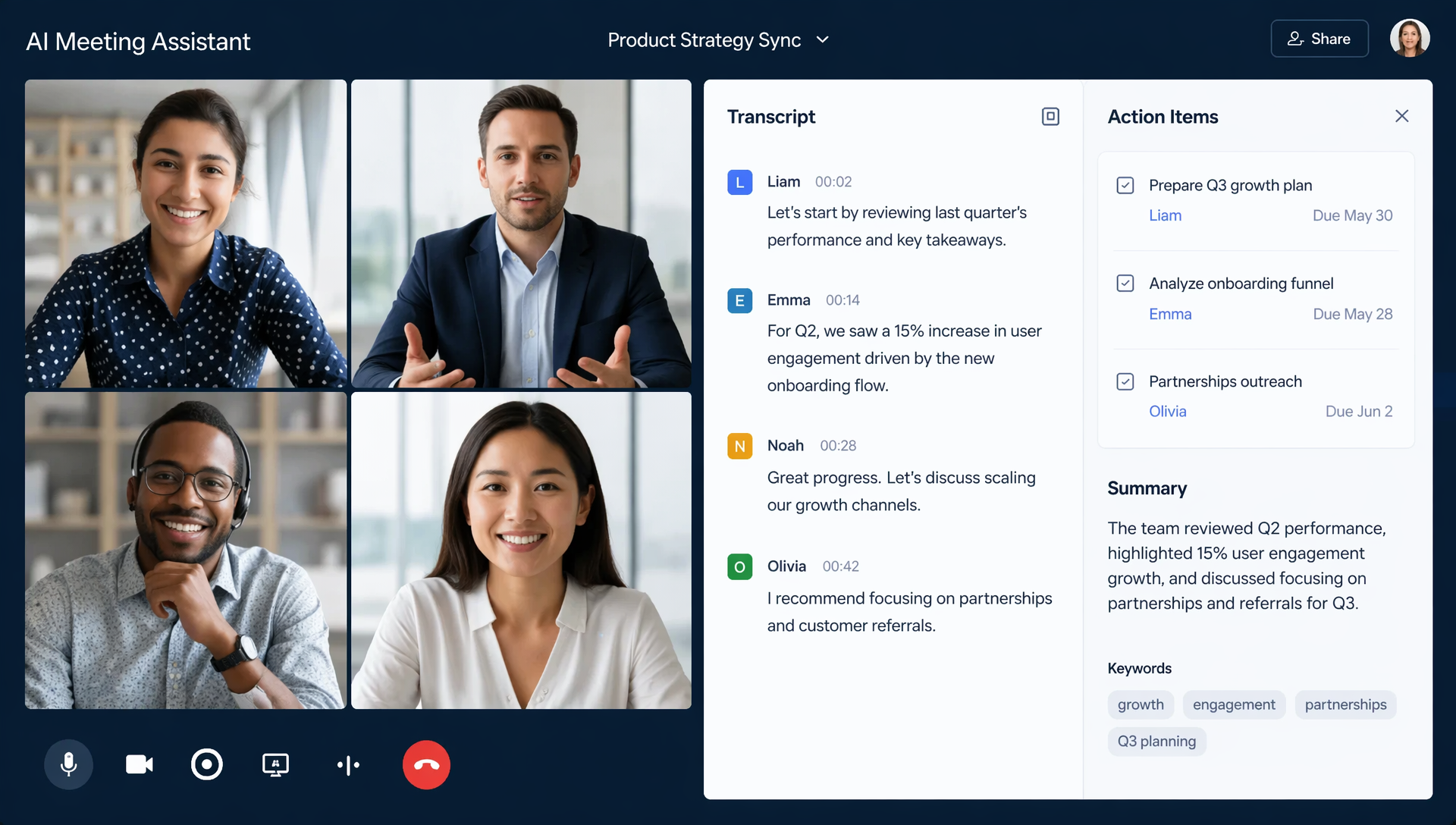
Meeting Audio to Text Transcription Example
Meetings are one of the most common use cases for transcription.
Instead of manually taking notes during discussions, teams can focus on conversations while AI captures everything automatically.
Raw Meeting Audio
Speaker 1: Good morning everyone. Let's begin with the product launch update.
Speaker 2: The marketing campaign is scheduled to start next Monday.
Speaker 3: We've finalized the creative assets and the landing page is ready.
Speaker 1: Great. Are there any outstanding issues?
Speaker 2: We still need approval on the final budget allocation.
Speaker 1: Let's make that our priority this week.
Transcribed Meeting Text
Meeting Topic: Product Launch Planning
Key Discussion Points:
- Marketing campaign begins next Monday
- Creative assets have been completed
- Landing page is ready for launch
- Budget approval remains pending
Action Items:
| Task | Owner |
|---|---|
| Final budget approval | Finance Team |
| Campaign launch preparation | Marketing Team |
| Landing page review | Product Team |
This example demonstrates how raw conversations can be transformed into structured meeting documentation.
Many professionals consider this one of the most useful Audio to Text Transcription Examples because it highlights how transcripts improve collaboration and accountability.
Interview Audio to Text Transcription Example
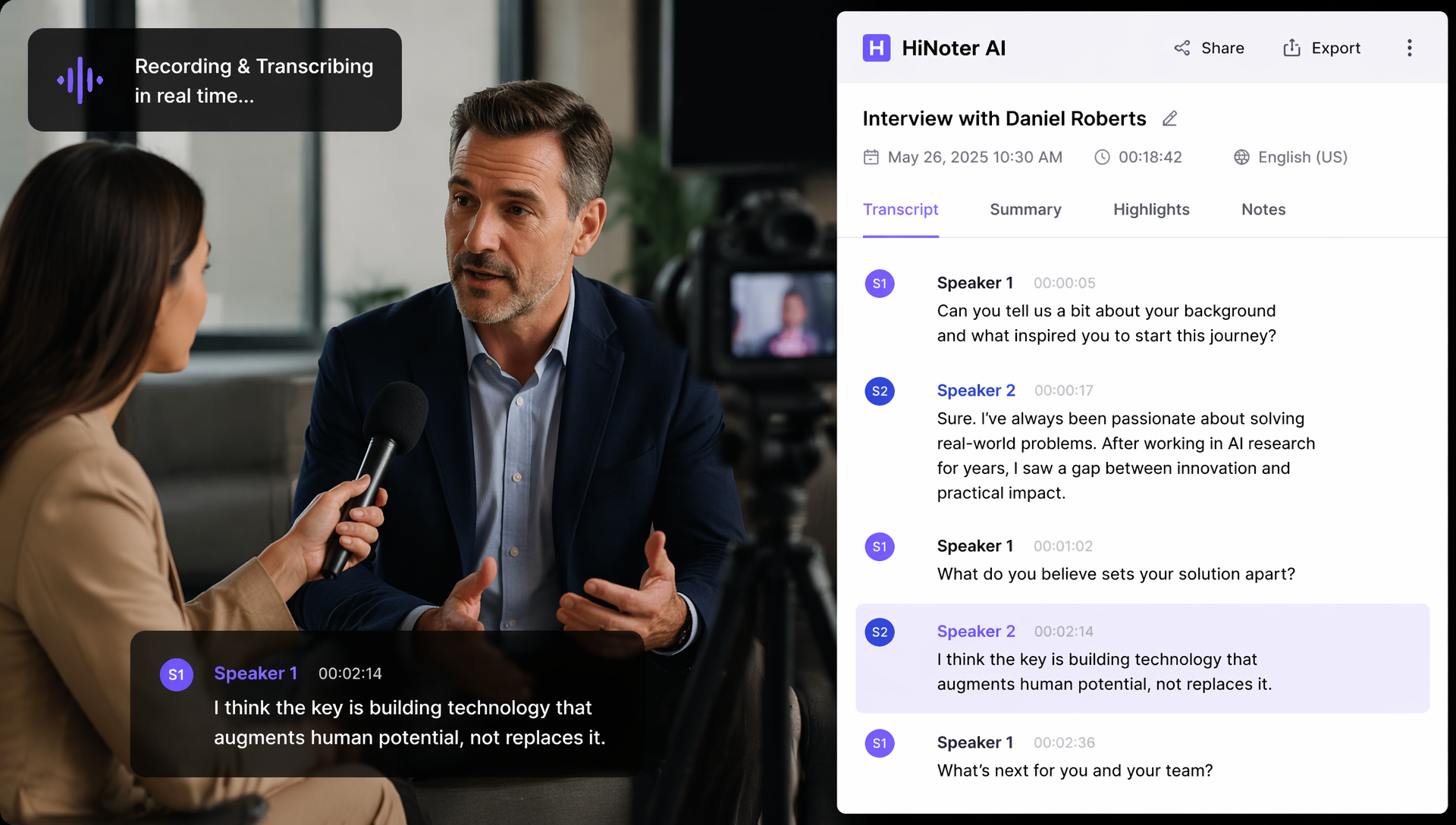
Interviews often require a more detailed transcription style.
Journalists, researchers, recruiters, and content creators frequently need accurate records of conversations.
Interview Recording
Interviewer: Can you tell us about your experience working remotely?
Candidate: I've worked remotely for about four years. During that time, I collaborated with international teams across multiple time zones.
Interviewer: What challenges did you face?
Candidate: Communication and scheduling were initially difficult, but we adopted asynchronous workflows that improved productivity.
Interview Transcript Example
Interviewer: Can you tell us about your experience working remotely?
Candidate: I've worked remotely for about four years. During that time, I collaborated with international teams across multiple time zones.
Interviewer: What challenges did you face?
Candidate: Communication and scheduling were initially difficult, but we adopted asynchronous workflows that improved productivity.
Why Interview Transcripts Matter
Interview transcripts help users:
- Review responses accurately
- Extract quotations
- Analyze themes
- Conduct qualitative research
- Create reports and articles
A well-organized transcript conversation example makes it easier to locate important insights later.
Podcast Audio to Text Transcription Example
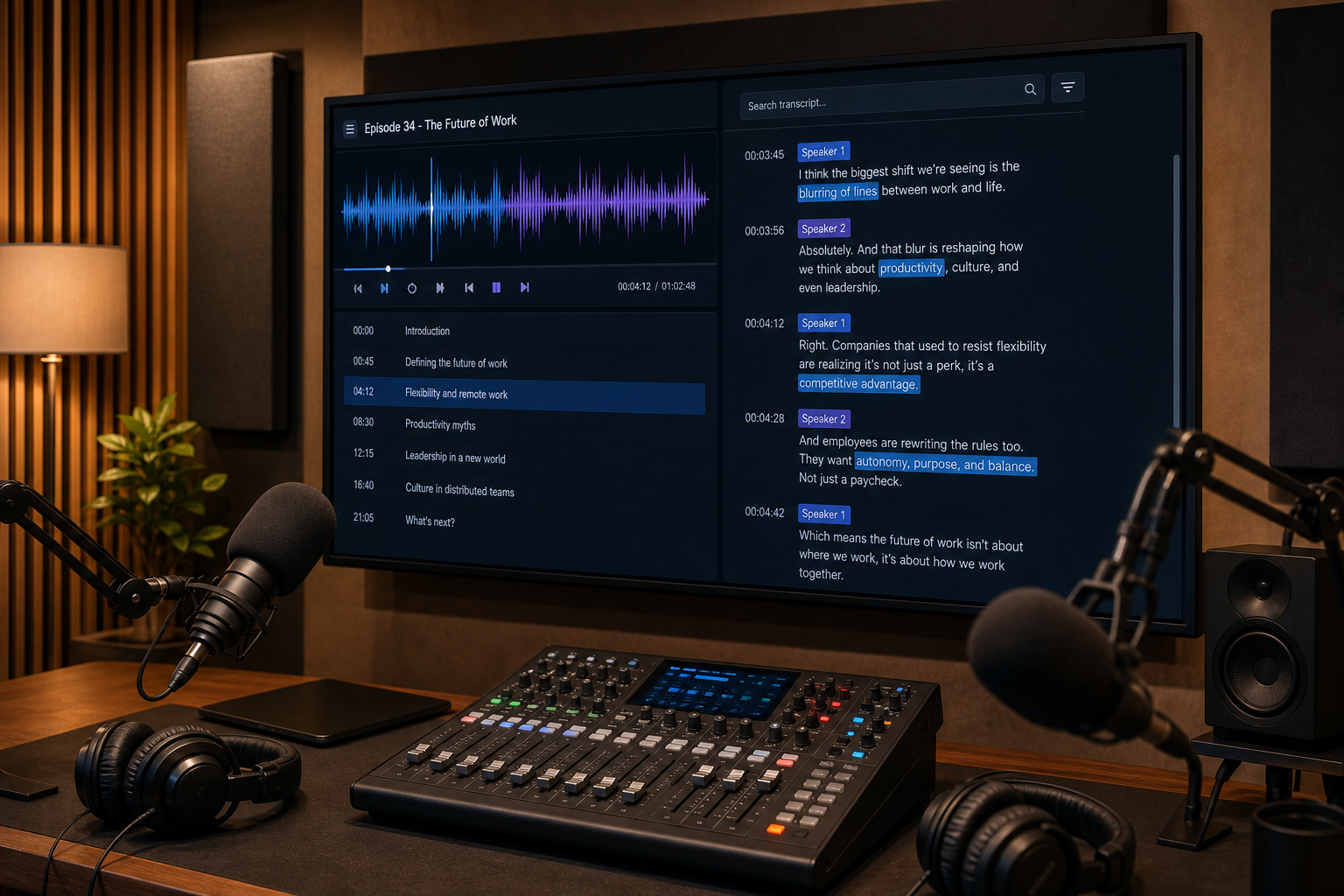
Podcast transcripts improve accessibility and create new content opportunities.
Many podcast creators convert episodes into blog posts, newsletters, and social media content.
Podcast Audio Clip
Host: Welcome back to the Productivity Lab Podcast. Today we're discussing AI-powered note-taking tools.
Guest: AI note-taking has changed the way teams manage information. Instead of manually documenting conversations, users can focus entirely on discussions.
Host: What do you think is the biggest benefit?
Guest: Searchability. Teams can instantly find information from past meetings without reviewing hours of recordings.
Podcast Transcript Example
Host: Welcome back to the Productivity Lab Podcast. Today we're discussing AI-powered note-taking tools.
Guest: AI note-taking has changed the way teams manage information. Instead of manually documenting conversations, users can focus entirely on discussions.
Host: What do you think is the biggest benefit?
Guest: Searchability. Teams can instantly find information from past meetings without reviewing hours of recordings.
Benefits of Podcast Transcription
| Benefit | Why It Matters |
|---|---|
| Accessibility | Supports hearing-impaired audiences |
| SEO | Makes audio content searchable |
| Repurposing | Creates blog and social content |
| Research | Easier information retrieval |
| Content Archives | Improves long-term discoverability |
For creators looking for a practical transcript example, podcast transcripts are among the most versatile formats available.
What Makes a Good Audio Transcript?
Not all transcripts are equally useful.
A high-quality transcript should balance accuracy, readability, and organization.
Characteristics of a Good Transcript
| Feature | Importance |
|---|---|
| Accuracy | Correctly reflects the original recording |
| Speaker Labels | Identifies who is speaking |
| Proper Punctuation | Improves readability |
| Formatting | Organizes content clearly |
| Timestamps | Helps users navigate recordings |
| Consistency | Maintains structure throughout |
The best transcription audio to text example is one that preserves meaning while remaining easy to read and search.
Recommended Formatting Practices
- Use speaker labels
- Break long paragraphs into sections
- Include timestamps when necessary
- Correct obvious recognition errors
- Maintain consistent formatting
Common Audio Transcription Mistakes to Avoid
Even modern AI tools can make mistakes if recordings are poor quality.
1. Poor Audio Quality
Background noise significantly reduces accuracy.
2. Multiple Speakers Talking Simultaneously
Overlapping conversations can confuse speech recognition systems.
3. Missing Speaker Identification
Without speaker labels, transcripts become difficult to follow.
4. Ignoring Proofreading
Always review important transcripts before publication.
5. Choosing the Wrong Transcription Style
Verbatim transcription is not always appropriate.
For business documentation, clean transcripts are often easier to read.
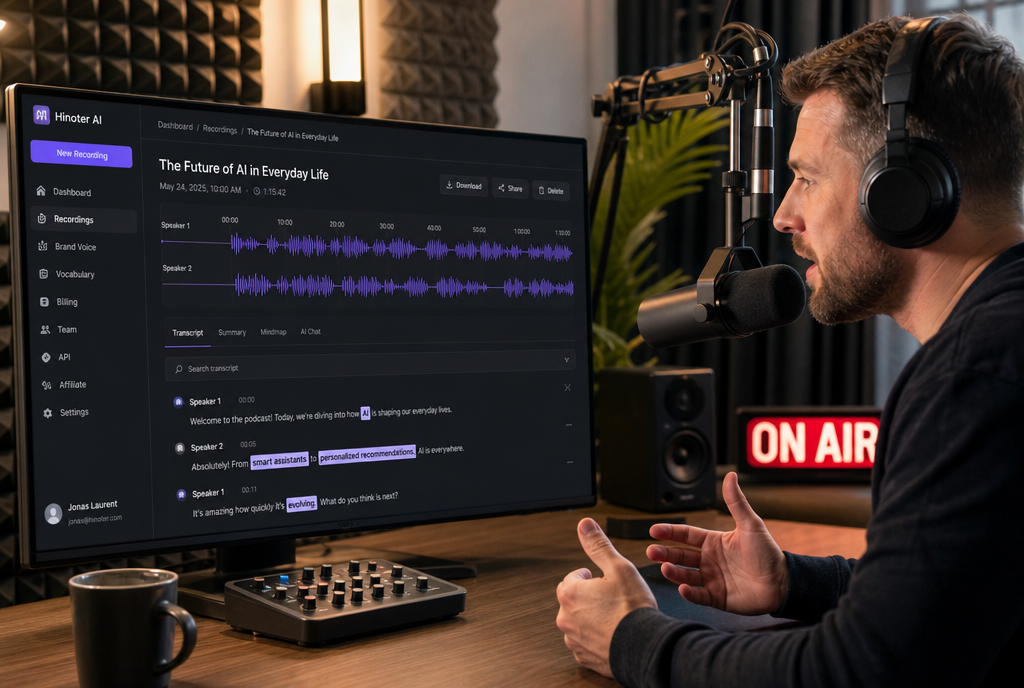
How to Convert Audio to Text Automatically with HiNoter
AI-powered tools have made transcription faster and more accessible than ever.
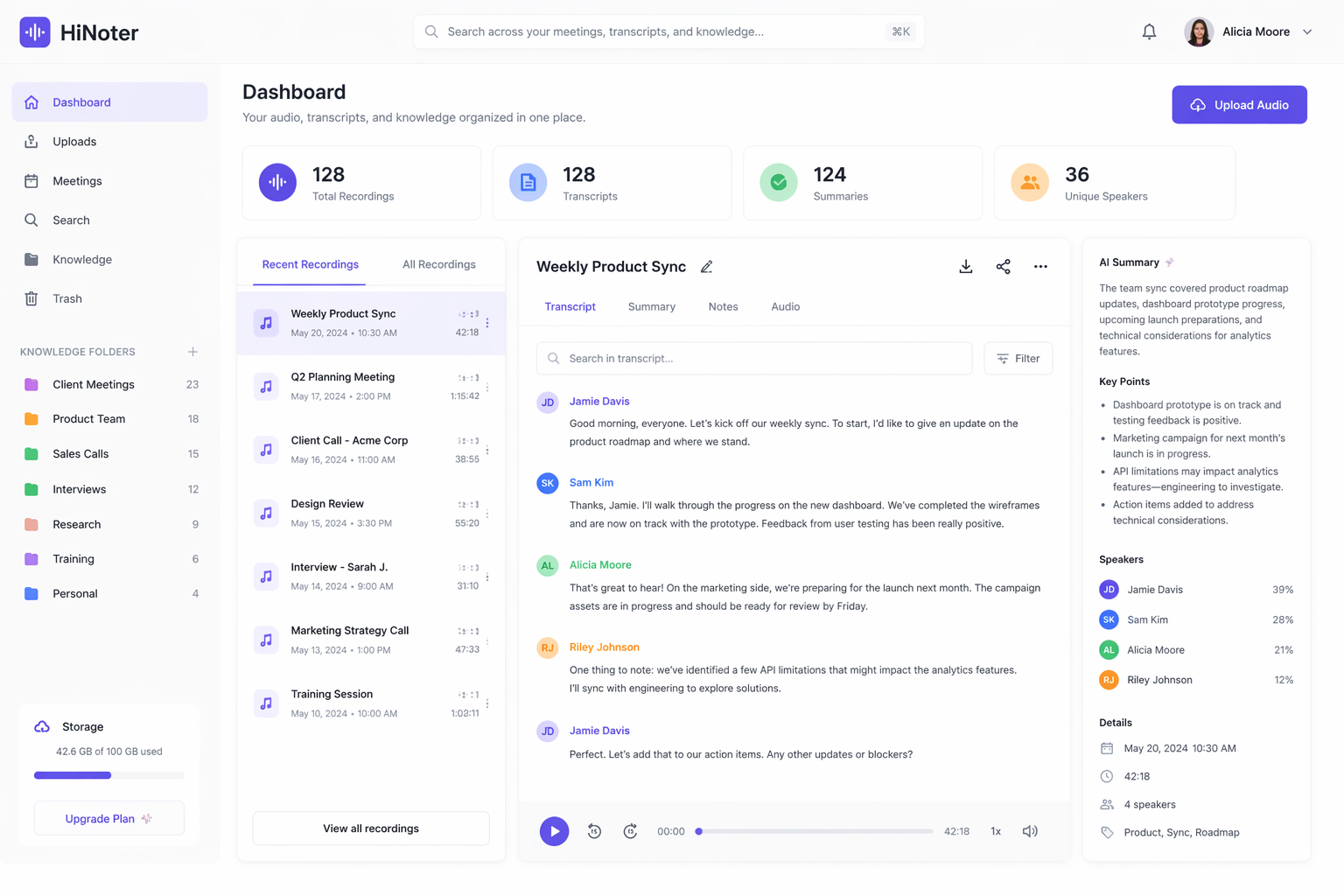
HiNoter combines transcription, summarization, and knowledge organization into a single workflow.
HiNoter combines AI transcription, summarization, and knowledge organization in a single workspace. With built-in Multilingual Support, users can transcribe conversations in multiple languages and organize transcripts inside collaborative tools such as Notion or export them to Google Docs for further editing.
How It Works
Step 1: Upload Audio
Upload:
- Meeting recordings
- Interviews
- Podcasts
- Webinars
- Voice notes
Step 2: Automatic Transcription
HiNoter automatically converts recordings into searchable text.
This process eliminates the need for manual typing and significantly reduces turnaround time.
Step 3: AI Summarization
Beyond simple transcription, HiNoter can:
- Generate summaries
- Extract action items
- Identify key topics
- Organize knowledge automatically
Step 4: Search and Share
Users can search transcripts, export notes, and collaborate with teammates.
Why Choose HiNoter?
| Feature | Benefit |
|---|---|
| AI Transcription | Fast and accurate |
| Smart Summaries | Saves review time |
| Searchable Archives | Find information instantly |
| Speaker Detection | Improves readability |
| Export Options | Supports multiple formats |
For users looking for transcription software from audio to text, AI-powered platforms like HiNoter provide a complete productivity workflow rather than simple transcription alone.
Other Popular Ways to Transcribe Audio
Depending on your workflow, you may encounter other transcription solutions.
Microsoft Word
Many users ask how to transcribe audio to text in word.
Microsoft Word includes a built-in transcription feature for Microsoft 365 subscribers.
Users can:
- Upload audio files
- Generate transcripts
- Edit text directly inside Word
Canva
Another increasingly popular option is canva audio to text functionality.
Canva allows users to:
- Generate captions
- Create subtitle overlays
- Produce social media videos
While Canva focuses more on content creation than documentation, it can be useful for creators.
Free AI Tools
If you're looking for free ai transcription audio to text solutions, several freemium platforms provide limited monthly transcription quotas.
However, advanced features like speaker detection and AI summaries are often included in paid plans.
FAQs
What is the best free transcribe audio to text?
The best free option depends on your needs. Several AI transcription platforms offer free plans, while tools like Google Docs Voice Typing and Microsoft Word provide basic transcription functionality. For advanced transcription and summaries, AI-powered solutions generally offer better accuracy.
How do I transcribe my audio to text?
You can either transcribe manually or use AI software. Modern tools allow you to upload an audio file, automatically generate a transcript, review the text, and export the results within minutes.
Are AI transcripts accurate?
Most modern AI systems achieve high accuracy under good recording conditions. Accuracy may vary depending on background noise, speaker accents, and audio quality.
Can I transcribe podcasts automatically?
Yes. Most modern transcription platforms support podcast uploads and can automatically generate transcripts, summaries, and searchable archives.
Final Thoughts
As audio content continues to grow across business, education, media, and research, transcription has become an essential productivity tool.
The Audio to Text Transcription Examples covered in this guide demonstrate how meetings, interviews, and podcasts can be transformed into searchable, reusable knowledge.
Whether you're documenting team discussions, conducting interviews, or producing content, accurate transcripts help you save time, improve accessibility, and organize information more effectively.
With AI-powered platforms like HiNoter, users can now transcribe to text automatically, generate summaries, and build searchable knowledge bases—all without spending hours typing manually.