YouTube视频文字稿是视频语音内容的书面文本版本。对于您自己的视频、带有可用字幕的公开视频,或您获得许可处理的视频,YouTube视频文字稿可以帮助您搜索灵感、准确引用,并将长视频转化为可用的笔记。
原始文字记录只是第一步。HiNoter 帮助将允许的视频内容转化为摘要、动作项、章节笔记、思维导图和源代码链接的 AI 聊天回答,使学生、创作者、营销人员和研究人员无需重看完整视频才能获得有用的观点。
什么是YouTube视频文字稿?
YouTube视频文字记录是一种基于时间的文本记录,记录视频中所说的话语。如果视频有字幕或文字稿,观众可能可以通过YouTube界面查看文字稿。创作者还可以访问字幕和与文字稿相关的工具,用于自己的内容。
重要的界限是许可。HiNoter 旨在帮助用户处理他们拥有、有权限使用或合法访问的内容。不应用它绕过平台限制、未经许可复制受保护内容,或将他人作品转载为己有。
为什么原始文字记录还不够
文字记录可能有用,但通常冗长、杂乱且难以扫描。一场45分钟的网络研讨会可能生成数千字。讲座记录可能包含填充内容、错误开场、重复短语和不完整的句子。创作者访谈可能包含很棒的想法,但有用的时刻却埋藏在对话中。
这就是为什么许多球队需要的不仅仅是YouTube成绩单生成器。他们需要一个视频转笔记的工作流程,将语音转化为结构化的知识。
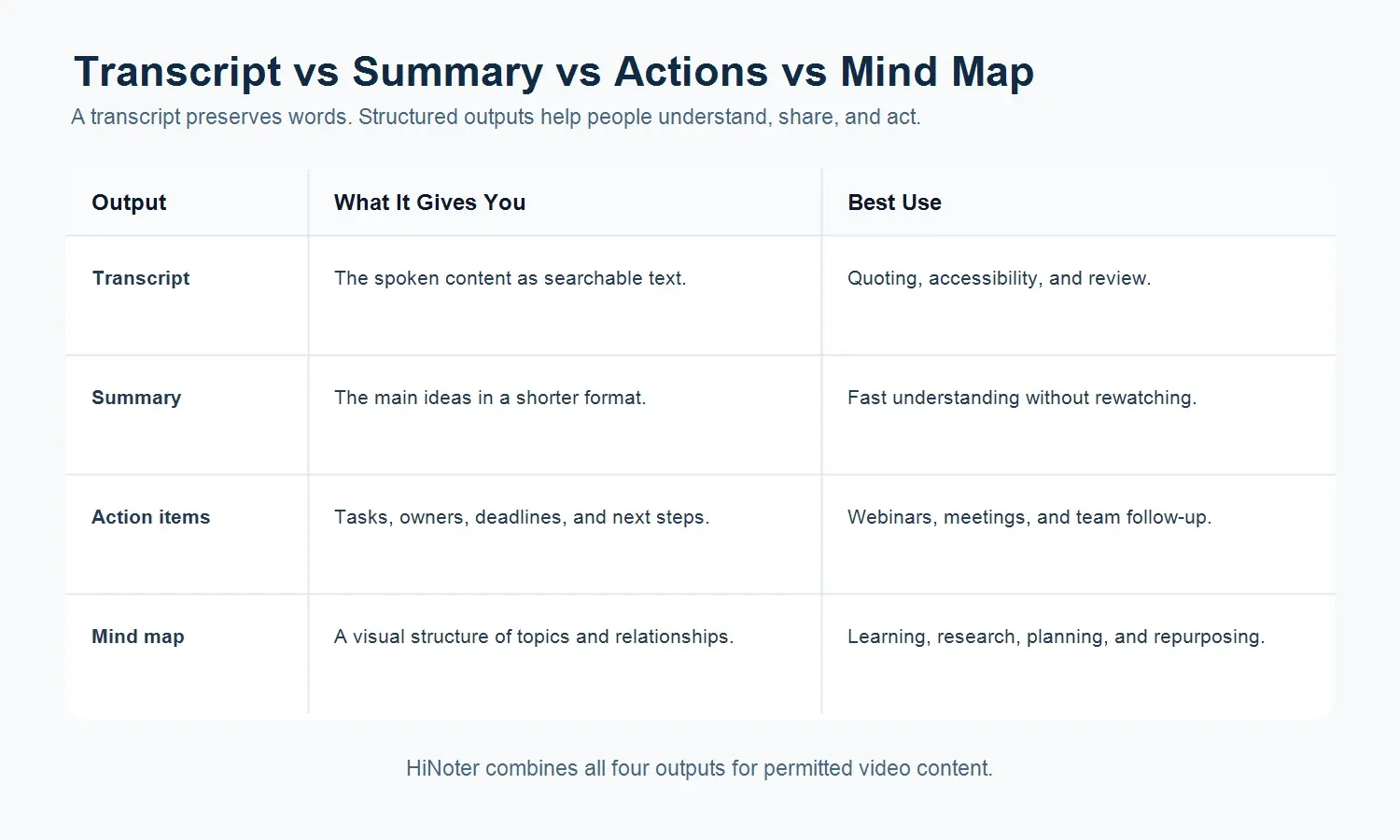
| Output | What It Gives You | Best Use |
|---|---|---|
| Transcript | The spoken content as text. | Searching, quoting, accessibility, and review. |
| Summary | The main ideas in a shorter format. | Fast understanding without rewatching. |
| Action items | Tasks, owners, deadlines, or next steps. | Webinars, meetings, interviews, and team follow-up. |
| Mind map | A visual structure of topics and relationships. | Learning, research, planning, and content repurposing. |
如何用HiNoter将YouTube视频转为笔记
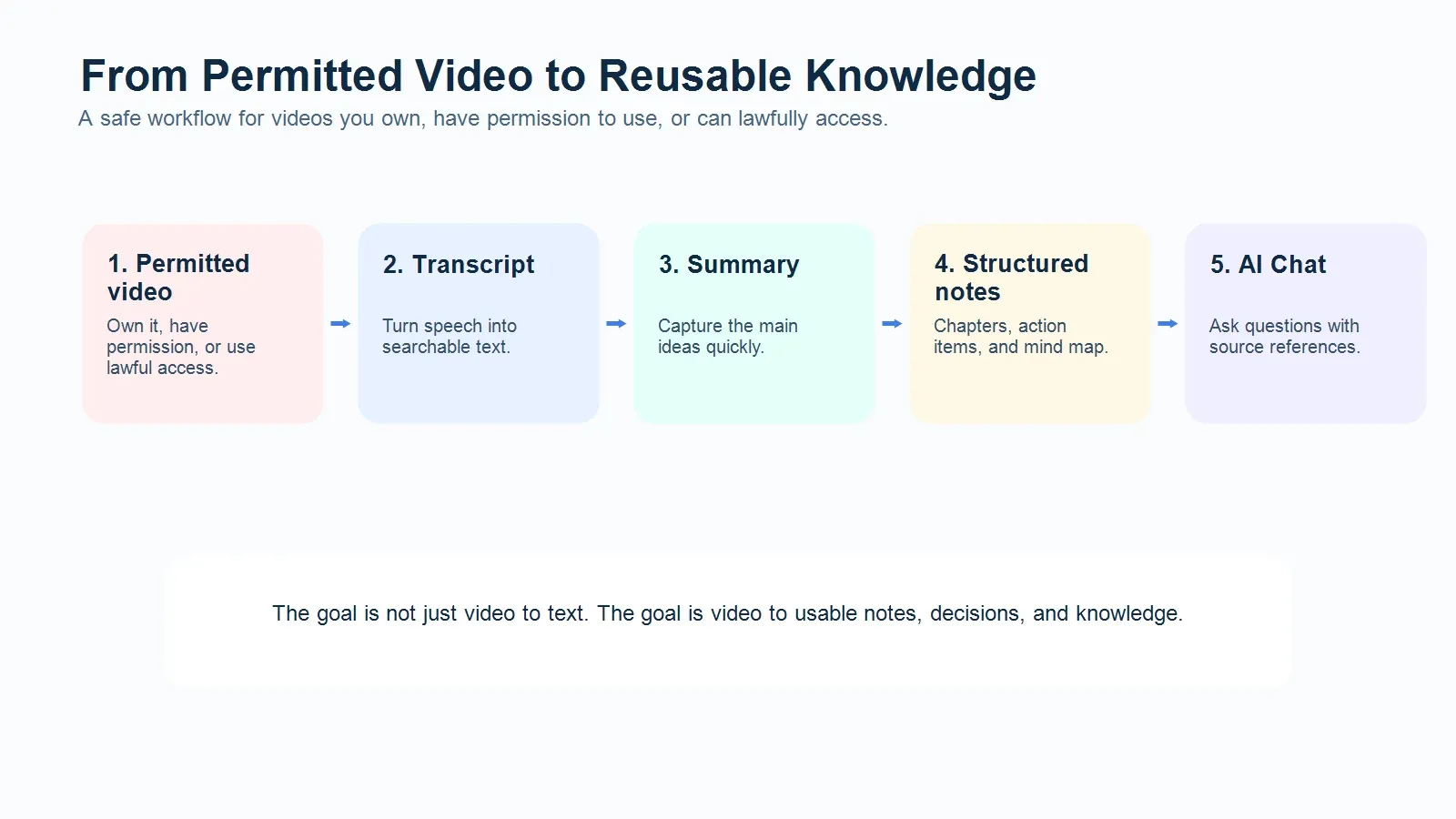
当内容属于你、公开且合法访问或经许可分享时,工作流程就很简单。
- 选择你拥有、有权限使用或合法访问的视频。
- 粘贴允许的视频链接或上传视频内容到 HiNoter。
- 生成文字稿,使口语内容变成可搜索的文本。
- 为主要观点和收获做总结。
- 把视频分章节的笔记,方便导航。
- 当视频包含任务、决策或后续时,提取行动项。
- 生成思维导图,了解这些想法如何相互关联。
- 使用AI聊天询问有关视频的源代码问题。
Who Uses YouTube Video Transcripts?
Students
Students can turn lecture videos, course recordings, and study materials into searchable notes. Instead of scrubbing through a video, they can review the summary, jump to chaptered sections, and use a mind map to see how ideas connect.
Creators
Creators can process their own videos into outlines, newsletters, social posts, and research notes. A transcript is useful for accuracy, while summaries and chapters make repurposing faster.
Marketers
Marketing teams can convert webinars, product demos, customer interviews, and campaign videos into reusable knowledge. HiNoter can help identify pain points, objections, positioning angles, and follow-up tasks.
Researchers
Researchers can use permitted videos as source material for notes, thematic analysis, and evidence review. Source-linked AI Chat is especially useful when the team needs to trace an answer back to the original content.
What Makes HiNoter Different From a Basic YouTube Transcript Generator?
A basic YouTube transcript generator focuses on video to text. HiNoter goes further by turning that text into a working knowledge asset. The goal is not to create another long file to read. The goal is to help people understand, search, share, and act on video content faster.
With HiNoter, a permitted video can become a transcript, short summary, chaptered note set, action list, mind map, and chat-ready knowledge source. That matters when a team is reviewing a long webinar, comparing expert interviews, or extracting lessons from training material.
Can HiNoter Summarize Public YouTube Videos?
HiNoter can help process video content that the user owns, has permission to use, or can lawfully access. Public availability does not automatically mean every reuse is allowed. Users should respect YouTube's terms, copyright rules, creator rights, and any usage limits that apply to the content.
If the video is yours, shared with permission, licensed for your use, or lawfully accessible for the purpose you have in mind, HiNoter can help turn it into structured notes. When in doubt, get permission or use your own video content.
Supported Output Formats
Depending on the source and workflow, HiNoter can help produce several kinds of outputs from permitted video content:
- Full transcript for search and review.
- Short summary for fast understanding.
- Chaptered notes for navigation.
- Action items for follow-up.
- Mind map for structure and relationships.
- AI Chat answers with source references.
- Exports or shared notes for team workflows.
Examples: From Video to Reusable Knowledge
A student can turn a 60-minute lecture into a transcript, exam notes, and a mind map of the main concepts.
A creator can turn their own interview into a summary, article outline, and list of clips to revisit.
A marketing team can turn a webinar into product messaging notes, customer questions, action items, and a follow-up plan.
A research team can turn a permitted panel discussion into chaptered notes and source-linked answers for later review.
Try HiNoter for Video Notes
Paste or upload permitted video content to HiNoter and get a transcript, summary, action items, mind map, and source-linked chat. Use it for your own videos, public content you can lawfully access, or videos you have permission to process.
FAQ
What is a YouTube video transcript?
A YouTube video transcript is the written text version of a video's spoken content. It may come from captions, creator-provided text, or a transcription workflow.
Can I use HiNoter as a YouTube transcript generator?
Yes, HiNoter can help turn permitted video content into transcript text, then convert that transcript into summaries, notes, action items, mind maps, and AI Chat answers.
Can I summarize any YouTube video?
You should only process videos you own, have permission to use, or can lawfully access for your intended purpose. Public videos may still be protected by copyright or platform terms.
How is a video transcript different from a summary?
A transcript captures the spoken content as text. A summary condenses the main ideas so you can understand the video faster.
Can HiNoter create mind maps from videos?
Yes. HiNoter can help convert permitted video content into structured notes and mind maps that show topics, subtopics, and relationships.
Does HiNoter work only with YouTube?
No. HiNoter is designed for multiple knowledge sources, including meetings, audio, video, YouTube content, PDFs, and documents.