A meeting notes template gives teams a reusable structure for capturing agenda points, decisions, action items, owners, deadlines, risks, and follow-ups without turning every call into a transcript. Use it before the meeting to set purpose and agenda, then fill it after the meeting with decisions, evidence, and next steps. For teams that already record or transcribe calls, HiNoter can turn permitted meetings, audio, video, YouTube, PDFs, and transcripts into structured notes, then help reviewers verify answers with source-linked AI Chat. This page gives you a copyable meeting notes template, examples, and a workflow for moving notes into Notion, Slack, Google Docs, calendar, and email.
Updated: July 20, 2026. Review method: template SERP format sample, HiNoter product positioning brief, official platform documentation, and a local HTML/link QA pass. Editorial note: replace the organization byline with a named reviewer before publication if HiNoter has a public author profile.
Try HiNoter free or copy the template below.
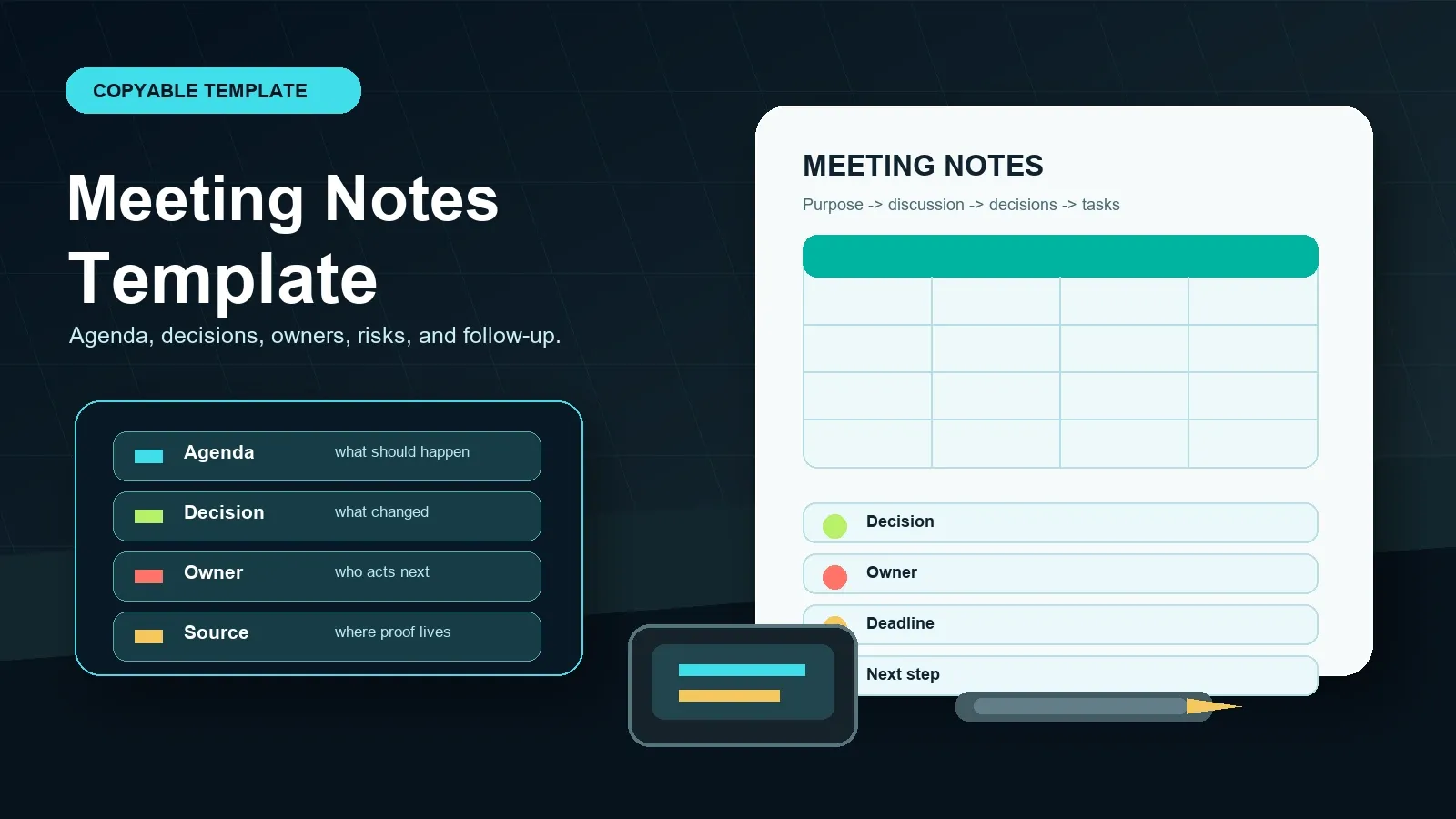
Direct Answer: Meeting Notes Template
A meeting notes template is a reusable structure for capturing the meeting purpose, agenda, discussion points, decisions, action items, owners, deadlines, risks, and follow-up. The best template separates notes from minutes, asks for source evidence where possible, and makes every task easy to review, assign, and sync.
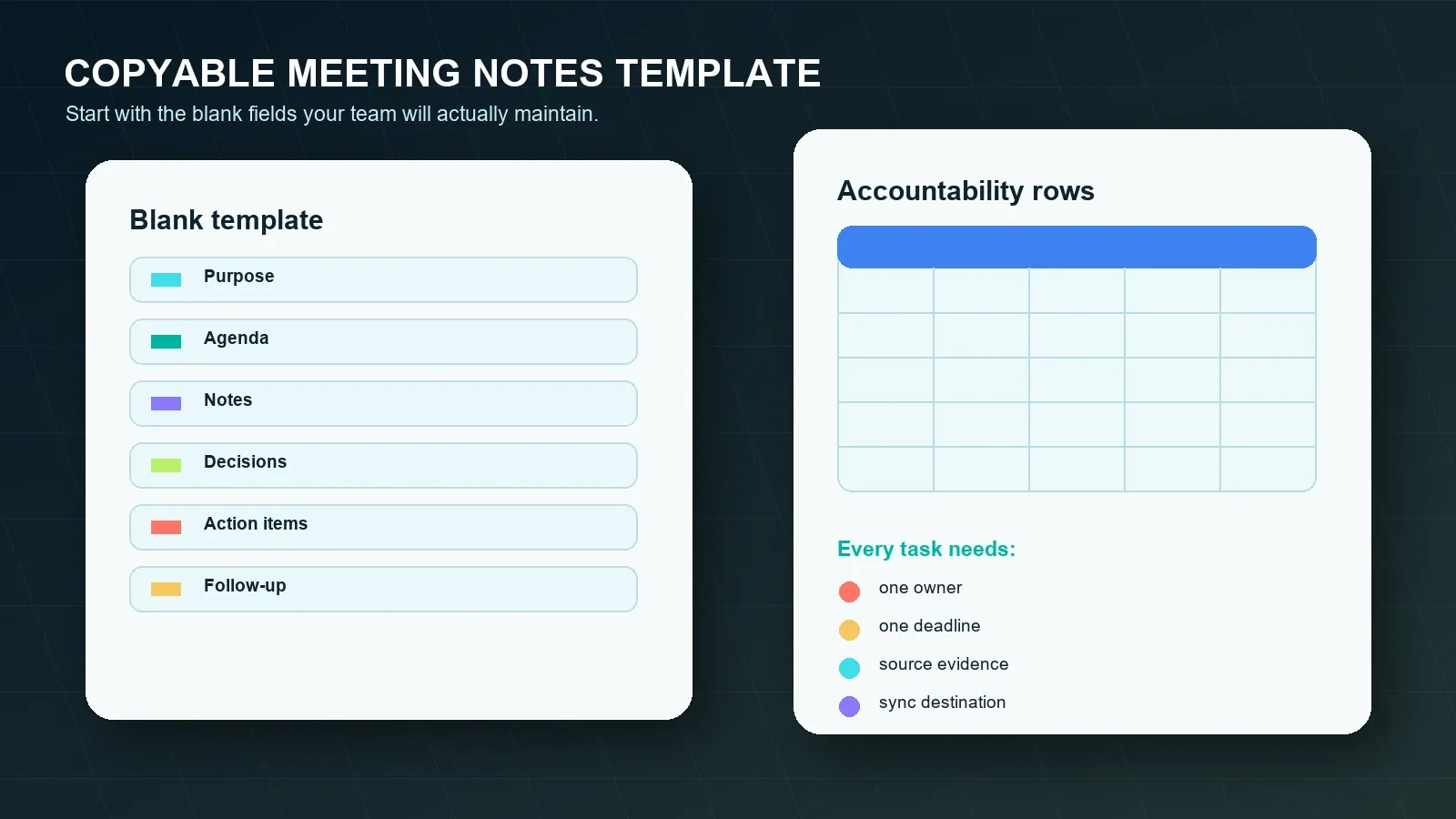
Copyable Meeting Notes Template
Copy this template into Google Docs, Notion, Slack, Microsoft Word, email, or a project page. Keep the decision and action-item tables intact. Those rows are where vague notes become accountable work.
MEETING NOTES TEMPLATE
Meeting title:
Date and time:
Time zone:
Location or meeting platform:
Meeting owner / facilitator:
Note taker:
Attendees:
Absent or optional stakeholders:
Purpose:
What decision, update, plan, or alignment should this meeting produce?
Agenda:
Agenda item | Desired outcome | Decision needed? | Source or timestamp
1. | | |
2. | | |
3. | | |
Discussion notes:
Topic | Key points | Evidence, quote, or timestamp | Open question
| | |
Decisions:
Decision | Context / rationale | Owner | Date decided | Source or timestamp
| | | |
Action items:
Task | Owner | Deadline | Status | Source or timestamp | Sync destination
| | | | |
Risks and blockers:
Risk or blocker | Impact | Owner | Next review date | Source or timestamp
| | | |
Follow-up:
Who receives the notes?
Where will decisions be stored?
Where will action items be tracked?
When is the next meeting, check-in, reminder, or recap email?
Use this template manually when meeting volume is low. Use HiNoter when the team needs the same structure after every meeting, recording, transcript, video, audio file, YouTube video, or PDF review.
What Is a Meeting Notes Template?
A meeting notes template is a repeatable document structure for recording the parts of a meeting that need to be remembered, verified, assigned, or shared. It is not a transcript. It is a decision and follow-up layer built from agenda items, discussion notes, decisions, action items, risks, and next steps.
The search results sampled for "meeting notes template" in July 2026 were dominated by copyable template, editable-template, and meeting-minutes template pages from sources such as Asana, Atlassian, Smartsheet, and Fellow. That format tells us the intent is practical: users want a template they can copy, not only advice about why notes matter.
HiNoter is an AI meeting notes and transcription platform. It can support a template workflow by capturing permitted meetings, producing transcripts and summaries, extracting tasks, building mind maps, and letting teams ask source-linked AI Chat questions before notes are exported or synced.
Meeting Notes vs Meeting Minutes
Meeting notes and meeting minutes overlap, but they are not identical. Meeting notes are flexible working records. Meeting minutes are usually more formal records of decisions, approvals, motions, and action items. If a meeting affects budgets, legal obligations, customer commitments, hiring, or formal governance, confirm whether your organization needs minutes rather than informal notes.
| Criterion | Meeting notes | Meeting minutes |
|---|---|---|
| Primary purpose | Help a team remember, decide, and follow up. | Create a formal shared record of outcomes and accountability. |
| Typical content | Agenda, discussion, questions, decisions, tasks, links, risks. | Agenda, attendees, decisions, approvals, motions, owners, deadlines. |
| Writing style | Concise and useful for the team. | More standardized and reviewable. |
| Best fit | Projects, customer calls, planning sessions, workshops, interviews, standups. | Board meetings, committees, compliance-sensitive meetings, formal approvals. |
| Review need | Recommended before sharing externally or syncing tasks. | Often required before publication or distribution. |
What Should a Meeting Notes Template Include?
A strong template covers the full path from topic to outcome. The agenda says what should be discussed. Decisions say what changed. Action items say who must do what by when. Risks say what could block progress. Follow-up says where the work moves next.
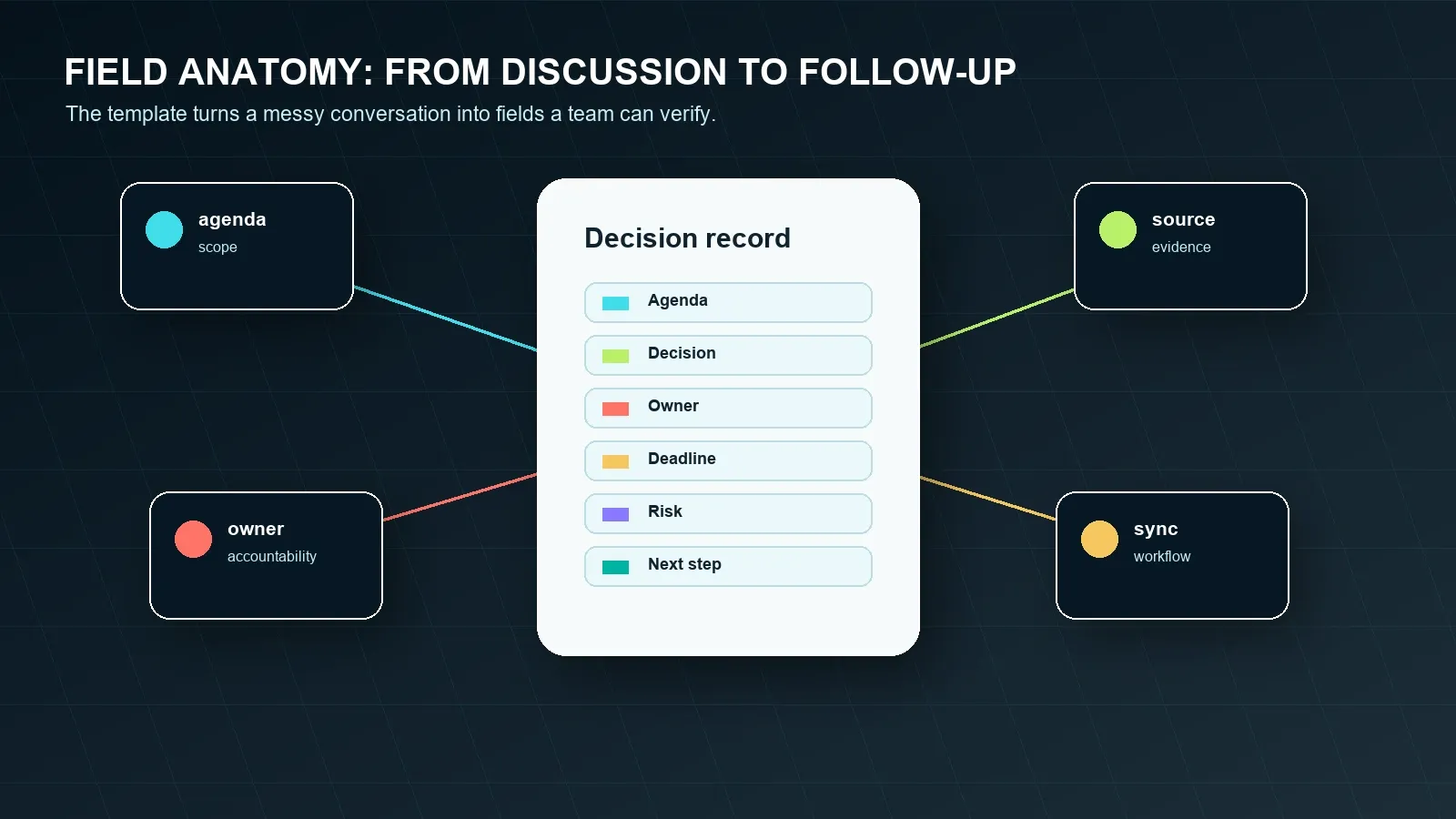
| Field | What to capture | Common missing detail |
|---|---|---|
| Agenda | Topics, desired outcomes, and whether a decision is needed. | Outcome for each agenda item. |
| Discussion notes | Key points, evidence, quotes, objections, links, and open questions. | Evidence behind the summary. |
| Decisions | Decision, context, owner, date decided, and source or timestamp. | Rationale and source reference. |
| Action items | Task, one owner, one deadline, status, source, and destination. | Owner and due date. |
| Risks | Risk, impact, owner, next review date, and source. | Person responsible for managing the risk. |
| Next step | Follow-up meeting, recap email, reminder, project update, or decision log entry. | Where the work goes after the notes are approved. |
Filled Meeting Notes Template Examples
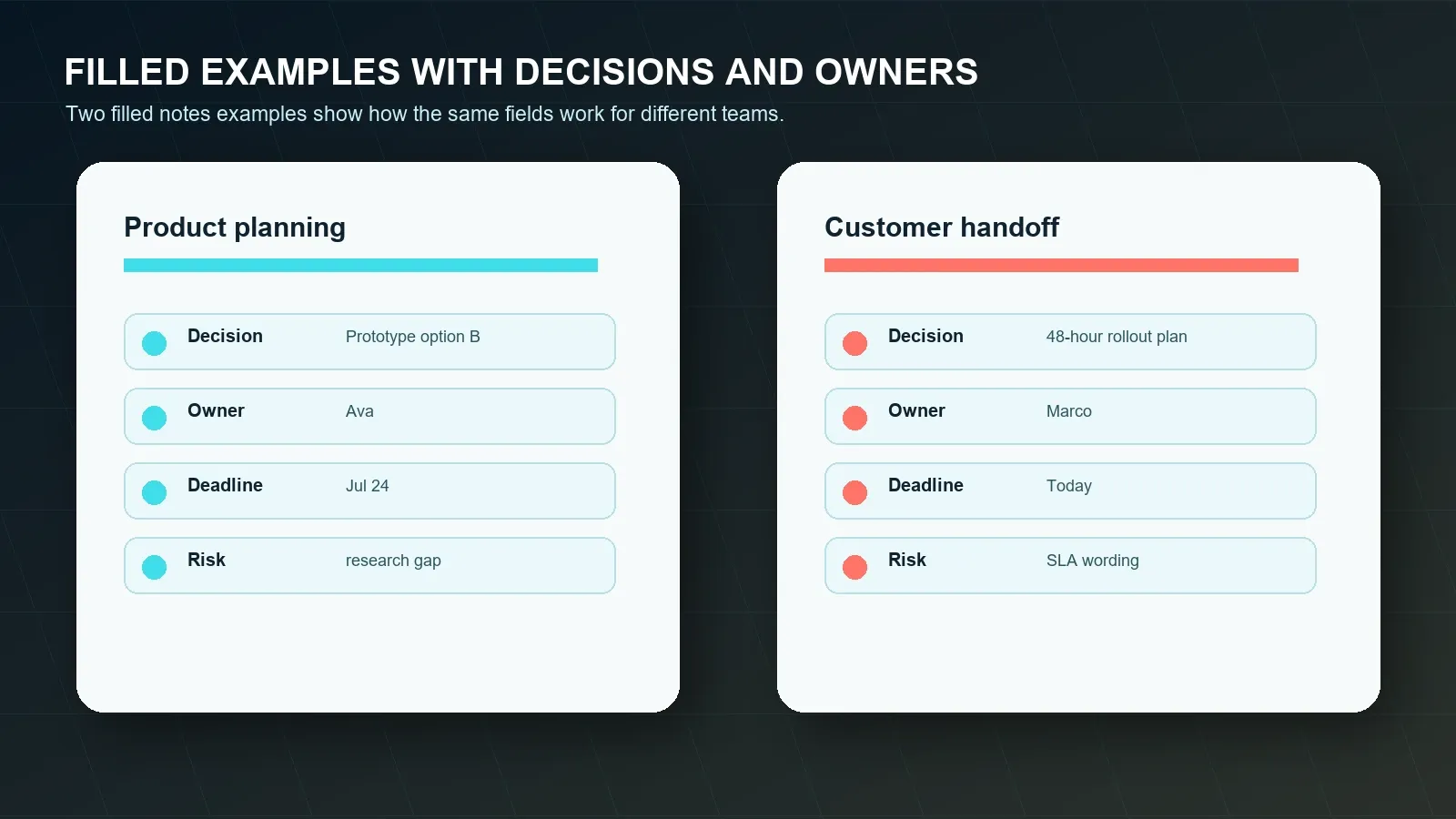
Filled examples make the difference between a pretty template and a useful one. Notice how each example separates discussion from decisions. Each action item has one owner, one deadline, a source, and a sync destination. That structure keeps the notes operational after the call.
Example 1: product planning meeting
FILLED EXAMPLE 1: PRODUCT PLANNING MEETING
Meeting title: Q3 Onboarding Flow Planning
Date and time: 2026-07-20, 9:30 AM PT
Location or meeting platform: Google Meet
Meeting owner: Ava Chen
Note taker: HiNoter draft, reviewed by Ava
Attendees: Ava, Lena, Omar, Theo
Absent or optional stakeholders: Support lead
Purpose:
Choose the onboarding prototype direction and list the work needed before design review.
Agenda:
Agenda item | Desired outcome | Decision needed? | Source or timestamp
Activation drop-off | Understand the main user friction | Yes | Transcript 04:18
Prototype options | Pick one design direction | Yes | Transcript 16:45
Research gap | Decide what to validate next | No | Transcript 23:10
Discussion notes:
Topic: Activation drop-off
Key points: Users complete account setup but hesitate on the first workspace invitation step.
Evidence: Product analytics screenshot discussed at Transcript 06:02.
Open question: Does the hesitation differ for solo users and invited team members?
Decisions:
Decision: Prototype option B will be used for the next design review.
Context / rationale: Option B keeps setup short while still showing users where team knowledge will appear.
Owner: Ava
Date decided: 2026-07-20
Source or timestamp: Transcript 19:34
Action items:
Task: Prepare option B clickable prototype | Owner: Lena | Deadline: 2026-07-24 | Status: Open | Source: Transcript 20:08 | Sync destination: Notion project page
Task: Pull activation data by segment | Owner: Omar | Deadline: 2026-07-23 | Status: Open | Source: Transcript 24:12 | Sync destination: Google Docs appendix
Task: Confirm support questions for onboarding | Owner: Theo | Deadline: 2026-07-22 | Status: Open | Source: Transcript 27:45 | Sync destination: Slack product channel
Risks and blockers:
Risk or blocker: Prototype could ignore the team-invite hesitation that support keeps seeing.
Impact: Design review may approve a flow that still needs customer-service workarounds.
Owner: Theo
Next review date: 2026-07-24
Source or timestamp: Transcript 28:20
Follow-up:
Ava sends a recap in Slack, stores the approved notes in Notion, and schedules a design review for 2026-07-26.
Example 2: customer handoff meeting
FILLED EXAMPLE 2: CUSTOMER HANDOFF MEETING
Meeting title: Acme Implementation Handoff
Date and time: 2026-07-20, 2:00 PM ET
Location or meeting platform: Zoom
Meeting owner: Marco Ruiz
Note taker: HiNoter draft, reviewed by Marco
Attendees: Marco, Priya, customer operations lead, customer IT lead
Absent or optional stakeholders: Legal reviewer
Purpose:
Confirm the rollout plan, capture open customer questions, and assign follow-up before the implementation email is sent.
Agenda:
Agenda item | Desired outcome | Decision needed? | Source or timestamp
Rollout plan | Agree on first 48 hours | Yes | Transcript 05:50
IT access | Confirm admin owner | Yes | Transcript 14:22
Support expectations | Clarify response terms | No | Transcript 21:16
Discussion notes:
Topic: Rollout plan
Key points: Customer wants daily status updates during the first two business days.
Evidence: Customer operations lead requested this at Transcript 08:11.
Open question: Whether legal needs to review the final support language.
Decisions:
Decision: Start with a 48-hour rollout plan and send a daily status email at 4:00 PM ET.
Context / rationale: The customer needs high confidence before expanding access to the full operations team.
Owner: Marco
Date decided: 2026-07-20
Source or timestamp: Transcript 11:02
Action items:
Task: Send implementation recap email | Owner: Marco | Deadline: 2026-07-20 | Status: Open | Source: Transcript 25:30 | Sync destination: Email
Task: Confirm admin permissions | Owner: Priya | Deadline: 2026-07-21 | Status: Open | Source: Transcript 15:08 | Sync destination: Calendar reminder
Task: Verify support-language review | Owner: Customer IT lead | Deadline: 2026-07-23 | Status: Open | Source: Transcript 22:41 | Sync destination: Slack customer channel
Risks and blockers:
Risk or blocker: Support response terms may be interpreted differently by the customer and internal support team.
Impact: A mismatch could create a repeat escalation during rollout.
Owner: Marco
Next review date: 2026-07-23
Source or timestamp: Transcript 22:41
Follow-up:
Marco shares reviewed notes with the customer team, posts internal action items in Slack, and stores the final handoff record in Google Docs.
Meeting Notes Template Versions for Different Meetings
Do not force every meeting into the same one-page recap. Keep the core fields stable, then emphasize the workflow-specific fields that make the notes useful. A project status meeting needs blockers and deadlines. A customer handoff needs commitments and next customer communication. A leadership review needs decisions and approval context.
| Meeting type | Fields to emphasize | Recommended follow-up |
|---|---|---|
| Project status | Decision, blocker, dependency, owner, deadline, risk. | Sync accepted tasks to the project board and post a short recap. |
| Customer call | Customer request, commitment, risk, owner, next customer message. | Send reviewed recap by email and store commitments in the account record. |
| Product planning | Evidence, tradeoff, decision, experiment, open question, owner. | Add decisions to a product decision log and assign research follow-up. |
| Leadership review | Metric, approval, strategic risk, executive request, date needed. | Create a concise executive recap and calendar reminders. |
| Hiring debrief | Evidence, scorecard criterion, concern, next interview, decision. | Attach reviewed notes to the hiring system where policy allows. |
| Training or class | Topic, key takeaway, question, assignment, study source. | Create study notes, mind map, and reminders. |
Manual Notes, Plain Transcription, or AI Meeting Knowledge Platform?
The real question is not whether notes exist. It is whether the notes become trusted follow-up. Manual notes are fast but incomplete. Plain transcripts are searchable but too long. An AI meeting knowledge platform can combine transcript, summary, action items, source links, and sync, but the output still needs review for important details.
| Option | Best for | Strength | Limitation |
|---|---|---|---|
| Manual meeting notes | Small teams, low-stakes meetings, quick check-ins. | Flexible and easy to edit. | Important decisions and owners can be missed while someone participates. |
| Plain recording or transcription | Teams that need searchable text or exact quotes. | Captures far more detail than memory. | Long transcripts still require manual summary, task extraction, and follow-up. |
| AI meeting knowledge platform | Teams that need structured notes, action items, summaries, mind maps, and source-linked Q&A. | Turns permitted content into reusable knowledge and workflow outputs. | Requires source review, privacy controls, and clear team adoption rules. |
How HiNoter Automatically Fills the Template
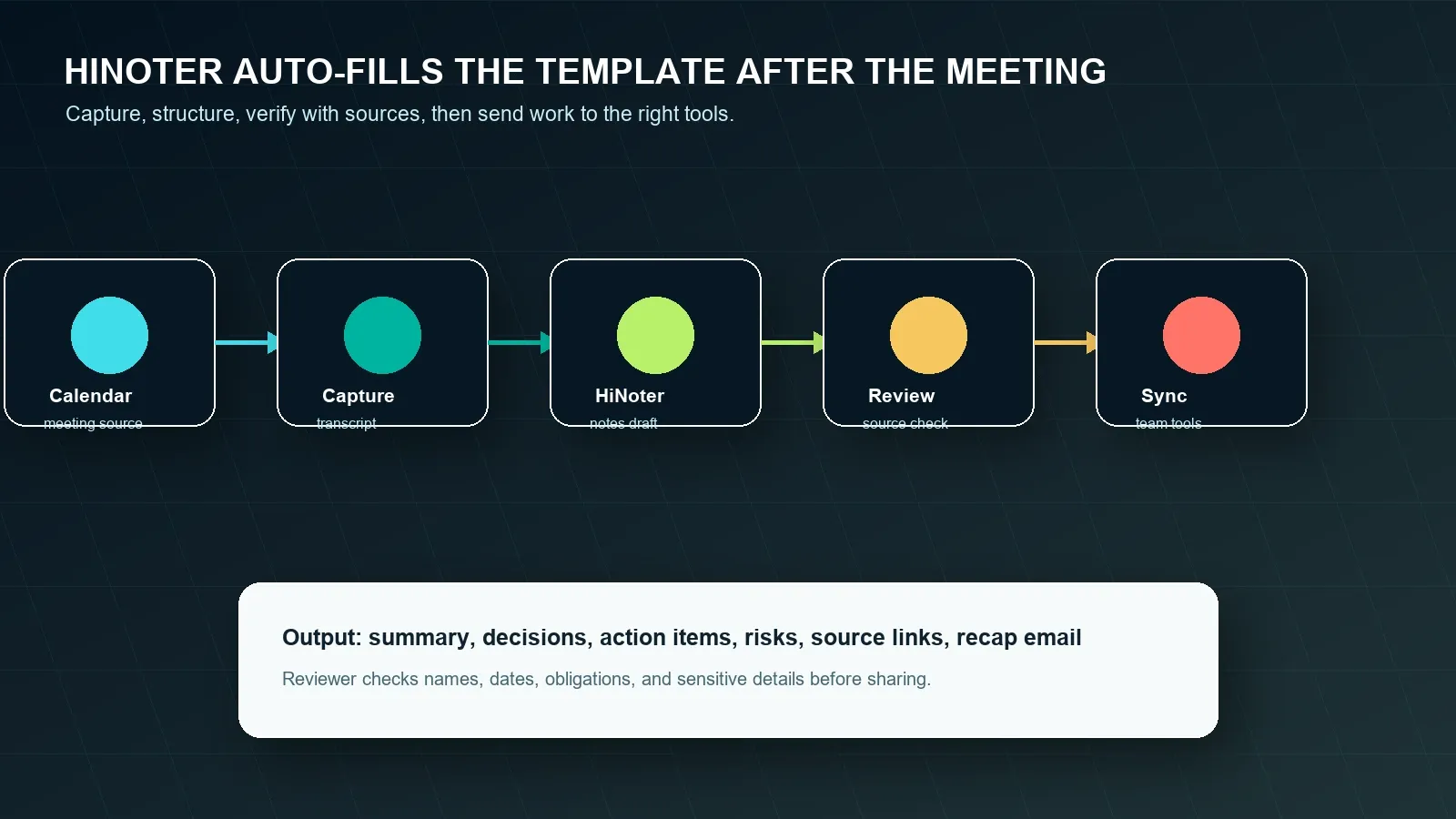
HiNoter should enter the workflow after the free template is clear. The template defines the target shape. HiNoter reduces the manual work of filling it after every conversation. It can turn permitted meetings and uploaded sources into a transcript, structured notes, summary, action items, mind map, exports, and searchable Q&A with source references.
- Choose the template before the meeting. Decide whether the meeting is a project review, customer call, leadership update, training session, or another workflow.
- Capture permitted meeting content. Use an approved capture workflow, meeting transcript, audio file, video, PDF, or other permitted source. Google, Microsoft, and Zoom all publish official documentation for meeting transcription or AI note workflows: see Google Meet transcripts, Microsoft Teams live transcription, and Zoom AI note-taking.
- Generate the draft notes. HiNoter identifies topics, summaries, decisions, action items, owners, deadlines, risks, and follow-up fields from the source material.
- Ask source-linked AI Chat questions. Reviewers can ask "What decisions were made?", "Which tasks have owners?", "What risks were mentioned?", or "Where did the customer ask for a follow-up email?" and check the answer against source references.
- Export or sync only reviewed output. Send approved notes, tasks, and recaps to the places where work happens.
Sample HiNoter AI Chat Questions
Source-linked AI Chat is useful because reviewers do not have to trust a summary blindly. They can ask a question, open the referenced passage, and confirm whether the generated notes reflect what was actually said.
| User question | Useful answer shape | Review note |
|---|---|---|
| What decisions were made in this meeting? | Decision list with context, owner, and source reference. | Confirm decision language before sharing. |
| Which action items have no deadline? | Task list grouped by missing field. | Assign a person to confirm deadlines. |
| What risks could block the project? | Risk, impact, owner, and next review date. | Do not treat inferred risks as confirmed unless sourced. |
| Draft a recap email for stakeholders. | Short recap with decisions, owners, dates, and next steps. | Review tone, commitments, and sensitive details. |
| How does this meeting connect to last week's discussion? | Linked context across related notes where available. | Check source coverage before relying on the connection. |
Export and Integration Follow-Up
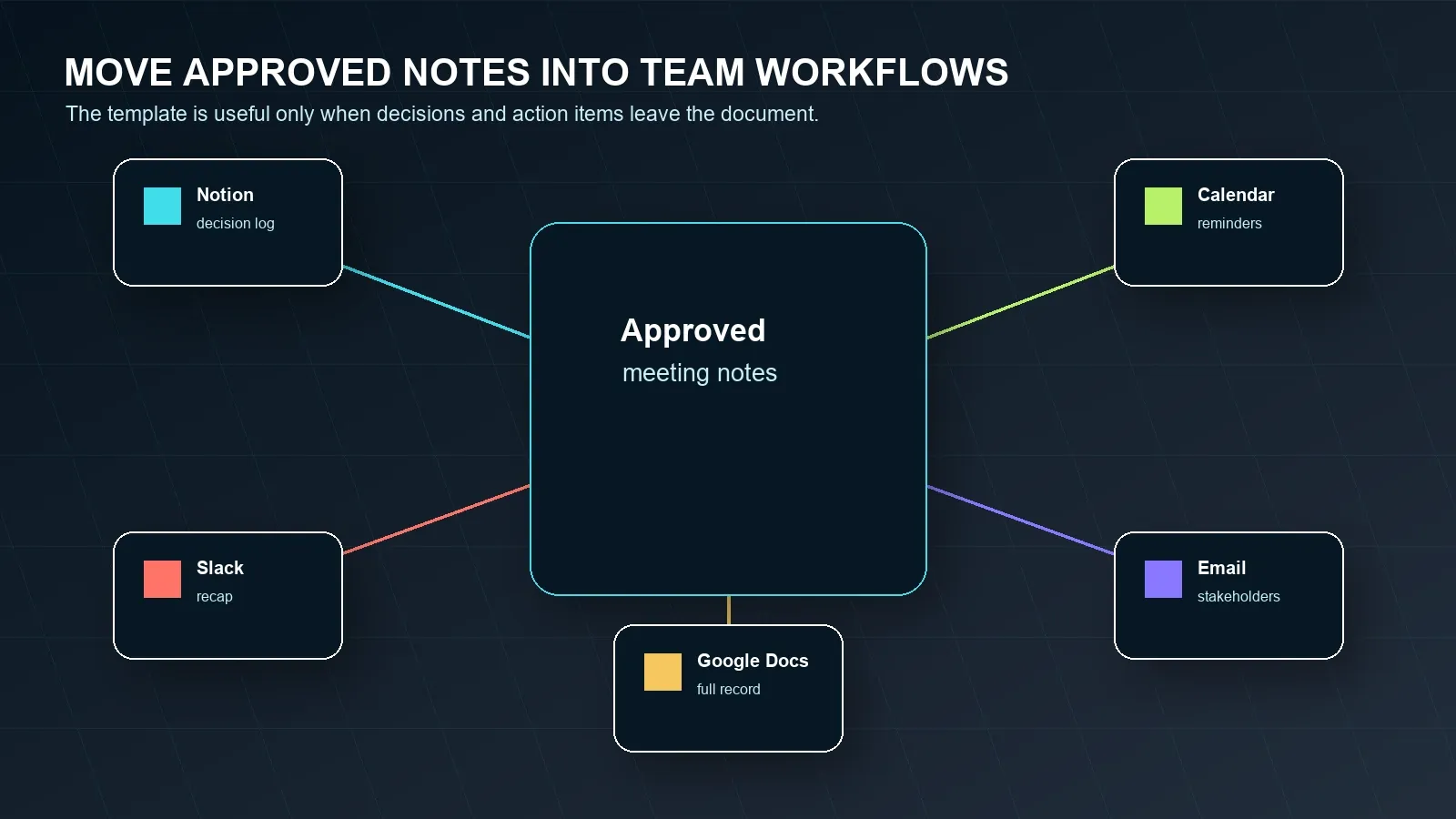
Meeting notes become valuable when they leave the note document and enter the team's real workflow. After review, store long-form notes where people can find them, post short recaps where the team communicates, and send tasks to the system where work is tracked. HiNoter has verified pages for the Notion integration and Google Docs integration. For tool setup, use official help where possible, such as Notion's Slack integration guidance, Slack's Google Drive app guidance, and Google Docs sharing guidance.
| Destination | What to send | What to review first |
|---|---|---|
| Notion or project wiki | Decision log, project context, long-form notes, related links. | Permissions and source-link access. |
| Slack | Short recap, decisions, owners, due dates, blockers. | Names, dates, channel audience, and sensitive content. |
| Google Docs | Full reviewed notes for stakeholders or customer follow-up. | Sharing settings and external commitments. |
| Calendar | Follow-up meetings, deadline reminders, review dates. | Owner, date, and time zone. |
| Customer recap, leadership update, or stakeholder summary. | Recipient list, tone, promises, and numbers. |
Common Meeting Notes Template Mistakes
Most teams do not fail because they lack a template. They fail because the template becomes a blank ritual. The hard fields are the ones people skip: decision context, task owner, deadline, risk owner, and the place where follow-up work will live.
| Mistake | Why it hurts | Fix |
|---|---|---|
| Agenda without outcome | The meeting can end with discussion but no decision. | Add a desired outcome and mark whether each topic needs a decision. |
| Decision without source | Future readers cannot tell what was actually agreed. | Add context and source or timestamp. |
| Action item without owner | No one is accountable. | Require exactly one named owner. |
| Action item without deadline | The task cannot be prioritized. | Add a due date or a date to confirm the due date. |
| Risk without next review | The blocker remains visible but unmanaged. | Add impact, owner, and next review date. |
| No sync destination | Notes stay isolated from the team's operating system. | Choose Notion, Slack, Google Docs, calendar, email, CRM, or project tool before closing the notes. |
Privacy, Permission, and Source Trust
Meetings can contain personal data, confidential product strategy, customer obligations, HR context, legal terms, or financial information. When notes are generated from audio, video, transcripts, or AI outputs, define participant notice, retention, sharing, deletion, and export rules before capture starts. Privacy and security requirements vary by jurisdiction, industry, employer policy, and meeting type.
Use official platform and policy sources when configuring capture and sharing. For privacy program design, the U.S. Federal Trade Commission privacy and security guidance and the NIST Privacy Framework are useful starting points. For regulated or high-risk use cases, involve legal, HR, compliance, or security stakeholders before recording or distributing AI-generated notes.
Source references reduce hallucination risk because reviewers can compare the AI answer with the underlying transcript, document, or timestamp. They do not eliminate review. Treat AI-generated notes as a draft until names, dates, decisions, obligations, customer commitments, and sensitive details are checked.
How to Choose a Meeting Notes Template
Choose the simplest template that preserves accountability. If the meeting is casual, the copyable template above may be enough. If the meeting creates commitments, add stronger review rules. If the team has many meetings and no one keeps filling the template manually, use HiNoter to draft the structured notes from source material, then review and sync the approved version.
- Match the template to the meeting type. Status meetings need blockers. Customer calls need commitments. Leadership reviews need decisions and strategic risks.
- Keep the template copyable. A template that cannot move into your work tools will not survive daily use.
- Separate decision, task, and risk rows. These fields need owners and dates.
- Use sources for important claims. Add timestamps, document links, or transcript references when a decision could be disputed later.
- Automate only after the structure is clear. HiNoter works best when the team knows what outputs it expects: notes, summary, action items, mind map, AI Chat answers, exports, and recap email.
Choose HiNoter if your team wants zero manual note-taking, 50+ language workflows where supported, multi-source inputs, structured summaries, action items, mind maps, integrations, and source-linked AI Chat. Confirm current language, pricing, and feature limits on the HiNoter multilingual support page and HiNoter pricing page before publishing plan-specific claims.
Try HiNoter free to turn your next permitted meeting into reviewed notes, decisions, action items, and follow-up.
Frequently Asked Questions
What should a meeting notes template include?
A meeting notes template should include the meeting title, date, platform, attendees, purpose, agenda, discussion notes, decisions, action items, owners, deadlines, risks, open questions, follow-up, and source references when notes come from a transcript, recording, or AI-generated draft.
What is the difference between meeting notes and meeting minutes?
Meeting notes are usually broader and can include context, observations, questions, quotes, and thinking from a working session. Meeting minutes are a more formal record of decisions, motions, approvals, and action items. Many teams use notes for daily collaboration and minutes for official records.
How do I write action items in meeting notes?
Write each action item as a separate task with one owner, one deadline, current status, source evidence, and the place it will be tracked. If the owner or deadline is unclear, mark it as unresolved before the notes are shared.
Can AI fill a meeting notes template automatically?
Yes, AI can draft a meeting notes template from permitted meeting audio, video, transcript, or shared content. The draft should still be reviewed by a human, especially for names, dates, customer commitments, financial details, legal language, privacy-sensitive content, and task ownership.
Can I use this meeting notes template in Notion, Slack, or Google Docs?
Yes. The template is plain text, so you can paste it into Notion, Slack, Google Docs, Microsoft Word, email, or a project tool. Keep the action-item table intact so owner, deadline, source, and sync destination do not disappear.
How does HiNoter help with meeting notes templates?
HiNoter can capture permitted meetings or uploaded content, create a transcript, summarize the discussion, extract decisions and action items, build a mind map, and let reviewers ask source-linked AI Chat questions before notes are exported or synced.