A BOFU product page draft for teams that need summaries, decisions, tasks, mind maps, exports, and source-linked answers after every meeting.
Meeting Summary Generator for Instant Recaps and Action Items
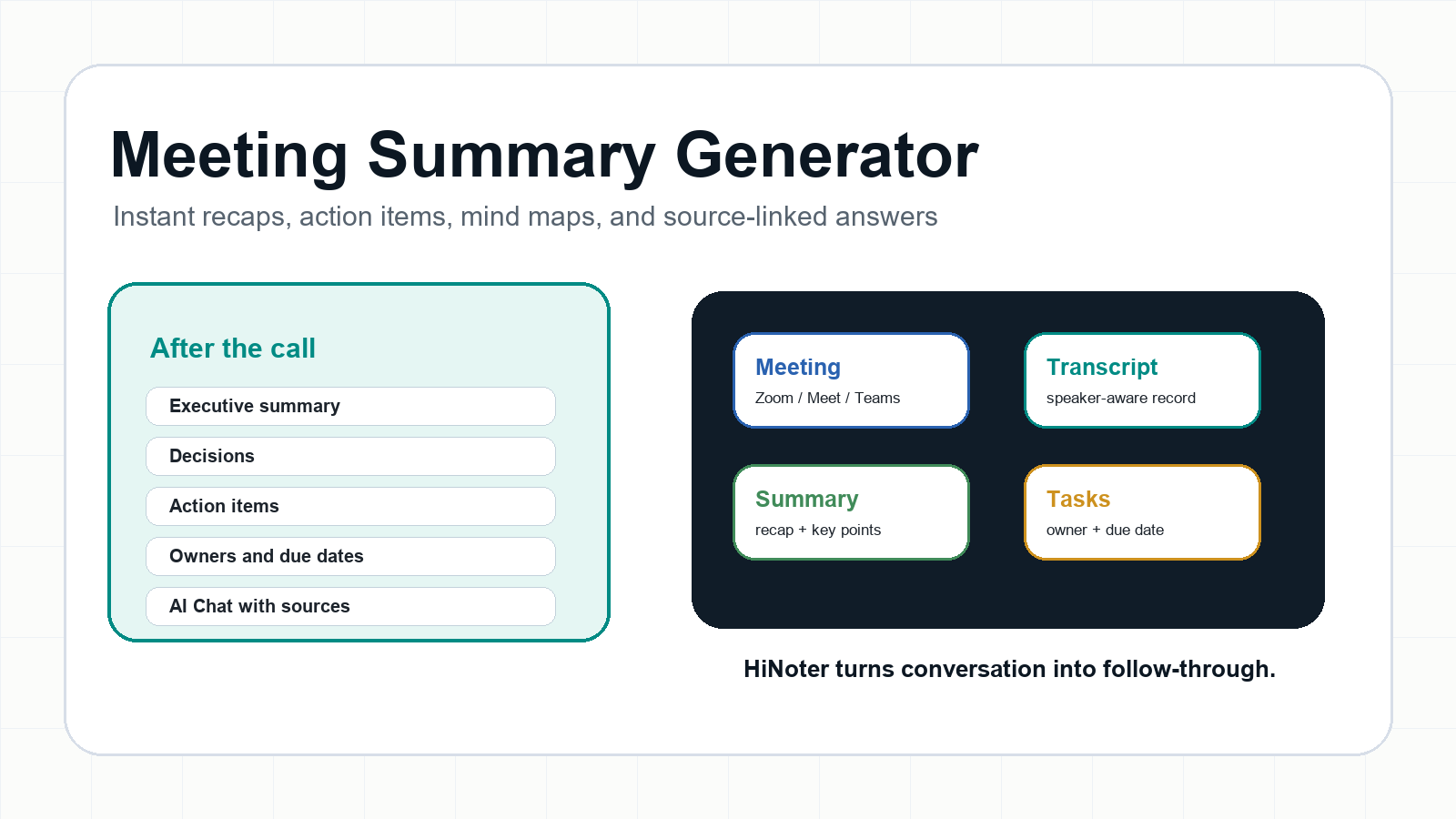
Direct answer A meeting summary generator is an AI tool that turns meetings, recordings, or transcripts into concise recaps, decisions, action items, and next steps. HiNoter goes further by joining meetings automatically, detecting languages, creating mind maps, exporting notes, and letting teams ask source-linked questions instead of rewatching long recordings. |
Try HiNoter free to generate your next meeting recap automatically, or explore AI meeting notes if you want the full meeting-to-knowledge workflow.
Why Meeting Summaries Break Down After the Call
Most teams do not have a meeting problem as much as a memory problem. A product review creates three decisions, a customer call reveals two risks, a leadership sync changes the owner of a launch task, and then the actual record scatters across a recording, a private doc, a Slack thread, and someone's half-finished notes.
The business cost is real. Microsoft's 2023 Work Trend Index, based on a survey of 31,000 people in 31 countries and Microsoft 365 productivity signals, found that inefficient meetings were the number one productivity disruptor. Asana's 2023 Anatomy of Work Global Index reported that senior leaders lose 3.6 hours each week to unnecessary meetings, while knowledge workers lose 2.8 hours.
A meeting summary generator solves the second half of the meeting: not only what was said, but what should happen next. That distinction matters. A recorder preserves the conversation. A transcript converts audio to text. A strong meeting summary generator turns conversation into usable decisions, owners, due dates, and searchable team knowledge.
What Is a Meeting Summary Generator?
A meeting summary generator is software that converts live meetings, audio files, video recordings, or transcripts into a shorter written recap. The best tools also identify decisions, risks, questions, action items, owners, due dates, and follow-up context. For high-intent buyers, the category is no longer just transcription. It is meeting intelligence.
HiNoter is an AI meeting notes and transcription platform built for that full workflow. It can automatically join scheduled calls, transcribe discussions, summarize outcomes, create action items and mind maps, export structured notes, and let users ask questions with source citations. That makes it useful for recurring team meetings, customer calls, interviews, lectures, webinars, and recorded training content.
Search intent | What the user wants | Best-fit HiNoter workflow |
meeting summary generator | A fast recap and task list after a call. | Auto-join or upload, then generate summary, action items, and mind map. |
AI meeting summary generator | AI-generated decisions, owners, and follow-ups. | Use structured AI notes plus source-linked AI Chat. |
meeting summary with action items | Tasks that do not get buried in prose. | Extract owner, due date, and supporting context. |
summarize meeting transcript | Turn a long transcript into the parts that matter. | Upload transcript or recording, then create recap and searchable notes. |
Zoom meeting summary generator | Summarize a Zoom call without rewatching it. | Let HiNoter join Zoom-style workflows or upload the recording afterward. |
How HiNoter Works in 5 Steps
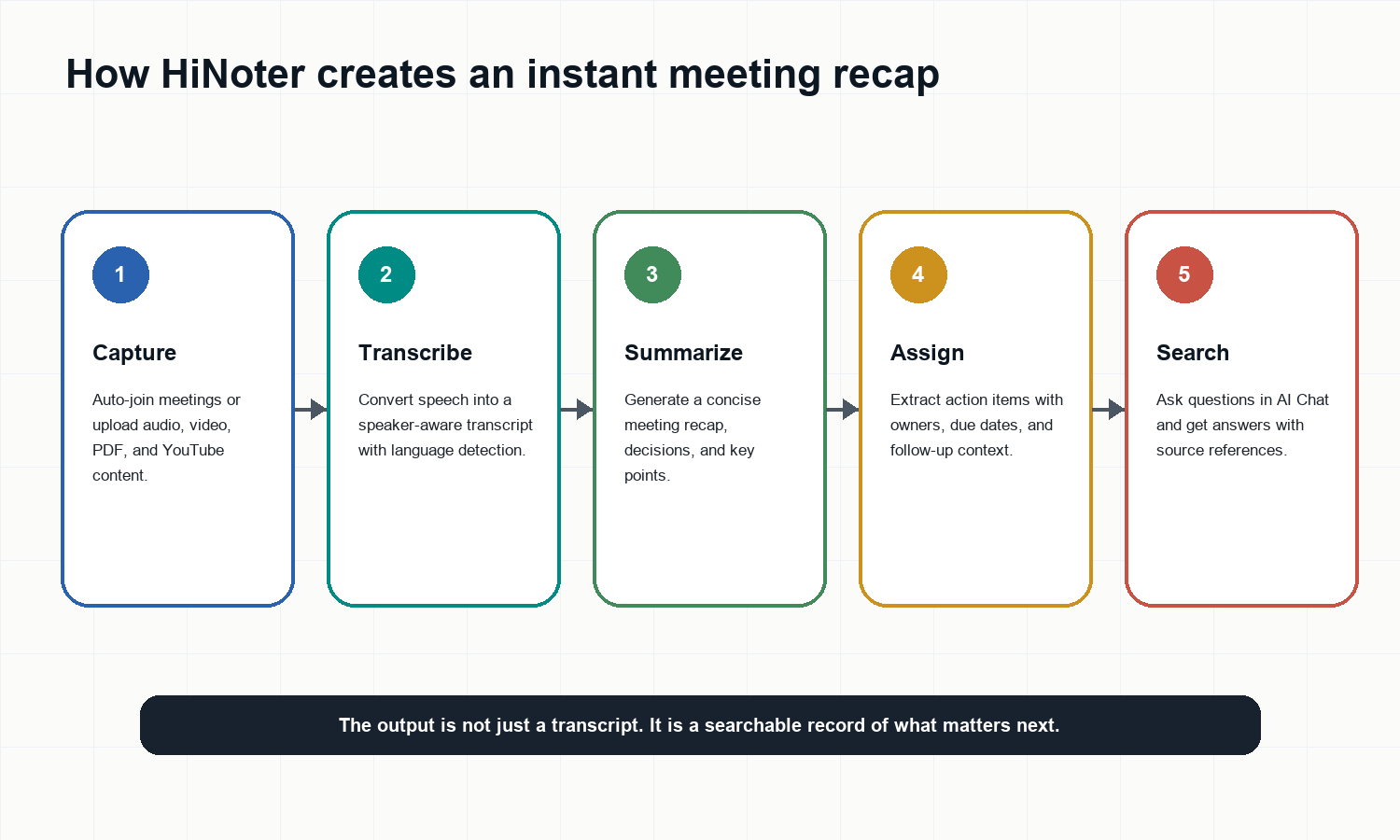
Connect your calendar or upload a permitted meeting file, audio recording, video, PDF, or YouTube link.
Let HiNoter capture or process the content while you stay focused on the conversation.
Review the transcript with speaker context and automatic language detection for multilingual teams.
Get an instant meeting recap with key points, decisions, action items, owners, due dates, and a mind map.
Share the summary to Notion, Google Docs, team chat, email, or your knowledge workflow, then use AI Chat to ask source-linked questions later.
That workflow is deliberately boring in the best way. The user should not need to become the team's stenographer, file clerk, and follow-up manager. HiNoter handles capture, structure, distribution, and retrieval so the team can spend attention on the actual conversation.
What HiNoter Generates After a Meeting
Output | What it includes | Why it matters |
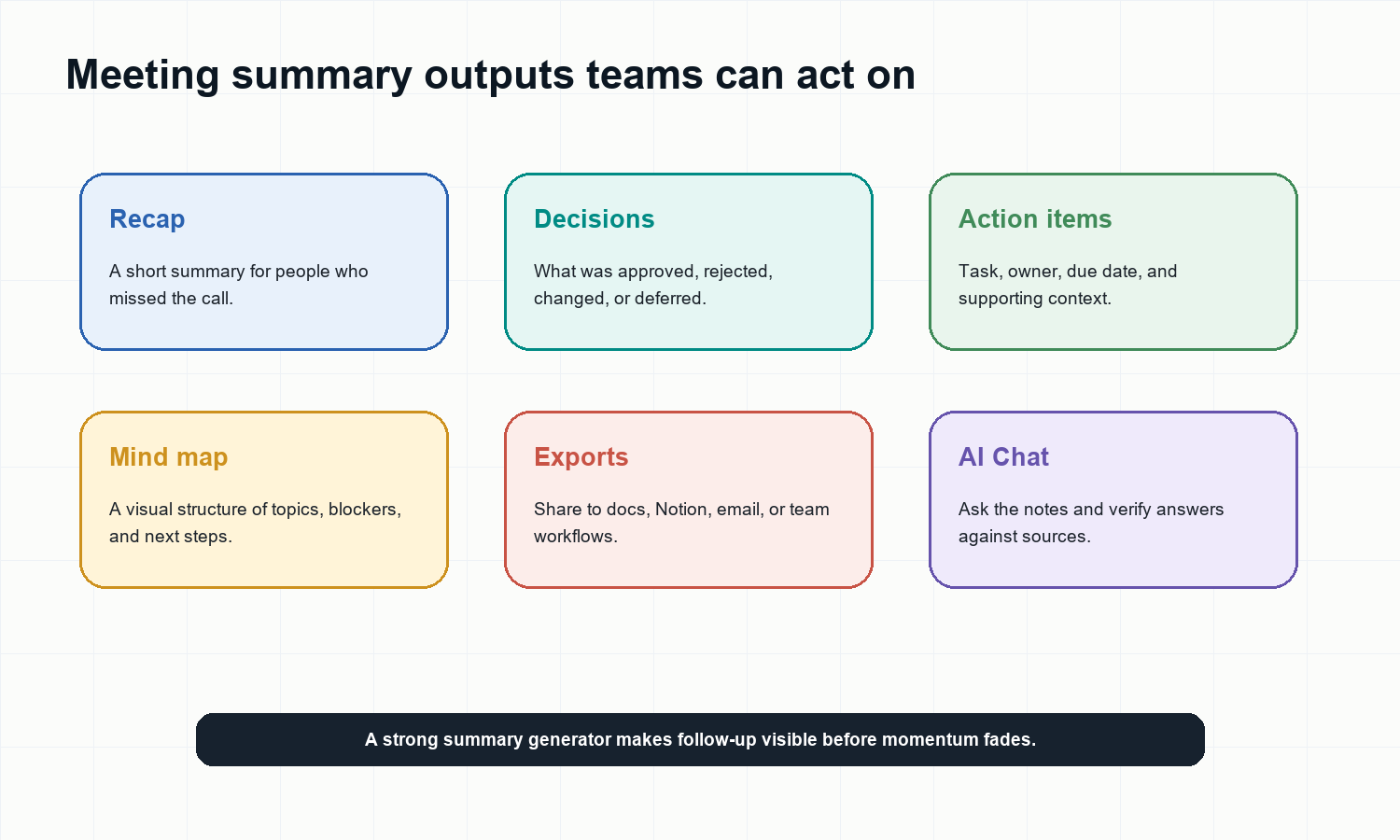
Meeting recap | A short summary of goals, discussion themes, and outcomes. | People who missed the call can catch up quickly. |
Decisions | Approvals, rejections, changes, open questions, and deferred items. | Teams stop arguing from memory. |
Action items | Task, owner, due date, and conversation context. | Follow-up becomes visible and assignable. |
Mind map | Topics, dependencies, blockers, and next steps arranged visually. | Complex discussions become easier to scan. |
Transcript | A searchable written record of the conversation. | Users can verify details without replaying the file. |
AI Chat | Questions and answers grounded in the note and transcript. | Notes become a working knowledge base, not an archive. |
Example: Product Roadmap Meeting Summary
Sample output Meeting recap: The team aligned on moving the beta launch from August 12 to August 19 to leave one more week for onboarding QA. Design will finalize the checklist by Friday. Engineering will confirm the analytics event names before the next sprint planning session. The open risk is whether customer success has enough time to update training material. |
Decision or task | Owner | Due date | Source context |
Move beta launch to August 19 | Product lead | Today | Approved after QA risk discussion. |
Finalize onboarding QA checklist | Design lead | Friday | Needed before release sign-off. |
Confirm analytics event names | Engineering lead | Next sprint planning | Blocks dashboard validation. |
Update customer training material | Customer success | Next Wednesday | Risk surfaced during launch readiness review. |
This is the difference between a transcript and a meeting summary with action items. The transcript is evidence. The summary is the operating layer that tells a team what changed, who owns it, and where to look if they need the exact source.
HiNoter vs. Manual Notes, Recorders, and Transcript-Only Tools
Method | Best for | Limitations | HiNoter advantage |
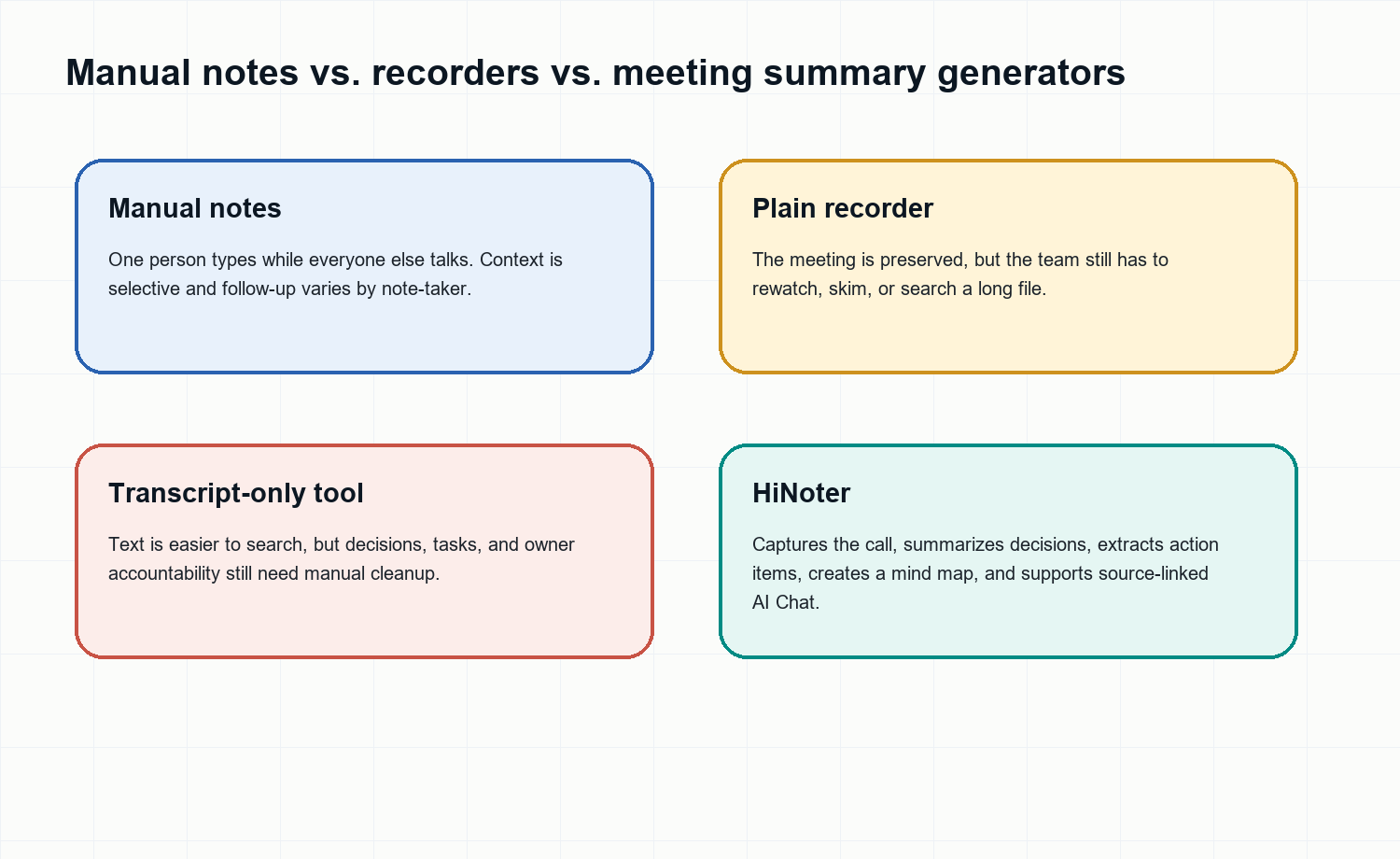
Manual notes | Small calls where one person can safely take notes. | Selective, inconsistent, and distracting. | No one has to type during the meeting. |
Plain recorder | Archiving a call for compliance or review. | Creates a long file, not a recap. | Turns recordings into summaries, tasks, and searchable answers. |
Transcript-only app | Creating text from audio. | Still requires manual cleanup and interpretation. | Adds structure, decisions, owners, mind maps, and exports. |
HiNoter | Meeting-heavy teams that need follow-through. | Requires permission-based capture and responsible use. | Owns the workflow from capture to searchable knowledge. |
Who Should Use an AI Meeting Summary Generator?
The best buyers are not people looking for another place to store notes. They are teams that already have too many meeting artifacts and too little operational clarity.
Team | Common pain | Recommended setup |
Product and engineering | Decisions from sprint planning and roadmap reviews disappear into calls. | Use HiNoter for recurring meetings, action items, and mind maps. |
Sales and customer success | Client commitments, objections, and follow-ups are scattered across CRM notes and chat. | Generate recaps and push structured notes to shared docs or Notion. |
Consultants and agencies | Multiple client meetings create inconsistent documentation. | Use branded summaries, decisions, and source-backed answers. |
Remote leadership teams | People miss calls across time zones and need a trusted recap. | Let HiNoter auto-join selected meetings and distribute summaries. |
Multilingual teams | One person's notes rarely capture every language, speaker, and nuance. | Use automatic language detection and multilingual transcription support. |
Inputs HiNoter Can Turn Into Summaries
Meetings are the obvious use case, but they are not the only one. HiNoter can also help teams summarize audio memos, interviews, webinars, video recordings, PDFs, and permitted YouTube content. That matters because team knowledge rarely arrives in one format.
For post-meeting files, use audio to text, video to text, PDF to text, or the YouTube transcript generator workflow before turning the content into summaries, action items, and cited answers.
Integrations: Put the Recap Where Work Happens
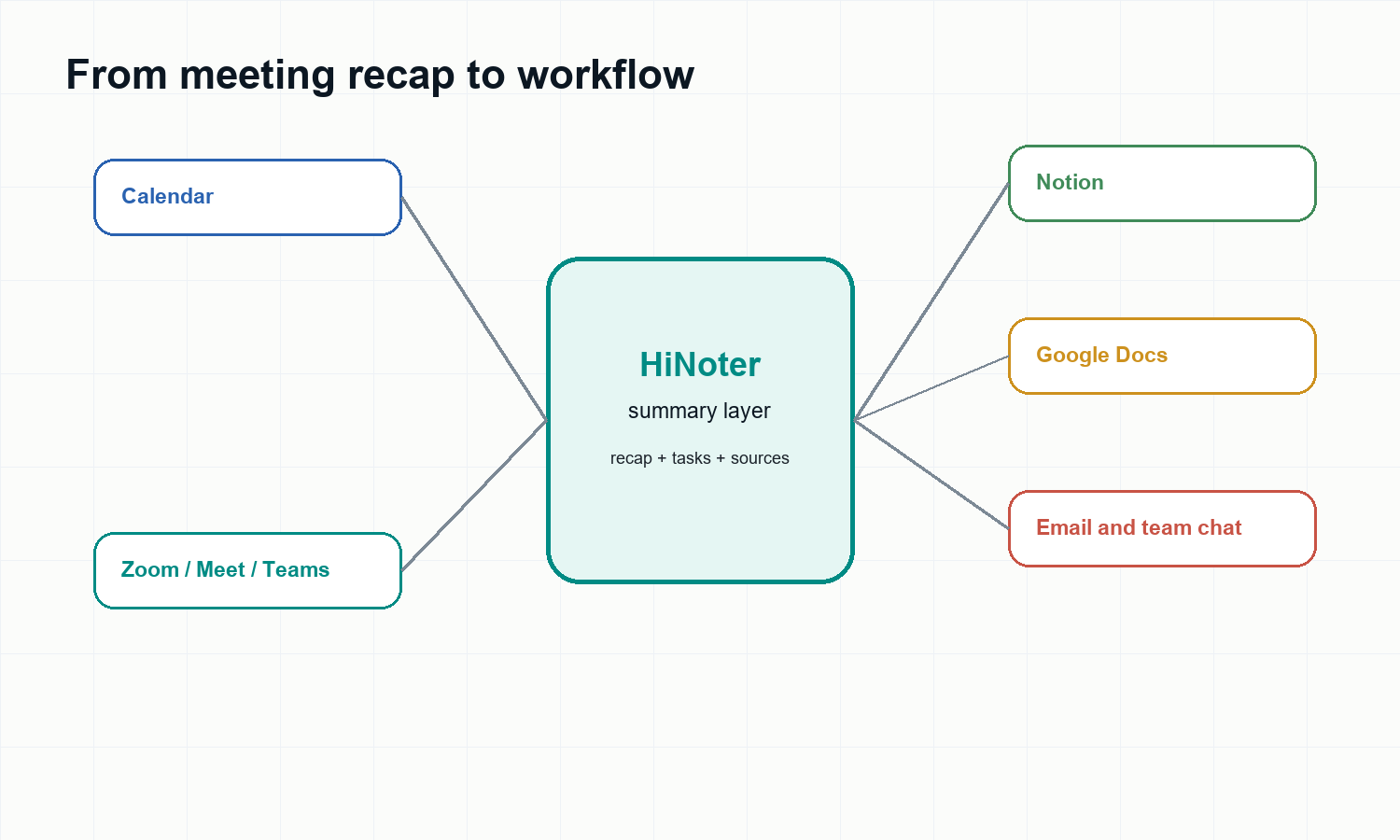
A summary is useful only if people see it in time to act. HiNoter can support calendar-based capture, meeting workflows, and exports to the places teams already use. That reduces the copy-paste work that usually happens after a call.
Related workflows: AI meeting assistant, Google Meet integration, Microsoft Teams integration, Notion integration, and Google Docs integration.
What to Look for Before Choosing a Meeting Summary Generator
Capture options: automatic meeting attendance, upload support, and post-recording workflows.
Summary quality: clear recap, decisions, risks, questions, and next steps.
Action item structure: owner, due date, task wording, and source context.
Language coverage: automatic detection and support for multilingual conversations.
Verification: transcript access and AI Chat answers with source references.
Integrations: exports to docs, knowledge bases, chat, calendar, and email.
Control and privacy: permission-based meeting capture and the ability to manage stored records.
Privacy and Responsible Capture
Meeting summaries are only useful when participants trust the process. Teams should follow their internal policies and local laws for recording, transcription, and AI-assisted note-taking. In practical terms, that means telling participants when a meeting assistant is present, using the tool for business-approved content, and keeping sensitive notes in controlled workspaces.
HiNoter is best used as a transparent meeting assistant and knowledge workflow, not as a hidden recorder. For participant-heavy calls, customer meetings, interviews, legal discussions, or healthcare-related conversations, teams should confirm consent and retention rules before turning on automated capture.
The Best Workflow: Recap First, Then Knowledge Base
Recommended workflow Connect HiNoter to your calendar, let it join selected meetings, review the instant recap, assign action items, export the summary to your team workspace, and use AI Chat later when someone asks, "What did we decide and why?" |
This is where HiNoter differs from a normal recorder. It does not stop at capture. It turns meetings and multi-source content into structured notes, action items, mind maps, exports, and source-linked answers. The result is a meeting summary generator that becomes part of the team's memory.
Use HiNoter when the goal is not simply to record a meeting, but to make the outcome searchable, shareable, and actionable.
FAQ
What is the best meeting summary generator?
The best meeting summary generator captures the meeting, creates a concise recap, identifies decisions, extracts action items, and lets users verify details against the transcript. HiNoter is built for this full workflow across meetings, audio, video, PDFs, and permitted YouTube content.
Can HiNoter create action items from meetings?
Yes. HiNoter can turn a meeting transcript into structured action items with owners, due dates, and supporting context, so follow-up does not stay buried in paragraph notes.
Is a meeting summary generator different from a transcription tool?
Yes. A transcription tool converts speech to text. A meeting summary generator interprets the transcript into a shorter recap, decisions, tasks, next steps, and searchable knowledge.
Can I use HiNoter for Zoom, Google Meet, and Microsoft Teams?
HiNoter supports common meeting workflows including Google Meet and Microsoft Teams integrations, and it can process recordings from other meeting tools. Teams should use permission-based capture and follow their recording policies.
Does HiNoter support multilingual meeting summaries?
HiNoter supports multilingual transcription workflows and language detection, which helps distributed teams keep one shared record even when meetings include multiple regions or languages.
Can I ask questions about a meeting summary later?
Yes. HiNoter's AI Chat lets users ask questions about notes and transcripts and receive answers with source references, turning meeting summaries into searchable team knowledge.