Multilingual transcription software converts speech in multiple languages into searchable text, often with speaker labels, timestamps, language detection, and export options. For global teams, the stronger workflow goes beyond raw transcripts: HiNoter turns multilingual audio into summaries, action items, mind maps, exports, and searchable Q&A.
What Is Multilingual Transcription Software?
Multilingual transcription software is a tool that converts spoken content in more than one language into written text. It is used for meetings, interviews, customer calls, webinars, lectures, voice notes, podcasts, and research recordings where people may speak English, Spanish, Portuguese, French, German, Japanese, Mandarin, or another language in the same team workflow.
The basic promise is simple: get spoken words into a searchable transcript. The real test is messier. People interrupt each other. Accents vary. Product names and acronyms do not always sound like dictionary words. Calls cross time zones. Teams need summaries in one shared language, even when the original conversation happened in several. A transcript helps, but a transcript alone rarely closes the loop.
That is why global teams should evaluate multilingual transcription software as part of a broader knowledge workflow. The output should help people find what was said, understand what changed, assign the next step, and reuse the information later. HiNoter is designed around that full path: capture or upload the source, generate the transcript, structure the conversation, then turn it into notes, action items, mind maps, exports, and source-grounded AI Chat.
Why Global Teams Need More Than Raw Transcripts
Raw transcripts are useful, but they are rarely the final deliverable. A sales leader does not want a 14-page bilingual transcript after every discovery call. A customer success manager does not want to hunt through a recording to find one renewal risk. A recruiting coordinator does not want four interviewers writing private notes in different formats. A product manager does not want user research scattered across transcripts, chat messages, and slide decks.
Global teams have an extra layer of difficulty: language context. A meeting may start in English, switch into Portuguese for a customer explanation, and include technical terms that should not be translated loosely. A regional team may need the original transcript for accuracy, while headquarters needs an English summary and action list. If the tool only produces raw text, the team still has to interpret, summarize, clean, translate, and distribute it by hand.
If you need more than text, HiNoter turns audio into a transcript plus summary, action items, mind map, exports, and searchable Q&A. That matters because the most valuable part of a conversation is usually not the full wording. It is the decision, blocker, objection, customer requirement, deadline, owner, insight, and reference point that someone will need later.
How Multilingual Transcription Software Works
A strong multilingual workflow handles capture, recognition, structure, review, and reuse. The exact steps vary by tool, but the core process is consistent.
| Step | What happens | Why it matters |
|---|---|---|
| 1. Capture or upload | Add a meeting, audio file, video, interview, voice note, or permitted source. | The system needs a clean source before it can produce reliable text. |
| 2. Detect language | The software identifies the spoken language or languages in the content. | Automatic detection reduces setup work for multilingual teams. |
| 3. Transcribe speech | Speech becomes written text with speaker labels and timestamps where supported. | People can search, quote, review, and share the conversation. |
| 4. Review key terms | Names, numbers, acronyms, product terms, and mixed-language passages are checked. | Important details should be verified before they become the team record. |
| 5. Generate AI notes | HiNoter creates summaries, action items, mind maps, exports, and source-grounded Q&A. | The transcript becomes usable knowledge, not another file to skim. |
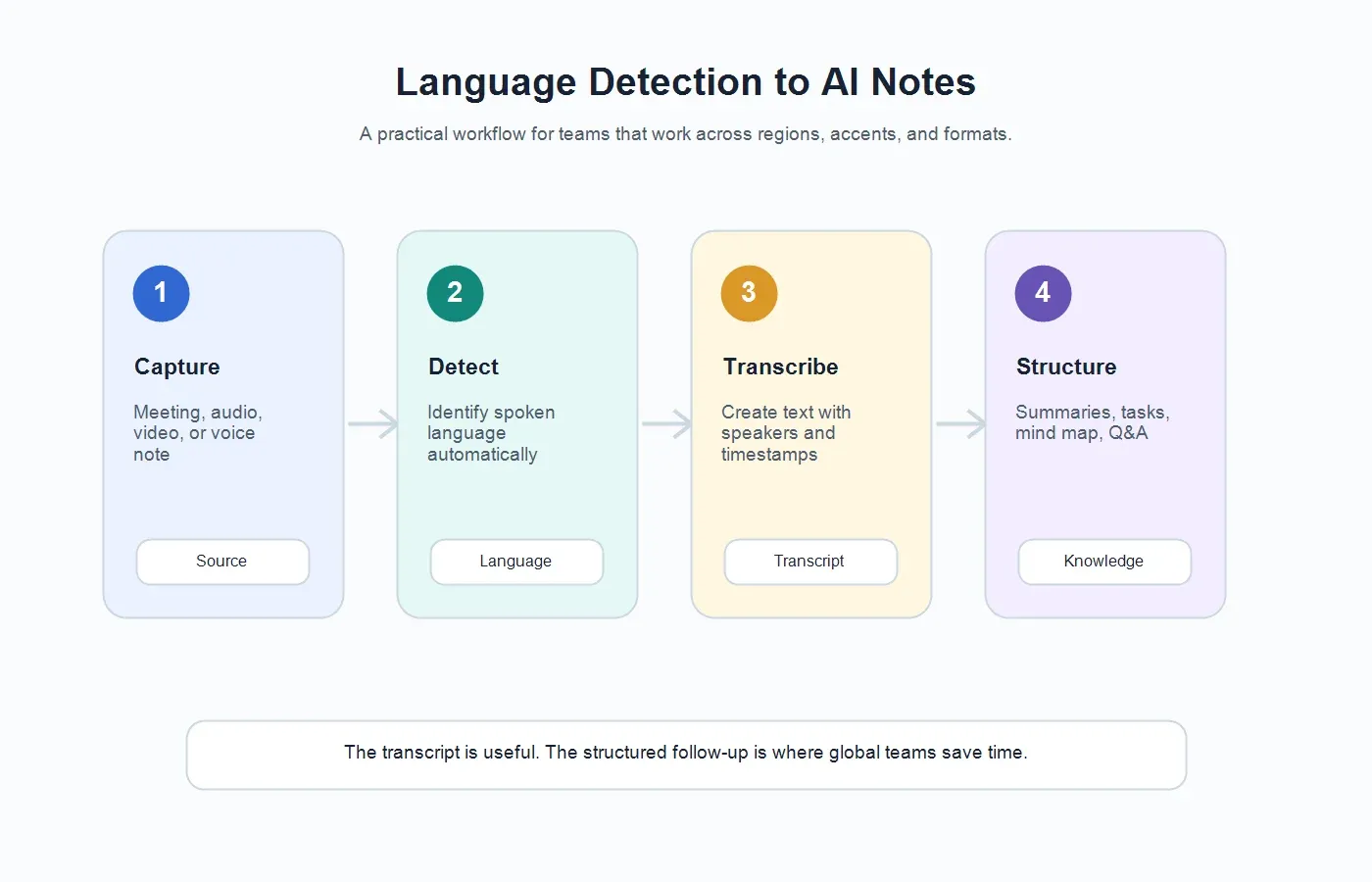
This workflow is especially useful when the team already relies on audio to text for recorded calls or video to text for webinars, demos, and training sessions. Multilingual transcription is not a separate niche process; it is a practical layer inside everyday communication.
Definitions: Transcription, Speech-to-Text, and AI-Assisted Transcription
What Is Transcription?
Transcription is the process of turning spoken words into written text. It may be done manually by a human, automatically by software, or through an AI-assisted workflow that combines machine transcription with summaries, speaker labels, cleanup, and review.
What Is Speech-to-Text?
Speech-to-text is the technology that recognizes spoken language and converts it into text. In business workflows, speech-to-text is often the first layer of a broader system that also handles timestamps, search, summaries, exports, and integrations.
What Is AI-Assisted Transcription?
AI-assisted transcription goes beyond word capture. It can help identify speakers, detect language, organize the transcript into topics, summarize long recordings, extract tasks, create follow-up notes, and answer questions with references to the source content.
Manual vs Automatic vs AI Notes
The best choice depends on the risk level, volume, language mix, and output your team needs. Manual transcription can be precise but slow. Automatic transcription is faster but may still leave cleanup work. AI notes add structure, but they should keep the source available so people can verify important details.
| Option | What you get | What still needs work |
|---|---|---|
| Manual notes | A human-written recap based on what one person heard and chose to capture. | Missing details, uneven formats, and limited language coverage. |
| Manual transcription | A careful transcript prepared or edited by a person. | Time, cost, turnaround, and scaling across many meetings. |
| Automatic transcription | Fast speech-to-text output with searchable words and sometimes timestamps. | Speaker cleanup, acronyms, summaries, tasks, and review. |
| AI-assisted notes | Transcript plus summary, action items, mind map, exports, and Q&A. | Human verification for decisions, names, numbers, and sensitive claims. |
| HiNoter | Multilingual transcripts with automatic structure, 50+ language detection, summaries, action items, mind maps, integrations, and AI Chat. | Final review before sharing high-stakes notes with the team. |
What Global Teams Should Look For
Many transcription products look similar until a global team uses them in real meetings. The difference shows up in the handoff. Can the tool identify language without manual setup? Can it handle a bilingual customer call? Can it produce a concise summary for people who did not attend? Can it export the result to the places where the team already works?
Automatic Language Detection
Language detection matters because teams should not have to configure every recording manually. A global product team may run calls in English, Spanish, Portuguese, and Japanese during the same week. A customer support team may not know the language before an uploaded voice note is processed. Automatic detection saves time and reduces mistakes when content comes from many regions.
HiNoter supports 50+ languages and automatic detection, making it a practical fit for multilingual teams that need one workflow rather than separate tools for each region. That does not mean every recording is effortless. Mixed languages, accents, background noise, and industry-specific vocabulary still benefit from human review. But the starting point is faster and more consistent.
Speaker Labels and Timestamps
Speaker labels help users understand who said what. Timestamps help them jump back to the source moment. Together, they make a transcript usable for review, coaching, research, and follow-up. Without them, a long transcript becomes a wall of text, especially when several speakers are discussing tasks, risks, or customer requirements.
Summaries in the Team's Working Language
A team may need the original transcript in the spoken language and the summary in the language used for internal decision-making. For example, a regional customer call may happen in Portuguese, while the renewal team needs an English recap with risks, commitments, and next steps. The best workflow should preserve the original context while making the output useful for the wider team.
Action Items and Owners
The transcript tells you what was said. The action list tells you what happens next. For teams across time zones, action items should include the owner, task, due date when available, and enough context to understand why the task exists. A multilingual transcription workflow that does not extract action items still leaves managers chasing people after the call.
Exports and Integrations
Transcripts become more valuable when they move into the team's existing systems. HiNoter can connect the note workflow with tools such as Notion and Google Docs, helping teams share summaries, route follow-ups, and keep decisions out of private notebooks.
Supported Sources: Meetings, Audio, Video, and More
Global communication does not happen in one format. A team may need to process a Zoom call, a phone recording, a Portuguese customer interview, a Spanish webinar, an English product demo, a training video, a hiring interview, or a voice memo from a field team. Multilingual transcription software should support the sources your team actually uses.
| Source | Typical need | HiNoter output |
|---|---|---|
| Live meetings | Capture discussion without assigning a human notetaker. | Transcript, summary, action items, mind map, and searchable Q&A. |
| Audio files | Convert interviews, voice notes, and calls into searchable text. | Speaker text, timestamps, summary, tasks, and exports. |
| Video files | Turn demos, webinars, and lessons into reusable notes. | Transcript, key points, chaptered notes, and follow-up items. |
| Customer calls | Capture risks, commitments, objections, and renewal signals. | Customer summary, action list, and source-grounded answers. |
| Training content | Create searchable internal knowledge from multilingual sessions. | Learning notes, topic map, transcript, and Q&A. |
Accuracy Factors in Multilingual Transcription
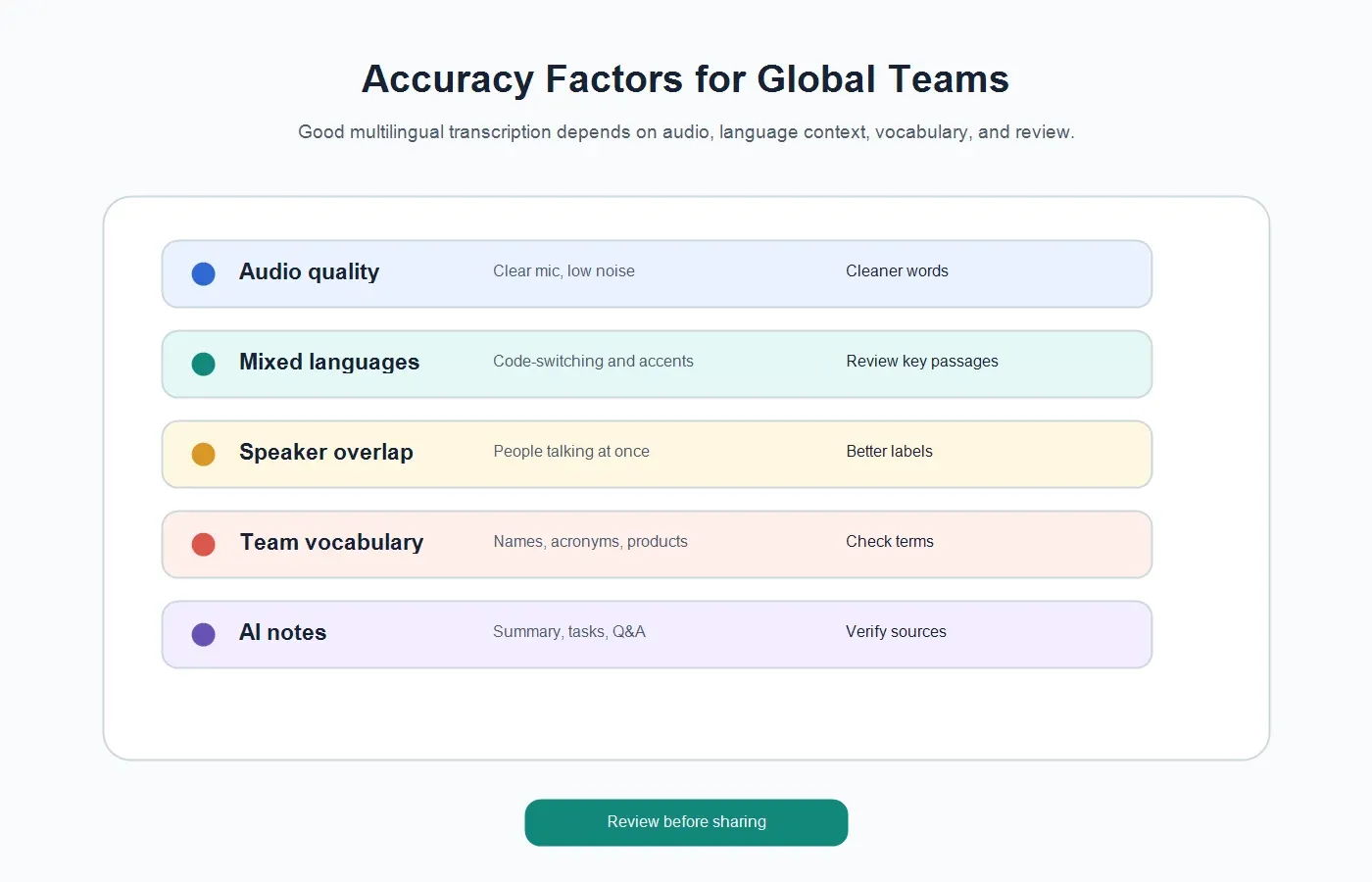
No transcription workflow is equally accurate in every environment. Audio quality, speaker overlap, accent variation, microphone placement, vocabulary, background noise, and language switching all influence the result. A good tool reduces effort, but a good team process still checks critical details before sharing or acting on them.
| Factor | Why it affects accuracy | Practical fix |
|---|---|---|
| Audio quality | Muffled voices, echo, and background noise make words harder to detect. | Use a clear microphone and record in a quiet setting when possible. |
| Speaker overlap | Interruptions can blur who said what. | Encourage turn-taking for interviews, sales calls, and formal reviews. |
| Mixed languages | Switching languages mid-sentence can confuse language detection. | Review multilingual passages and keep the source available. |
| Specialized vocabulary | Product names, acronyms, and regional terms may be misheard. | Check important terms before exporting notes. |
| High-stakes content | Legal, financial, medical, or contractual details require extra care. | Use AI output as a draft and verify important claims manually. |
Example: A Multilingual Customer Call
Consider a customer success team managing accounts in North America, Brazil, and Portugal. A customer call starts in English because the account owner joins from the United States. The customer's operations lead explains adoption blockers in Portuguese. A technical lead switches back to English for the integration timeline. After the call, leadership needs a clean recap, not a raw multilingual transcript with twenty pages of mixed context.
A useful output might include the original transcript, an English summary, a Portuguese-language excerpt for the regional team, open risks, renewal signals, product requests, action items, owners, and follow-up email points. The team should also be able to ask: What did the customer say about rollout risk? Who owns the data migration task? Which requirements were repeated? What should the account team confirm before the next meeting?
This is where HiNoter is stronger than a plain recorder. It can automatically structure the conversation so global teams can stay focused during the call and still leave with a record that is searchable, shareable, and connected to the next step.
Example: A Global Research Interview Program
Research teams often run interviews across languages and regions. One participant may describe buying behavior in Spanish, another may explain product frustrations in French, and another may share workflow details in English. The team needs the transcript, but it also needs themes, quotes, objections, pain points, and evidence that can be reused in product decisions.
Multilingual transcription software helps recover the spoken content. AI-assisted notes help organize it. A research lead can compare recurring themes across interviews, ask questions about specific segments, export a summary to a shared workspace, and use source references to keep claims grounded in what participants actually said.
The important habit is to separate transcript accuracy from insight accuracy. The transcript may be the source, but the insight should be reviewed against that source. HiNoter supports that pattern by keeping notes connected to source-grounded Q&A rather than forcing teams to trust detached summaries.
How HiNoter Fits Into a Multilingual Workflow
HiNoter is built for teams that do not want meeting knowledge to vanish into recordings, private notes, chat threads, and manual recaps. For multilingual work, its value is not simply that it can detect many languages. The value is that language detection sits inside a larger workflow.
Before the Meeting
Teams can prepare the agenda, connect the calendar, and decide which meetings need automatic notes. This is especially helpful for recurring global calls where the attendees, languages, and time zones change week by week.
During the Meeting
HiNoter can help remove the burden of manual note-taking, allowing participants to focus on the conversation. The system captures the meeting context and prepares the source material for transcript and note generation.
After the Meeting
The output can include the transcript, structured summary, action items, mind map, and source-grounded AI Chat. Instead of sending a raw recording to people who missed the call, the team can share the decisions, tasks, and context they actually need.
For Knowledge Reuse
The conversation does not end when the meeting ends. Teams can search prior notes, ask questions across source material, and reuse insights in project updates, customer plans, hiring feedback, research reports, and internal documentation. For teams already evaluating AI meeting notes, multilingual transcription should be treated as one part of the full knowledge system.
Buying Checklist for Multilingual Transcription Software
Before choosing a tool, test it against real team content. A polished demo may perform well on clean English audio but struggle with accents, background noise, regional vocabulary, or mixed-language meetings. Use recordings that resemble your actual workflow.
- Test the languages your team uses most often, not only English.
- Check whether language detection works automatically or requires setup.
- Review speaker labels on conversations with three or more participants.
- Confirm timestamp behavior for long recordings and meeting review.
- Evaluate summary quality, not just transcript speed.
- Check whether action items include owners and due dates where available.
- Look for exports into the systems your team already uses.
- Review privacy controls for customer calls, interviews, and confidential meetings.
- Ask whether the tool supports meetings, audio, video, and other content sources.
- Verify that AI answers remain tied to source material.
Privacy and Consent for Global Transcription
Recording and transcription rules vary by organization, industry, and location. Teams should be clear about when recording is happening, what content is being processed, who can access the transcript, and how long the output should be retained. Consent is especially important for customer calls, interviews, recruiting conversations, healthcare discussions, legal meetings, and employee-related content.
A practical global policy should cover at least four questions. Are participants informed? Is the recording permitted? Is the content sensitive? Who can access the transcript and summary afterward? The answer may differ by region, meeting type, and customer agreement. Multilingual transcription software should support productivity, but it should not replace team judgment around privacy, consent, and data handling.
When Multilingual Transcription Becomes a Competitive Advantage
Global teams do not lose knowledge because people are careless. They lose it because conversations move faster than documentation. Decisions happen in meetings. Risks appear in customer calls. Candidates share evidence in interviews. Product feedback arrives in mixed-language research sessions. Without a consistent workflow, those details end up scattered across recordings, private notes, chat threads, and memory.
Multilingual transcription software solves the first part by making spoken content searchable. HiNoter solves the next part by turning that text into structured knowledge: summaries, action items, mind maps, exports, and source-grounded Q&A. For teams operating across languages and regions, that shift can reduce meeting admin, speed up follow-up, and make important context easier to find when the next decision arrives.
Try HiNoter when your team needs more than a transcript. Connect your meeting workflow or upload a permitted recording, then turn multilingual conversations into notes your team can search, share, and act on.
FAQs About Multilingual Transcription Software
What is multilingual transcription software?
Multilingual transcription software converts speech in multiple languages into written text. It may also include automatic language detection, speaker labels, timestamps, summaries, exports, and AI-assisted question answering.
Can multilingual transcription software detect languages automatically?
Some tools can detect languages automatically. HiNoter supports 50+ languages with automatic detection, which helps global teams process meetings, recordings, and source files without configuring every language manually.
How accurate is multilingual transcription?
Accuracy depends on audio quality, speaker overlap, accents, background noise, vocabulary, and whether speakers switch languages. Teams should review important names, numbers, decisions, and sensitive claims before sharing final notes.
What is the difference between transcription and AI notes?
Transcription turns speech into text. AI notes organize that content into summaries, action items, decisions, key points, mind maps, exports, and source-grounded answers.
Can HiNoter summarize multilingual meetings?
HiNoter can turn multilingual meeting or recording content into transcripts, summaries, action items, mind maps, exports, and searchable Q&A. This helps teams reuse conversations instead of storing recordings that no one has time to review.
What should global teams check before transcribing calls?
Confirm consent, recording permission, privacy expectations, access controls, and whether the content is confidential or regulated. Then review critical details before treating the transcript or summary as the official record.