An Otter.ai alternative should be evaluated by workflow fit, not by a single feature. Otter.ai is a strong option for live transcription and meeting recaps. HiNoter is a practical alternative when teams need meetings, audio, video, PDFs, and transcripts turned into structured notes, action items, mind maps, exports, and source-linked AI Chat.
Try HiNoter if your team wants meeting content to become searchable knowledge rather than another transcript archive.
A fair alternative page compares the job after the meeting: retrieval, follow-up, source review, and team knowledge.
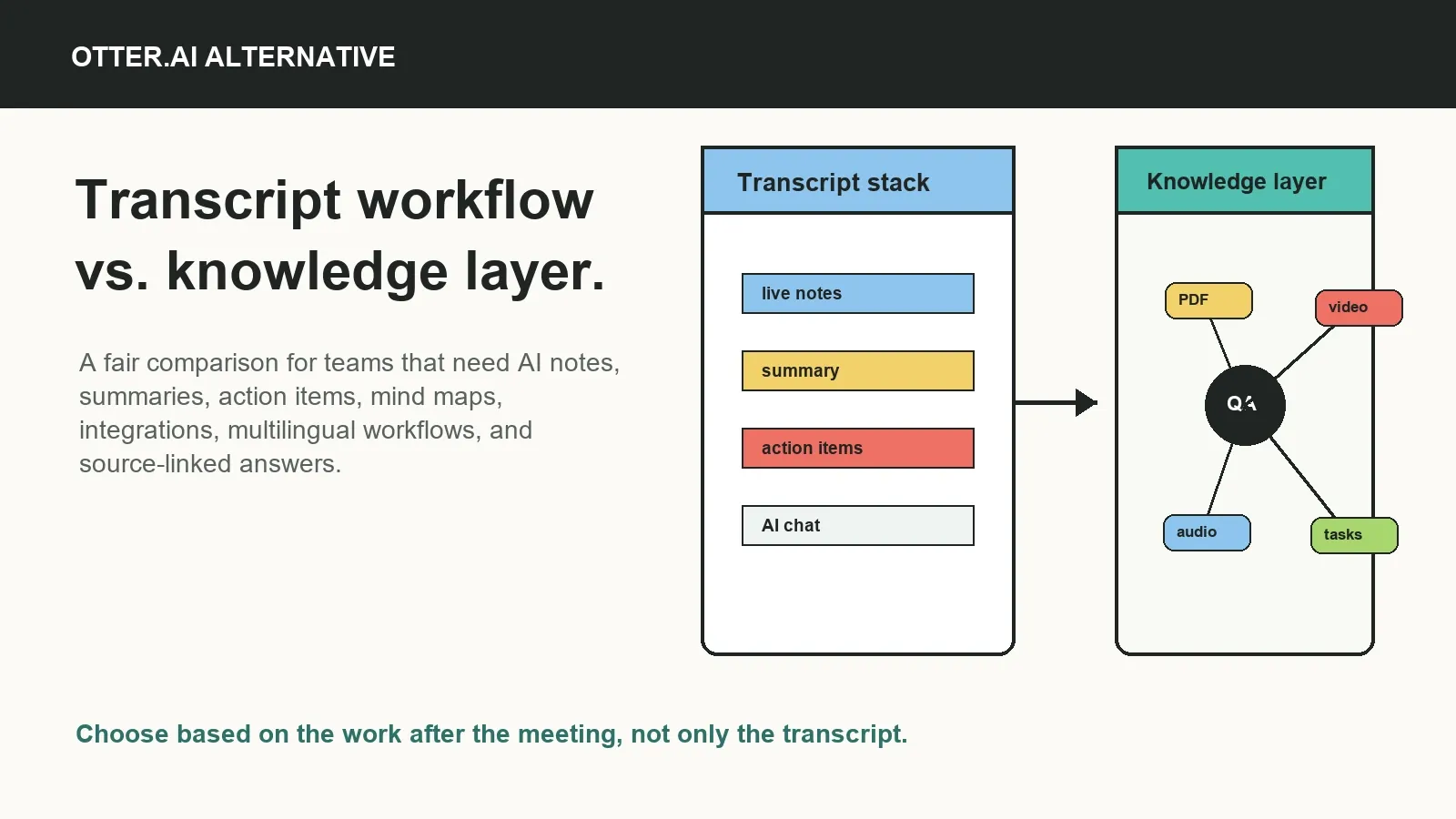
Otter.ai alternative: quick answer
Choose HiNoter as an Otter.ai alternative if you need multi-source AI notes from meetings, audio, video, PDFs, and transcripts, plus action items, mind maps, integrations, multilingual workflows, and source-linked AI Chat. Choose Otter.ai if your main priority is real-time meeting transcription, familiar meeting recaps, and an established transcript-first workflow.
Who Otter.ai is best for
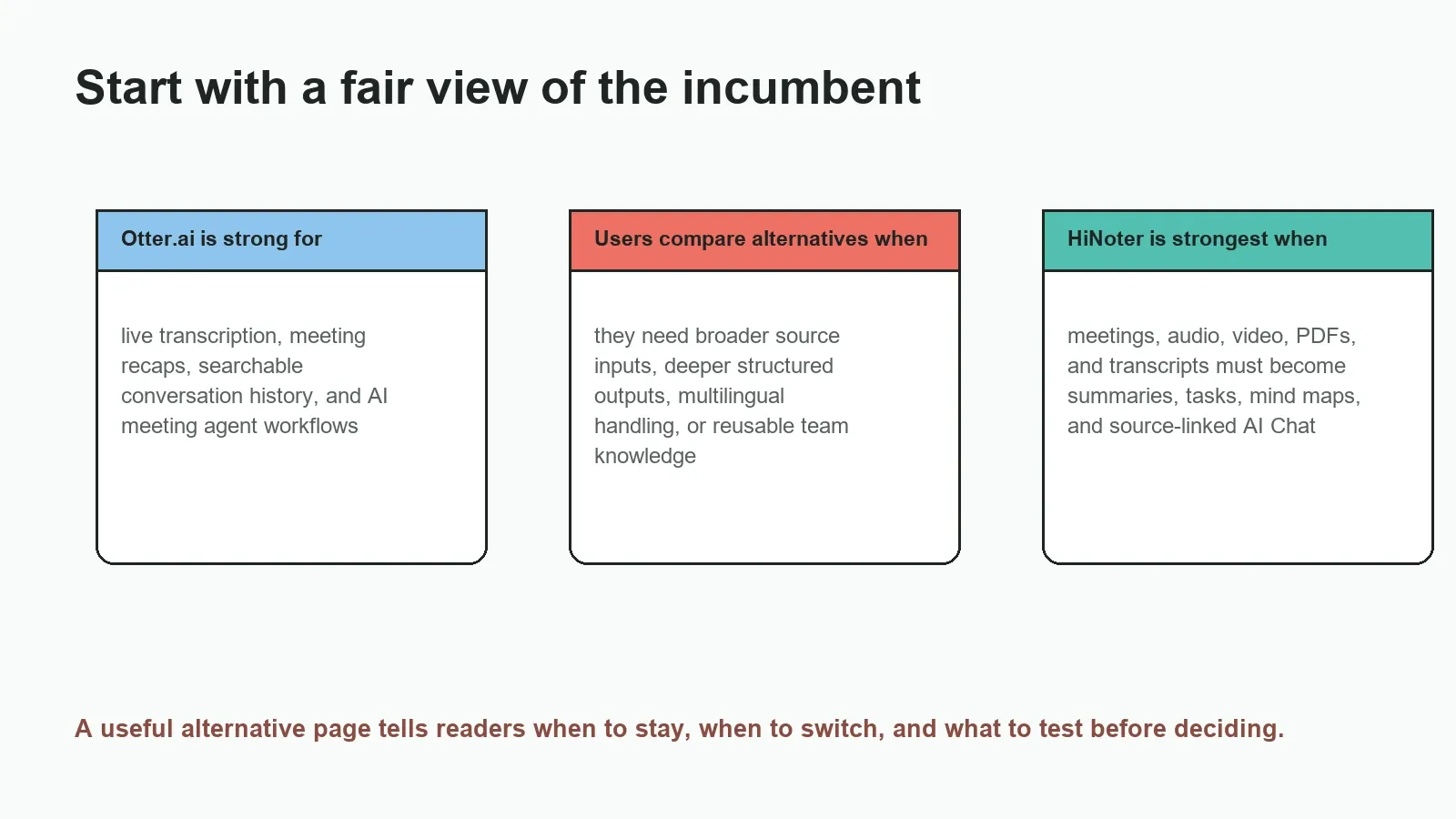
Otter.ai is widely known as an AI meeting assistant and transcription platform. Its official pages position it around real-time meeting notes, live transcription, summaries, action items, AI Chat, and an AI meeting agent that can work with meetings on platforms such as Zoom, Google Meet, and Microsoft Teams.
That makes Otter.ai a sensible fit for users who want searchable meeting transcripts, live note support during calls, and a familiar meeting recap workflow. It is especially relevant when the meeting itself is the main source and the user wants a transcript-first record that can be searched, summarized, and shared.
As of July 15, 2026, Otter's official pricing page lists a Basic free option and paid plans with different meeting-minute, import, and feature limits. Because plan details change, compare the live Otter.ai pricing page with your expected meeting volume before making a decision.
Why users look for Otter.ai alternatives
People usually do not search for an alternative because one product is universally bad. They search because their workflow has changed or a current tool no longer fits. A team may start with meeting transcription and later need structured summaries, owners, due dates, mind maps, source references, and exports into the tools where work continues.
Common reasons to compare alternatives include too many manual steps after the meeting, transcript-only output, weak action-item structure, limited uploads, missing integrations, language needs, pricing thresholds, or notes that cannot be reused as a team knowledge base. The right Otter.ai alternative should reduce meeting admin without forcing the team to rebuild every workflow.
HiNoter is positioned for this broader pattern. It is an AI meeting notes and transcription platform that can turn meetings, audio, video, PDFs, and permitted sources into summaries, decisions, action items, mind maps, exports, and source-linked AI Chat.
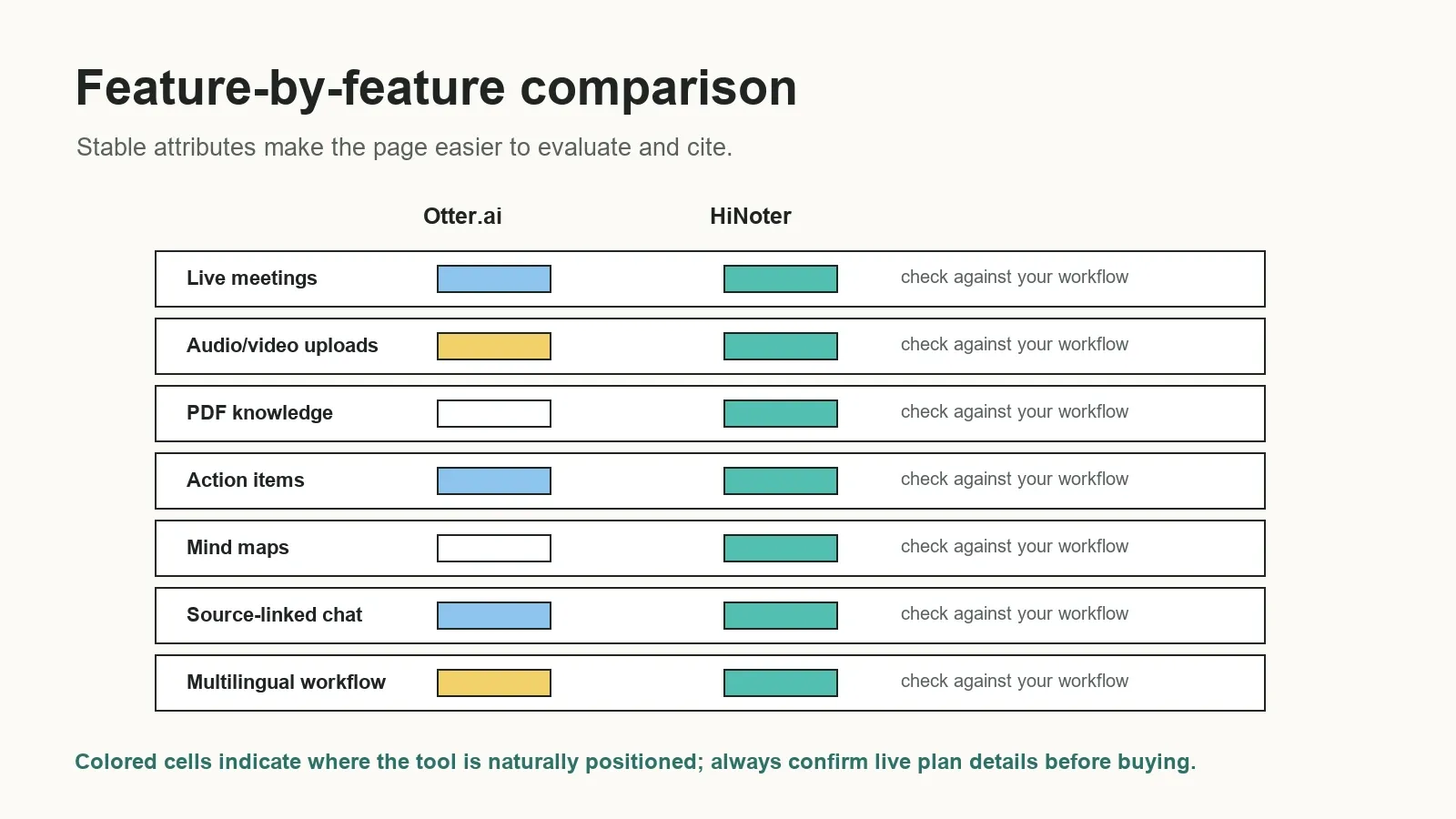
Feature comparison: Otter.ai vs HiNoter
| Evaluation area | Otter.ai | HiNoter | What to test |
|---|---|---|---|
| Best-fit user | Users who prioritize live meeting transcription and searchable meeting recaps | Teams that need meetings and files converted into structured knowledge | Run both tools on the same meeting and compare follow-up quality |
| Automatic meeting capture | Meeting agent and live meeting workflow are central to Otter positioning | Calendar-based meeting assistant workflow for authorized meetings | Bot behavior, permissions, participant expectations |
| Sources supported | Strong meeting transcription plus import options depending on plan | Meetings, audio, video, PDFs, transcripts, and permitted sources | Upload limits, file types, source context |
| Summary depth | Meeting summaries and recaps are core features | Structured summaries with decisions, risks, follow-ups, and context | Whether summaries distinguish final decisions from discussion |
| Action items | Action items are supported in the meeting workflow | Action items with owners, due dates, risks, and follow-up context | Owner accuracy, due dates, dependencies, review path |
| Mind maps | Not usually the central Otter positioning | Mind maps are part of HiNoter's structured knowledge output | Whether visual topic mapping helps your team understand decisions |
| Integrations and exports | Common meeting and productivity integrations are available by plan | Designed for Notion, Slack, Google Docs, calendar, and email workflows | Where approved notes need to go after the meeting |
| Language support | Check current Otter language coverage and plan details | 50+ languages with automatic detection for multilingual teams | Real accents, code-switching, names, and domain terms |
| AI Chat | AI Chat is part of Otter's product positioning | Source-linked AI Chat for meeting and content knowledge | Whether answers cite the source you need to verify |
| Pricing and limits | Free and paid plans with usage and import limits | Check current HiNoter free access and plan limits | Minutes, seats, uploads, retention, exports, admin needs |
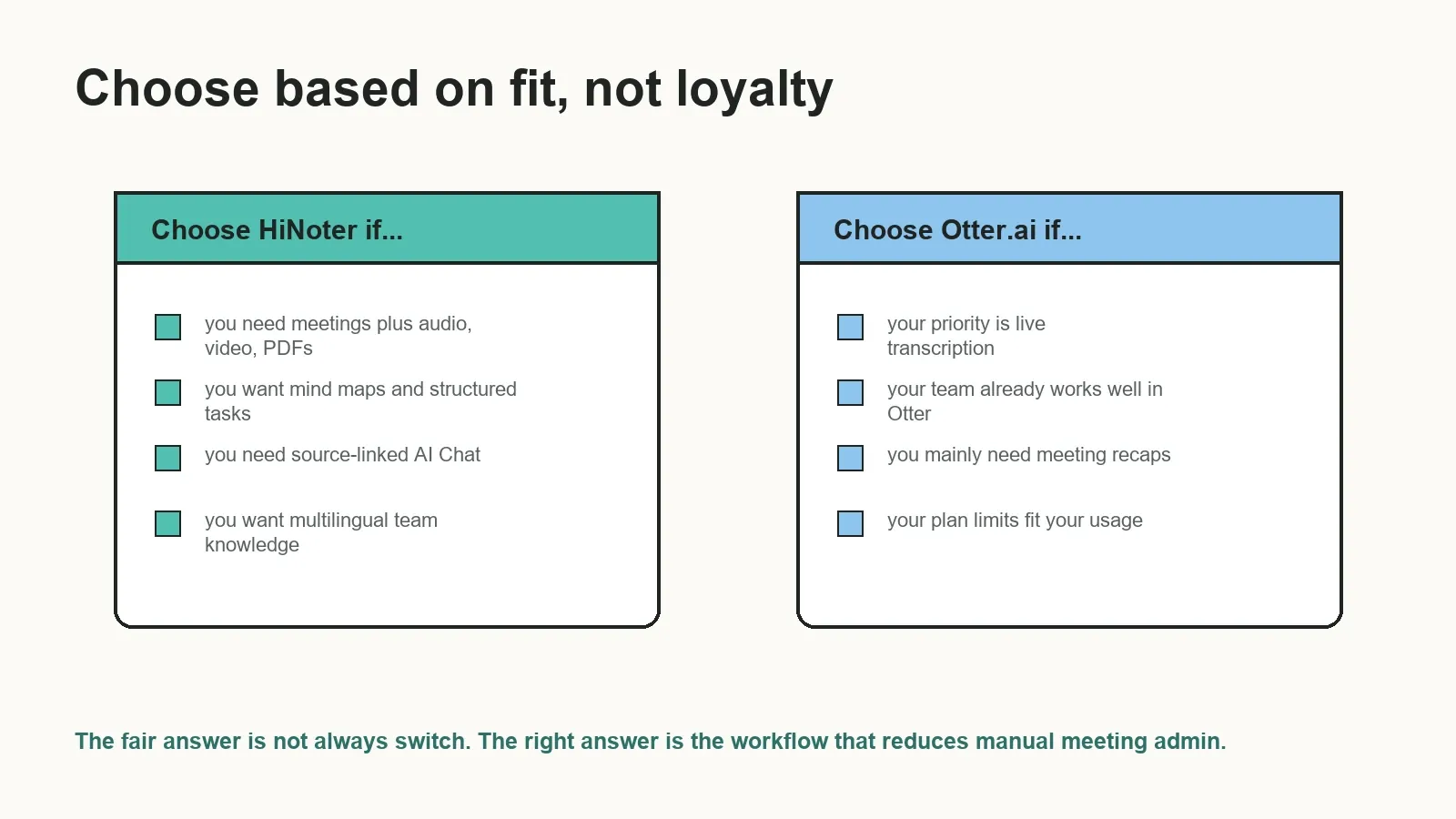
Choose HiNoter if...
- You need an AI note taker for more than live meetings, including audio, video, PDFs, transcripts, and uploaded sources.
- You want structured meeting summaries that include decisions, risks, action items, owners, due dates, and follow-up context.
- You want mind maps to visualize topics, blockers, relationships, and decisions from complex conversations.
- You need source-linked AI Chat so users can ask about meeting history and inspect the supporting source.
- Your team needs multilingual workflows with automatic language detection and support for 50+ languages.
- You want approved notes to move into Notion, Slack, Google Docs, calendar, and email workflows.
Choose Otter.ai if...
- Your main job is real-time meeting transcription and searchable meeting recap creation.
- Your team already uses Otter.ai successfully and the current plan limits fit your meeting volume.
- You want a familiar transcript-first meeting assistant rather than a broader multi-source knowledge workflow.
- Your evaluation shows Otter.ai captures your speakers, terms, and meetings more accurately in your environment.
- Your admin, privacy, integration, and pricing needs are already covered by your current Otter.ai setup.
Use-case fit: which product should your team test first?
| Use case | Test HiNoter first if... | Test Otter.ai first if... |
|---|---|---|
| Internal team meetings | You need decisions, owners, due dates, and searchable source-linked answers | You mainly need real-time notes and meeting transcripts |
| Sales or customer calls | You want summaries, objections, follow-ups, and source-linked account context | You want live call notes and fast transcript search |
| Product and project meetings | You need roadmap decisions, blockers, risks, mind maps, and follow-up tasks | You need transcript-first records for discussion review |
| Training videos and webinars | You want video, audio, and PDF sources converted into notes and Q&A | Your workflow is centered on meeting conversations |
| Multilingual teams | You need 50+ languages and automatic detection across sources | Your current Otter language coverage matches the team's needs |
| Knowledge base creation | You want past meetings and files to become searchable team memory | You want searchable meeting transcripts without broader source ingestion |
Migration checklist from Otter.ai to HiNoter
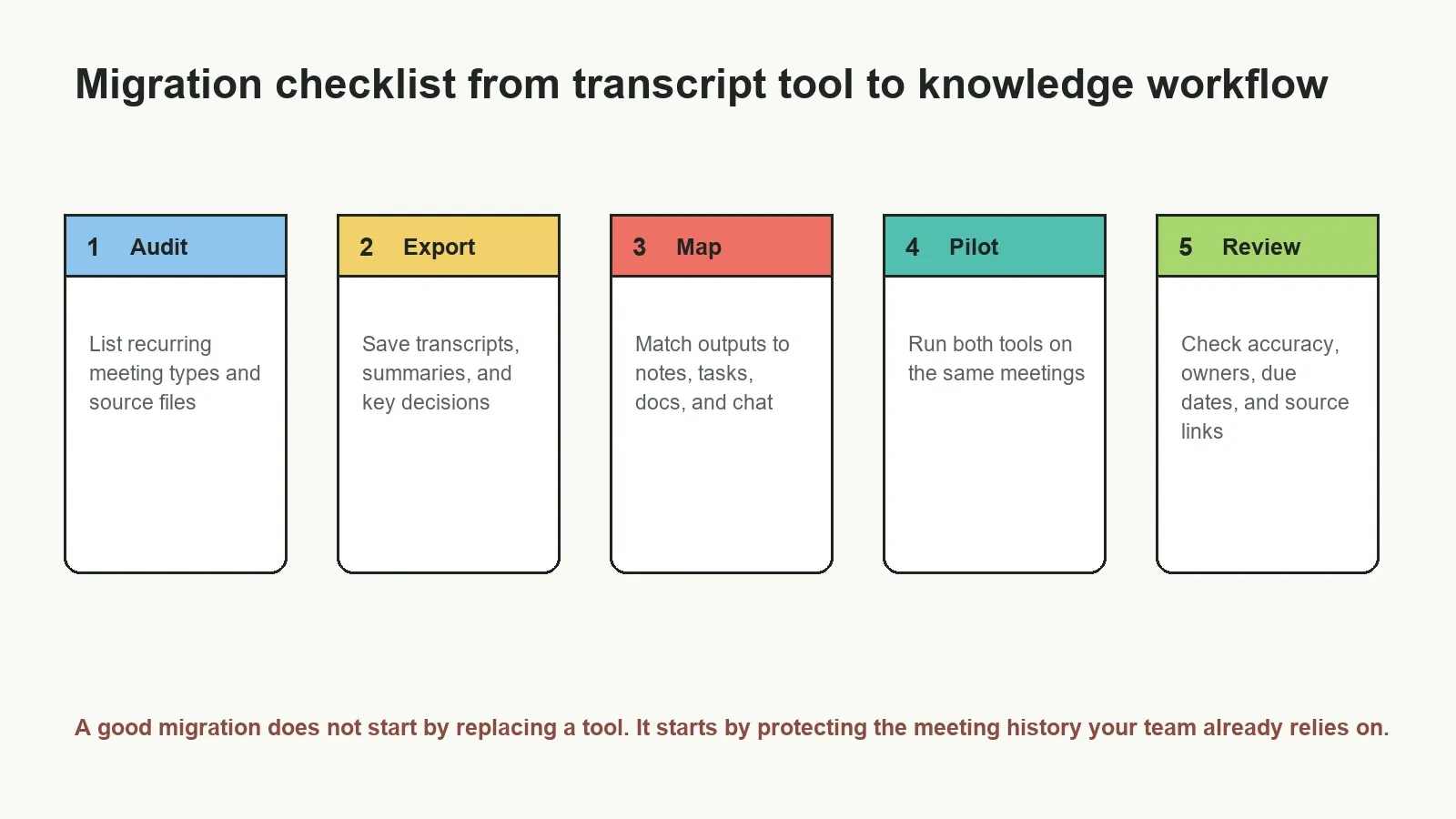
- Audit current usage. List which Otter.ai meetings, transcripts, recaps, imports, exports, and integrations your team relies on.
- Protect important history. Export or preserve critical transcripts and summaries where your account, policy, and contracts allow it.
- Define replacement outputs. Decide which outputs must improve: summary depth, action items, owners, due dates, mind maps, AI Chat, or exports.
- Pilot with real meetings. Run HiNoter and Otter.ai on the same authorized meeting types for one or two weeks.
- Compare review burden. Check which tool produces fewer corrections for names, dates, speakers, commitments, and next steps.
- Map integrations. Confirm where notes need to land: Slack, Notion, Google Docs, calendar, email, CRM, or project tools.
- Decide by workflow outcome. Switch only the workflows where HiNoter creates clearer follow-up and better retrieval than the current process.
Pricing and plan-limit considerations
Do not compare Otter.ai and HiNoter only by whether a free plan exists. Compare the limits that affect your real workflow: meeting minutes, file imports, live meeting capture, seats, team sharing, storage, retention, exports, integrations, AI Chat, admin controls, and security requirements.
For example, Otter.ai's official pricing page lists plan-specific limits for transcription minutes, imports, and advanced features. HiNoter should be evaluated the same way: check the current plan for meeting capture, multi-source uploads, languages, integrations, AI Chat, and exports before moving a team workflow.
A free or low-cost plan is useful for testing transcript and summary quality. A paid plan may become necessary when recurring meetings, team permissions, source retention, multilingual work, or exports become central to the business process.
Source-linked AI Chat and trust
One reason teams look for an Otter.ai alternative is that transcripts and summaries are not enough when people need answers later. They may ask, "What did the customer object to?" or "Who owns the security review?" or "Why did we delay the roadmap item?" A useful AI note system should connect answers to the underlying meeting, transcript, file, or timestamp.
Source links do not make AI perfect, but they create a review path. The NIST Generative AI Profile identifies confabulation as a risk in generative AI systems. For business meetings, source-linked AI Chat helps teams inspect the evidence before turning an answer into a customer commitment, project deadline, or formal decision.
Final recommendation
Stay with Otter.ai if your team is happy with real-time transcription, meeting recaps, search, and current plan limits. Compare HiNoter if your team needs a broader AI meeting notes and transcription platform that turns meetings, audio, video, PDFs, and transcripts into structured summaries, action items, mind maps, exports, and source-linked AI Chat.
For teams drowning in recordings, transcripts, chat threads, and private notes, the better question is not "Which tool transcribes?" It is "Which tool turns our conversations and content into knowledge we can reuse?" If that is the problem, HiNoter meeting assistant workflows are worth testing.
Try HiNoter as your Otter.ai alternative when you need automatic meeting notes, multi-source knowledge, action items, mind maps, integrations, and source-linked AI Chat.
Sources checked
Official sources reviewed for this page: Otter.ai, Otter.ai pricing, HiNoter, HiNoter AI meeting notes, HiNoter meeting assistant, HiNoter audio to text, and HiNoter multilingual support.
Frequently asked questions
What is the best Otter.ai alternative?
The best Otter.ai alternative depends on the workflow. HiNoter is a strong alternative for teams that want meetings, audio, video, PDFs, and transcripts turned into structured notes, action items, mind maps, exports, and source-linked AI Chat. Otter.ai remains a strong fit for live transcription and meeting recap workflows.
Why do teams look for an Otter.ai alternative?
Teams usually compare alternatives when they need fewer manual steps, stronger structured summaries, better action-item ownership, broader source inputs, multilingual workflows, integrations, pricing fit, or searchable team knowledge that goes beyond meeting transcripts.
Is HiNoter better than Otter.ai?
HiNoter is better for teams that need a meeting knowledge workflow across meetings, audio, video, PDFs, and transcripts. Otter.ai may be better for teams that primarily need real-time meeting transcription, meeting recaps, and an established transcript-first workflow.
Can I migrate from Otter.ai to HiNoter?
Yes, but start with a controlled migration. Export important transcripts and summaries where permitted, map recurring meeting types, run both tools on the same meetings, review summaries and action items, and move only the workflows that perform better in HiNoter.
What should I compare before switching from Otter.ai?
Compare capture workflow, transcription quality, summary depth, action-item extraction, owners and due dates, integrations, language support, exports, AI Chat, source references, pricing limits, retention, privacy, and team permissions.
Does an Otter.ai alternative need AI Chat?
AI Chat is not required for every team, but it is useful when meetings become a knowledge base. Source-linked AI Chat helps users ask questions about past conversations and inspect the transcript, meeting, file, or timestamp behind the answer.
How often should an Otter.ai alternative page be updated?
Update comparison pages at least quarterly or whenever a product changes pricing, plan limits, supported platforms, integrations, language coverage, AI features, or privacy terms. Competitor comparisons lose trust quickly when they become stale.