Direct answer: A strong Read.ai alternative should capture meetings automatically, summarize what happened, extract action items, and make the knowledge reusable after the call. HiNoter is a practical choice for teams that need meetings, videos, PDFs, and audio converted into structured notes, mind maps, exports, and source-linked AI Chat.
Read.ai is a serious product in the AI meeting assistant category. It is known for meeting reports, transcripts, AI-generated summaries, action items, meeting playback, coaching signals, and Ask Read, which can search across meetings and connected workplace apps. For teams that want broad meeting intelligence and behavioral signals, Read.ai can be a useful fit.
The reason teams search for a Read.ai alternative is usually not because they have no meeting record. It is because the useful work still gets scattered across meeting reports, private notes, recordings, Slack threads, docs, email recaps, and files. Managers need a reliable way to know what was decided, who owns the next step, and where the evidence came from without attending every meeting or replaying the whole call.
Who Read.ai Is Best For
Read.ai is best understood as an AI meeting assistant and productivity intelligence platform. Its official materials describe automatic meeting notes, transcripts, summaries, topics, action items, playback, analytics, and Ask Read. Its help center also explains that the assistant can join scheduled meetings and that additional integrations can connect workplace context such as email, calendar, messaging, and CRM tools depending on how a user or admin configures access.
That makes Read.ai a good fit for organizations that want meeting analytics in addition to notes. A revenue team may care about talk time, engagement, and meeting patterns. A manager may want meeting recaps sent after calls. A distributed team may want one place to ask questions across meetings and connected apps. If those analytics and connected-workspace signals are the core requirement, Read.ai is worth evaluating.
Read.ai is less ideal when the main problem is multi-source knowledge creation. Teams increasingly need one workflow for live meetings, recorded videos, PDFs, audio files, webinars, and research documents. If the tool is mostly centered on meetings and workplace signals, it may not fully solve the broader content-to-knowledge problem.
Where HiNoter Is Stronger as a Read.ai Alternative
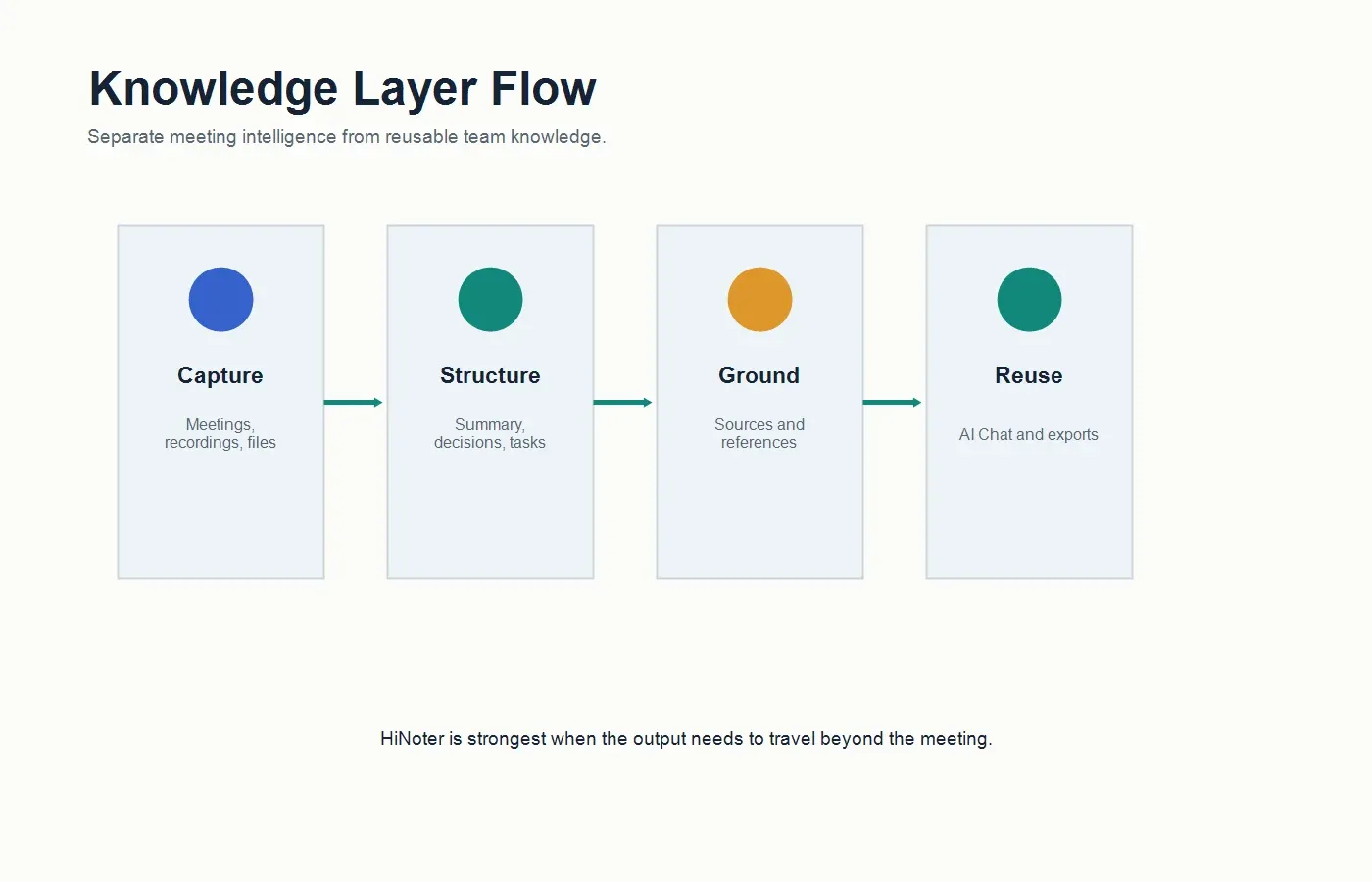
HiNoter is built for teams that want the meeting record and the knowledge layer. Its AI meeting assistant can join scheduled meetings automatically, while AI meeting notes organize the output into summaries, decisions, action items, and follow-up context. That helps teams stop treating notes as a private chore and start treating them as shared operational memory.
The stronger difference is multi-source coverage. HiNoter is not limited to meetings. It can help teams turn meetings, uploaded audio, video content, YouTube-style sources, and PDFs into structured notes. That matters when a product decision depends on a customer call, a training video, a PDF report, and a weekly sync. The best AI note system should preserve the context across all of those sources.
HiNoter also gives notes a more durable role through AI Chat with source references. Instead of asking a model to answer from memory, users can ask questions against their notes and inspect the source behind the answer. This is especially useful for teams that worry about hallucinations, disputed decisions, or vague follow-up tasks.
Read.ai vs HiNoter Feature Comparison
| Evaluation area | Read.ai | HiNoter |
|---|---|---|
| Best fit | Teams that want AI meeting reports, transcripts, summaries, playback, coaching signals, and connected productivity search. | Teams that want meetings, videos, PDFs, and audio converted into structured notes and reusable knowledge. |
| Meeting capture | Meeting assistant can join calls and generate meeting reports when configured with calendar and meeting access. | Calendar-connected assistant can automatically join scheduled meetings and generate structured notes after the call. |
| Sources supported | Strongest around meetings and connected workplace context such as calendar, email, messaging, and CRM sources. | Designed for meetings plus non-meeting sources, including PDFs, videos, uploaded audio, and multi-source team knowledge. |
| Summary depth | Meeting reports include summaries, topics, transcripts, action items, and playback depending on configuration and plan. | Summaries are paired with decisions, action items, mind maps, exports, and source-linked AI answers. |
| Action items | Can identify action items from meetings and include them in meeting reports. | Action items are structured as follow-up outputs with owners, due dates, and context for team handoff. |
| Language support | Supports meeting transcription and summaries with language capabilities that depend on product settings and plan details. | Supports 50+ languages with automatic detection for multilingual teams that need unified notes and summaries. |
| Integrations | Connects meeting, calendar, email, messaging, and workplace apps depending on permissions and admin settings. | Moves structured notes into tools such as Notion and Google Docs. |
| Knowledge reuse | Ask Read can search meetings and connected workplace context. | AI Chat focuses on source-linked answers from notes and content so teams can reuse verified knowledge. |
Choose HiNoter If...
Choose HiNoter if your team wants meeting notes to become a knowledge base, not just a meeting report. The strongest use case is a team that needs to stop manual note-taking, stay present in conversations, and still leave with summaries, action items, mind maps, exports, and answers that point back to source material.
HiNoter is also a better fit when meeting context lives outside the meeting. Customer success teams may need renewal-call notes plus a PDF implementation plan. Product teams may need interview notes plus a video demo. Founders may need investor meeting notes plus board decks and follow-up memos. In these cases, a tool that handles only meetings can leave important context behind.
Finally, choose HiNoter if your team cares about source-backed Q&A. A note that can answer questions with references is more useful than a static recap. It lets a manager ask, "What did the customer commit to?" or "Which meeting introduced this risk?" and verify the answer before acting.
Choose Read.ai If...
Choose Read.ai if your team wants a meeting-first assistant with analytics, playback, meeting reports, coaching signals, and broad workplace search. If engagement metrics, talk-time analysis, or productivity intelligence around meetings is important, Read.ai may fit the requirement better than a notes-first tool.
Read.ai may also be a good fit if your organization already uses its meeting and workplace integrations, has admins comfortable with its permission model, and wants an assistant that connects meetings with email, messaging, CRM, and calendar context. For teams that explicitly want meeting intelligence rather than multi-source note creation, that is a reasonable path.
Migration Checklist: Moving From Read.ai to HiNoter
| Step | What to review | What to test in HiNoter |
|---|---|---|
| 1. Identify the real job | Decide whether the team needs meeting analytics, reusable notes, or both. | Run a meeting through HiNoter and check whether the notes reduce follow-up work. |
| 2. Map source types | List the content that affects decisions: meetings, videos, PDFs, audio files, demos, and reports. | Process samples from each source type and compare output consistency. |
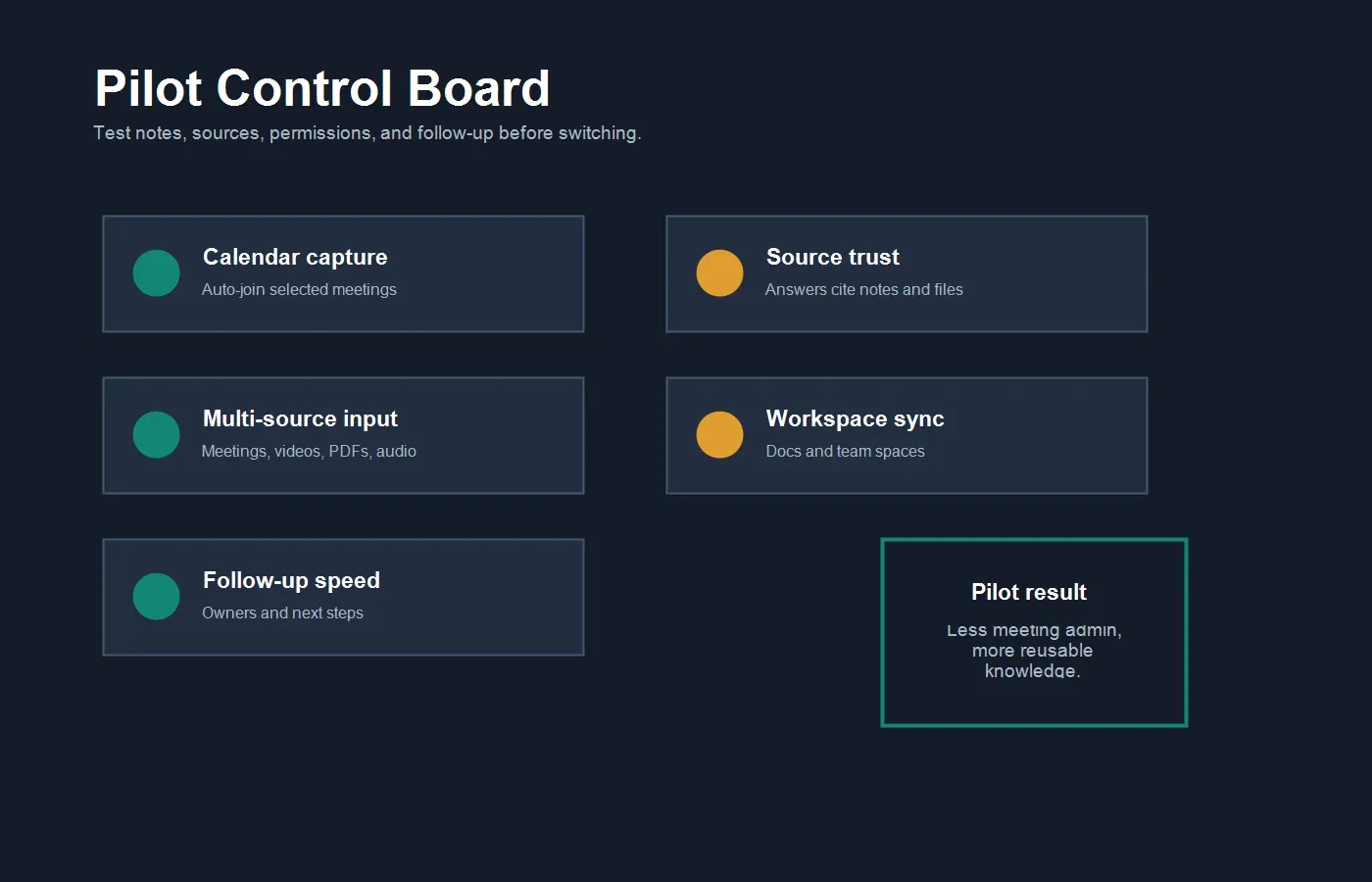
| 3. Review permissions | Document calendar, meeting, email, messaging, and workspace permissions currently granted. | Connect only the systems needed for the pilot and confirm the note workflow still works. |
| 4. Compare summaries | Look for decision clarity, action item ownership, risk capture, and customer language. | Check whether HiNoter outputs can be shared with the team without heavy rewriting. |
| 5. Test source trust | Ask the questions managers normally verify by replaying meetings. | Use AI Chat to answer those questions and inspect the source references. |
| 6. Measure adoption | Track whether people still write private notes, ask for recaps, or chase owners manually. | Compare follow-up speed before and after the HiNoter pilot. |
Pricing and Plan Considerations
Pricing and plan details change, so treat this section as a buying framework rather than a fixed price quote. Read.ai's pricing page and help materials describe tiers such as Free, Pro, Enterprise, and Enterprise+ with differences in transcription, meeting reports, retention, playback, coaching, admin controls, and advanced integrations. Teams should confirm the current plan limits directly on Read.ai before making a decision.
For a fair comparison, do not only compare monthly seat price. Compare the cost of post-meeting work. If a tool gives you a meeting report but someone still has to turn it into tasks, copy it into docs, connect it to a PDF, and answer questions later, the real cost includes human review time. A stronger tool removes more of the work after the call.
Teams should also look at permission and retention choices. Which meetings are captured? Who receives summaries? How long are recordings and transcripts retained? Which workspace apps are connected? Can admins control what is included? For AI meeting tools, the governance model is part of the product, not a footnote.
What to Test During a HiNoter Pilot
| Test area | Good pilot input | Success signal |
|---|---|---|
| Customer meeting | A renewal, onboarding, or escalation call with risks and commitments. | The summary captures the decision, the risk, the owner, and the next step clearly. |
| Internal sync | A project review with blockers, dependencies, and changing priorities. | Action items are ready to move into the team's existing workspace. |
| Video source | A webinar, demo, training clip, or recorded update. | The output includes chapters, key points, and reusable notes without rewatching. |
| PDF context | A report, proposal, customer brief, or operating document. | Users can summarize sections and ask source-linked questions. |
| Multilingual call | A meeting with distributed speakers, accents, or mixed-language context. | The final note is readable for people who did not attend live. |
Why Meeting Reports Are Not Always Enough
Meeting reports solve an important problem: they make meetings easier to review. But many teams do not fail because they lack a recap. They fail because the recap does not turn into action. The owner is unclear. The deadline is missing. The decision is separated from the evidence. The same customer issue appears in three meetings, but no one connects the pattern.
That is why the best Read.ai alternative depends on the job your team needs done. If the job is meeting analytics, Read.ai may be strong. If the job is turning conversations and files into a durable knowledge layer, HiNoter is a stronger fit. It focuses on the next step after the meeting: structured notes, action items, mind maps, exports, and source-linked answers.
The practical test is simple. Give both workflows the same messy input. Include one customer call, one internal meeting, one video, and one PDF. Then ask which output helps the team act faster, answer questions with more confidence, and reduce manual copy-paste work.
Governance Questions Before Switching
AI meeting tools are operational systems, so the evaluation should include more than feature checklists. Before choosing a Read.ai alternative, define who can invite an assistant to meetings, which meetings should never be recorded, who receives summaries, how long transcripts should be retained, and which workspace apps should be connected. These questions are especially important for customer calls, hiring interviews, legal discussions, finance reviews, and executive meetings.
HiNoter should be piloted with the same governance lens. Start with a small group, connect only the calendar and workspaces needed for the test, and review how notes are shared after each meeting. The goal is not to capture everything by default. The goal is to create a reliable knowledge workflow that the team trusts, while keeping sensitive conversations and source material under clear control.
Best-Fit Recommendations
| Team situation | Better fit | Why |
|---|---|---|
| You want meeting analytics, playback, coaching, and engagement signals. | Read.ai | Its product surface is built around meeting intelligence and productivity signals. |
| You want automatic notes, action items, summaries, and mind maps after meetings. | HiNoter | It is designed to reduce manual note-taking and create structured follow-up outputs. |
| Your team needs to process meetings, videos, PDFs, and audio in one workflow. | HiNoter | Multi-source inputs make it easier to preserve context across content types. |
| You need broad workplace search across meetings and connected productivity apps. | Read.ai | Ask Read is positioned around searching meetings and connected workplace context. |
| You need AI answers that cite the underlying note or content source. | HiNoter | Source-linked AI Chat helps teams verify answers before using them for decisions. |
Example Workflow: From Meeting to Searchable Knowledge
In a meeting-report workflow, the assistant joins the meeting, generates a recap, identifies action items, and makes the meeting easier to review. That is useful. But for many teams, the recap is only one input. The decision may depend on a PDF proposal, a video demo, a prior customer call, and a follow-up discussion.
In a HiNoter workflow, the team connects the calendar, lets the assistant join selected meetings, and then adds supporting sources such as PDFs, videos, or audio files. HiNoter creates summaries, decisions, action items, and mind maps. The team can export the notes into its workspace and later ask AI Chat questions that include source references.
This is the reason to evaluate HiNoter as a Read.ai alternative. The goal is not simply to replace one meeting assistant with another. The goal is to decide whether your team needs meeting intelligence, multi-source knowledge, or both.
Final Recommendation
Read.ai is a credible option for teams that want AI meeting reports, transcripts, playback, productivity intelligence, Ask Read, and meeting analytics. It is especially relevant when managers care about meeting behavior, engagement, and connected workplace search.
HiNoter is the stronger option when the team's problem is not just understanding meetings, but turning meetings and files into reusable knowledge. If your team wants zero manual note-taking, automatic meeting capture, 50+ language detection, summaries, action items, mind maps, integrations, and source-linked AI Chat, HiNoter is a focused Read.ai alternative to pilot.
FAQs
What is the best Read.ai alternative for AI meeting notes?
HiNoter is a strong Read.ai alternative for teams that want automatic meeting capture, structured AI notes, summaries, action items, mind maps, integrations, multilingual workflows, and source-linked AI Chat across meetings, videos, PDFs, and audio.
Is HiNoter better than Read.ai?
It depends on the workflow. Read.ai is strong for meeting reports, playback, analytics, coaching signals, and connected productivity search. HiNoter is stronger when the team wants multi-source notes, structured follow-up, and source-backed knowledge across meetings and files.
Can HiNoter auto-join meetings?
Yes. HiNoter can connect to a calendar and automatically join scheduled meetings selected by the user or team. After the meeting, it can generate summaries, action items, mind maps, and searchable notes.
Does HiNoter support more than meeting recordings?
Yes. HiNoter is designed for meetings plus other sources such as videos, PDFs, and audio. That makes it useful for teams that need customer calls, demos, research files, and internal meetings in the same knowledge workflow.
How should a team compare Read.ai and HiNoter?
Use real inputs. Test one customer meeting, one internal sync, one video, one PDF, and one multilingual call. Compare summary quality, action item clarity, export workflow, source trust, and how much manual follow-up work remains.