A meeting minutes generator helps teams turn a meeting, transcript, or approved recording into a structured record with agenda items, decisions, action items, owners, deadlines, risks, and follow-up. Use the free template below when you need copyable minutes today. Use HiNoter when you want the same structure filled automatically after the meeting, with transcripts, summaries, source references, exports, and AI Chat for follow-up questions. This page gives you the template, two filled examples, field-by-field guidance, and a workflow for moving approved minutes into team tools.
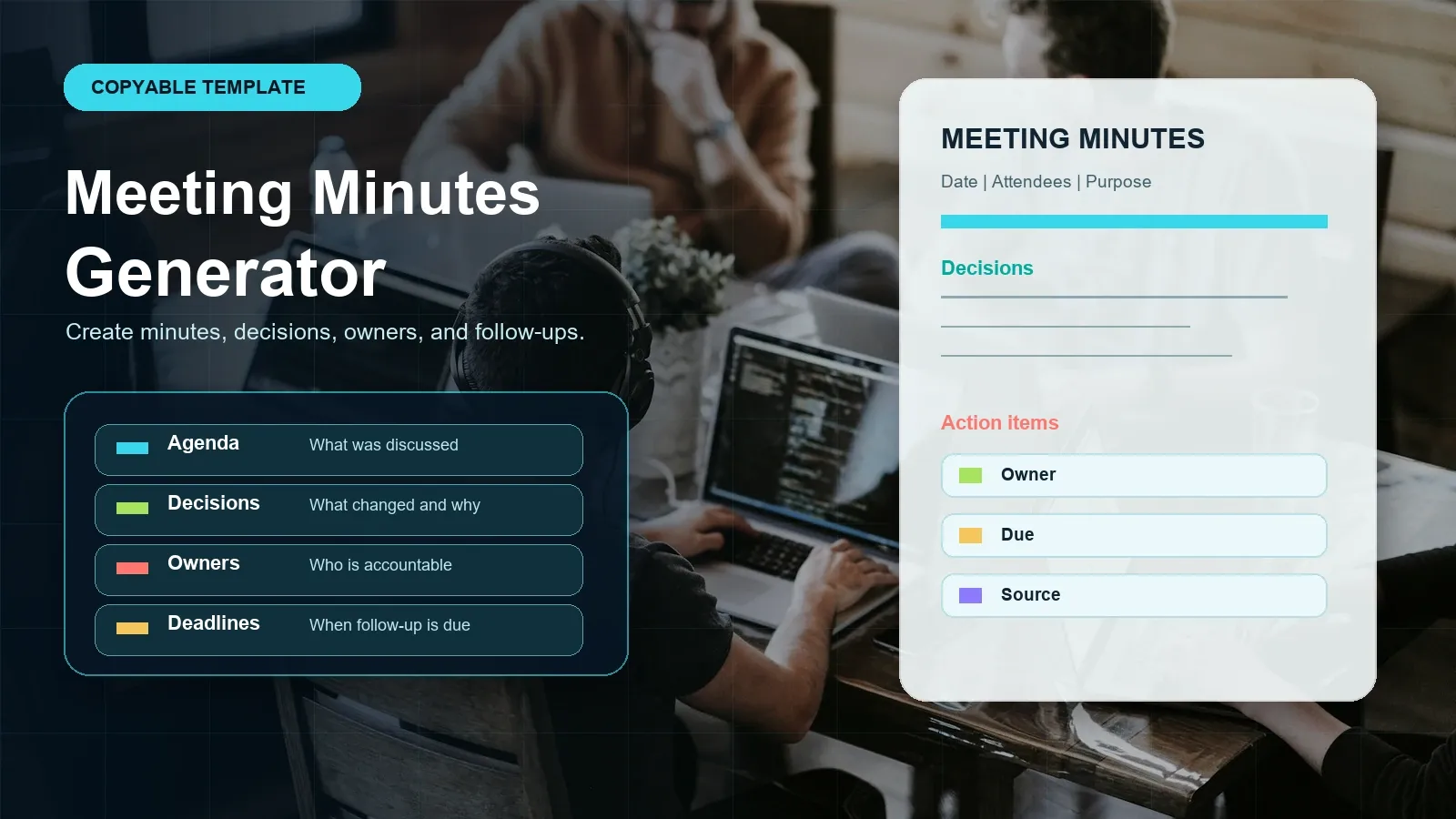
Copy the meeting minutes template or try HiNoter to generate minutes automatically.
Direct Answer: Meeting Minutes Generator
A meeting minutes generator creates a structured record from meeting notes, a transcript, or an approved recording. It should capture attendees, agenda items, decisions, action items, owners, deadlines, risks, and follow-up, then make the minutes easy to edit, share, export, and verify against the original source.
Copyable Meeting Minutes Generator Template
Copy this meeting minutes template into Google Docs, Notion, Microsoft Word, an email draft, or your team's knowledge base. It is designed to work both manually and as a prompt-ready structure for AI-generated minutes. The sections appear in the order a reviewer usually needs them: context first, then decisions, then action items and follow-up.
MEETING MINUTES TEMPLATE
Meeting title:
Date and time:
Location or platform:
Meeting owner / facilitator:
Minute taker:
Attendees:
Absent / optional:
Purpose:
What outcome should this meeting produce?
Agenda:
1.
2.
3.
Discussion by agenda item:
Agenda item | Key points | Source or timestamp
1. | |
2. | |
3. | |
Decisions:
Decision | Context / rationale | Owner | Date decided | Source
| | | |
Action items:
Task | Owner | Deadline | Status | Source
| | | |
Risks, blockers, and open questions:
Risk or question | Impact | Owner | Next review date
| | |
Follow-up and next steps:
Who receives the minutes?
Where will action items be tracked?
When is the next meeting or review?
The most important rule is simple: do not let action items live only inside prose. Put each task in its own row with an owner and deadline. If the owner or deadline is unknown, mark it as unknown and assign someone to clarify it. That is better than hiding uncertainty in a paragraph that no one reads.
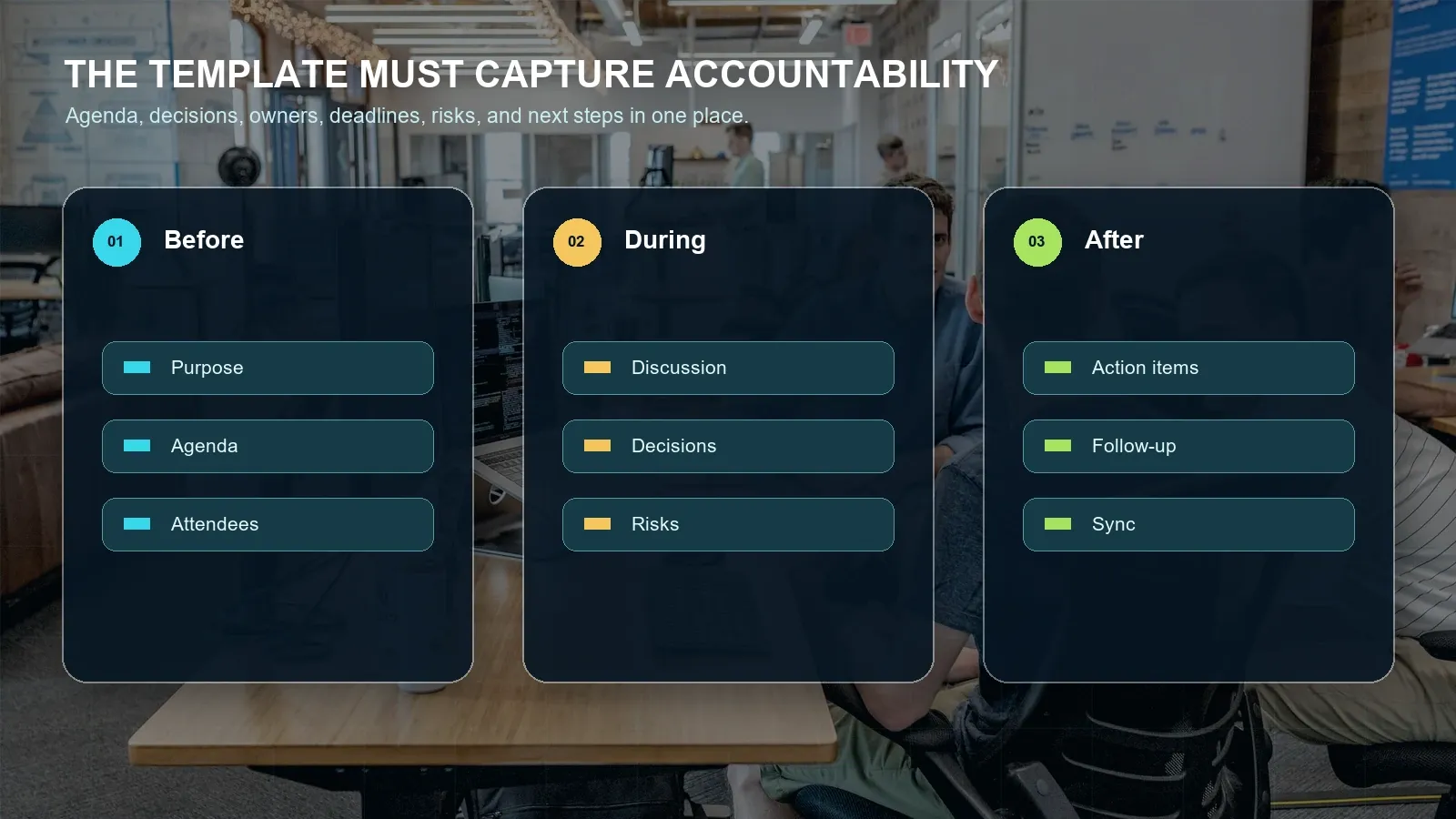
What Should Meeting Minutes Include?
Meeting minutes should include enough information for someone who missed the meeting to understand what happened, what changed, who is responsible, and what happens next. They do not need to include every sentence. They do need to preserve decisions and commitments clearly enough that the team can follow up without reconstructing the conversation from memory.
| Field | What to write | Common missing detail |
|---|---|---|
| Meeting title | Name the meeting in a way that can be found later. | Generic titles such as "weekly sync" without team or project context. |
| Date and platform | Add date, time, location, or platform such as Zoom, Google Meet, Teams, or in person. | Time zone and platform source. |
| Attendees | List required attendees, optional attendees, and absent decision makers. | Missing people who must approve decisions later. |
| Purpose | State the outcome the meeting was supposed to produce. | A topic list without a decision goal. |
| Agenda | List the topics discussed in order. | Unplanned topics that changed the outcome. |
| Discussion summary | Summarize material points, evidence, concerns, and tradeoffs. | Context behind a decision. |
| Decisions | Record the decision, rationale, owner, date, and source. | Why the decision was made. |
| Action items | Write task, owner, deadline, status, and source. | Owner, due date, and source evidence. |
| Risks and blockers | Identify risks, impact, owner, and next review date. | Who will resolve the risk. |
| Follow-up | Say where minutes go, where tasks are tracked, and when review happens. | Distribution and task system of record. |
Meeting Minutes vs Meeting Notes
Meeting notes are often personal and flexible. Meeting minutes are a shared record. That does not mean minutes must be legalistic or stiff. It means they should be consistent enough for an absent stakeholder, new teammate, auditor, project manager, or customer-facing owner to find the outcome later.
| Criterion | Meeting notes | Meeting minutes |
|---|---|---|
| Purpose | Help an individual remember the discussion. | Create a shared record of decisions and follow-up. |
| Structure | Flexible bullets, comments, or private observations. | Consistent fields for agenda, decisions, action items, risks, and follow-up. |
| Audience | Usually the note taker or immediate team. | Attendees, absent stakeholders, managers, customers, or future project members. |
| Action items | May be mixed into general notes. | Listed with owner, deadline, status, and source. |
| Review level | Optional. | Recommended before distribution, especially for commitments. |
Use notes for brainstorming and personal memory. Use minutes when the meeting creates obligations, project changes, customer commitments, hiring decisions, roadmap changes, compliance context, or work that must be tracked later.
Filled Meeting Minutes Examples
Templates are easier to understand when they are filled with realistic content. The examples below show two common situations: a project status meeting and a customer handoff. They are intentionally specific about owner, deadline, and source because those are the fields teams most often leave blank.
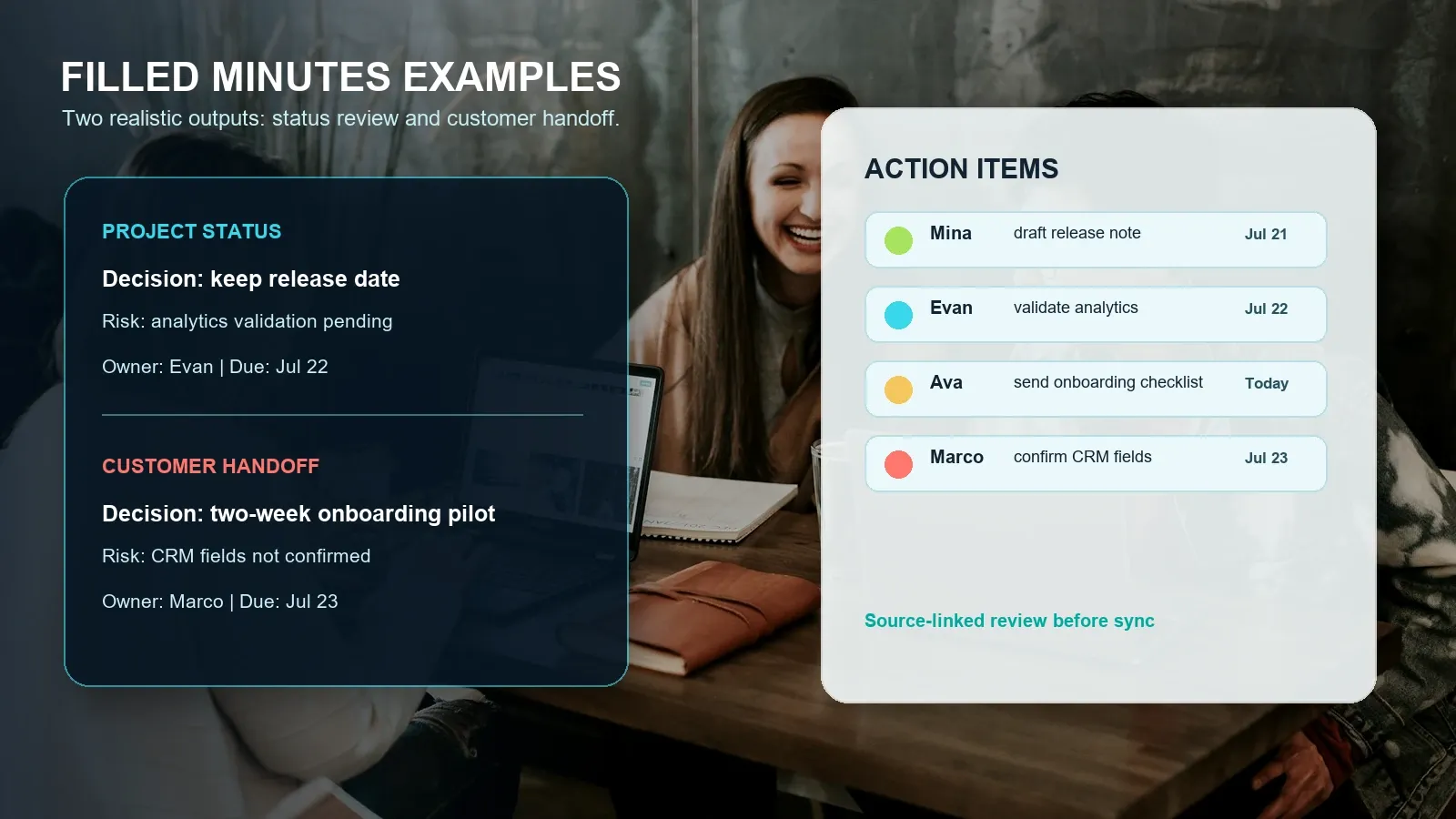
Example 1: project status meeting
FILLED EXAMPLE 1: PROJECT STATUS MEETING
Meeting title: July Release Status Review
Date and time: 2026-07-20, 10:00 AM
Platform: Google Meet
Meeting owner: Mina Patel
Minute taker: HiNoter draft, reviewed by Mina
Attendees: Mina, Evan, Jules, Priya
Purpose:
Confirm whether the July release is still on schedule and identify remaining risks.
Agenda:
1. Release readiness
2. Analytics validation
3. Customer communication
Discussion by agenda item:
Release readiness | Engineering confirmed the core workflow is ready. | Transcript 08:14
Analytics validation | Event tracking needs one more QA pass. | Transcript 18:42
Customer communication | Release note needs pricing-risk language. | Transcript 24:10
Decisions:
Decision: Keep the July 26 release date.
Context: Only analytics validation remains open, and the team agreed it can be completed before launch.
Owner: Mina
Date decided: 2026-07-20
Source: Transcript 20:03
Action items:
Task: Validate analytics events | Owner: Evan | Deadline: 2026-07-22 | Status: Open | Source: Transcript 18:42
Task: Draft customer-facing release note | Owner: Priya | Deadline: 2026-07-21 | Status: Open | Source: Transcript 24:10
Risks, blockers, and open questions:
Risk: Analytics validation delay could affect launch confidence.
Owner: Evan
Next review date: 2026-07-22
Follow-up:
Mina sends approved minutes to Slack and attaches the final release note in Google Docs.
Example 2: customer handoff meeting
FILLED EXAMPLE 2: CUSTOMER HANDOFF MEETING
Meeting title: Acme Onboarding Handoff
Date and time: 2026-07-20, 2:00 PM
Platform: Zoom
Meeting owner: Ava Chen
Minute taker: HiNoter draft, reviewed by Ava
Attendees: Ava, Marco, Sam, customer operations lead
Purpose:
Move the customer from sales handoff to implementation with a clear owner, timeline, and risk list.
Agenda:
1. Customer goals
2. Implementation timeline
3. CRM fields and reporting
Discussion by agenda item:
Customer goals | Customer wants a role-based onboarding checklist. | Transcript 06:45
Implementation timeline | Two-week pilot proposed before full rollout. | Transcript 19:14
CRM fields | Reporting fields are not final. | Transcript 24:02
Decisions:
Decision: Run a two-week onboarding pilot before full rollout.
Context: The customer wants early evidence that operations users can complete setup without extra support.
Owner: Ava
Date decided: 2026-07-20
Source: Transcript 19:14
Action items:
Task: Send onboarding checklist | Owner: Ava | Deadline: 2026-07-20 | Status: Open | Source: Transcript 12:20
Task: Confirm CRM fields | Owner: Marco | Deadline: 2026-07-23 | Status: Open | Source: Transcript 24:02
Risks, blockers, and open questions:
Risk: Reporting fields are not finalized.
Owner: Marco
Next review date: 2026-07-23
Follow-up:
Ava emails the customer recap and syncs Marco's CRM task to the project board.
Meeting Minutes Template Versions for Different Teams
The base template works for many teams, but the best meeting minutes generator should adapt the fields to the meeting type. A board meeting may need motions and approvals. A sales handoff needs customer commitments. A product review needs decisions and evidence. A project review needs blockers and owners.
| Meeting type | Fields to emphasize | Useful HiNoter output |
|---|---|---|
| Project status | Status changes, risks, blockers, dependencies, owners, deadlines. | Action items, risk list, recap email, source-linked follow-up questions. |
| Customer handoff | Customer goal, commitments, objections, implementation owner, next contact. | Summary, commitments, handoff tasks, CRM-ready notes. |
| Product roadmap | Decision, evidence, user impact, dependencies, rollout risk, open questions. | Decision record, mind map, roadmap blockers, source-linked AI Chat. |
| Leadership review | Approval status, metrics, risks, executive requests, owner and due date. | Executive summary, decision log, follow-up tracker. |
| Recruiting debrief | Candidate evidence, scorecard criteria, interviewer concerns, next step. | Evidence-based summary and next-stage ownership. |
| Training or class | Topics, key takeaways, questions, assignments, study references. | Chaptered notes, mind map, searchable Q&A. |
Common Meeting Minutes Mistakes
The most common failure is not a missing template. It is a template that no one keeps filling. Teams start with a clean document, then meetings get busy, decisions move into chat, tasks move into private notes, and the minutes become a half-complete archive. A meeting minutes generator should reduce this maintenance cost.
| Mistake | Why it causes rework | Fix |
|---|---|---|
| No owner on action items | Everyone assumes someone else will handle the task. | Require one accountable owner per task. |
| No deadline | Follow-up has no urgency and cannot be tracked. | Add a due date or a date to clarify the deadline. |
| Decision without rationale | Future readers cannot understand why the team chose that path. | Capture context, tradeoff, and source. |
| Risks hidden in discussion | Blockers are mentioned but not managed. | Give each risk an owner and next review date. |
| Minutes not distributed | Only the note taker has the outcome. | Define recipients and sync destination before the meeting ends. |
| Unreviewed AI output | Names, dates, or obligations may be wrong. | Verify high-impact details against the transcript or source file. |
How HiNoter Automatically Fills the Meeting Minutes Template
The manual template is useful, but the long-term problem is consistency. Someone still has to listen, type, organize, assign owners, check dates, and copy the finished minutes into the right tools. HiNoter reduces that effort by using the template as a structured output target after a permitted meeting or upload.
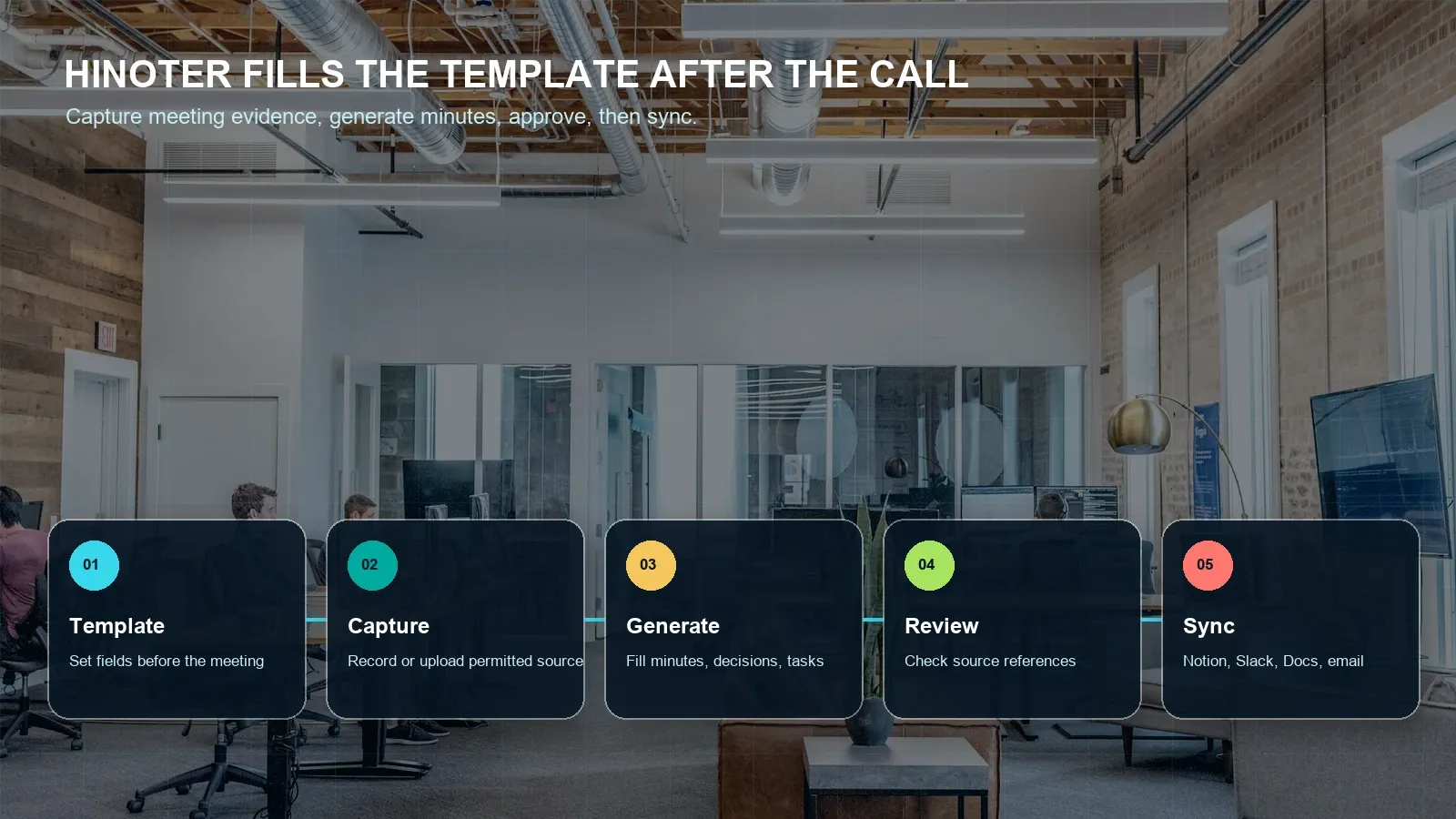
- Before the meeting, choose the template. Decide whether this is a project review, customer handoff, roadmap review, leadership update, or another meeting type.
- During the meeting, capture approved content. Use a permitted meeting capture workflow or upload an approved recording or transcript. Confirm participant notice, platform settings, and company policy.
- After the meeting, generate minutes. HiNoter creates a transcript, summary, decisions, action items, owners, deadlines, risks, and follow-up sections.
- Review source references. Check names, dates, obligations, financial details, legal terms, and customer commitments against transcript timestamps or source material.
- Approve and sync outputs. Send finalized minutes and tasks to Notion, Slack, Google Docs, calendar, email, or other team systems where supported.
This is where HiNoter differs from a blank template. A template tells the team what should be captured. HiNoter helps capture it. HiNoter is an AI meeting notes and transcription platform that can turn meetings, audio, video, permitted YouTube content, and PDFs into structured, searchable, source-linked knowledge. For minutes, that means the transcript becomes a draft record, action items become reviewable rows, and AI Chat can answer follow-up questions with source references.
Export, Integrations, Action Items, and Follow-Up
Meeting minutes should not sit in a forgotten file. Once reviewed, the record should move into the tools where work happens. HiNoter can support workflows that send approved minutes to Notion, Slack, Google Docs, calendar reminders, email, CRM, or project tools where available.
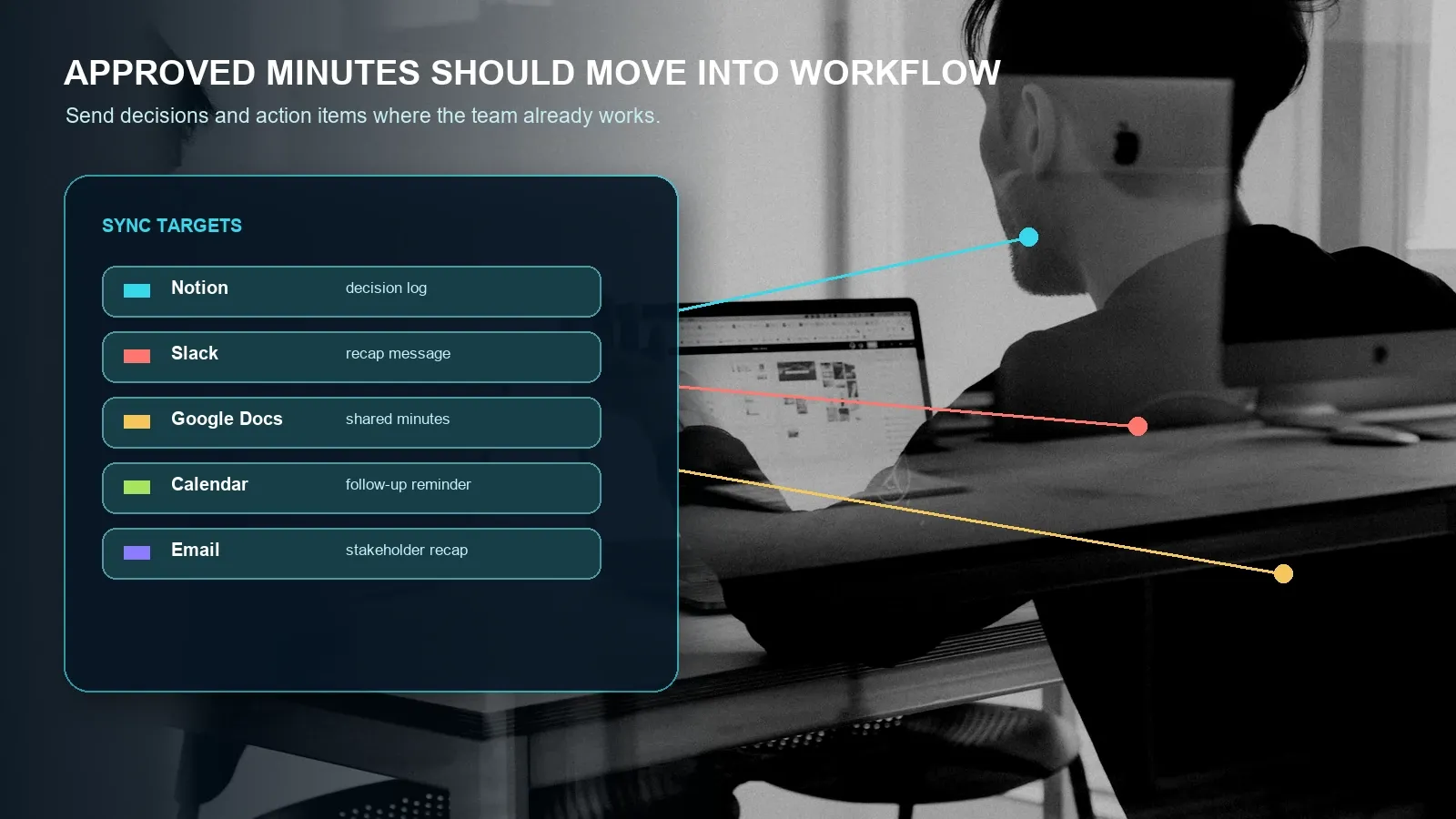
A practical sync rule is to separate the evidence from the approved output. Keep the transcript and source references accessible to authorized reviewers. Send the concise minutes to the broader team. Sync only approved action items to task systems. This prevents unreviewed AI extraction from turning into an official commitment.
| Destination | What to send | Review step |
|---|---|---|
| Notion | Decision log, project page, meeting archive, action list. | Confirm page permissions and source-link access. |
| Slack | Short recap, key decisions, action-item summary. | Post only after owners and deadlines are verified. |
| Google Docs | Full meeting minutes document for stakeholder review. | Use document access controls and version history. |
| Calendar | Follow-up meeting or reminder for a deadline. | Confirm owner and date before creating reminders. |
| Customer or executive recap. | Review commitments, dates, numbers, and tone. | |
| CRM or project tool | Customer commitments, tasks, blockers, and next steps. | Sync only accepted tasks with a clear owner. |
Privacy, Permissions, and Trust
Meeting minutes can contain personal data, commercial strategy, customer commitments, HR discussion, legal context, or confidential product information. When minutes are generated from recordings or transcripts, teams should define participant notice, consent, access controls, retention, deletion, and export rules before capture begins. Requirements vary by jurisdiction, industry, employer policy, and meeting type.
Use official platform guidance when configuring capture. Google documents Meet transcripts and note-taking features, Microsoft documents live transcription in Teams, and Zoom publishes AI note-taking information. For broader organizational privacy and security practices, consult guidance from the U.S. Federal Trade Commission and the NIST Privacy Framework, and involve legal or compliance stakeholders for regulated use cases.
How to Choose a Meeting Minutes Generator
Choose a generator by testing whether it creates minutes you can actually use. The July 2026 Google and Bing samples for "meeting minutes generator" were dominated by tool pages and template/tool hybrids, including Evernote, Tactiq, MinutesGenerator, Canva, Microsoft Word, Krisp, ScreenApp, and other generator pages. That means the searcher expects a usable generator or template, not only an explainer.
- Start with the template. Make sure the page gives you a copyable structure before asking you to sign up.
- Test with real meetings. Use a meeting with decisions, risks, owners, and ambiguous action items.
- Compare minutes to the source. Check whether the generator preserves context and source references.
- Review action items. Confirm task, owner, deadline, status, and sync destination.
- Check export options. Verify Notion, Slack, Google Docs, calendar, email, CRM, project tools, and file export needs.
- Evaluate governance. Review participant notice, admin permissions, retention, deletion, access, and plan limits.
- Ask follow-up questions. Test whether AI Chat can answer where a decision came from and show the source.
Choose HiNoter if your team wants a meeting minutes generator that does more than format text. HiNoter helps turn permitted meetings and sources into transcripts, minutes, decisions, action items, mind maps, exports, and source-linked AI Chat so the template becomes a repeatable workflow.
Try HiNoter for AI-generated meeting minutes and turn your next approved meeting into minutes, decisions, action items, and source-linked follow-up.
Frequently Asked Questions
What is a meeting minutes generator?
A meeting minutes generator creates a structured record of a meeting from notes, a transcript, or an approved recording. It should organize attendees, agenda items, discussion points, decisions, action items, owners, deadlines, risks, and follow-up so the team can review and share minutes faster.
What should meeting minutes include?
Meeting minutes should include the meeting title, date, attendees, purpose, agenda, discussion summary, decisions, action items, owners, deadlines, risks, open questions, follow-up plan, and source references when generated from a transcript or recording.
What is the difference between meeting minutes and meeting notes?
Meeting notes are often informal and personal. Meeting minutes are a structured record meant to be shared, approved, stored, and used for accountability. Minutes usually require clearer decisions, owners, deadlines, risks, and follow-up than personal notes.
Can AI create meeting minutes from a transcript?
Yes. An AI tool can use a transcript or permitted recording to draft minutes, summarize decisions, and extract action items. A human reviewer should still verify names, dates, obligations, financial details, legal terms, and any high-stakes commitment before distribution.
How does HiNoter fill a meeting minutes template?
HiNoter captures a permitted meeting or uploaded source, creates a transcript, and drafts structured minutes with decisions, action items, owners, deadlines, risks, mind maps, exports, and source-linked AI Chat. The team can review the draft before syncing approved items to collaboration tools.
Where should completed meeting minutes be stored?
Store completed minutes in the tool your team already treats as the record of work, such as Notion, Google Docs, a shared drive, CRM, project system, or team knowledge base. Keep access controls, retention rules, and source references aligned with company policy.